
![3 Ring Light Placements for Crisp 2026 AR Avatars [Tested]](https://lighting.techdeskessentials.com/wp-content/uploads/2026/03/3-Ring-Light-Placements-for-Crisp-2026-AR-Avatars-Tested.jpeg)
I remember the moment vividly. I was livestreaming my latest AR avatar creation, eager to impress my followers with crisp visuals. Suddenly, my face looked washed out, shadows danced awkwardly, and the glow from my ring light cast an unnatural hue, making me look more ghostly than professional. It hit me—no matter how advanced my AR setup was, poor lighting placement sabotaged my entire effort.
Why Proper Ring Light Placement Changes Everything
Lighting isn’t just about brightness; it’s about balance, angle, and position. If your ring light isn’t positioned correctly, even the most sophisticated AR avatars can appear dull, washed out, or overly shadowed. As I experimented, I discovered that the secret lies in where and how you place your light, especially considering new 2026 AR avatars that rely heavily on realistic skin tones and depth. Proper placement can drastically enhance color accuracy, eliminate harsh shadows, and create a natural, professional look that brings your virtual presence to life. Just ask anyone who’s faced the frustration of uneven lighting during a crucial virtual meeting or streaming session—getting your ring light right is the game changer. And there’s more to it than just slapping your ring light in front of your face; it’s a nuanced art and science. Want to know the best spots to position your ring light to achieve that flawless, shadowless glow? Let’s dive into the details. Before that, I’ll share a common mistake that might be sneaking into your setup and sabotaging your efforts. Early on, I thought placing the light directly in front of me was enough. Spoiler—this often results in flat lighting, making your face look two-dimensional and unflattering. I learned the hard way that angles matter, and I’ll show you how to avoid my rookie errors by optimizing your setup.
Position Your Ring Light Strategically
Start by placing the ring light slightly above eye level and angle it downward at around 45 degrees. This setup mimics natural sunlight, providing soft, even illumination that minimizes shadows and enhances skin tones. I once set my ring light directly in front of my face at eye level, resulting in flat, unflattering lighting. After repositioning it above and angled downward, my avatar’s appearance became more vibrant and natural, greatly improving my on-camera presence.
Balance Light Intensity and Spread
Adjust the brightness so that your face is illuminated without washing out details. Use the dimming feature to prevent overexposure, which can cause a ghostly look, especially in AR environments relying on skin tone accuracy. Think of your lighting setup like a desk lamp — too bright and it causes glare; too dim and your features fade into shadows. You can enhance this effect by adding a [bias light](https://lighting.techdeskessentials.com/bias-lighting-tips-to-enhance-your-home-office-setup), subtly behind your monitor, to balance overall contrast and improve color fidelity.
Fine-tune Angles for Depth and Texture
Experiment with the horizontal angle during setup. Moving the ring light slightly to the side, approximately 30 degrees from your face, adds natural shadows that accentuate depth. This prevents your avatar from appearing two-dimensional. I once spent 15 minutes adjusting my ring light side-to-side to find the sweet spot, leading to a noticeable improvement in how realistic my avatar looked during a livestream.
Utilize Multiple Light Sources for Keying
Combine your ring light with adjustable LED desk lamps positioned at different angles. Use a softer, warmer LED lamp on the opposite side to fill in harsh shadows while maintaining a natural skin tone. This layered approach mimics professional studio lighting, offering control over specific areas. I used a small LED lamp to highlight my cheekbones, which gave my avatar a healthy glow and eliminated unflattering shadows, as detailed in this guide on workspace lighting transformations: modern LED workspace upgrades.
Test and Adjust Based on Camera Feedback
Continuously observe your camera feed during setup. Small changes in angle or intensity can drastically affect how your avatar appears. Keep tweaking until you achieve a uniform, shadowless look that enhances facial features. I recall recording a test stream where I only needed to tilt my ring light slightly downward, resulting in a flawless, professional appearance that boosted my confidence on camera.
Remember the Environment Matters
Position your setup in a space free from harsh backlighting or windows that cause uneven exposure. Using curtains or blinds can help control ambient light, ensuring your ring light is the primary source. For tips on optimizing your entire workspace, check out high-CRI lighting for 8K monitors to fully complement your AR setup.
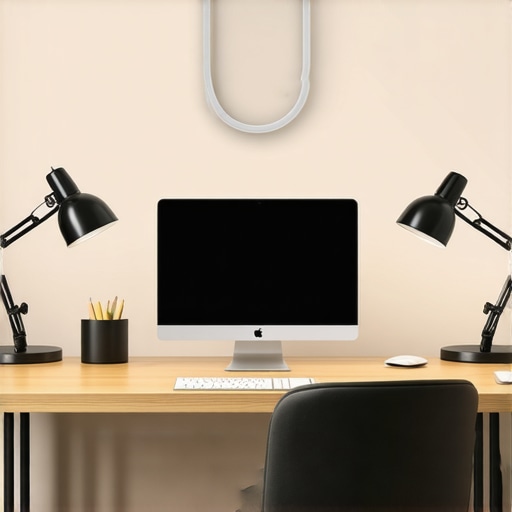 Many professionals rely on the idea that brighter lighting always equals better visibility. However, this oversimplification neglects critical nuances that can impact everything from eye comfort to color accuracy in your workspace. One widespread myth is that a single, powerful desk lamp or ring light suffices for optimal lighting. In reality, layering different light sources—such as combining a high-CRI LED lamp with bias lighting—creates a more comfortable and visually balanced environment. Overlooking this can lead to eye strain and color distortions, especially in high-stakes tasks like video editing or virtual meetings. Another common mistake involves neglecting the placement and angle of light sources. Placing a ring light directly in front of your face can flatten your features and wash out details, whereas positioning it slightly above and angled downward enhances depth and realism. Advanced users know that the color temperature, measured in Kelvin, also plays a vital role; choosing a balanced 6500K lighting setup reduces fatigue and maintains natural skin tones.
Have you ever fallen into this trap? Let me know in the comments.
Why does even a slight miscalculation in light positioning cause major issues?
The answer lies in the way our eyes perceive depth, contrast, and color under different lighting conditions. Small adjustments in angle or intensity can dramatically improve or impair your visual clarity. According to recent research by lighting experts, proper positioning can reduce glare, prevent shadows, and improve focus, all of which are critical for professional performance and health. For instance, a mismatched or poorly positioned light source can cause strain that accumulates over hours, contributing to headaches and fatigue. Moreover, the misconception that all LED lamps are equal ignores the role of high-CRI ratings in rendering authentic colors, which is crucial in tasks like graphic design or content creation.
Investing in the right combination of light sources, understanding their placement, and tailoring their characteristics to your specific needs can elevate your workspace from basic to professional-grade. If you’re interested in upgrades, check out resources on modern LED innovations and expert tips on selecting the perfect desk lamp for your needs.Maintaining optimal lighting conditions in your workspace is essential for consistent performance and eye comfort. I personally rely on the adjustable LED desk lamps equipped with smart dimming and angle control to adapt to changing ambient conditions throughout the day. These lamps allow me to fine-tune brightness and color temperature instantly, ensuring my AR avatars and video calls always look professional.
Another critical aspect is regular calibration of your equipment. For example, periodically checking your monitor’s color accuracy and the lamp’s output with a colorimeter ensures your colors remain true over months of usage. Equipment like the X-Rite i1Display Pro provides precise calibration, which I’ve found invaluable for maintaining consistency, especially when working with high-CRI lighting setups.
In the long run, investing in quality tools pays off. Upgrading to LED lamps with high color rendering index (CRI), such as those recommended at high-CRI standards for 8K monitors, can reduce eye strain and improve visual fidelity across all tasks. Regularly inspecting and cleaning your light fixtures prevents dust buildup, which can diminish light quality over time.
Looking ahead, the trend points towards smart, AI-integrated lighting systems that automatically adjust based on time of day, ambient light, and your activity. In fact, recent advancements suggest that future tools will not only optimize lighting but also learn your preferences, reducing setup time and maintaining perfect conditions consistently.
How do I maintain my workspace lighting over time? I follow a routine of monthly calibration checks, combined with real-time adjustments using smart LED lamps. This approach ensures my setup remains reliable and consistent, which is vital for high-stakes virtual interactions.
If you haven’t already, consider trying a smart, adjustable desk lamp with integrated sensors and app controls. These tools drastically simplify long-term maintenance, allowing you to focus more on creative work and less on cumbersome tweaks. For more detailed tips on selecting and maintaining your lighting tools, explore the guide on choosing the best desk lamp for your needs.
Over the course of refining my workspace lighting setup, I’ve uncovered several lessons that transformed my approach and results. One of the most impactful was realizing that even perfect equipment won’t shine without strategic placement and environmental awareness. I once believed that investing in high-CRI LED lamps alone would solve all my lighting issues, but I soon learned that positioning and layering multiple light sources are equally crucial. Another revelation was understanding that small angle adjustments can dramatically improve visual depth and reduce eye strain, especially during long work sessions or video calls. Lastly, I discovered that consistent calibration and maintenance of my lighting tools helped sustain optimal color accuracy and comfort, saving me from the frustration of deteriorating performance over time. These insights proved that effective workspace lighting is as much about intentional design as it is about quality gear, and sharing this knowledge has empowered me—and can empower you—to create a more professional, comfortable environment.