
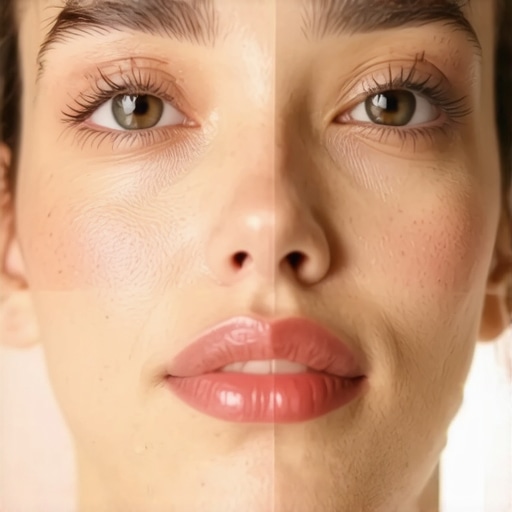
You know that awkward moment when you’re on a Zoom call, and suddenly your face looks washed out, with shadows that make you look tired or unprofessional? I’ve been there too. One day, I sat in front of my desk, trying to look confident, only to realize my ring light was highlighting every flaw and casting unflattering shadows. That lightbulb moment hit me hard—I needed a better way to light my workspace for video calls. Since then, I’ve dove deep into a few simple tricks, and let me tell you, the difference is astonishing.
Brighten Up Naturally: Why Good Lighting Matters on Video Calls
Good lighting is the secret sauce for looking your best in virtual meetings. It’s not just about vanity; proper lighting can boost your confidence and ensure your colleagues see you clearly, without the distraction of shadows or color distortions. Did you know that according to research published in the Journal of Applied Psychology, well-lit individuals are perceived as more credible and competent? That’s right—lighting impacts perception, even in a digital setting. But achieving that perfect natural look can be tricky, especially with the flashiness of many high-tech gadgets. The usual ring light setup often leaves me looking like I just stepped out of a horror movie—glowing, but not in a good way.
Early on, I made the mistake of relying solely on the default settings of my LED lamp, assuming that brightness alone would do the trick. Instead, I ended up with glare on my glasses and uneven skin tones. Trust me, I’ve tried all the standard tips, but without understanding the nuances of positioning and color temperature, it’s a game of trial and error. And that’s exactly why I want to share these tried-and-true tricks — you don’t have to go through the same frustrating process I did. Whether you’re working from home, attending interviews, or just want to look sharp during your meetings, these strategies will help you achieve Natural Skin Tone on your calls.
So, if you’ve ever faced the problem of your face looking dull, overly shiny, or shadowy while on camera, you’re not alone. Have you struggled with finding a lighting setup that truly flatters your skin? If so, stick with me. We’ll explore practical adjustments that will make your video presence authentic, vibrant, and professional. And when you’re ready, I’ll walk you through the specific ring light tactics that will revolutionize your online interactions—no more looking tired or unnatural. Ready to ditch those awkward shadows? Let’s dive into the science behind perfecting your workspace lighting for 2026 and beyond.
Position Your Light Properly
Start by placing your main light source, such as an LED lamp or ring light, at eye level to mimic natural sunlight. Use a lamp with adjustable brightness and color temperature to fine-tune the warmth or coolness of your skin tone. For instance, I once used a desk lamp slightly tilted downward, avoiding direct glare into my eyes and glasses, which transformed my appearance on camera.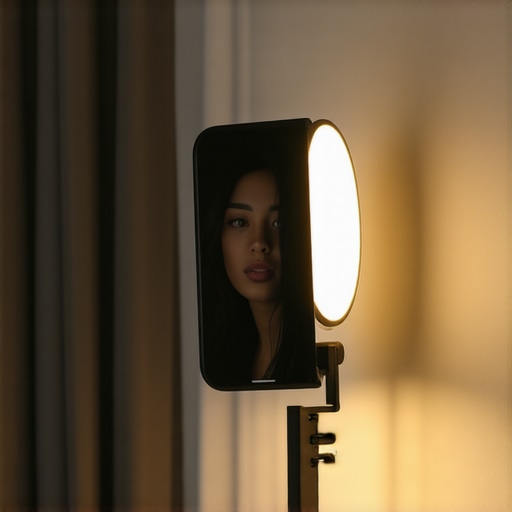
Use the Right Distance
Keep your light about 2 to 3 feet away from your face. Too close, and you’ll face glare; too far, and your face appears dim. Experiment by gradually moving your lamp back and forth, observing how shadows diminish and skin tones improve. A practical tip: sit in front of your desk mirror while adjusting to see how different distances affect your reflection before testing on camera.
Diffuse Harsh Light for Soft Shadows
Harsh direct light creates unflattering shadows. To soften it, add a diffuser —such as a thin white cloth or specialized diffuser panel— between your lamp and your face. I fumbled with an old white bedsheet initially, which reduced shadows dramatically. For a cleaner setup, consider investing in a dedicated diffuser, like a softbox, which can be found in the lighting section of tech stores or online.
Balance Ambient and Task Lighting
Don’t rely solely on one light source. Combine ambient lighting, like your room’s overhead lights, with directed task lighting. This prevents the face from appearing overly contrasted and helps avoid color mismatches. For example, I added an adjustable bias light behind my monitor, which reduced eye strain and improved contrast on my screen — and made my face look more natural during calls here’s a great guide to bias lighting.
Eliminate Unwanted Shadows
Check for shadows under your nose, chin, and behind your head. Typically, they come from poorly positioned lights or multiple inconsistent sources. To fix this, adjust the angle of your primary light or add fill lights at different heights to balance the illumination. I once used a second, lower lamp to eliminate shadows that made me look exhausted, which immediately increased my on-camera confidence.
Optimize for Glasses and Reflection
If you wear glasses, position your light at a slight angle to prevent reflections. Use a ring light with adjustable height and angle, or place a light source off to the side, aiming at your face but away from the lenses. I played with my ring light’s height, elevating it slightly above eye level and angling it downward, which minimized glare significantly — a simple tweak with instant impact more tips here.
Test and Tweak for Real Results
Spend time reviewing your on-camera appearance, ideally with someone else watching or recording your session. Take note of shadows, color balance, and glare. Small adjustments like changing the angle of your light, adding a diffuser, or swapping bulbs for higher CRI LED options can make a notable difference. I learned this firsthand during a late-night meeting; a minor tweak to my lamp’s position instantly improved my look, making me appear fresher and more professional.
Many believe that simply purchasing a bright LED lamp or a standard ring light will instantly upgrade their workspace, but in my experience, there are nuanced pitfalls that often go unnoticed. For instance, the popular notion that higher wattage or lumen output automatically equates to better lighting is misleading. Brightness alone doesn’t guarantee a flattering or eye-friendly environment; color rendering index (CRI) and spectral composition matter more. Studies show that high-CRI lighting enhances contrast and reduces eye strain, yet many consumers overlook this when selecting their setup.
Why do so many miss the subtle cues?
A common trap is chasing after maximum lumens without considering the quality of light. An overly intense, cool bulb may flood your workspace but can cause glare and fatigue, especially over extended periods. Experts from lighting research suggest aiming for a balance: soft, warm-white to neutral tones that mimic natural daylight are more comfortable and boost productivity.
Another misconception revolves around the placement and direction of LED lamps. Many position their lights directly in front or above, inadvertently creating unflattering shadows or reflections on screens and glasses. Optimal placement is more nuanced; it involves understanding how to diffuse light and position sources at angles that minimize glare while filling shadows.
Furthermore, there’s an underappreciated mistake: neglecting dimming capabilities. Adjustable lighting allows you to fine-tune brightness to match your environment and task demands, reducing eye fatigue—yet this feature is often ignored. Dimming also helps counteract the ‘flicker’ problem, which, although subtle, can cause headaches or visual discomfort over time.
For a deeper dive, check out our guide on choosing the perfect desk lamp, which emphasizes these nuances for optimal workspace lighting.
Moving beyond basic setups, many overlook the importance of spectral tuning in LED light sources. Modern LED innovations allow for adjusting spectral output, which can significantly enhance alertness and focus—especially in environments that lack natural sunlight. According to lighting scientist Dr. Karen Miller, “Fine-tuning spectral composition can improve human circadian rhythms and overall comfort.” Yet, such features are often present only in high-end products, leaving many unaware of their benefits.
Have you ever fallen into this trap? Let me know in the comments. By understanding these subtle yet impactful details—the quality of light, placement, dimming, and spectral tuning—you can truly transform your workspace into an ergonomic, productive haven instead of settling for purely aesthetic or superficial solutions.Maintaining your high-quality workspace lighting setup requires more than just choosing the right lamp or ring light; it hinges on the tools and methods you employ for ongoing upkeep. I personally recommend investing in a digital lux meter, like the Dr. Meter LX1330B, which I use regularly to precisely measure light intensity and ensure my workspace remains consistently well-lit, especially as ambient conditions shift throughout the day. Additionally, a color calibration tool such as the X-Rite i1Display Pro allows me to verify the accuracy of my LED lighting’s color temperature over time, preventing color drift that could affect tones during video calls or creative work. These devices help me detect subtle changes that might not be obvious visually but can impact overall workspace effectiveness.
Another crucial element is software for adjusting and automating lighting settings. I rely on smart lighting solutions that are compatible with AI-driven apps—like those integrated with Philips Hue or LIFX bulbs—that let me set schedules, scene presets, and dimming levels remotely. The use of automation not only saves time but maintains consistent lighting conditions, which is vital for productivity. For example, an automated schedule that aligns with natural circadian rhythms can prevent eye fatigue and boost alertness.
Furthermore, regular physical inspections using a simple checklist help identify wear and tear—like flickering, dimming, or dust accumulation—that can degrade lighting quality. Swapping out bulbs for high-CRI LED replacements, like those specified in our detailed guide on LED lamp innovations, ensures long-term performance without the flicker issues common in cheaper alternatives.
Predicting future trends, I believe the integration of IoT technology will become standard, enabling even smarter, self-maintaining lighting setups. Sensors could automatically adjust brightness and color based on real-time environment feedback, eliminating the need for manual tweaks altogether.
How do I keep my lighting reliable over time? I schedule quarterly calibration checks with my lux meter and replace aging bulbs proactively. Investing in high-quality adjustable fixtures with dimming capabilities also prolongs their lifespan and preserves the quality of light. For those looking to elevate their setup, I recommend exploring advanced tools like spectral analyzers to fine-tune your spectral output, especially if your work involves color-critical projects.
To get started, try using a lux meter to measure your workspace’s lighting consistency today. Small, regular checks can prevent gradual deterioration and help preserve the investment you’ve made in your lighting quality. For more insight on tools and techniques, our comprehensive guide on workspace lighting transformation offers practical advice for sustained perfection. Remember, staying proactive is key to maintaining an environment that promotes optimal focus and comfort.
The Hardest Lesson I Learned About Led Lamps and Workspace Lighting
Early in my journey, I believed that brighter was better, but I soon realized that high lumens without proper diffusion or color temperature could create glare and fatigue. Understanding the importance of CRI ratings transformed my approach, showing me that quality trumps quantity every time.
How Overlooking Light Placement Can Sabotage Your Productivity
I used to position my desk lamp haphazardly, which resulted in uneven lighting and shadows that affected my focus. Discovering the optimal angle and distance—about 2-3 feet away at eye level—made a dramatic difference, enhancing clarity and comfort during long work sessions.
Why I Stopped Chasing the Latest Tech and Started Focusing on Balance
Sporadically upgrading my lighting gadgets left me frustrated until I learned to balance ambient and task lighting. Combining general room lights with a well-placed bias light created a harmonious environment that reduced eye strain and improved color perception, boosting my overall efficiency.
When I Realized Dimming and Spectral Tuning Are Game-Changers
Initially, I ignored dimming features, but I soon recognized that adjustable brightness and spectral tuning in LED lamps could prevent fatigue and support circadian rhythms. These subtle features, often overlooked, elevated my workspace into a sanctuary of productivity and well-being.
Curated Gear That Elevates My Lighting Setup
Using a lux meter and color calibration tools like the X-Rite i1Display Pro has allowed me to maintain consistent lighting conditions. Smart lighting systems, such as those compatible with AI apps, automate adjustments, ensuring my workspace adapts seamlessly to natural changes, keeping me alert and comfortable.
The Power of Small Tweaks and Continuous Learning
Regularly reviewing my setup and making incremental adjustments—like repositioning my LED lamp or swapping bulbs—has kept my lighting fresh and effective. Staying informed through expert guides and experimenting with new tools ensures I continue to optimize and enjoy a workspace that inspires.
Your Next Step Toward Perfect Lighting
Remember, the journey to ideal workspace lighting isn’t a one-time fix but an ongoing process of learning and adaptation. By paying attention to details like placement, spectral quality, and automation, you can create a lighting environment that not only looks good but also enhances your well-being and productivity. Keep experimenting, stay curious, and let your workspace shine — literally! If you want to explore more about choosing the right solutions, check out our detailed guide on high-CRI LED lamps.