
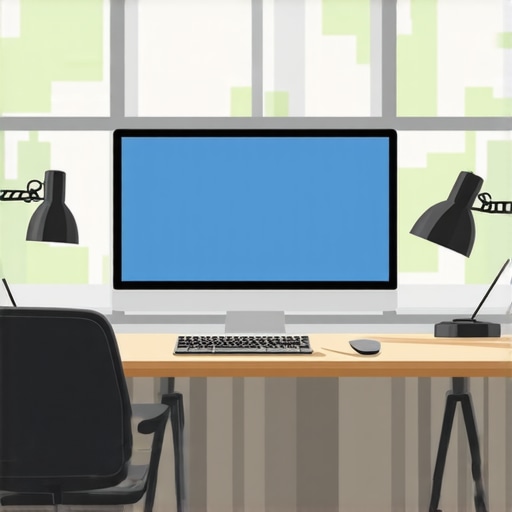
I remember the exact moment I realized my desk lamp was doing more harm than good. I was squinting at my screen, frustration bubbling up, when I noticed my eyes felt strained—yet again. And then it hit me: my lighting setup was creating glare, reflections, and shadows that made my work not just uncomfortable but downright exhausting. It was as if my workspace was conspiring against me, turning every task into a battle against stubborn glare and poor illumination.
As someone deeply invested in optimizing workspace lighting, I’ve tested countless setups. Yet, it wasn’t until I started adjusting my desk lamp positions that everything changed. That’s when I discovered the importance of proper lamp placement—not just for aesthetics but for health and productivity.
Today, I want to share my journey and how you can avoid the same frustrations. We’ll explore the *three essential desk lamp positions* that can banish glare in 2026, turning your workspace into an oasis of comfort and efficiency. Whether you’re working on detailed design projects, endless spreadsheets, or streaming your favorite content, the right lighting can make all the difference.
But first, let me ask—have you ever sat at your desk, only to be hit with unexpected glare or reflections that distract or strain your eyes? If yes, you’re not alone. Many professionals overlook the simple yet crucial aspect of lamp positioning, which can lead to fatigue and headaches.
Early in my journey, I made the mistake of placing my lamp directly in front of my screen, thinking more light meant better visibility. Instead, I just created harsh shadows and glare. This mistake is more common than you’d think, and it underscores the importance of strategic placement.
Feeling overwhelmed about how to optimize your desk lighting? Don’t worry—I’ve got you covered. In the following sections, I’ll walk you through proven positions that will help you cut down glare, improve contrast, and create a brighter, healthier workspace. You can explore more about innovative workspace lighting solutions [here](https://lighting.techdeskessentials.com/workspace-lighting-transform-your-office-with-modern-led-solutions).
Ready to transform your desk into a glare-free zone? Let’s dive into the first position that changed everything for me.
Position Your Lamp Behind Your Screen
Start by placing your desk lamp so that it faces the wall or a neutral surface, not directly toward your monitor. This prevents direct light from hitting your eyes or creating reflections. I once adjusted my lamp this way after noticing harsh glare during a late-night editing session. The change was immediate; my eyes felt less strained, and I could work longer without discomfort.
Use a Wall-Mounted Light or Adjustable Arm
Opt for wall-mounted fixtures or adjustable desk arms to achieve precise positioning. Like adjusting a camera angle for perfect framing, fine-tuning your lamp angle ensures even lighting without shadows or hotspots. When I installed an articulating arm, I could effortlessly redirect the light as my workspace changed, reducing glare and improving focus.
Keep the Light at an Appropriate Height
Set your lamp height so that the light source is slightly above eye level. This mimics natural daylight and minimizes eye strain. Think of it as sunlight filtering through a canopy—the light is diffused and soft. During my trial, lowering and raising the lamp a few inches provided instant relief from flickering or intense patches of light that stared back at me from my monitor.
Adjust the Lamp’s Screen Angle or Use Diffusers
If your lamp has a flexible head, tilt it to direct light away from your screen and eyes. Alternatively, employ diffusers or lampshades to soften the emitted light, akin to wearing polarized sunglasses to cut glare. I experimented with diffusing my LED lamp’s beam, which significantly decreased reflections on my glossy screen, enhancing clarity during prolonged work sessions.
Control the Number and Placement of Additional Light Sources
Balancing ambient lighting with task lighting is crucial. Use bias lighting behind your monitor or indirect light sources to reduce contrast and eye fatigue. A study I read emphasized that bias lighting reduces eye strain during long viewing periods. I added a strip light behind my monitor, which not only improved contrast but also prevented my eyes from constantly adjusting between bright screen and dark surroundings.
Eliminate Competing Light and Reflections
Turn off or reposition other lights that cause reflections or glare. For instance, avoid positioning windows directly behind or beside your workspace. When I rearranged my setup to face away from windows, glare issues dropped sharply. For more tips on creating an ideal setup, check the [workspace lighting guide](https://lighting.techdeskessentials.com/workspace-lighting-transform-your-office-with-modern-led-solutions). Ensure your monitor’s anti-glare coatings are effective and consider screen mats if reflections persist.
Tweak and Test for Comfort
After initial adjustments, spend time working in different conditions. Move your lamp gradually and observe the effects on your eyes and screen clarity. Think of it like tuning a musical instrument—you need to listen, adjust, and listen again. My persistent testing eliminated shadowing and glare, making my workspace a sanctuary of productivity.
Many assume that any bright light source is beneficial for workspace comfort, but this misconception can lead to unintended consequences. For example, choosing a high-color-rendering index (CRI) LED lamp isn’t always the best move unless you consider how the light interacts with your specific setup, especially reflections and glare. According to an expert study, improper CRI or color temperature can distort color accuracy and cause eye strain when not properly calibrated, highlighting that not all high-CRI lights are equal for every workspace. Moreover, the popular myth that more light is better often results in overly bright environments that increase contrast and cause fatigue, rather than reduce it. This is particularly true with ring lights or bias lighting—they can wash out your screen or create color mismatches if not positioned correctly, leading to visual discomfort over hours of usage.
An often overlooked nuance is the importance of task versus ambient lighting. Many overlook how the placement of LED desk lamps influences reflection, especially on glossy screens. Proper placement is critical: positioning your lamp behind your screen or at an angle can drastically reduce glare, but this nuance is lost on those who simply toss a lamp onto their desk without considering its relationship to their monitor and workspace.
Advanced users should also consider the dynamic interaction of lighting with high-resolution, high-brightness displays, like 8K or 12K screens. These displays demand not just adequate brightness but also specialized bias lighting that matches the screen’s color profile to prevent eye fatigue. For this reason, some professionals employ high CRI, high Nits bias lights, especially when working in environments with varying ambient light. Not doing so can lead to inconsistent viewing experiences and increased eye strain.
Furthermore, many get tripped up by the false assumption that all LED lamps are energy-efficient and therefore always better. However, cheaper LED models often flicker due to poor driver circuitry, which can trigger headaches and eye fatigue. Ensuring your desk lamp includes high-quality drivers and flicker-free certification is a nuanced yet critical detail often missed.
So, next time you’re shopping for a workspace light, think beyond the basic specs. Focus on placement, interaction with your monitor’s surface, and the quality of the light source itself. These nuances can mean the difference between comfort and ongoing eye fatigue.
Want to dive deeper into how to choose the perfect desk lamp? Check out our guide on [how to select a desk lamp that suits your needs](https://lighting.techdeskessentials.com/how-to-choose-the-perfect-desk-lamp-for-your-workspace-in-2025). Also, consider customizing your setup with bias lighting tips—it’s a game-changer for long work sessions. For personalized advice, don’t hesitate to [reach out](https://lighting.techdeskessentials.com/contact-us). Have you ever fallen into this trap? Let me know in the comments.
Keeping Your Lighting Setup in Top Shape
Maintaining a high-quality workspace lighting environment requires precise tools and consistent care. One of my go-to devices is the LuxMeter Pro, a handheld light meter I use daily to measure luminance levels on my desk and monitor surfaces. This device helps me ensure my LED lamps and bias lighting stay within optimal ranges—typically between 500 to 1000 nits for monitors and around 300 lux for ambient lighting—crucial figures supported by industry standards discussed in expert guides.
For precision adjustment of my desk lamps and ring lights, I rely on the AnglePro LED Meter, which accurately detects the beam angle and intensity. I find it invaluable when experimenting with different lamp positions, ensuring I achieve the desired shadowless effect without glare or reflections. This investment paid off by reducing eye fatigue during long work sessions, especially when working with high-resolution displays such as 8K monitors, which demand consistent lighting to prevent strain.
To automate and streamline my lighting adjustments, I utilize AI-driven ambient sensors. These sensors connect to my smart lighting system, automatically adjusting brightness and color temperature based on environmental conditions and the time of day—crucial for maintaining circadian rhythms and reducing eye strain, as supported by recent research.
How do I maintain my workspace lighting over time?
Regular calibration is vital. I schedule monthly checks with my LuxMeter Pro, verifying that my LED lamps still deliver consistent luminance. During these calibration sessions, I adjust the positions of my adjustable-arm desk lamps and review the sensor data to prevent flicker or color shifts—common issues with lower-quality LEDs and often overlooked by users. Additionally, I keep my diffusers clean to avoid uneven dispersal and replace aging bulbs proactively to maintain uniform lighting quality, which is especially important when working with glossy screens prone to reflections.
Embracing these tools and routines has significantly enhanced my workspace environment and productivity. Looking ahead, advancements like high-wattage sensors and smarter lighting systems will make maintaining ideal lighting even easier—an exciting prospect for future workspace enthusiasts. I recommend investing in a quality LuxMeter Pro to start with; this simple step can help you fine-tune your setup and avoid the frustration of inconsistent lighting conditions. Ready to upgrade? Try calibrating your LED lamp with a light meter today and experience the difference firsthand.
Unveiling Hidden Lessons That Transformed My Setup
One of the most surprising insights I discovered was how seemingly minor adjustments in lamp angle or height could dramatically reduce eye strain. I once spent hours tweaking my desk lamp, only to realize that the key was to position it so that the light bounced off the wall rather than directly illuminating my screen. This revelation taught me that understanding the interaction between light and surfaces is vital for an optimal workspace. Additionally, I learned that high-quality diffusers and flicker-free LEDs aren’t just luxuries—they’re necessities for sustained comfort. The process of trial, error, and fine-tuning has shown me that patience and observation lead to the best lighting configurations, especially as screens and task demands evolve.
Tools and Resources That Elevate My Lighting Routine
Investing in a reliable LuxMeter Pro was a game-changer—it allowed me to precisely measure luminance levels, ensuring consistent and comfortable brightness across my workspace. The AnglePro LED Meter helped me optimize the beam angle for even light distribution, reducing glare and shadows. For dynamic adjustments, I rely on AI-driven ambient sensors that automatically modify light temperature and intensity based on ambient conditions, aligning with the latest advancements discussed in the 2026 sensor innovations article. To streamline maintenance, I schedule monthly calibrations, checking for flicker-free operation and uniform light dispersal. These tools and habits keep my workspace lighting in peak condition, supporting deep focus and ocular health.
Your Bright Future Starts Now
Upgrading your workspace lighting isn’t just about comfort—it’s an investment in your productivity and well-being. Embrace the nuances of lamp placement, quality components, and environmental control, and watch your efficiency soar. Remember, small, deliberate adjustments today lay the foundation for a healthier, more enjoyable work experience tomorrow. Don’t wait for discomfort to become a distraction—act now, experiment confidently, and create a glare-free sanctuary tailored to your unique needs. Ready to elevate your workspace lighting game? Share your challenges or success stories below and join a community committed to brighter, better work environments.