
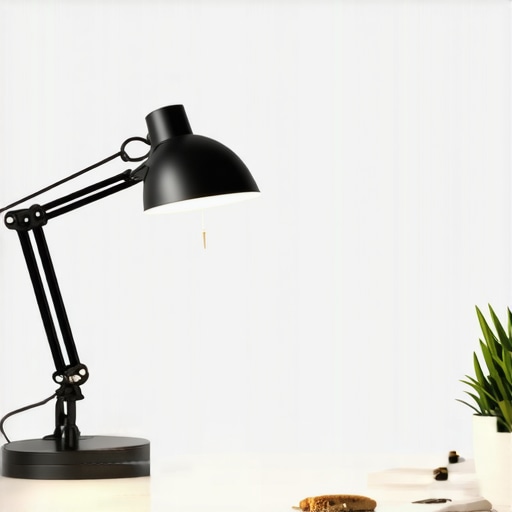
I remember the frustrating realization hit me one dull morning—despite my effort to set up a sleek workspace, my eyes kept straining, and I felt the entire room was still in shadows. It was as if my desk was a poorly lit stage, hiding potential rather than showcasing productivity. That lightbulb moment made me see how crucial proper lighting is—not just for visibility, but for health, focus, and even mood. If you’ve ever sat at your desk, squinting at your screen, desperately wishing for better illumination, you’re not alone. Many of us underestimate the power of good lighting, especially with the rise of modern LED desk lamps and bias lighting options that can transform an ordinary setup into a productivity haven.
Why Good Workspace Lighting Can Make or Break Your Day
Good lighting isn’t just about seeing clearly; it’s about creating an environment that nurtures focus, reduces fatigue, and enhances well-being. Recent studies show that proper workspace illumination can boost productivity by up to 20% and improve sleep quality by supporting natural circadian rhythms. Yet, a surprising number of people continue working under inadequate light sources, leading to headaches, eye strain, and even long-term vision issues.
In my early days of setting up my home office, I made the mistake of relying solely on harsh ceiling fluorescents, which only added glare and shadows. It didn’t take long for me to realize how much a quality LED desk lamp or bias lighting could elevate my experience. Today, I’ll share insights from my journey and expert recommendations to help you craft the ideal lighting scheme for your workspace.
Are you tired of struggling with poor lighting that hampers your efficiency? Or maybe you’ve faced headaches and eye fatigue after long work sessions? If so, you’re in the right place. Let’s explore how to select and optimize the best LED desk lamps and bias lighting ideas for your modern workspace.
Is The Buzz About Bias Lighting Just Hype?
Early in my experimentations, I bought a popular bias light kit, convinced it was a gimmick. I underestimated its impact until I experienced how it reduced eye strain during late-night work sessions. Like many, I initially made the mistake of overlooking this simple addition, but integrating bias lighting into my setup significantly improved my comfort. For more tips on making your workspace brighter and more effective, check out the comprehensive guides available, such as the ultimate guide to bias lighting.
Now that we’ve identified the importance and potential of proper workspace lighting, it’s time to delve into how to choose the perfect LED desk lamp and bias lighting setup tailored to your needs. Ready to transform your workspace into a well-lit haven of productivity? Let’s get started.
Select the Right LED Desk Lamp
Begin by identifying your workspace size and your typical tasks. For example, I once used a small clamp lamp for detailed work, but it lacked adjustable brightness. Transitioning to a versatile LED desk lamp with adjustable color temperature and dimming capabilities dramatically improved my focus. Look for lamps that offer flicker-free illumination to reduce eye strain; this feature, common in modern LED designs, ensures consistent brightness without flickering, which can cause headaches and fatigue. For guidance on choosing the perfect lamp, consult the comprehensive guide.
Position Your Light Correctly
Proper placement is crucial. Avoid placing your lamp directly in front of or behind your monitor to prevent glare. Instead, position it at an angle that illuminates your workspace evenly, much like the way a stage light is angled to highlight performers without causing shadows. I once set my lamp too close and experienced harsh reflections on my screen, but after experimenting with angles, I found the sweet spot that reduced glare and improved visibility. Remember, the goal is to create a balanced lighting environment that minimizes shadows and prevents eye strain.
Implement Bias Lighting for Comfort
Beyond task lighting, bias lighting enhances your viewing experience and reduces eye fatigue during long sessions. Think of bias lighting as the soft glow behind your monitor that prevents your eyes from constantly adjusting to stark brightness differences. Unlike harsh overhead lights, bias lighting provides a gentle illumination that frames your screen. I tried a simple LED strip adhesive-mounted behind my monitor, which instantly reduced my headaches during late-night work. For detailed tips, visit this article.
Fine-Tune with Color Temperature and Brightness
Adjusting color temperature influences your alertness and mood. Cooler temperatures (~5000K to 6500K) mimic daylight, boosting concentration, while warmer tones (~2700K to 3000K) create a cozy environment. During a hectic project, I switched my lamp to a cooler setting, which kept me alert; in the evening, I mellowed it with warm light to unwind. Many LED lamps offer presets or full manual control, allowing you to tailor the lighting to your task or time of day. Use these controls to match your natural circadian rhythm, supporting better sleep and energy levels. For more insights, explore innovations in LED lighting.
Leverage Light Layering for Balance
Creating a layered lighting scheme involves combining ambient, task, and accent lighting. Think of your workspace as a well-balanced meal: just as you need different nutrients, your workspace benefits from varied lighting sources to prevent fatigue. Use ambient overhead lights softly illuminating the room, complemented by a focused desk lamp, and accent lighting (like bias lights) to add depth. I personally installed dimmable overhead lights along with an adjustable desk lamp, which I combine based on my workload and mood. This flexibility prevents eye strain and keeps my space visually comfortable. For inspiration, browse workspace lighting ideas.
Test and Adjust for Perfection
Finally, monitor how your lighting feels during different tasks and times of day. Small adjustments, like changing the height or angle of your lamp or tweaking the color temperature, can make a significant difference. I remember spending an afternoon experimenting with different brightness levels until I found the setup that prevented glare on my documents while keeping the room inviting. Regular testing ensures your workspace evolves with your needs, maximizing comfort and efficiency. Remember, the key is incremental change—small tweaks lead to big improvements over time.
Many enthusiasts and even seasoned professionals assume that choosing a ring light, LED lamp, or bias lighting is straightforward, but the reality is far more nuanced. A common misconception is that brighter and more intense lighting always improves productivity and reduces eye strain. However, this oversimplifies the importance of color temperature, glare control, and light layering. Overlooking these factors can lead to fatigue, headaches, or even disruptions to your circadian rhythm, as research from the Harvard Health Publishing indicates that improper lighting can negatively affect sleep patterns.
Another widespread myth is that all LED lamps are created equal; in truth, many cheap models flicker subtly or emit uneven light that can cause more harm than good. High-quality, flicker-free LED lamps with adjustable color temperatures are essential, especially for those working long hours. When improperly positioned, even the best lamp can produce glare or shadows, undermining its benefits. Positioning your light source correctly—ideally at a 45-degree angle from your line of sight—can mitigate these issues.
A less obvious nuance is the role of bias lighting, which many dismiss as decorative rather than functional. In reality, bias lighting behind your monitor can significantly reduce eye fatigue during extended screen time by decreasing contrast jumps, as suggested by a study in the Journal of Visual Ergonomics. Yet, some users overdo it, installing overly bright or cooler-colored bias lights, which can cause discomfort or disrupt sleep if used late at night. The key is to match bias lighting intensity and color temperature to ambient lighting and the time of day.
Advanced users often wonder: How can to optimize lighting setup for mixed tasks or color-critical work? Here, the trick is to incorporate dynamic lighting solutions—like tunable LED lamps and smart bias lights—that adapt throughout the day. For instance, shifting from cool, bright light in the morning to warmer, dimmer tones in the evening helps maintain your natural circadian rhythm, enhancing both focus and relaxation.
Avoiding these common pitfalls requires a keen eye for detail and a willingness to customize your workspace. Regularly testing and adjusting your lighting setup ensures it evolves with your needs. For more tips on creating an optimal workspace environment, consider exploring comprehensive guides and expert advice available at our homepage. Have you ever fallen into this trap? Let me know in the comments.Maintaining optimal workspace lighting requires the right tools, consistent upkeep, and strategic adjustments. I’ve personally found that a dedicated light meter, such as the NEC LP-471, helps me fine-tune brightness levels and ensure my setup remains ideal over time. Regular cleaning of LED fixtures with a soft microfiber cloth prevents dust buildup that can diminish illumination quality, directly impacting eye comfort and productivity. Additionally, investing in dimmable, flicker-free LED lamps with adjustable color temperatures—like the BenQ eApex Light—has made it effortless to adapt lighting conditions throughout the day, supporting my circadian rhythm and reducing fatigue.
An often-overlooked aspect is software that manages light profiles, such as the LIFX app, which allows me to sync my lighting with the time of day or specific tasks. This automation ensures my workspace remains consistently optimal without manual tweaks. Predicting where lighting trends are heading, I believe smart, AI-driven lighting systems will become the norm, offering personalized environments that adapt in real-time.
How do I keep my workspace lighting maintenance simple and effective?
Regular checks are essential. I schedule monthly inspections where I assess light placement, cleanliness, and functionality. Replacing outdated or flickering bulbs immediately prevents disruptions. Upgrading to newer, flicker-free LED models also ensures prolonged reliability and health benefits. Connecting with experts through resources like our contact page can provide tailored advice.
To maximize long-term results, I recommend establishing a routine maintenance checklist: clean fixtures, verify brightness levels with a light meter, update software profiles, and test fixture stability. By doing so, your workspace remains comfortable and efficient without unexpected interruptions.
For those serious about professional-grade lighting, try integrating a smart lighting control system that learns your preferences over time. It may seem advanced, but setting it up is straightforward with guidance from platforms like this resource. Employing such tools ensures your lighting evolves with your needs, supporting sustained productivity and well-being.
Learning the Hard Way: My Biggest Lighting Blunders
One of my earliest mistakes was assuming that brightness alone equated to a good workspace setup. I kept increasing lumens, only to realize that glare and shadows worsened my eye strain. This taught me the importance of balanced light layering and proper positioning—and that quality over quantity truly matters. I’ve also discovered that overlooking the significance of flicker-free LEDs can cause unintended headaches, a lesson that reshaped how I choose my lighting equipment.
Must-Have Resources That Transformed My Approach
For anyone serious about optimizing workspace illumination, I highly recommend the ultimate guide to bias lighting. It opened my eyes to the nuanced benefits of background illumination, reducing eye fatigue during long screen sessions. Another game-changer was the guide on selecting the perfect desk lamp, which helped me identify models with flicker-free technology and customizable settings. Complement these with tools like a light meter from professional suppliers to fine-tune your environment.
Your Workspace, Your Personalized Sanctuary
Achieving optimal lighting is less about perfect formulas and more about your unique needs. Don’t be afraid to experiment with different color temperatures and layering techniques—that’s where real comfort and productivity flourish. Remember, as you segment your day into focused work and relaxation, your lighting should adapt accordingly. Start small, tweak often, and watch your workspace transform into a true haven of inspiration. What small change will you try first to elevate your workspace lighting? Share your plans below and let’s create brighter, more comfortable environments together.
Reading about the importance of proper workspace lighting really resonated with me. I used to rely solely on overhead fluorescent lights, which caused me constant headaches and eye fatigue after long hours. After upgrading to a flicker-free LED desk lamp with adjustable color temperature, my focus and comfort sharply improved. I found that positioning the lamp at a 45-degree angle and using bias lighting behind my monitor drastically reduced glare and the harsh contrast that used to strain my eyes. One thing I’ve learned is that small adjustments—like changing the angle or brightness—can make a big difference in how comfortable your workspace feels.
I’m curious, how do others find the best placement for their desk lamps to avoid glare but still have enough illumination? Do any of you use smart lighting solutions that adapt throughout the day? I’d love to hear tips or experiences about creating a balanced lighting environment that supports both productivity and eye health.
This post really hits home for me. I used to think that lighting was just about brightness but found that the color temperature and placement matter just as much, if not more. I recently upgraded to an adjustable LED desk lamp that allows me to switch from daylight to warm tones, depending on the time of day. It’s made a noticeable difference, especially in reducing eye fatigue during long working sessions. I also experimented with the angle and noticed that positioning the lamp at around 45 degrees, as mentioned, prevents glare on my screen while providing enough task lighting. I’m curious, do others find that their lighting needs change throughout the year? For instance, do you switch your lighting setup with the seasons for better comfort or productivity? I’d love to hear tips on how you fine-tune your workspace lighting to stay comfortable all year round.
I completely agree with the emphasis on layered lighting. During my own setup, I realized that balancing ambient, task, and accent lights made a noticeable difference in reducing eye strain. Personally, I’ve started using smart LED bulbs that can change color temperature and brightness via an app, which is especially helpful in adapting the lighting throughout the day. I’ve experimented with warmer tones in the evening to help wind down and cooler, brighter lighting in the mornings to boost alertness. What’s been interesting for me is how subtle changes in placement or color temperature can influence my focus and mood.
Have any readers tried smart lighting systems that automatically adjust based on time or activity? I’d love to hear how those setups have impacted your productivity and comfort—sometimes, automation makes it so much easier to maintain optimal conditions all day long.