
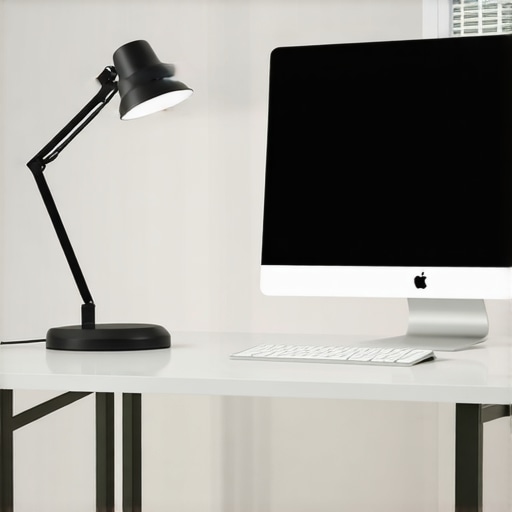
I vividly remember the moment I first noticed the annoying glare on my computer screen during a late-night work session. No matter how I adjusted my desk lamp, that stubborn reflection persisted, making my eyes strain and my focus wane. It was a lightbulb moment—literally—realizing that just aiming the lamp somewhere around my workspace wasn’t enough. I needed to understand how to angle my 2026 LED lamp specifically for my glass surfaces to banish desktop glare once and for all.
Why Your Desk Lamp’s Angle Could Be Sabotaging Your Productivity
Most of us simply place our lamps and forget about it, assuming that brighter or more direct light equals better visibility. But when it comes to glass surfaces, this can backfire spectacularly. Reflective glare isn’t just a minor inconvenience; it can lead to eye strain, headaches, and even long-term vision issues. Early on, I made the mistake of ignoring the importance of lamp angles, which only intensified my problem. A simple misalignment was turning my workspace into a glare trap, sabotaging my productivity and comfort. According to experts, proper lighting isn’t about brightness alone but how you control the direction and focus of that light—especially with reflective surfaces like glass (source). Today, I want to guide you through how to master this crucial aspect of workspace lighting so you can work comfortably without glare distractions.
Adjust Your Desk Lamp for Optimal Coverage
Start by positioning your lamp directly above or slightly behind your work area, ensuring the light spreads evenly across your workspace without pointing straight onto reflective surfaces. Use the lamp’s adjustable arm to tilt the light downward at a 30 to 45-degree angle, which minimizes direct glare. I once spent an afternoon trialing different angles with my LED desk lamp—initially, it looked off, but when I tilted it just right, the glare vanished, and my eyes felt less strained.
Controlling Reflection on Glasses and Surfaces
To prevent glare bouncing off glossy surfaces or glasses, angle your lamp away from these surfaces and towards the workspace, not directly at the reflective elements. Think of your lamp as a spotlight—aim it where you want the light to be, not where reflections will bounce back into your eyes. I found that by angling my lamp slightly to the side, I could work comfortably without glare on my glasses, significantly improving focus during video calls.
Use Diffusers and Lamp Shades to Soften Light
A diffuser or a lampshade acts like a filter, distributing light more evenly and reducing harsh reflections. When I noticed my light causing hot spots on my glass desk, I added a semi-transparent diffuser—immediately, the reflections diminished, and the overall lighting became much more comfortable. For optimal results, choose diffusers made of matte material that scatter light softly.
Experiment and Measure Your Setup
Use a simple mirror or a piece of reflective glass to observe how light hits different surfaces from your chosen lamp angle. Adjust the tilt until reflections are minimal from your typical viewing position. I once marked my lamp’s optimal position with painter’s tape for consistent setup, which saved me time and kept glare at bay. Always check your setup during different times of the day to account for changing ambient light.
Complement with Bias and Layered Lighting
Incorporate bias lighting behind monitors or around your workspace to create contrast and reduce eye strain. Layered lighting—combining the adjustable desk lamp with indirect light sources—ensures your workspace remains well-lit without overexposing glass surfaces. Learning about bias lighting techniques helped me set up a balanced, glare-free environment. When I added a subtle background glow, my overall visual comfort improved significantly.
Regularly Reassess and Fine-tune
Periodic checkups of your lighting setup are crucial, especially if you change your workspace arrangement or add new reflective surfaces. Small adjustments can make a big difference. I schedule a quick calibration every few weeks—simple tweaks that keep glare at bay and eye fatigue minimal, even during long work sessions.
While many believe that simply installing a bright, adjustable desk lamp or ring light will solve all workspace lighting issues, there’s a deeper layer that often goes unnoticed. One prevalent misconception is that higher brightness automatically equates to better visibility and productivity. In reality, over-illumination can cause glare, eye fatigue, and even disrupt circadian rhythms, especially when the light is improperly angled or casts uneven shadows. Experts warn against relying solely on lumen counts; instead, focus on the quality, color temperature, and diffusion of light to create a balanced environment.
Many assume that all LED lamps are equally flicker-free, but subtle flickering can still occur in budget models, leading to headaches and eye strain over time. That’s why choosing LEDs with high CRI (Color Rendering Index) and verified flicker-free operation is crucial, as highlighted in recent industry studies (source).
Another overlooked nuance involves the direction and placement of bias lighting. While adding a softly glowing background can reduce eye strain, improper placement may cause unwanted reflections or color casts that distort screen perception. The best approach is positioning bias lights behind your monitor at a 45-degree angle to ensure even ambient illumination without glare, which is a subtle detail many miss.
An advanced mistake many workspace enthusiasts make is neglecting the interplay between multiple light sources. Layered lighting—combining overhead, task, and accent lights—must be carefully calibrated. Otherwise, the blend can result in inconsistent color temperatures or unwanted shadows, reducing overall visual comfort. Fine-tuning each component ensures a harmonious setup that enhances focus and reduces fatigue.
For those interested in optimizing their lighting setup, reading in-depth guides such as the comprehensive workspace lighting strategies can offer valuable insights. Remember, the devil is in the details—small adjustments in angle, diffusion, and layering can make a significant difference.
Have you ever fallen into this trap? Let me know in the comments.Maintaining your optimal workspace lighting setup requires the right tools and regular attention to ensure sustained comfort and productivity. First, investing in a high-quality adjustable desk lamp is essential; I recommend models with flicker-free LEDs certified for high CRI (Color Rendering Index), such as those detailed in this comprehensive flicker-free LED guide. These lamps not only reduce eye strain but also last longer, making them cost-effective over time.
To fine-tune your setup, use a lux meter app on your smartphone to measure illumination levels and ensure consistent lighting across your workspace. This simple step helps prevent uneven lighting that can cause shadows or glare, especially when adjusting your LED lamp angles or diffusers. Additionally, employing cable management tools like velcro straps or cable sleeves keeps clutter away, enabling easy adjustments without hassle. Keeping your workspace tidy and well-lit demands regular checks—aim for a bi-weekly or monthly review to recalibrate your lighting as seasons or work tasks change. Using a mirror to observe how light hits different surfaces can be surprisingly revealing; I often keep a small handheld mirror nearby to quickly assess reflections or shadows after repositioning my lamp, which is a trick I picked up from professional videographers.
How do I keep my lighting system working perfectly over time?
Routine maintenance involves cleaning your lamps and diffusers with soft, damp cloths to prevent dust buildup that dims light output. Periodically, check for firmware updates or warranty services for your smart LED systems—many modern lamps now include app controls that can be updated for improved performance or new features. Predicting future trends, I believe that integration with smart home systems and AI-driven adaptive lighting will become standard, offering personalized brightness levels throughout your workday, which could dramatically boost comfort and efficiency. To get ahead, I suggest exploring advanced features like programmable presets or voice control, as discussed in this guide to modern LED innovations. Start by testing one adjustable setting or scheduling your desk lamp to adapt automatically with the time of day—small steps that lay the foundation for a future-proof workspace. Wouldn’t it be satisfying to have a lighting system that practically manages itself? Give this tip a try today and enjoy a consistently well-lit, glare-free environment.
Looking back, the most valuable lesson I learned about workspace lighting is that it’s not just about how bright your desk appears, but how thoughtfully you angle and layer your lights. The biggest mistake I made was assuming that a bright, adjustable LED lamp was enough—only to discover that improper angles caused persistent glare and eye fatigue. Experimenting with subtle tilts and diffusers transformed my setup entirely, revealing that effective lighting is as much about understanding reflection dynamics as about brightness levels. I also realized that layering bias lighting behind monitors reduced strain, making my work sessions far more comfortable. These insights taught me that personalized, well-calibrated lighting setups create a workspace where focus and comfort thrive, and now I encourage you to embrace this nuanced approach to truly elevate your productivity.
I really agree with the focus on angling your LED lamp properly for glass surfaces. I’ve struggled with glare on my own glass desk for ages, and it’s only recently that I started experimenting with tilting my lamp at different angles—initially really trial-and-error. What worked best for me was positioning the light slightly behind and above my workspace, then tilting it downward at around 40 degrees. This way, I avoided direct reflections bouncing into my eyes, especially during long work sessions. I also found that adding a matte diffuser significantly softened the harshness and reduced annoying hotspots on reflective surfaces. Has anyone else tried combining these approaches with different types of diffusers or shades? I’m curious if others found that certain diffuser materials work better for reducing glare without sacrificing illumination quality. It’s fascinating how tiny adjustments in angle and diffusers can make such a difference—sometimes the smallest tweaks result in the biggest improvements for eye comfort.