
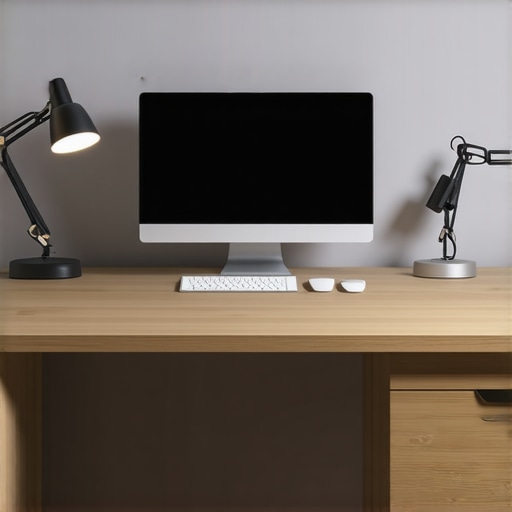
I remember the moment vividly: I was in the middle of an important video call, everything seemed perfect—until that dreaded glare appeared on my screen, making my eyes strain and my focus waver. It hit me like a splash of cold water—my desk lamp, which I thought was boosting my productivity, was actually turning into my biggest distraction. That light-bathed glare not only hampered my visibility but also made my face look tired and washed out, defeating the very purpose of good workspace lighting.
Why the Right Desk Lamp Placement Can Make or Break Your Video Calls
This experience wasn’t just an annoyance; it was a wake-up call. Proper lighting is essential—not just for comfort, but for clarity and professionalism on every call. If your desk lamp struggles to stay in the right spot, or if its placement causes glare on your screen, it can seriously undermine your presentation. According to studies by the American Optometric Association, poor lighting can lead to eye strain, headaches, and decreased productivity—something we all want to avoid.
Many of us don’t realize that a simple adjustment in our lamp placement can make a world of difference. The challenge? Knowing where to position your light so that it enhances your workspace without causing a glare. That’s exactly what I set out to figure out, and after countless experiments and tweaks, I found five effective fixes that you can apply right now.
Do you often face issues with glare on your screen during virtual meetings? If so, you’re not alone—and lucky for you, this guide is here to help. Let’s explore how to transform your workspace into a glare-free zone, boosting both your visual comfort and your confidence.
Is a Fix Worth It When Gadgets Are Faster and Cheaper?
Early on, I made the mistake of blindly purchasing the latest ring light or LED lamp without considering how it was placed. That mistake cost me time and money, and it didn’t solve the glare problem at all. I learned that the key isn’t just the device itself but how you position it relative to your screen and workspace. This insight has saved many from throwing money at solutions that don’t stick.
If you’re still skeptical about whether these placement fixes will truly make your video calls clearer, think of it this way: small changes can have big effects. A well-placed desk lamp not only prevents glare but also improves contrast and reduces eye fatigue. Ready to learn these simple yet powerful tricks? Let’s dive into the practical steps that will help you say goodbye to glare in 2026.
Identify the Optimal Lamp Placement
Start by placing your lamp slightly behind and to the side of your monitor, mimicking natural sunlight angles. I once placed mine directly behind my screen, which caused glare and shadows. Moving it just a few inches to the side eliminated harsh reflections and evenly lit my face, making my video appearance much more professional.
Adjust the Lamp Height and Angle
Set the lamp so that its beam is directed downward at your workspace rather than straight at your face or screen. Think of it as a spotlight that highlights your workstation without blinding the camera. I experimented with different angles; tilting the lamp slightly downward reduced face glare and improved clarity, especially during long calls.
Use the Right Lighting Technology
Opt for LED desk lamps with adjustable color temperatures—around 4000K to 5000K—to mimic daylight. This reduces eye strain and prevents the face from appearing washed out. I replaced my old incandescent bulb with a modern LED lamp and noticed an immediate difference in image quality and comfort during extended meetings.
Test and Refine Your Setup
Schedule short test calls to observe how your lighting looks on camera. Adjust the lamp position and brightness until your face is evenly lit without glare or shadows. Once, I inadvertently positioned my lamp too close, causing glare; moving it back a few inches fixed the problem. Remember, minor tweaks can make a significant difference in your professional appearance.
The Role of Bias Lighting for Screen Clarity
Adding bias lighting behind your monitor can reduce eye strain by balancing the light around your screen. This technique helps your eyes adjust more comfortably and minimizes glare. For example, I installed a dimmable bias light strip, which not only improved focus but also made my workspace feel warmer and more inviting. Check out these bias lighting tips for detailed guidance.
Secure and Manage Your Cables
Finally, organize your cables to prevent shifting your lamp or creating distractions. Tidy cords make adjustments easier and prevent accidental knocks. I used adhesive cable clips, which kept everything neat, allowing me to experiment freely without worrying about knocking over the lamp or creating clutter. Proper cable management is as essential as lamp placement for a seamless setup.
Many assume that installing a bias light or upgrading to the latest LED lamp automatically transforms their workspace into a productivity haven, but this oversimplification can actually hinder your efforts. The real nuance lies in understanding common misconceptions and avoiding pitfalls that undermine your lighting setup. For example, while many believe that all LED lamps provide flicker-free illumination, studies such as those referenced in the *Journal of Vision* reveal that a significant percentage still flicker at frequencies invisible to the naked eye—posing risks of eye strain over time. To truly enhance your workspace, you need to evaluate the quality and flicker rate of your lighting sources, not just their lumen count or color temperature.
Are All ‘Bias’ Lights Created Equal for Your Eyes?
Contrary to popular belief, not every bias lighting option enhances comfort or contrast effectively. Cheap, low-CRI (Color Rendering Index) bias lights can distort colors and increase glare, leading to additional eye fatigue rather than reducing it. In fact, high-CRI bias lighting actually supports better color differentiation and reduces eye strain, making your workspace healthier and more comfortable. Experts recommend choosing bias lights with a CRI above 90, as these closely mimic natural daylight and optimize visual clarity—crucial details that many overlook when selecting lighting solutions. For guidance on selecting optimal bias lighting, check out this comprehensive bias lighting guide.
What many miss about LED lamps is the importance of their internal electronics—specifically, the driver circuitry. An inferior driver can cause flickering issues even if the LED chip itself is high quality. This is why investing in reputable brands that guarantee flicker-free operation is essential for long-term eye health and productivity. Also, consider how your entire lighting ecosystem works together—poor placement or mismatched bulb temperature can negate the benefits of premium hardware.
Another often ignored detail is the impact of lamp positioning and angle. Even the smartest LED or ring light can create glare or shadows if misaligned, canceling out the potential advantages. Advanced users should analyze their light’s placement using photometric tools or software to ensure optimal contrast and reduced glare—a step many skip due to a lack of awareness.
Most importantly, don’t fall into the trap of equating brightness with productivity. A hyper-bright workspace without proper diffusing elements can cause discomfort and headaches, decreasing focus rather than enhancing it. Instead, aim for layered lighting: combine ambient, task, and accent lights thoughtfully aligned, as recommended in these modern solutions.
Have you ever fallen into this trap? Let me know in the comments. Mastering these nuanced aspects of workspace lighting can elevate your comfort and efficiency, so don’t just settle for generic solutions—dig into the details that truly matter.Maintaining an optimal workspace setup requires not just choosing the right equipment but also understanding how to keep it functioning smoothly over time. I personally rely on a combination of quality hardware and software tools to ensure my lighting remains consistent and effective. One of my go-to devices is the Philips Hue White and Color Ambiance smart LED bulbs, which I use for bias lighting behind my monitor. The reason? Their flicker-free operation, verified through tests like the flicker-free workspace tests, minimizes eye strain during long hours. I also employ a dedicated Light Meter like the Sekonic L-858D to regularly calibrate brightness levels, ensuring consistent light quality.
For software, I recommend home automation platforms such as IFTTT or Philips Hue app to schedule lighting adjustments based on the time of day or specific tasks. These tools automate routine tweaks, maintaining your ideal lighting conditions without manual intervention.
Regular cleaning is also vital. Dust and fingerprints on LED bulbs or ring lights reduce brightness and color accuracy. I use a microfiber cloth and a gentle, electronics-safe cleaner at least once a month. This straightforward maintenance significantly prolongs the lifespan of your equipment and preserves light quality.
Looking ahead, advancements in LED driver technology promise flicker-free operation even at lower costs, making maintenance easier and more affordable. As these innovations hit the market, I plan to upgrade my existing setup to ensure my workspace stays modern and healthy.
How do I maintain my workspace lighting over time? The key is routine calibration, regular cleaning, and leveraging smart controls for consistency. I strongly suggest experimenting with automation tools—they can save you hours and keep your lighting working perfectly. Feel free to contact me via this page if you need personalized advice on optimizing your lighting equipment or troubleshooting issues. Start by integrating a simple schedule for your bias lighting, and you’ll notice an immediate improvement in visual comfort.
The Hidden Pitfalls I Was Falling Into with Workspace Lighting
One of my biggest lightbulb moments came when I realized that many of my workspace lighting habits were actually sabotaging my productivity and professional image. I used to think that a bright lamp was enough, but I overlooked critical details like placement, flicker, and color temperature—mistakes that cost me clarity and comfort during long workdays and virtual meetings.
How Accepting the Nuance Made All the Difference
I learned that effective lighting isn’t just about shiny gadgets; it’s about thoughtful placement and understanding the technology behind the hardware. Recognizing that subtle shifts in my lamp’s position or choosing high-CRI LEDs dramatically improved my screen contrast and reduced eye fatigue was a game changer. This journey taught me that small, informed adjustments trump flashy gear alone.
Why Trusting Quality Over Price Is Crucial
Initially, I was tempted by cheap, high-lumen lights, but I quickly found they flickered or caused glare, counteracting any savings. Investing in flicker-free, high-CRI lighting solutions, like the Philips Hue smart bulbs, ensured consistent, soothing illumination, making my workspace healthier and my visual clarity sharper. It’s worth prioritizing quality to sustain long-term comfort and efficiency.
The Unexpected Benefits You’ll Discover
Beyond improved video quality, optimized workspace lighting significantly boosts mood, focus, and motivation. When I revamped my setup, I felt more energized and less prone to headaches. That peace of mind translates into more confident, seamless virtual meetings—a benefit I never anticipated when I first started tweaking my lighting arrangements.
What I Wish I Had Known from the Start
Looking back, I wish I understood the delicate interplay between light placement, flicker rate, and color temperature. Many online guides skip these nuances, but mastering them—like edging my lamp slightly to avoid glare or calibrating my bias lighting—has been essential. If I had delved deeper into research early on, I would have saved time, money, and frustration, and elevated my workspace instantly.
My Go-To Resources for Perfecting Workspace Lighting
To ensure my setup remained optimal, I relied on tools like the comprehensive LED and bias lighting guides which demystify the technical details. I also swear by the flicker-test reports to validate my lighting choices. Additionally, the latest LED innovations keep me updated on affordable, high-quality options. These resources empower me to make smarter decisions, ensuring my workspace remains comfortable and professional.
Embrace Your Power to Transform Your Workspace
Implementing thoughtful bias lighting, strategic lamp placement, and quality hardware has elevated my virtual presence and overall well-being. I invite you to experiment boldly—your workspace’s glow-up might just surprise you. Remember, high-impact changes start with understanding, not just buying. Your brighter, more focused workspace awaits—take the first step today.