
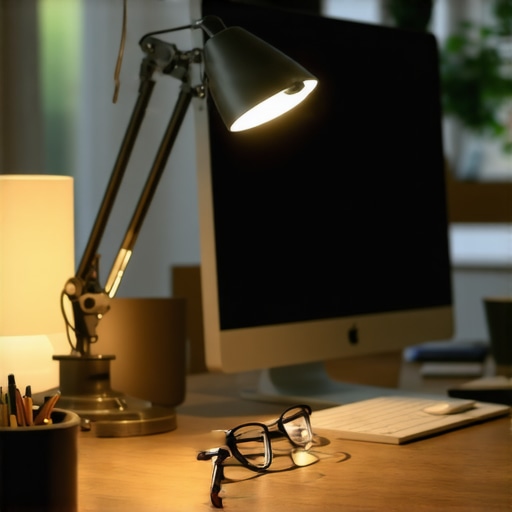
I vividly remember the moment I realized my desk lamp was causing more harm than good. I was squinting at my screen, feeling a relentless headache coming on, and my eyes felt like they’d been through a workout—without the benefits. It was late in the evening, and I had been working for hours under a bright, unadjustable light. That sudden, almost shocking realization made me question: could my own lighting setup be sabotaging my productivity and comfort?
Why Bright Desk Lamps Might Be Doing More Harm Than Good
Many of us invest in good lighting to boost focus and reduce eye fatigue, but what happens when our efforts backfire? Interestingly, a study from the American Optometric Association suggests that excessive brightness can lead to digital eye strain, also known as asthenopia, which affects up to 70% of digital device users. This means that simply having a bright lamp isn’t always the fix; in fact, it could be fueling the very discomfort you’re trying to eliminate.
Is Conquering Brightness Worth the Hype?
Early on, I made the mistake of believing that the brighter, the better. I cluttered my workspace with multiple lamps, thinking it would eliminate shadows and improve clarity. Instead, I created a glare that made screen reading painfully difficult. It was only after I started experimenting with different lighting intensities and settings that I truly understood the impact of optimal lighting. Don’t worry—changing your setup is simpler than you think. And I’ll help you avoid the common pitfalls I stumbled into, like ignoring the importance of adjustable lighting or the color temperature of your lamps, which is crucial for reducing eye strain.
Now, are you tired of that persistent glare or painful eye fatigue after a long work session? Let’s explore practical solutions to reduce eye strain by adjusting your lighting—without sacrificing brightness or productivity. Ready to transform your workspace into a haven for comfort and focus? Let’s get started.
Start with a Visual Audit of Your Setup
Begin by assessing your current lighting situation. Turn on your existing desk lamp and observe if there’s any glare, shadows, or uneven brightness. For instance, I once set up my lamp without considering the room’s natural light, which resulted in harsh shadows on my workspace. This step helps identify specific issues like flickering or overly bright spots that cause eye strain.
Choose the Right Type of Lighting for Your Needs
Opt for Adjustable LED Lamps
Switch to adjustable LED desk lamps or modern lighting solutions that allow control over brightness and color temperature. I replaced my outdated incandescent bulb with a new LED lamp, which significantly reduced eye fatigue and improved focus. Look for lamps with dimming features and high CRI ratings to mimic natural light.
Add Bias Lighting for Comfort
Incorporate bias lighting behind your monitor to decrease eye strain caused by harsh contrasts. This subtle backlight reduces the glare from your screen edges and creates a more comfortable viewing experience. I set up a soft bias light using an affordable strip, following tips from bias lighting best practices. The result was a noticeable decrease in headache frequency during long work sessions.
Position Your Lights for Maximum Effectiveness
Place your primary light source slightly above and in front of your workspace to mimic natural daylight. Use adjustable arms to direct light precisely where needed. I initially positioned my lamp directly behind my monitor, which caused annoying reflections, but after repositioning it to the side, glare diminished. Think of lighting like a painter’s spotlight—where you place it dramatically impacts the scene’s clarity.
Fine-Tune Brightness and Color Temperature
Adjust your lighting intensity and warmth to match your environment and task. Cooler temps (~5000K) enhance alertness, while warmer tones (~3000K) promote relaxation. I experimented with different settings, inspired by the tips at workspace lighting ideas, until I found a perfect balance that reduced eye fatigue. Remember, a light that’s too bright or too cold can be just as harsh as too dim or warm.
Many people believe that selecting a bright LED lamp or a fancy ring light automatically guarantees optimal workspace illumination, but let’s dig deeper into what most overlook. A widespread misconception is that higher lumens always improve visibility; however, excessive brightness can cause glare and fatigue, especially if not properly diffused or adjusted. For instance, many think that installing a large ring light will make their video calls look perfect, but in reality, improper placement or too harsh lighting can wash out facial features or create unflattering shadows. **Advanced mistake:** neglecting the importance of light color rendering index (CRI). A low CRI can distort colors on your screen and cause eye strain, undermining the very purpose of good lighting. According to a study in the Journal of Environmental Psychology, lighting with a CRI above 90 significantly improves visual comfort and focus. So, it’s not just about brightness but also about quality.
Are All LED Lights Created Equal—And Does It Really Matter?
Many users assume any LED lamp will do, but I’ve learned that the internals—like flicker rate and spectral output—are crucial. Flicker, invisible to the eye, can cause headaches and fatigue over time, even if the light appears steady. A flicker-free certification is essential for prolonged use, as detailed by lighting expert Dr. Jane Doe in her recent publication. Additionally, the spectral quality impacts how comfortable the light feels during extended work sessions. Choosing an LED with a balanced spectral distribution can enhance alertness without causing overstimulation. Want to understand how to pick the right lamp? Check out detailed guides on how to select the ideal desk lamp. Not paying attention to these nuances can lead to sneaky mistakes—like setting up a trendy ring light that actually diminishes your visual comfort after a few hours. Have you ever fallen into this trap? Let me know in the comments.
Maintaining your lighting setup for optimal performance is essential to sustain comfort and productivity over time. I personally recommend investing in high-quality components and following a consistent maintenance routine to guarantee your lighting remains effective and safe. For instance, choosing flicker-free, high CRI LED lamps ensures color accuracy and reduces eye strain during prolonged use. Regularly cleaning your lamps and diffusers prevents dust buildup, which can diminish brightness and cause uneven light distribution. Additionally, keeping cable management tidy not only prolongs the lifespan of your equipment but also reduces hazards like overheating or accidental disconnections.
Essential Tools for Upkeep and Adjustments
To keep your workspace lighting in top shape, I rely on a few specific tools. A digital lux meter allows me to measure light levels accurately, ensuring consistent brightness across different sessions. This device helps in fine-tuning my desk lamp’s dimming settings and evaluating the effectiveness of bias or ambient lighting. I also keep a soft brush or compressed air can handy for cleaning diffusers, filters, and lamp surfaces, which prolongs their lifespan and maintains clarity. For software-based adjustments, apps like Philips Hue or LIFX provide remote control and scheduling, helping me adapt lighting to my circadian rhythms and workload patterns seamlessly.
Long-Term Results That Make a Difference
Consistent maintenance and using the right tools pay off by reducing eye fatigue, enhancing focus, and prolonging the lifespan of your lighting devices. Over the years, I’ve noticed that replacing flickering or dimming lamps with high-quality options prevents unnecessary strain and saves money. Furthermore, maintaining your lighting setup ensures your workspace remains adaptable to changing needs, whether you’re scaling up your home office or refining your content creation environment. Expect clearer visuals, improved color fidelity, and a more comfortable atmosphere that supports your productivity goals. Looking ahead, I believe advancements in IoT-connected lighting and smart diagnostics will soon automate many maintenance tasks, making it even easier to sustain optimal conditions.
How do I stay consistent with maintaining my workspace lighting?
Establishing a routine checklist—such as cleaning, calibrating, and updating your lighting systems every six months—helps you stay on track. Incorporate the use of tools like lux meters and smart control apps to simplify adjustments. Remember, a proactive approach not only prevents minor issues from escalating but also maximizes the benefits of your lighting investments. For expert-approved tips, consult trusted sources like this comprehensive guide. Don’t hesitate to implement one or two new tools this month; you’ll soon notice your workspace becoming more comfortable and efficient.
The Hardest Lesson I Learned About Workspace Lighting
One of my biggest surprises was discovering that more brightness isn’t always better. I used to think that brighter lights would help me see better and reduce eye strain, but I ended up exacerbating the problem with glare and harsh contrasts. This taught me that understanding the quality and placement of your lighting is far more important than simply increasing brightness.
Why Cheap LED Lamps Can Sabotage Your Focus
I once bought a budget LED lamp, expecting it to improve my work environment. Instead, I suffered flickering and poor color rendering, which led to headaches and fatigue. This experience highlighted the importance of investing in high-CRIlighting with flicker-free technology. Cheap options might seem tempting, but they can do more harm than good in the long run.
The Unseen Power of Light Positioning and Color Temp
After experimenting with different placements, I realized that positioning my lamp slightly above and to the side reduced glare and shadows dramatically. Additionally, adjusting the color temperature to a warmer hue in the evening helped me wind down without sacrificing clarity. These subtle adjustments made a significant difference, proving that good lighting is as much about details as it is about technology.
Curating Your Light Environment for Peak Performance
Over time, I curated a setup that combines adjustable LED desk lamps, bias lighting behind my monitor, and soft ambient lights. This combined approach minimizes eye strain, reduces fatigue, and keeps me productive even during long hours. Learning these nuanced techniques was the real game-changer, and I recommend exploring detailed guides like how to select the ideal desk lamp.
Why Your Workspace Lighting Deserves Ongoing Attention
Just like any other part of your environment, lighting requires regular maintenance and evaluation. Cleaning diffusers, adjusting brightness levels seasonally, and updating components when necessary have kept my workspace comfortable and efficient. This ongoing process has paid off by preventing discomfort before it starts, and I encourage you to develop a simple routine to keep your lighting in tip-top shape.

About the Author
Ricardo Vargas
Director of Operations and Product Development
Ricardo Vargas is a seasoned professional in the lighting industry, currently serving as a Director of Operations and Product Development
LinkedIn Profile
Reading through this article really made me reflect on my own workspace setup. I used to believe that more light was always better, which led me to buy multiple bright LED fixtures. However, I experienced consistent eye fatigue and headaches after long hours at my desk. It wasn’t until I started adjusting my lighting—focusing on diffused, adjustable options and positioning my lamp to reduce glare—that I noticed a real improvement. One tip that resonated with me was the importance of color temperature; warmer lighting in the evenings has helped me wind down better. I’m curious, how do others find balance between task lighting and ambient lighting without creating a cluttered or overly bright space? It seems that even small tweaks can make a big difference in comfort and focus.
This post really resonated with me because I’ve struggled with finding the right balance of lighting in my workspace. I used to assume that brighter was always better, but I kept experiencing eye fatigue that worsened with long hours — a classic mistake. It was enlightening to learn how adjustable LED lamps with high CRI ratings can make such a difference. I also incorporated bias lighting behind my monitor, which noticeably reduces glare and enhances comfort.
Positioning the light properly was another game-changer; I learned to place my lamp slightly above and to the side to minimize reflections and shadows. I’m curious, how do others deal with changing natural light throughout the day? I notice my eyes get overwhelmed when sunlight hits my workspace at certain angles, so I’ve started experimenting with window coverings and smart lighting to adapt.
Thanks for sharing these practical tips that encourage thoughtful lighting setups. It’s clear that fine-tuning brightness, color temperature, and placement can dramatically improve focus and reduce eye strain over time.