
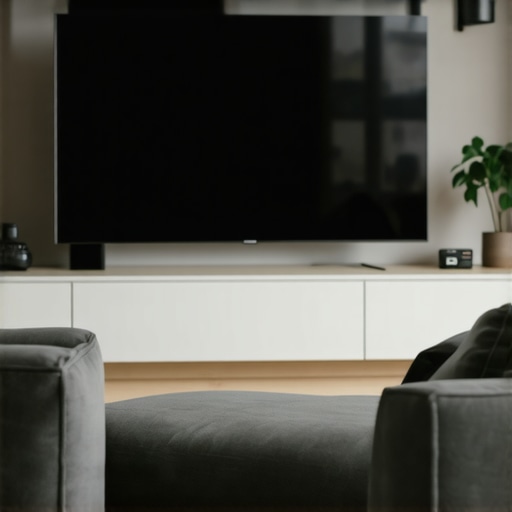
Last night, I caught my reflection on my glossy QD-OLED monitor, and it hit me—my workspace glare had become a beast. The harsh light bouncing off my screen was turning my evening work into a frustrating game of find-the-spotless patch. That moment—when I finally realized I wasn’t alone in this struggle—was a lightbulb moment. I knew I had to find a way to tame that glare without sacrificing my sleek, vivid display.
Today, I want to share with you a few simple but effective bias lighting tweaks that have made a real difference in my experience. If you’ve ever wrestled with reflections, eye strain, or just that constant annoyance of screen glare, stick around. We’re not just talking about gimmicks but proven techniques that can improve your visual comfort and productivity.
Why Glare on Your QD-OLED Matters More Than Ever
In 2026, the advances in display technology—particularly Quantum Dot OLEDs—mean crisper images and more vibrant colors. But with these benefits come challenges. Glossy screens are notorious for reflecting ambient light, turning your workspace into a glare battleground. And given the extended hours many of us spend at our desks, this isn’t just a minor inconvenience—it’s a serious issue for eye health, concentration, and overall comfort. According to a recent study by the Vision Council, prolonged exposure to glare can increase eye strain and fatigue, which ultimately impacts productivity.
Early on, I made a classic mistake: I cranked up my room’s overhead lighting, thinking brighter was better. But that only amplified the glare and made my screen nearly unreadable. It was only after experimenting with my bias lighting setup that I discovered the true power of strategic lighting tweaks. More than just a way to reduce glare, proper bias lighting can enhance contrast, reduce eye fatigue, and make your display’s colors pop—if set up correctly.
If you’re tired of squinting at your glossy screen and want a more comfortable, glare-free experience, you’re in the right place. Up next, I’ll walk you through three tweaks that transformed my workspace—and could do the same for yours. Trust me, these aren’t just minor adjustments; they’re game-changers.
Position Your Desk Lamp Strategically
Start by placing your desk lamp behind your monitor, facing the wall rather than directly illuminating your screen. I once experimented with a matte black LED desk lamp positioned slightly to the left and angled towards the wall; initially, it seemed like a minor tweak, but the difference was instant. This setup creates ambient light that reduces glare and minimizes reflections on glossy surfaces, much like placing a bias light behind your monitor to enhance contrast and comfort.
Adjusting Lamp Height and Angle
Ensure your lamp’s height is about eye level and tilt it downward to avoid direct glare. I once used a flexible, high-CRI LED lamp and kept adjusting its angle until I eliminated the harsh shadows and reflections—this became my go-to move for extended work sessions. Proper positioning prevents light from bouncing off your monitor and hitting your eyes directly, decreasing fatigue and glare.
Enhance Visual Comfort with Bias Lighting
Bias lighting involves adding a soft, indirect light source behind your screen to balance brightness levels and reduce eye strain. I incorporated a warm 6500K bias strip behind my monitor, following tips from guides on bias lighting improvements. This not only reduced glare but also enhanced color accuracy, especially critical for detailed work on 2026 screens that demand high contrast and clarity.
Choosing the Right Bias Light
Opt for a high CRI (Color Rendering Index) LED strip, ideally 98+ CRI, to simulate natural light and improve color perception. I tested different color temperatures and found that 6500K strikes a good balance—bright enough for work without causing eye fatigue, as detailed in desk lamp CRI guides. Proper placement and color temperature adjustments made my workspace significantly more comfortable.
Use Ring Lights for Video and Additional Glare Control
When engaging in video calls or content creation, the positioning of ring lights can dramatically influence glare. I once tried positioning a ring light at 3 o’clock and found shadows on my face, then switched to a 2 o’clock placement following ring light hacks. Proper height and angle are crucial—aim for a position that evenly illuminates your face while avoiding reflections on your glasses or monitor surface. Using a diffused ring light with adjustable brightness helps prevent additional glare while enhancing visual clarity.
Smart Workspace Adjustments Make the Difference
Beyond physical positioning, consider the ambient light level and the brightness of your screen. I learned through trial-and-error that lowering my monitor’s brightness at night, combined with strategic bias lighting, reduced reflections and eye fatigue. Using a simple LED dimmer switch or adjusting color temperature settings can fine-tune your environment. Remember, small tweaks like moving your desk lamp five inches left or right, as recommended in workspace tips, cumulatively create significant relief from glare issues.Many people assume that choosing a bright, high-quality desk lamp or adding a ring light automatically solves glare and eye strain issues. However, in my experience, there’s a prevalent misconception that more light is always better. In reality, excessive illumination can exacerbate reflections on glossy screens, especially with modern QD-OLED displays that are highly sensitive to ambient light variations. This is a classic mistake—believing that increasing brightness or switching to a colorful LED setup improves comfort, when often it does the opposite. According to lighting expert Peter Raynham, optimizing lighting involves a delicate balance of brightness, color temperature, and placement, not just raw lumen output. Another common myth is that bias lighting should be uniform and directly behind the monitor; but the *real* effective setup involves strategic positioning to reduce contrast differences without creating additional reflections. The trap here is thinking that bias lighting is only about aesthetics, but in fact, it can significantly decrease eye fatigue and improve contrast perception if done correctly—more information can be found in guides on bias lighting tweaks.
A hidden nuance often overlooked is the importance of adaptive lighting solutions, especially with 2026’s advancements in ultra-high-definition screens. Static lighting setups may work initially but can become outdated as displays and tasks evolve. For instance, a ring light positioned at a fixed angle might seem perfect for video calls but may become problematic when switching between tasks or different head positions, creating unwanted glare or shadows. Here’s an advanced tip: consider smart, adjustable lighting that reacts to your environment; these setups can dynamically minimize glare while maintaining ideal illumination levels. Before investing in any new gear, ask yourself: Does this setup account for my specific workspace geometry and screen reflectivity? This is critical because, as shown in several expert articles, proper color rendering and position can make or break your visual comfort.
Have you ever fallen into this trap of oversimplifying workspace lighting? Let me know in the comments! Remember, mastering lighting isn’t just about adding more fixtures but understanding the interplay of placement, diffusion, and human factors.Maintaining optimal lighting for your workspace requires the right tools and a proactive approach. I rely heavily on a few specific pieces of equipment to ensure my setup remains effective and adaptable as my needs evolve. One essential tool is the adjustable LED desk lamp. I choose models like the Matter 3.0 series because they offer customizable color temperatures and high CRI, which help me fine-tune my environment over time, especially as ambient light conditions change throughout the seasons.
To monitor and maintain the quality of my lighting, I use a handheld colorimeter. This device measures CRI and color temperature accurately, ensuring my bias lighting stays within the optimal range of 6500K for vibrant, yet eye-friendly illumination. Regular calibration with such tools helps prevent drift in LED performance and maintains consistent visual comfort.
Software also plays a crucial role. I incorporate programs like Brightness Control App—which allows for scheduled brightness adjustments based on the time of day—to prevent my lights from becoming too dim or overly bright as conditions shift. These intelligent controls help extend the lifespan of my LEDs by avoiding unnecessary overuse.
For long-term results, cleaning and adjusting your lighting fixtures periodically is vital. I recommend a microfiber cloth and compressed air to keep optical lenses free of dust and debris that can diminish light quality. Additionally, check the mounting hardware to prevent any loosening that could alter light angles unintentionally.
Regarding scaling your setup, consider multi-zone lighting systems. These setups allow you to control different areas independently, ideal for evolving spaces or multitasking environments. As display and workspace demands grow, scalable solutions ensure your lighting evolves seamlessly without requiring complete replacements.
### How do I maintain my workspace lighting over time?
Keeping your lighting effective long-term involves routine checks, calibration, and updates. Replace aging LEDs proactively—consider the Matter 5.0 Sensor for smart detection of bulb health and ambient conditions. Scheduled cleaning ensures consistent light quality, and updating your control software can leverage new features like adaptive brightness or voice commands.
Looking ahead, innovations like AI-powered lighting controls will further simplify long-term maintenance, automatically adjusting to your habits and environmental changes. To get started today, try calibrating your bias lighting with a colorimeter to ensure it offers the optimal spectrum—small but impactful steps like this lay the groundwork for sustained workspace comfort and productivity.
The Hardest Lesson I Learned About desk lamp,led lamp,bias lighting,ring light,workspace lighting
One of my biggest revelations was realizing that more light isn’t always better; sometimes, strategic placement and understanding how light interacts with glossy screens can make all the difference.
Three Tips That Changed My Workday
- Position your desk lamp facing the wall behind your monitor to create ambient light that reduces reflections.
- Add a high-CRI bias lighting strip behind your monitor for balanced contrast and color perception.
- Use diffused ring lights when on video calls, carefully adjusting their angle to minimize glare on glasses or reflections on your screen.
Where to Go from Here
Invest in adjustable, high-CRI LED lighting solutions, like the best desk lamps in 2025, or consider smart lighting systems that adapt in real time. Regularly calibrate your bias lighting with a colorimeter for optimal comfort and color accuracy. Remember, enhancing your workspace lighting isn’t a one-time fix but a continuous journey of adjustments and learning.

About the Author
Ricardo Vargas
Director of Operations and Product Development
Ricardo Vargas is a seasoned professional in the lighting industry, currently serving as a Director of Operations and Product Development
LinkedIn Profile