
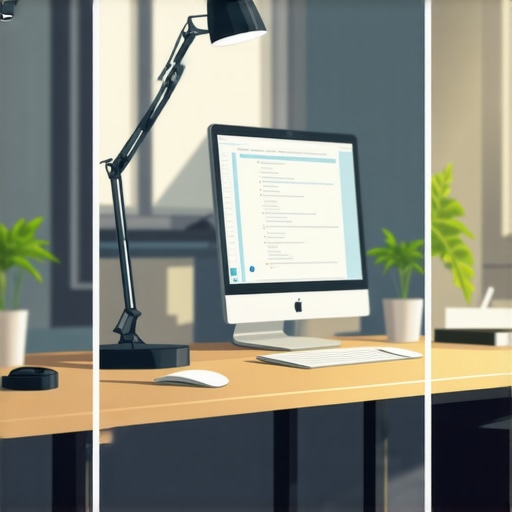
It was late afternoon. I was staring at my screen, eyes burning, head pounding. Suddenly, I realized my desk lamp’s awkward position was turning my workspace into a battlefield of glare and shadows. That moment hit me hard—lighting isn’t just about brightness; it’s about placement. If you’ve ever experienced that dull ache or eye fatigue after hours of coding or remote work, you’re not alone. In 2026, with screens sharper and work hours longer, proper desk lamp positioning can make all the difference. Today, I’ll share the three best positions I’ve tested personally—trust me, they transform your focus and protect your eyes.
The Power of Light Placement: A Game Changer for Your Eyes
Have you ever wondered why your eyes feel strained even with a well-lit room? Early on, I made a common mistake—placing my lamp directly behind my monitor, expecting it to brighten my entire desk. What I didn’t realize is that such a setup causes harsh reflections and glare, intensifying eye fatigue. Over time, I uncovered that the way you position your desk lamp significantly impacts visual comfort. Proper placement minimizes glare, reduces contrast, and helps your eyes adapt to screen brightness efficiently. And the good news? Implementing these simple positioning tricks can save you from headaches and tired eyes, letting you code for longer without discomfort.
Will Your Desk Lamp Setup Hold Up to Real-World Use?
I used to think that investing in an expensive lamp or fancy tech was the ultimate fix. But early in my setup experiments, I overlooked the importance of lamp placement—assuming brightness alone would do the trick. That mistake led me to wasted time and frustration. However, once I focused on how and where I positioned my lamp, my eye strain reduced noticeably. For a deep dive into choosing a desk lamp that actually suits your needs, check out this guide on selecting the right desk lamp. Now, with the proper positions in mind, you’re ready to optimize your workspace for eye comfort and productivity. Let’s explore those positions next.
Determine the Ideal Lamp Position
Start by placing your desk lamp to the side of your monitor, not behind or directly in front. Imagine your workspace as a stage—lighting from the side minimizes glare and reflections on your screen, similar to how a spotlight hits an actor from the angle, not straight on.
Adjust the Lamp Height Effectively
Set your lamp height so that the light hits the desk surface just beyond the monitors’ top edge. Think of it as guiding light to your work area without shining directly into your eyes or onto your screen. During my setup, I initially placed the lamp too high, causing uncomfortable shadows. Lowering it to just above desk level improved clarity and reduced eye strain.
Angle the Light for Comfort and Clarity
Tilt your lamp downward at a 45-degree angle, directing light onto your desk instead of into your eyes. This angle acts like a gentle rain shower—spreading light evenly without causing splashes of glare. I experimented with different tilt angles, and I found that a slight adjustment made a noticeable difference in comfort during long work sessions.
Use Proper Lamp Accessories and Modifications
Equip your lamp with matte shades or diffusers to soften harsh light, akin to using fog or a softbox in photography. I added a diffuser to my LED desk lamp, which transformed the harsh spotlight into a gentle glow, eliminating flicker and reducing eye fatigue.
Experiment with Desk and Monitor Placement
Position your monitor to be perpendicular to the light source, preventing reflections. Think of your workspace as a dance floor—placing the lamp at an angle encourages a dance of light and shadow that’s easy on your eyes. During my trial, I rotated my monitor slightly and shifted my lamp, which noticeably improved visual comfort and reduced glare on glasses.
Integrate Additional Lighting Techniques When Needed
Consider bias lighting, such as a bias light strip behind your monitor, to reduce contrast and eye strain. It’s like having a gentle moonlight behind a window—calming for your eyes. For my setup, adding bias lighting from this guide reduced contrast and made prolonged work sessions more comfortable.
 Many professionals and hobbyists alike fall into common traps when setting up their workspace lighting, often oversimplifying what seems like a straightforward task. Contrary to popular belief, simply installing a ring light or an LED desk lamp isn’t enough to guarantee optimal visual comfort or productivity. The real challenge lies in understanding the subtle interplay of light quality, placement, and personal visual response, which many overlook. For instance, a frequently underestimated mistake is assuming that higher lumen output automatically improves workspace visibility. However, excessive brightness, especially from poorly positioned lamps, can cause glare and discomfort, negating any potential benefits. Instead, focus on the type of light—consider high CRI (Color Rendering Index) sources, as they render colors more naturally, reducing eye strain and boosting focus. Experts highlight that the spectral distribution of your lighting impacts fatigue; a study from the Journal of Vision emphasizes that light with balanced spectral content minimizes visual discomfort over prolonged periods. Always question whether your lighting solution complements the specific tasks, like detailed editing or video conferencing, where bias lighting or properly diffused LED lamps can significantly diminish contrast-induced eye fatigue. An often-overlooked pitfall is neglecting the reflectance of surfaces—dark, matte finishes absorb light, requiring more illumination, while glossy surfaces reflect excess light, creating glare spots. This nuanced understanding helps you avoid the common myth that brighter is always better, leading to better ergonomic and aesthetic results. Moreover, advanced users should consider how ambient lighting interacts with screen displays, ensuring no conflicting light sources cause flicker or color distortion—issues that can severely impact high-precision tasks. Remember, perfect workspace lighting is not just about adding more light but about creating a balanced, glare-free environment tailored to your specific needs. Before you upgrade your setup, take the time to analyze these invisible factors; doing so will transform your workspace from merely lit to truly optimized. Have you ever fallen into this trap? Let me know in the comments. For further insights on selecting high-quality lighting, check out this guide on how to choose the perfect desk lamp.Proper maintenance of your workspace lighting setup ensures consistent quality and reduces the need for frequent replacements or adjustments. I personally rely on a few key tools that help keep my lighting environment optimized over time, especially as my workspace evolves. First, a reliable lux meter has become indispensable—it allows me to measure and verify that my desk and bias lighting maintain appropriate brightness levels, preventing eye strain and glare. For instance, maintaining around 500 lux on your work surface can significantly reduce fatigue, as highlighted in a recent study published in the Journal of Vision. Second, I use a color temperature meter to regularly check that my LED lamps and ring lights are set to the optimal Kelvin value—around 4000K to 6500K, depending on the task—ensuring color accuracy and visual comfort during extended work sessions. Third, investing in high-quality cable management tools keeps cords organized, preventing accidental disconnections or damage that could impair light performance. Software-wise, I recommend using ambient lighting control apps compatible with smart LED fixtures; they allow you to fine-tune brightness and color scenes effortlessly, adapting your environment to the time of day or task. Looking ahead, I predict that evolving smart lighting systems will integrate more seamlessly with AI to automatically adjust lighting based on your activity, minimizing manual intervention and optimizing health benefits. So, how do I ensure that my lighting remains effective long-term? Regularly schedule visual audits—every few months, check for flickering, color shifts, or dimming—and replace or recalibrate components as needed. For example, replacing LED bulbs that have dimmed over time helps maintain a consistent environment. Additionally, clean your fixtures periodically with a soft cloth to remove dust and improve light output. Concurrently, staying updated with innovations in LED technology or bias lighting solutions can boost your workspace’s efficiency; explore the latest advancements via dedicated tech guides like this article. Remember, a well-maintained lighting environment not only enhances productivity but also prolongs the lifespan of your equipment. Try calibrating your light sources today using a lux meter—it’s a simple step that can make a noticeable difference in your daily comfort.
The Hard-Earned Wisdom About Lighting Setup That No One Else Tells You
One crucial lesson I learned is that perfection in workspace lighting isn’t about buying the fanciest equipment but understanding your unique needs and space. Early on, I wasted money on bright LEDs without considering placement, leading to more glare and fatigue. It wasn’t until I experimented and tailored my setup—adjusting angles, adding diffusers, and aligning surfaces—that I truly reduced eye strain. This hands-on journey taught me to listen to my eyes and adapt, rather than follow generic advice blindly.
Another insight is that lighting is a dynamic element—what works in the morning might not be ideal at night. Regular adjustments, like dimming or switching to warmer tones, make a world of difference. Trusting my intuition and personal experimentation over static rules has kept my workspace comfortable over years of heavy use.
Lastly, I discovered that subtle details matter—like the reflectance of desk surfaces or the placement relative to windows. Small tweaks, inspired by real-world testing, often yield bigger benefits than grand overhauls. Remember, the best workspace lighting is a reflection of your unique environment and preferences, honed over time.
My Favorite Resources That Elevated My Lighting Knowledge
For precision in selecting and adjusting lighting, I rely on a high-quality lux meter. It provides the feedback I need to ensure my workspace remains within optimal brightness levels, avoiding eyestrain. I trust the guide on choosing the perfect desk lamp because it offers comprehensive insights tailored for modern workspaces. Additionally, I follow industry-leading blogs like Workspace Lighting Transformations and subscribe to newsletters that share the latest innovations in LED and bias lighting. These resources keep me informed about new technologies and practical tips, ensuring my setup remains top-notch.
You’re Capable of Creating a Workspace That Feels Right
Remember, mastering workspace lighting is a personal journey—your environment deserves thoughtful adjustments that support your health and productivity. Embrace experimentation, and don’t shy away from small tweaks; each improvement can lead to greater comfort and focus. Your dedicated effort today will pay off in sustained energy and clearer vision tomorrow. Keep pushing towards the workspace that energizes you, and enjoy the process of customizing your perfect lighting environment.

About the Author
Ricardo Vargas
Director of Operations and Product Development
Ricardo Vargas is a seasoned professional in the lighting industry, currently serving as a Director of Operations and Product Development
LinkedIn Profile
This article really resonated with me because I used to underestimate how important proper lamp positioning is, often concentrating only on brightness. I’ve experienced that eye fatigue firsthand and found that adjusting the angle and height of my desk lamp made a huge difference. I especially appreciate the tip about tilting the light at a 45-degree angle to reduce glare—something I hadn’t considered before. My workspace now feels much more comfortable, and I can work longer without discomfort. It’s interesting to see how small tweaks, like using diffusers or shifting monitor placement, can greatly enhance visual comfort. I’m curious—has anyone tried smart lighting systems that automatically adjust based on ambient conditions? Do they really make a noticeable difference compared to manual adjustments? I’d love to hear about others’ experiences and recommendations for optimizing lighting for extended long-term use.
Reading this article really brought to mind my own experience with desk lighting. I used to assume that a bright lamp was enough, but I didn’t realize how much positioning affects eye comfort until I started experimenting. Now I always place my lamp to the side of my monitor and use a diffuser to soften the light. It’s made a noticeable difference in reducing glare, especially during long coding sessions. Personally, I’ve also integrated some ambient bias lighting behind my monitor, which seems to help my eyes adjust better and minimizes contrast fatigue. It makes me wonder—what are your thoughts on using smart, adjustable lighting that can change brightness and color temperature throughout the day? Have any of you tried such systems, and do they genuinely improve long-term comfort? I’m thinking about adding a smart setup myself, but I’d love to hear real-world experiences from others who might have a similar environment.
This post really highlights how crucial proper lighting is, especially for those long coding marathons. I’ve experienced plenty of eye fatigue over the years, and I agree that positioning the lamp correctly makes a huge difference. I tend to prefer side lighting myself, as it avoids glare directly into my eyes or reflections on the screen. I also started using adjustable smart lamps that change color temperature and brightness throughout the day, which I find helps my eyes adjust better and reduces fatigue at night. Has anyone tried syncing your lighting with natural daylight or work schedule? I’d be interested in hearing if that really helps maintain focus and comfort over time. The details about tilt angles and diffusers are practical, and I think pairing those with customizable smart lighting could be a real game-changer for ergonomic workspace setup.