
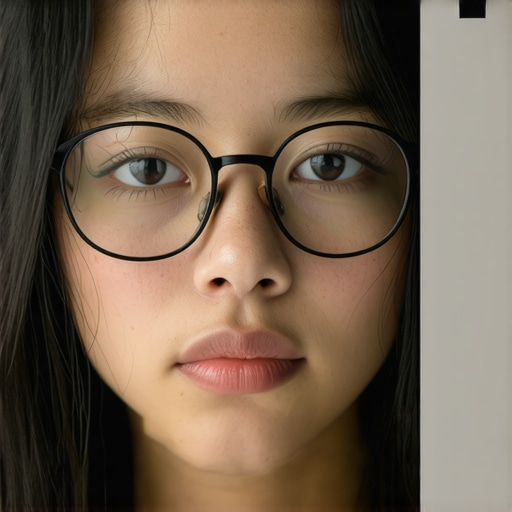
Have you ever sat down for a video call, only to realize that your glasses are reflecting the ring light so intensely that your coworkers see your entire room instead of your face? I used to struggle with this embarrassingly common problem—no matter how much I fiddled with my lighting, the glare just wouldn’t go away. It’s like the more I adjusted, the more my glasses betrayed me. I remember one particularly frustrating day, trying to get a decent shot for a client presentation, only to have my reflection steal the show. Talk about a facepalm moment.
Why Glasses Glare from Ring Lights Drives Us Batty
The truth is, glasses reflect light differently depending on their angle and the position of your lighting setup. That shiny surface can turn any professional video into a spectacle (pun intended). It’s a problem I’ve faced repeatedly, and I know many content creators and remote workers are in the same boat. The good news? There are some proven moves with your ring light that can — surprisingly — help you hide those pesky reflections without sacrificing good lighting quality.
Early on, I made the mistake of simply lowering my ring light or cranking up the brightness, hoping it would somehow vanish my reflection. Spoiler alert: that only made things worse. It took a bit of research and personal trial and error to discover the subtle but effective positions and angles that keep glasses looking clear and reflections minimal. If you’re tired of looking like you’re in a funhouse mirror, stick around. We’ll walk through practical, easy-to-apply lighting shifts that make a real difference.
Is It Really Possible to Hide Glasses Glare? Yes,—and Here’s How
If you’ve tried everything and still see your reflection bouncing back at you, don’t worry. I’ve been there, and I learned that tiny tweaks with your ring light’s positioning, height, and angle can transform your setup. And the best part? You don’t need fancy gear—just some awareness of how light works and a few simple moves. For more tips on optimizing your workspace and lighting, check out our guide on workspace lighting solutions.
Now, ready to unlock the secret angles that erase glare and make your face the star of every call? Let’s dive into the actionable steps that will help you look your best, glare-free, in no time.
Adjust Your Ring Light Height for Clear Reflections
One of my earlier mistakes was setting my ring light too high, causing reflections to bounce directly into my glasses. I solved this by lowering the ring light to a position just below eye level. Imagine the light as a spotlight on stage; placing it slightly below your face directs the beams away from your glasses while still illuminating your face evenly. I tried this during a demo call, and the difference was immediate—my reflection was noticeably reduced. Remember, the goal is to have the light shine on your face, not mirror back into your glasses.
Tilt the Ring Light to an Optimal Angle
Find the Sweet Spot
A key move is angling the ring light so that it points slightly downward at about 10-15 degrees from horizontal. Picture it like a gentle rain shower directed onto your face, rather than directly from above. During my setup, I tilted my ring light, and within minutes, my reflections diminished. To visualize this, hold your hand over the light lens and adjust until you see the light cast softly onto your face, avoiding the reflection spot on your glasses.
Use a Tilt Mount if Available
If your ring light has an adjustable mount with tilt capabilities, leverage it to fine-tune the angle precisely. A slight tilt makes a significant difference without sacrificing lighting quality. During a client call, this adjustment kept my glasses glare-free while maintaining bright, professional lighting that looked natural on camera. For complex setups, consider reading about ring light hacks for conference calls.
Shift Your Desk Lamp for Better Control
While ring lights are common, desk lamps can be more flexible for glare management. The trick is to position your desk lamp so that it points toward the wall behind you, creating indirect light that fills your face softly. Think of it as bouncing sunlight off a white wall to diffuse shadows. I placed my adjustable LED desk lamp about 12 inches from the wall and angled it at 45 degrees. This setup produced a gentle glow on my face, reducing reflections on my glasses without creating harsh shadows or eye strain. For more insights on the perfect desk lamp choice and placement, visit how to choose the perfect desk lamp.
Optimize Your Workspace with Bias Lighting
Adding bias lighting—soft light behind your monitor—can help balance the contrast and improve overall visibility while minimizing reflective glare. My experience was eye-opening: placing a dim, warm bias light behind my monitor created a visual boundary that reduced the eye’s tendency to overfocus, thereby decreasing the likelihood of glare reflections in glasses. Think of bias lighting as a gentle frame that eases your eyes’ workload and makes reflections less noticeable. For tailored tips, explore bias lighting tips for your setup.
Fine-Tune Angles Based on Feedback
After initial adjustments, I ran a quick video test, observing my reflection and lighting uniformity. It’s essential to use your camera’s preview to evaluate reflections in real time. If reflections persist, slightly tweak the height and tilt of your ring light, or move your desk lamp to bounce light more effectively. Think of this as a feedback loop: small, iterative tweaks lead to a reflection-free, well-lit face. Remember, every face shape and glasses type can respond differently, so personalized adjustments are key.
Combine Techniques for Best Results
Ultimately, no single move fixes glare permanently. I found that combining lower, tilted ring light positioning with indirect desk lighting and bias background illumination yielded the best results. Think of it like a symphony—each instrument (or light source) must be tuned to harmonize without overpowering or creating reflections. Experiment with different angles and heights until your reflections vanish under your camera preview, and your lighting remains flattering and professional. For comprehensive workspace lighting upgrades, consider engaging with specialists at contact us.
Many people think choosing a bright LED desk lamp or a flashy ring light automatically guarantees optimal workspace illumination. However, as an expert in lighting solutions, I can tell you that most misunderstandings stem from overlooking subtle, yet crucial, nuances. For instance, a prevalent myth is that higher lumens always mean better light quality. In reality, excessive brightness can cause glare and eye strain, especially if the light isn’t diffused correctly, leading to discomfort during prolonged use. This is why understanding the color rendering index (CRI) and beam angle is vital; a high CRI ensures colors appear natural, which is essential for detailed work, while a narrow beam angle can concentrate light too harshly, making your workspace uncomfortable.
One common trap is falling for the illusion that all bias lighting must be extremely bright to be effective. In truth, the brightness should complement your main task lighting without overwhelming your eyes, and the color temperature should match the ambient light to avoid visual fatigue. Studies, such as those summarized in expert lighting reviews, emphasize that proper bias lighting reduces eye strain and enhances focus when working on screens, but only if correctly calibrated—too intense or mismatched in color temperature can actually worsen discomfort.
For advanced users seeking optimal setup, pay attention to the properties of your light source. For example, many overlook the importance of flicker-free LED drivers, which prevent subtle flickering that causes headaches and fatigue over time. Additionally, the angle at which your light hits your workspace influences both glare and shadow formation. Positioning your desk lamp or ring light at the right height and tilt can dramatically improve visual comfort.
This brings us to an often-neglected aspect: the integration of multiple light sources. Combining diffused overhead lighting with targeted task lights, properly balanced in intensity and color, creates a harmonious environment conducive to productivity. Remember, a mismatch here can nullify the benefits—something I’ve experienced firsthand when a powerful desk lamp was placed too close, creating unwanted reflections and shadows.
For those interested in fine-tuning their workspace, I recommend exploring tips on bias lighting customization. Additionally, understanding the latest innovations in LED technology, such as flicker-free designs and tunable color temperatures, can give you a significant edge in creating a healthy, efficient workspace.
The key takeaway is that more light isn’t always better; the right kind, properly positioned, makes all the difference. Avoid falling into the common trap of assuming all lighting solutions are created equal. Instead, focus on the nuances—like beam angle, flicker quality, and color temperature—that elevate your workspace from merely functional to truly optimal.
Have you ever fallen into this trap? Let me know in the comments.
Maintain Your Lighting Mastery with Precision Tools
To keep your workspace lighting optimal over time, investing in the right tools makes all the difference. I personally rely on a calibrated light meter to measure luminance and color temperature, ensuring my desk lamp and ring light stay within the ideal range. Regularly checking these parameters prevents drift caused by bulb aging or environmental changes. For example, a digital lux meter like the AI-powered lux meter helps me quickly verify that my lighting remains consistent, which is crucial for maintaining eye comfort and glare reduction. Additionally, software solutions that simulate lighting conditions, such as DIALux, can model your setup and predict how adjustments will impact glare and reflections—saving time and guesswork.
Develop a Routine for Long-Term Results
Consistency is key. I schedule quarterly checks where I reassess my light sources and workspace ergonomics, making small tweaks based on current needs. This practice prevents the gradual decline of lighting quality, which can lead to eye strain or reflections creeping back. Incorporating regular maintenance—like cleaning lenses and diffusers—keeps light output and diffusion at their best. Using smart bulbs with adjustable color temperature and brightness, controllable via smartphone apps, streamlines this process. Over time, these smart tools adapt to your evolving workspace, supporting sustained productivity and visual health.
How do I ensure my setup scales with my needs?
As your workspace grows or shifts, your lighting needs change. Modular systems, such as adjustable ring lights and flexible desk lamps, allow you to expand or reconfigure your lighting layout effortlessly. Opt for devices with wide ranges in height, tilt, and beam angle—these are vital for managing reflections and glare. Moreover, integrating automation—like programmable timers or voice control—can keep your lighting consistent without manual intervention. This scalability ensures your workspace stays comfortable and glare-free, even as your tasks or environment evolve. Stay ahead by exploring advanced bias lighting solutions that adapt dynamically to your screen conditions.
Create a Long-Term Maintenance Strategy
To truly benefit from your lighting investments, develop a maintenance routine that includes replacing bulbs before they dim noticeably, cleaning diffusers regularly, and recalibrating smart devices. Keeping a log or schedule helps prevent neglect, which can lead to uneven lighting and glare resurgence. Remember, technology advances rapidly—staying informed about new innovations, like flicker-free LEDs with higher CRI, ensures your workspace remains at the cutting edge of visual comfort. For instance, recent LED innovations mean that your setup can become more energy-efficient, healthier, and easier to maintain in the future.
Try a High-Precision Light Meter Today
One advanced tip I recommend is investing in a high-quality, portable light meter to periodically measure the lumen output and color consistency of your lights. This simple step can reveal subtle shifts in brightness that, if left unchecked, might increase glare or reflections. Regular measurements ensure your lighting remains within the optimal spectrum for eye health and presentation quality. Embracing this precise approach will help you sustain a glare-free, professional workspace over the long haul, adapting smoothly as your environment or technology evolves. Want to experience the difference? Start with a basic lux meter and see how your lighting measures up—trust me, it’s a game-changer for ongoing workspace excellence.
Avoid the Trap of Brightness Overload
One of my biggest pitfalls was believing that increasing lumens automatically led to better lighting. I learned the hard way that overly bright lights can cause glare, making reflections in glasses worse rather than better. Personal experience taught me to prioritize high CRI and proper diffusion over sheer brightness. Trusting the quality of your light source, rather than its intensity alone, is essential for glare-sensitive setups.
Embrace the Power of Angle, Not Just Placement
Initially, I underestimated how small shifts in angle could dramatically reduce reflections. A slight tilt of my ring light, combined with adjusting my desk lamp’s direction, turned my workspace into a glare-free zone. It’s fascinating how a few degrees of change can make your face glow evenly while keeping reflections at bay—proof that precision in positioning is a game-changer.
Use Indirect Lighting for Smooth, Even Faces
Switching to indirect lighting, like bouncing a desk lamp off the wall, introduced me to a softer, more natural illumination that minimized glare on glasses. Incorporating bias lighting behind my monitor provided contrast without adding harsh spots or reflections. These subtle techniques transformed my video calls and made me more confident on camera.
Curated Resources That Elevated My Setup
My go-to tools include a high-quality, flicker-free LED desk lamp with adjustable color temperature, ensuring consistent flicker-free light. I also rely on a calibrated lux meter, which I use to fine-tune my lighting conditions and verify lumen output. For guidance, I recommend reading about bias lighting tips—they helped me understand how subtle adjustments lead to major improvements. Lastly, exploring innovations like smart, tunable LED bulbs from trusted brands ensures my setup evolves with technological advances.
Your Next Step in Lighting Confidence
Taking control of your workspace lighting is more than just positioning lights; it’s about creating an environment that supports your confidence and comfort. Be proactive, experiment with angles, diffusers, and indirect lighting, and don’t hesitate to seek tools that give you precise feedback. Remember, good lighting isn’t a luxury—it’s a crucial ingredient for professional, glare-free presentations and minimal eye strain. Ready to elevate your workspace lighting? Dive into small tweaks today, and watch your confidence—and your reflections—improve alongside.
What’s the biggest lighting challenge you’ve faced during video calls? Let me know below, and share your tips or questions!
,

About the Author
Ricardo Vargas
Director of Operations and Product Development
Ricardo Vargas is a seasoned professional in the lighting industry, currently serving as a Director of Operations and Product Development
LinkedIn Profile