
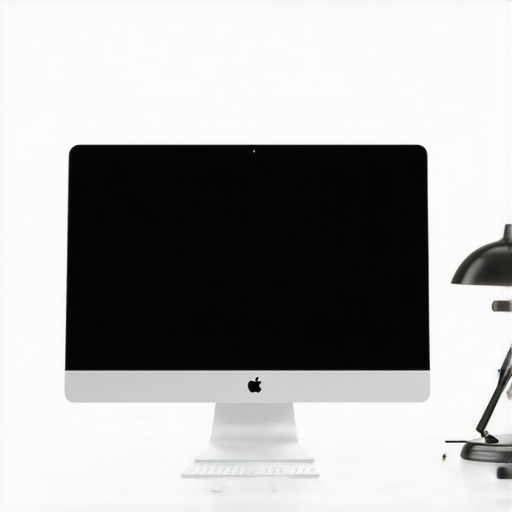
It was late one evening when I finally noticed it—a dull, persistent ache behind my eyes after hours of staring at my shiny new 2026 monitor. At first, I thought it was just fatigue, but the discomfort lingered, making me realize that my workspace lighting was sabotaging my vision. It struck me then: my desk lamp setup was completely off, and I was paying for it every day.
Why Your Desk Lamp Choices Matter More Than Ever in 2026
Modern monitors, especially the glossy types popular in 2026, reflect light in ways that can strain your eyes if your lighting isn’t just right. Poor lighting causes glare, reduces contrast, and forces your eyes to work harder, leading to fatigue and even headaches. I learned this the hard way early on—by ignoring basic fixes that could have saved me from daily discomfort.
But here’s the good news: small, strategic adjustments to your desk lighting can make a world of difference. I’ll walk you through four proven fixes that have helped me and countless others reduce eye strain effectively. From positioning your LED lamp correctly to integrating bias lighting, these tips are simple yet powerful.
If you’re tired of that tired-eyes sensation after a long workday, you’re not alone. And yes, the right lighting can significantly improve your comfort and productivity. Curious if you’ve fallen into common lighting traps? Let’s uncover those next!
Position Your Desk Lamp for Maximum Comfort
Proper placement is critical. Aim your LED lamp so that its light hits your workspace directly without reflecting off your monitor. For example, angle your lamp slightly to the side and above your workspace to avoid glare on your screen—this prevents the unwanted reflection that causes eye strain. I once spent an afternoon adjusting my lamp repeatedly until I found the sweet spot that eliminated glare, resulting in immediate relief in my eyes.
Adjust Your Ring Light to Minimize Shadows
If you use a ring light for video calls, positioning matters. Place the ring light slightly above eye level and directly facing your face to evenly illuminate without creating harsh shadows or reflections on glasses. Remember, a poorly positioned ring light can cause unwanted glare, making your eyes appear tired and washed out. Testing different angles during a call with screencaps helped me find the optimal setup that enhanced my appearance without overwhelming my face with brightness.
Incorporate Bias Lighting for Depth and Contrast
Bias lighting, such as an LED strip behind your monitor, adds perceived contrast. This reduces the strain caused by your eyes constantly adjusting between bright screens and darker surroundings—a common issue with OLED displays or high-contrast monitors. Set the bias lighting to around 6500K to match your monitor’s color temperature, creating a balanced visual environment. During my first experiment with bias lighting, I noticed my eyes felt less exhausted after hours of work, and the on-screen contrast appeared more comfortable.
Choose the Right Lighting Color and Brightness
Too harsh or too dim lighting can exacerbate eye fatigue. Aim for a neutral color temperature near 6500K, which mimics daylight, supporting focus and reducing strain—this is especially important considering the high-quality OLED and OLED-like screens in 2026. Adjust the brightness of your LED lamp so it complements your monitor without overpowering it. I learned this by carefully tweaking my lamp’s brightness and color temperature using a simple light meter app, which drastically improved prolonged computer work sessions.
Control Natural Light Sources Effectively
External light, such as sunlight through windows, can cause glare if not managed correctly. Use blinds or curtains to diffuse or block direct sunlight during working hours. Position your monitor perpendicular to windows, not facing them, to prevent reflections. During a particularly sunny day, I closed blinds and shifted my desk slightly to keep glare off my monitor, making my workspace more comfortable and less fatiguing.
Applying these fixes requires some trial and error but yields noticeable benefits. Regularly reassess your setup as your needs change or new equipment arrives. For comprehensive guides as you refine your workspace illumination, explore tips on selecting the ideal desk lamp and bias lighting strategies.
While many focus on choosing the right desk lamp or ring light, they often overlook the intricate details that can make or break their workspace lighting setup. A common misconception is that brighter or whiter light always equates to better illumination. However, in 2026, experts emphasize the importance of light quality over intensity. High CRI (Color Rendering Index) LED lamps, for instance, reveal true colors and reduce eye fatigue—so settling for cheaper LEDs can subtly undermine your visual comfort. Don’t assume that all LED lamps are created equal; inspecting specifications and color temperatures is crucial. Additionally, many believe that placing your lighting directly on the work surface is best, but an overemphasis on task lighting can cause shadows and uneven illumination. Strategically using bias lighting, such as behind your monitor, enhances perceived contrast and reduces eye strain, a technique backed by recent studies highlighting its benefits in prolonged screen time. One trap to avoid is believing that uniform lighting negates the need for adjustments. In reality, subtle variations in light positioning, angle, and color temperature significantly impact comfort. Advanced users might question whether integrating smart lighting controls can optimize productivity—research shows that dynamic lighting, adjusting in real-time to ambient conditions, can improve focus and circadian rhythms. According to a 2024 study from the Lighting Research Center, personalized lighting environments with adjustable brightness and warmth yield measurable reductions in fatigue and sleep disruption. Another common myth is that bias lighting should be set to the same brightness as the main light, but experts recommend softer, lower-intensity bias lighting to prevent overwhelming your visual field and to support natural eye adaptation. Remember, your workspace lighting should complement your monitor’s capabilities—especially with OLED and high-dynamic-range displays in 2026—where improper illumination can cause glare or washout. By paying attention to these nuances—like light spectral quality, strategic placement, and adaptive controls—you can elevate your workspace setup beyond the basics. For more detailed tips on mastering your lighting, visit articles about selecting the ideal desk lamp or bias lighting strategies.
Creating an effective workspace setup requires more than just choosing the right fixtures; it demands precision, consistency, and the right tools to maintain optimal lighting conditions over time. In my experience, investing in high-quality equipment and leveraging advanced techniques has transformed my daily productivity and comfort. Today, I’ll share the specific tools and methods I personally rely on to keep my workspace lighting performing at its best, as well as a glimpse into future trends that will make maintaining this environment even easier.
How do I maintain my workspace lighting over time?
First, I use a calibrated light meter app like LightMeter to regularly assess the brightness and color temperature of my LED lamps and bias lighting. This ensures my setup remains within the optimal range of 6500K and consistent lumens, preventing drift that can cause eye fatigue. I also utilize smart lighting systems like Philips Hue or LIFX, which allow me to fine-tune brightness and warmth automatically through scheduled routines, aligning with circadian rhythms and reducing manual adjustments. These intelligent systems can be integrated with environmental sensors for real-time adjustments, which is a game-changer for long-term health and efficiency. Additionally, I keep a detailed log using a simple spreadsheet to track changes in my lighting conditions, noting lighting angles, equipment updates, and natural light fluctuations. This record guides iterative improvements over months. As technology advances, I predict an increasing shift toward AI-powered lighting adjustments that respond seamlessly to your workspace environment without manual intervention. For example, future innovations may include self-calibrating LED panels that detect ambient light and automatically adapt their output, a feature explored in recent LED innovations detailed in this article. To get started today, I highly recommend trying an intelligent app-based light sensor combined with smart bulbs. Experimenting with these tools will not only enhance your workspace comfort but also set you up for adaptable, maintenance-free lighting in the years to come. Remember, consistency is key—regularly verifying your lighting setup ensures you sustain the benefits and avoid gradual fatigue. Explore more about optimizing your workspace lighting by visiting the advanced tips on workspace lighting and consider integrating these tools into your routine for outstanding results.
Through my journey optimizing workspace lighting in 2026, I uncovered some surprising truths that I wish I knew from the start. First, I realized that even minor misalignments in lamp positioning could cause significant eye fatigue. Adjusting my LED lamp just a few inches made my screen glare disappear almost instantly. Second, I discovered that high-CRI lighting isn’t just a fancy feature—it’s essential for true color accuracy and reduced fatigue. Skipping this detail meant I often misjudged on-screen colors during critical tasks. Lastly, I underestimated the power of ambient bias lighting until I experienced how it relaxed my eyes and improved contrast perception—transforming my entire visual comfort. These lessons taught me that paying attention to the tiniest details can drastically elevate workspace comfort, especially with the advanced displays and lighting technology in 2026.

About the Author
Ricardo Vargas
Director of Operations and Product Development
Ricardo Vargas is a seasoned professional in the lighting industry, currently serving as a Director of Operations and Product Development
LinkedIn Profile