
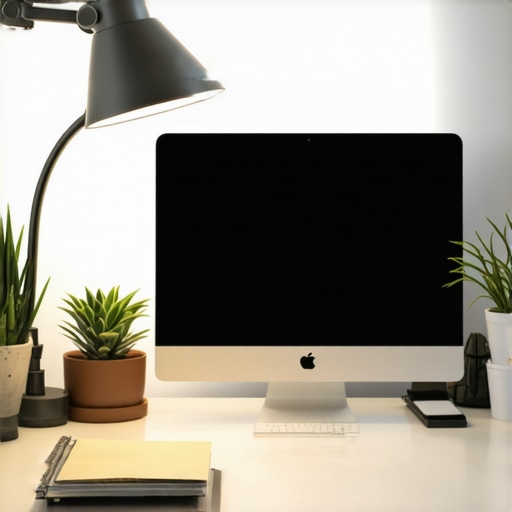
It was a typical Tuesday afternoon when I realized my home office setup was sabotaging my productivity. The harsh overhead light cast unflattering shadows on my face during video calls, and my eyes felt strained after hours of work. Frustration mounted—I knew better lighting could make a difference, but I had no idea where to start. That lightbulb moment led me down a path of discovery about how proper desk lighting, especially with innovative solutions like ring lights and LED lamps, can transform your workspace and boost your efficiency.
Why Effective Desk Lighting Matters More Than Ever in 2025
As remote work becomes the norm, the quality of your home office environment directly impacts your performance and well-being. Good lighting isn’t just about aesthetics; it’s essential for reducing eye strain, enhancing focus, and improving video conferencing quality. According to a recent study, poor lighting can decrease productivity by up to 20%. That’s a staggering figure that underscores the importance of investing in the right lighting solutions for your workspace.
In 2025, the market is flooded with options—ring lights, LED desk lamps, bias lighting, and more. But how do you choose the right ones? And are they really worth the hype? I’ll help you cut through the noise and find effective, affordable lighting that fits your needs. Whether you’re a freelancer, a student, or a corporate professional working from home, proper lighting can dramatically improve your daily experience. Ready to make your home office brighter and more efficient? Let’s dive into the why and how of effective workspace lighting.
Is All Desk Lighting Created Equal? My Early Mistake
Trust me, I’ve made my fair share of mistakes. Early on, I thought any bright light would do the trick. I bought generic desk lamps that flickered and caused glare, making my eyes ache after just an hour. I overlooked the importance of color temperature and the direction of the light, which are critical for creating a comfortable workspace. It wasn’t until I experimented with different types of lighting—especially ring lights designed for video clarity—that I saw a real difference. For more tips on choosing the best lighting, check out this comprehensive guide.
Assess Your Workspace and Define Your Lighting Needs
Start by evaluating your current workspace. Take note of areas that are poorly lit or cause eye strain. For example, I once noticed my monitor’s glare was worse in the evenings, prompting me to consider additional lighting. Identify tasks that require focused lighting—such as reading or video calls—and plan accordingly. This step ensures your lighting setup is tailored, rather than generic.
Select the Right Type of Lighting
Choose Between Ring Lights and LED Lamps
Think of a ring light as a magnifying glass for your face—perfect for video calls, tutorials, or content creation. LED desk lamps, on the other hand, act as adjustable sunbeams, providing broad, customizable illumination for your entire workspace. I experimented by replacing my old desk lamp with a ring light during Zoom calls, which dramatically improved my video clarity. For a deeper dive into options, visit this guide.
Position Your Lights Strategically
Proper placement is crucial. Position your ring light directly in front of you, slightly above eye level, to avoid shadows and glare. For LED lamps, aim to illuminate your workspace evenly, avoiding direct light into your eyes. I once placed my LED lamp too close, causing discomfort; moving it back and angling it properly made a significant difference. Use adjustable stands or mounts to fine-tune the angle and height, ensuring optimal lighting without glare.
Adjust Brightness and Color Temperature
Lighting isn’t one-size-fits-all. Use dimmers or adjustable settings to match your ambient light, reducing eye fatigue. Opt for a color temperature around 5000K for daylight-like clarity—ideal for work tasks. During late-night sessions, switching to warmer tones (around 3000K) helps relax your eyes. I found that playing with these settings on my LED lamp improved my comfort during extended work hours. Check out this article for more on color tuning.
Incorporate Bias Lighting for Reduced Eye Strain
Bias lighting, placed behind your monitor, reduces contrast and prevents eye fatigue. Think of it as a soft halo that eases your eyes. I added a bias light strip behind my monitor, which noticeably lessened my eye strain after long sessions. For tips on setting up bias lighting, see this resource.
Test and Fine-Tune Your Setup
Once installed, spend time adjusting your lights. Make small tweaks to brightness, angle, and color temperature. For my setup, I spent a Saturday afternoon experimenting, which initially looked messy—cluttered cords and mismatched angles. But after some trial and error, I arrived at a setup that felt natural and comfortable. Remember, effective lighting is dynamic—review it periodically and adjust as your needs change.
Many enthusiasts and even seasoned professionals often get tripped up by misconceptions regarding workspace lighting. Let’s dig deeper into some of these pitfalls, challenge the popular beliefs, and uncover the nuanced details that can make or break your setup.
Myth: Brighter is Always Better
One of the most widespread misconceptions is that increasing brightness invariably improves workspace visibility. However, this can backfire, leading to glare, discomfort, and even headaches. The key isn’t just in cranking up the lumens but in balancing brightness with contrast and ambient lighting. Experts recommend matched lighting levels, which can be achieved through adjustable LED lamps or dimmable ring lights. Overly bright setups may cause eye strain, especially if your monitor’s brightness isn’t synchronized with your lighting environment. To learn more about optimal brightness levels, check out this guide.
Myth: All Color Temperatures Are Equal
Color temperature profoundly impacts your visual comfort and productivity. Many assume that a neutral or cool white light (around 5000K) is universally best. In reality, the optimal temperature depends on your task and time of day. Cooler lights enhance alertness during daytime but can cause fatigue if used late at night. Warmer tones (around 3000K) promote relaxation and are better suited for late hours. The real nuance is in adjusting your lighting dynamically or using tunable LED lamps to match your circadian rhythm, which can significantly reduce eye fatigue. For advanced insights, visit this resource.
Oops! The Placement Trap
Positioning your lights incorrectly is a common mistake that many overlook. For instance, placing a ring light directly behind your monitor or too close to your face can create unwanted shadows or glare, ironically decreasing visibility. The ideal placement is slightly above and in front of you, aligned with your line of sight. Adjustable stands are invaluable here, allowing fine-tuning of angles and height. Remember, even small misalignments can cause significant discomfort over hours of work. If you want to optimize your setup, consider consulting these tips.
Advanced Question: How Does Bias Lighting Affect Visual Perception?
Bias lighting behind your monitor reduces contrast and minimizes eye strain, but the science behind it is more nuanced. According to a study by the American Medical Association, bias lighting can improve visual perception by reducing the strain caused by high contrast between the bright screen and dark surrounding environment. It effectively creates a visual halo that eases your eyes’ adjustment, especially during long sessions. However, the wrong color or intensity can negate these benefits. For optimal results, use bias lighting with a color temperature matching your ambient light and adjust brightness to be subtle yet effective. To explore more about bias lighting setups, visit this guide.
Maintaining your workspace lighting setup is crucial to ensuring consistent performance and long-term effectiveness. Over time, dust accumulation on your LED lamps and ring lights can diminish brightness and color accuracy. Regular cleaning with a soft, lint-free cloth can prevent dust buildup and keep your lights shining at optimal levels. Additionally, checking and tightening any adjustable stands or mounts guarantees that your lights stay securely positioned, preventing accidental shifts that could cause glare or shadows.
One of my favorite tools for maintaining my lighting setup is a digital lux meter. This device measures the actual light levels in your workspace, allowing you to fine-tune brightness settings precisely. I personally use the Dr. Meter LX1330B because of its accuracy and ease of use. Regularly measuring your lighting helps ensure your environment remains consistent, especially if you switch between different tasks that require varying light intensities.
Software also plays a role in long-term maintenance. Many modern LED lamps and ring lights come with companion apps that allow you to save preferred brightness and color temperature settings. I recommend creating preset profiles for different times of day or tasks, which simplifies adjustments and maintains consistency across sessions. For example, I use a warm tone in the evenings to reduce eye strain, and having that saved profile means I don’t need to manually tweak the settings each time.
Looking ahead, I predict that smart lighting systems will become even more integrated into workspace maintenance routines. With IoT-enabled devices, you can automate adjustments based on time of day, ambient light conditions, or even your activity levels. This automation will help keep your workspace lighting optimal without constant manual intervention.
How do I maintain my workspace lighting over time?
Start by establishing a routine of periodic cleaning and calibration. Use a digital lux meter to check light levels monthly, and clean your lighting fixtures quarterly. Keep an eye on the physical condition of your stands and mounts, tightening any loose components promptly. Additionally, update your device firmware or app settings when new features become available to take advantage of improved functionality and efficiency.
If you’re serious about long-term performance, consider investing in a quality power supply or surge protector for your lighting devices. Fluctuations in power can shorten their lifespan or cause inconsistent brightness. By implementing these maintenance habits, you’ll ensure your workspace remains brightly lit and conducive to productivity for years to come.
Don’t forget to explore advanced tips like dynamic lighting profiles or integrating your lights with smart home systems. These innovations can elevate your workspace from good to exceptional. Try calibrating your lights with a lux meter this month and see the difference it makes in maintaining a consistent, comfortable environment.
The Hardest Lesson I Learned About Workspace Lighting
One of the most profound realizations I had was that not all lighting setups are created equal. I used to believe that a bright desk lamp was enough, but I soon discovered that improper placement and the wrong color temperature could turn my workspace into a glare-filled nightmare. The key lesson: fine-tuning the angle, brightness, and color of your lights can drastically enhance comfort and productivity, a truth I wish I had embraced earlier.
3 Myths About Desk Lighting That Held Me Back
Initially, I bought into the idea that more light equals better work. Turns out, too much illumination causes glare and eye strain. I also thought all LED lights were the same; understanding the importance of adjustable color temperature changed everything. Lastly, I believed that expensive lighting was necessary, but I found affordable, tunable options that outperform pricier models for my specific needs.
What Experts Won’t Tell You About Optimal Workspace Illumination
Many professionals overlook the significance of bias lighting behind monitors, which reduces contrast and eases eye fatigue. Additionally, the science behind light placement and color temperature adjustment is nuanced—small changes can make a big difference in comfort. Investing in a lux meter for precise measurements can elevate your setup from good to exceptional, a tip I’ve found invaluable in my journey.
Curated Recommendations for Brightening Your Home Office
- Dr. Meter LX1330B Lux Meter: This tool helps me maintain consistent light levels, ensuring my workspace remains comfortable over time.
- Best LED lamps and ring lights for 2025: A comprehensive guide to choosing adjustable, flicker-free lighting that suits your needs.
- Bias lighting tips: Perfect for reducing eye strain during long work sessions.
- Ultimate guide to LED lamps and bias lighting: Deep dives into color temperature tuning and placement strategies.
Your Next Step Towards a Brighter Workspace
Now, it’s your turn to experiment and personalize your workspace lighting. Small adjustments—like repositioning your ring light or dimming your LED lamp—can have a remarkable impact on your comfort and focus. As technology evolves, so will your ability to create the perfect environment for productivity and well-being. Don’t hesitate to explore new lighting solutions and fine-tune your setup regularly; your eyes and mind will thank you. Are you ready to transform your home office with smarter lighting? Share your experiences or questions below!

About the Author
Ricardo Vargas
Director of Operations and Product Development
Ricardo Vargas is a seasoned professional in the lighting industry, currently serving as a Director of Operations and Product Development
LinkedIn Profile
I really resonated with the part about experimenting with different lighting setups to find what truly works for your space. I’ve gone through a similar journey, initially buying generic desk lamps that caused more glare than they helped. It was only after switching to a dimmable LED with adjustable color temperature that I noticed a real difference, especially during long work hours. I also realized that placement is everything; even a slight shift can make the environment much more comfortable. I’m curious, has anyone tried integrating smart lighting or using lux meters to calibrate their workspace? I think those tools could really help in maintaining optimal lighting over time, especially if your workspace setup changes frequently or if you switch between daytime and evening work. Would love to hear other tips or experiences on maintaining the ideal lighting environment for long-term productivity.
This post really hits home for me. Like many, I initially thought a brighter lamp would solve all lighting issues, but I quickly learned that placement and color temperature are just as critical. I started investing in a tunable LED desk lamp and a lux meter, which allowed me to calibrate my setup accurately. It made such a difference in reducing eye strain during long work sessions. The idea of using bias lighting behind my monitor is something I’ve been meaning to try; I’ve noticed that during late-night work, warmer ambient light helps me relax, but accurate measurement is key to avoid overly dim or bright settings. I wonder, what are some of the best ways to automate or easily adjust lighting throughout the day? I’d love to hear tips on creating a dynamic lighting environment that adapts with minimal manual effort—especially for those of us who work irregular hours or switch tasks frequently.
Reading through this detailed guide really made me reflect on my own lighting setup. I initially underestimated how critical placement and color temperature are—I used to keep my LED desk lamp too close and at a fixed setting, which often caused eye fatigue. Once I started experimenting with adjustable stands and tunable white lights, I noticed a significant improvement in my comfort and focus. Bias lighting behind my monitor has also been a game changer, especially during late-night work sessions, reducing contrast strain. I’ve been considering investing in a lux meter to get precise measurements; has anyone here tried integrating smart lighting systems that adjust automatically based on ambient light or time of day? I’d be interested to hear how others balance energy efficiency with optimal lighting conditions, especially for irregular work hours or different tasks. Overall, small tweaks can make a big difference—what’s been your most effective adjustment so far? I’d love to hear more practical tips from this community.
This post really hits a nerve, especially since I’ve been experimenting with different lighting setups in my home office for months. I used to think that simply increasing brightness was the solution, but I quickly learned that placement and color temperature are just as crucial. I recently invested in a dimmable LED lamp with adjustable color temperature, and it’s made a world of difference in reducing eye fatigue during long writing sessions. I also started using bias lighting behind my monitor, which really improved contrast and comfort. I’m curious—has anyone integrated smart lighting systems that automatically adjust based on the time of day or ambient light? I’ve read about IoT-enabled lights that can switch profiles automatically, and wonder if that’s something worth exploring for a more dynamic workspace. Any recommendations or personal experiences on that front? I think more automation could help maintain the ideal environment without constantly tweaking settings manually.