
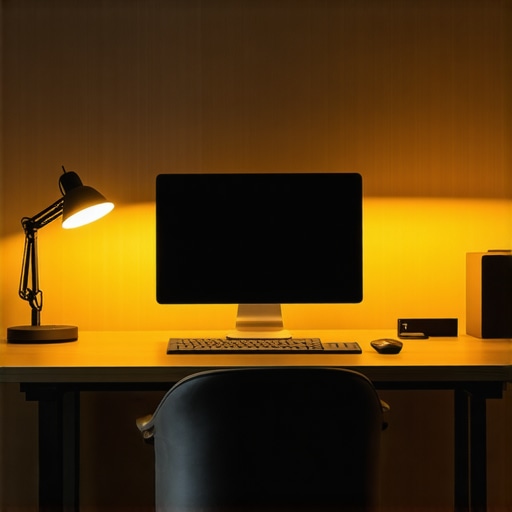
Ever sat down at my desk after a long day, only to realize that the harsh, flickering overhead light made my eyes strain and my mood plummet? It hit me then—lighting isn’t just about visibility; it’s about creating a space that energizes and sustains productivity. I’ve been there, struggling with dull, inadequate lighting that saps my focus and leaves me with headaches. That’s when I discovered the game-changers: modern LED lamps and bias lights. These aren’t just trendy accessories—they’re essential tools that transformed my workspace and my well-being.
Why Lighting Can Make or Break Your Workday
Proper lighting influences everything from your eye health to your mental clarity. Poor lighting can cause fatigue, headaches, and even affect your mood. Conversely, the right light setup boosts your focus, cuts down on eye strain, and makes your entire workspace feel more inviting. As I delved into workspace lighting, I realized that not all solutions are created equal. Cheap bulbs flicker, outdated fixtures cast unflattering shadows, and many people overlook the importance of bias lighting—those subtle backlights that reduce glare and improve contrast. Trust me, upgrading my lighting was one of the best decisions I’ve made for my home office.
In fact, a study from the Lighting Research Center shows that quality lighting can increase productivity by up to 20%. That’s a huge boost, especially for those of us working from home or managing creative projects. But here’s the catch: choosing the right LED lamps and bias lights isn’t as straightforward as it seems. Early on, I made a critical mistake—buying a generic lamp that looked nice but didn’t meet my needs, leading to frustration and more eye discomfort. The key is understanding what makes a good workspace light and how to tailor it to your environment.
Is All LED Lighting Created Equal? My Honest Take
When I first started shopping for lights, I thought all LED lamps were basically the same. Spoiler alert: they’re not. Some emit harsh, cold light, while others provide a warm, inviting glow. The difference in quality can be dramatic, impacting your comfort and focus. I learned this the hard way and wasted time and money on options that didn’t deliver. The good news is, with a little guidance, you can avoid these pitfalls and find lighting solutions that truly elevate your workspace. For example, exploring [bias lighting tips](https://lighting.techdeskessentials.com/bias-lighting-tips-to-enhance-your-home-office-setup) helped me create a more balanced and eye-friendly environment. If you’ve ever felt that your workspace is just too dim or overly bright, or if glare has been a persistent annoyance, you’re not alone. Have you faced similar struggles with your current lighting setup?
In the sections ahead, I’ll share practical insights and recommendations that helped me craft a workspace lighting environment that’s both functional and comfortable. Ready to illuminate your workspace better than ever? Let’s dive into the details and start transforming your home office today.
,
Select the Right LED Lamps for Your Space
Start by assessing your workspace’s needs. I once bought a sleek-looking LED desk lamp online, expecting it to transform my setup. Instead, it emitted a cold, harsh light that caused eye strain. That experience taught me to prioritize color temperature and brightness levels. Look for LED lamps with adjustable color temperatures (around 3000K to 6500K) and dimming features. Check reviews and specifications—quality LEDs use high CRI (color rendering index) for natural colors. Visit this guide for detailed selection tips.
Test Before You Commit
Before making a final purchase, I tested multiple lamps in my workspace. I set up a corner with a similar desk and lighting conditions, switching between models. The key was to look for even light distribution and avoid flickering. I also checked for glare on my screens. This hands-on approach saved me from regrets and ensured I picked a lamp that boosted my focus.
Implement Bias Lighting for Reduced Eye Strain
Bias lighting is a subtle backlight placed behind your monitor or workspace. I added a strip of bias LED lights behind my monitor, following these tips. It created a balanced contrast, reducing eye fatigue during long sessions. To do this, measure your monitor’s size and choose a bias light strip that fits snugly. Connect it to a dimmer or smart controller for adjustable brightness. This simple step made a noticeable difference in my comfort and productivity.
Position and Adjust for Optimal Effect
I learned that placement matters. Position the bias light strip just behind the monitor, aiming toward the wall, to diffuse the light evenly. The LED lamp should be placed to avoid glare on your screen, ideally at an angle that illuminates your workspace without creating reflections. I used a flexible arm for my LED lamp, making adjustments quick and easy. Fine-tuning these positions maximized comfort and reduced distractions.
Create a Balanced Lighting Environment
Combining your LED desk lamp and bias lighting creates a layered, comfortable environment. For example, I set my LED lamp to a warm tone during mornings and cooler tones in the afternoon. The bias lighting stayed constant, providing a consistent contrast reduction. This adaptable setup helped me maintain focus throughout the day, especially during cloudy days or late nights. For more detailed ideas, explore this article.
Use Smart Controls for Convenience
To streamline adjustments, I integrated smart plugs and voice controls. This allowed me to change brightness and color temperature instantly, often without leaving my seat. Automated routines, like dimming the lights at sunset, added a cozy feel and improved sleep hygiene. Smart controls also help preserve LED lifespan and energy efficiency, making it a practical investment.
Maintain and Upgrade Gradually
As I experimented, I replaced older bulbs and upgraded my bias lights with newer, more efficient models. Regular cleaning and checks kept the lights functioning optimally. Remember, your workspace lighting should evolve with your needs and technology advancements. Stay updated by following reliable sources like this site, which offers fresh ideas and innovations for 2025.
While many of us focus on choosing the right LED lamps or bias lighting, there’s a sneaky misconception that often leads to subpar workspace lighting—believing that more light always equals better focus. In reality, **over-illumination can cause glare and contrast issues, leading to eye strain and fatigue**. This is a classic mistake: cranking up brightness without considering the quality or distribution of light. The key is **not just brightness, but the quality and placement of your lighting**. For example, placing a bright lamp directly behind your monitor can create reflections and glare that hinder your visual clarity. Instead, opt for indirect or diffused lighting solutions, which reduce eye strain and improve focus. According to a study from the Lighting Research Center, improper light placement and excessive brightness significantly impair visual comfort and productivity.
Another widespread myth is that all LED lights are created equal. Many assume that a cheap LED bulb or lamp will suffice, but in my experience, **low-quality LEDs often flicker or emit inconsistent color temperatures**, which can cause headaches and reduce alertness over time. High-CRI LEDs with adjustable color temperatures are crucial for creating a balanced environment that adapts to your needs throughout the day. Moreover, many overlook the importance of layered lighting—combining ambient, task, and accent lighting—rather than relying on a single source. This layered approach minimizes harsh shadows and glare, fostering a more natural and comfortable workspace.
Have you ever fallen into this trap? Let me know in the comments. Remember, effective workspace lighting isn’t just about adding more lights; it’s about strategic placement, quality, and understanding how different lighting elements work together to support your productivity and eye health. To dive deeper into selecting the best LED lamps and understanding advanced lighting strategies, explore this guide or check out bias lighting tips for a more balanced workspace environment.
Maintaining your workspace lighting setup is crucial to ensure it continues to provide optimal illumination and supports your productivity over time. From choosing the right equipment to scheduling regular checks, a proactive approach can save you headaches and keep your environment inviting and functional. I personally rely on specific tools and methods to keep my lighting in top shape, and I recommend them highly for anyone serious about long-term workspace optimization.
Invest in Quality Cleaning Supplies
Dust and dirt can accumulate on your LED lamps and bias lights, diminishing their brightness and efficiency. I use a microfiber cloth combined with a gentle, non-abrasive cleaning spray designed for electronics. Regularly wiping down your fixtures prevents dust buildup that can cause overheating or flickering. This simple step prolongs the lifespan of your lights and maintains their clarity. Remember to turn off and unplug your devices before cleaning to ensure safety and prevent damage.
Use a Multimeter for Troubleshooting
If you notice flickering or inconsistent brightness, a multimeter becomes an invaluable tool. I use mine to check the voltage and continuity of the electrical connections, which helps identify wiring issues or failing components. This approach saves time and money by pinpointing problems early, avoiding the need for complete replacements. For those interested in DIY maintenance, a multimeter is a must-have investment that demystifies electrical troubleshooting.
Automate Maintenance with Smart Controls
Smart lighting solutions are evolving fast, and I’ve integrated smart dimmers and controllers into my setup. These devices allow me to schedule automatic adjustments and monitor performance remotely. Over time, I’ve noticed that these controls help me catch issues early—like when a bulb’s brightness drops or when it needs recalibration—before it affects my work. In the future, I predict smart, self-monitoring lights will become standard, reducing the need for manual checks and enhancing energy efficiency.
Monitor Light Quality and Adjust Accordingly
Using a light meter or app to measure luminance helps me maintain consistent brightness levels that suit different tasks and times of day. I’ve found that keeping a log of these readings ensures my setup remains balanced, especially when I upgrade or replace fixtures. Regular assessments enable me to fine-tune my environment, avoiding the pitfalls of over- or under-illumination. As technology advances, expect even smarter systems that adapt lighting automatically based on ambient conditions.
How do I maintain my workspace lighting over time?
My approach involves scheduled inspections, cleaning, and updates. I set reminders every few months to check for flickering, dimming, or dust accumulation. When I notice a decline in performance, I swap out or upgrade components—like switching to newer LED models with better CRI ratings, which I discuss in this resource. Embracing automation and smart controls also simplifies ongoing maintenance, making it easier to keep my workspace lighting in peak condition. I encourage you to try integrating a smart dimmer or sensor to see how it can streamline your upkeep and improve your environment.
The Hardest Lesson I Learned About Workspace Lighting
Early in my journey to optimize my home office, I believed that brighter was always better. It wasn’t until I experienced constant eye fatigue and headaches that I realized the importance of quality, placement, and layered lighting solutions. The key lesson was understanding that effective workspace lighting isn’t just about adding more bulbs but about creating a balanced environment that supports my focus and eye health.
3 Myths About LED Lighting That Held Me Back
I used to think all LED lamps were interchangeable. Turns out, the quality of LEDs varies dramatically—cheap options flicker or emit harsh light, while high-CRI LEDs with adjustable color temperatures genuinely enhance comfort. Additionally, I believed that a single light source was enough, but layering ambient, task, and accent lighting proved essential for reducing glare and shadows, boosting productivity, and maintaining visual comfort.
What Experts Won’t Tell You About Bias Lighting
Bias lighting behind your monitor is often overlooked, yet it’s a game-changer. I discovered that a simple, properly positioned bias light reduces eye strain and increases contrast, making screens easier on the eyes during long work sessions. The secret is in proper placement—aiming the light toward the wall to diffuse it—and using smart controls for brightness adjustments, which I now rely on daily for a balanced workspace.
Curated Resources to Elevate Your Workspace Lighting
For anyone serious about optimizing their workspace, I recommend exploring best LED lamps and ring lights for their reliability and versatility. Additionally, this guide on bias lighting provides in-depth strategies for reducing eye strain. Finally, this comprehensive selection guide helped me choose the perfect desk lamp tailored to my needs, ensuring consistent quality and comfort.
Your Turn to Try Making the Most of Your Workspace Lighting
Upgrading your workspace lighting with quality LED lamps and bias lights isn’t just a technical tweak—it’s a personal investment in your comfort and productivity. Remember, the right lighting setup can transform your work experience, making every session more comfortable and efficient. Don’t wait to create a workspace that energizes you every day.
What’s been your biggest challenge with workspace lighting? Share your story below and let’s help each other illuminate our best work!

About the Author
Ricardo Vargas
Director of Operations and Product Development
Ricardo Vargas is a seasoned professional in the lighting industry, currently serving as a Director of Operations and Product Development
LinkedIn Profile