
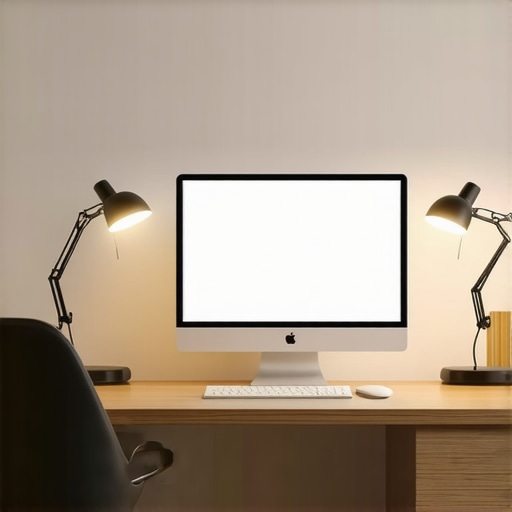
I still remember the moment when I worked late into the night at my desk, squinting at my screen because the lighting was just wrong. The harsh overhead lights gave me a headache, and I felt the energy drain out of me faster than I could keep up. That realization hit me hard: bad lighting doesn’t just hurt your eyes, it kills your productivity and even impacts your mood. Since then, I’ve been on a mission to find the perfect workspace lighting setup, and I want to share what I’ve discovered about LED lamps and bias lights for 2025.
Why Good Workspace Lighting Matters More Than Ever
In today’s work environment, especially with so many of us working from home, lighting can make or break your day. Proper illumination reduces eye strain, enhances focus, and creates an inviting space that boosts creativity. But not all lighting solutions are created equal. I learned this the hard way early in my journey — I bought a cheap desk lamp that flickered, causing more distraction than help. That mistake taught me that investing in quality lighting isn’t just a luxury; it’s a necessity for a comfortable, efficient workspace.
According to recent studies, poor lighting can decrease productivity by up to 20%. That’s a staggering number. It’s why I’ve dedicated myself to exploring the latest innovations in LED lamps and bias lighting, which can elevate any home office or workspace. The good news? Modern solutions are more affordable and effective than ever. Today, I’ll show you how these lighting ideas can transform your workspace into a haven of focus and comfort.
Is LED Lighting Really Worth the Hype?
Honestly, I was skeptical at first. I thought, “How much difference can a lamp really make?” My early mistake was believing that all LED lamps were the same. But I quickly learned that choosing the right LED lamp can dramatically improve your work experience. High-quality LEDs offer bright, flicker-free light that mimics natural daylight — crucial for reducing eye fatigue. Plus, their energy efficiency means you save on bills while enjoying better illumination. If you’re hesitant about investing in LED lighting, I encourage you to read more about the latest innovations that are specifically designed for workspace use — from adjustable brightness to color temperature control. You can find helpful tips and product suggestions in our comprehensive guide on [workspace lighting](https://lighting.techdeskessentials.com/workspace-lighting-transform-your-office-with-modern-led-solutions).
Now that I’ve shared my personal story and addressed common doubts, let’s dive into practical solutions that you can implement today. Whether you want to enhance your focus, reduce eye strain, or simply create a more pleasant environment, there’s a perfect lighting setup waiting for you. Ready to transform your workspace? Let’s get started!
Choose the Right LED Lamp for Your Desk
Start by assessing your workspace size and lighting needs. I once bought a generic LED desk lamp online, expecting it to boost my focus. Instead, it flickered constantly, causing frustration. To avoid this, read reviews and select a lamp with adjustable brightness and color temperature, like those recommended in our guide on how to choose the perfect desk lamp. A good LED lamp should provide flicker-free, natural daylight-like illumination that reduces eye strain and enhances clarity.
Set Up Your Lamp Properly
Position your lamp so that the light falls directly onto your work surface without creating glare or shadows. I once placed my lamp too high, causing uneven lighting and a headache. Experiment with angles and height until your workspace is evenly lit. Use a flexible arm or adjustable base if available. This simple step makes a huge difference in comfort and productivity.
Integrate Bias Lighting for Better Focus
Bias lighting involves placing a soft, indirect light behind your monitor to reduce contrast and prevent eye fatigue. I added a bias light behind my monitor, following tips from bias lighting tips. At first, I struggled with selecting the right color temperature. I started with warm white, which instantly relaxed my eyes during long work sessions. Adjust the brightness so it complements your screen without overpowering it. This setup creates a more immersive, comfortable environment.
Optimize Your Bias Light Settings
Use a dimmer or remote control to fine-tune the bias light. I set mine to a low, warm glow that matches the ambient light in my room. This reduces eye strain and enhances contrast, making it easier to focus on your screen for hours. Remember, the goal is to create a balanced lighting environment that prevents your eyes from constantly adjusting between bright and dark areas.
Combine Ring Lights and Lamps for Flexibility
In my experience, combining a ring light with a desk lamp offers versatile lighting options. I use my ring light for video calls and detailed tasks, while my desk lamp provides general illumination. Check out ultimate guide to ring lights and desk lamps for ideas on pairing these tools effectively. Position the ring light to illuminate your face evenly, avoiding harsh shadows, and keep your desk lamp directed at your workspace for focused tasks.
Manage Brightness and Color Consistency
Ensure both your ring light and desk lamp have adjustable brightness and color temperature. I set my ring light to a neutral white (around 4000K), and my desk lamp to a warm white (around 3000K) for a cozy atmosphere. Consistent lighting prevents eye fatigue and maintains visual harmony across your workspace.
Maintain and Adjust Your Lighting Regularly
Lighting needs change with the seasons and time of day. I learned this the hard way when my winter setup felt too dim compared to summer. Regularly evaluate your lighting setup—adjust brightness, angle, and color temperature as needed. Use tools like light meters or simply trust your eyes to find the optimal setup. This ongoing process ensures your workspace remains comfortable and efficient throughout the year.
By following these concrete steps, you’ll create a workspace that not only looks good but also supports your health and productivity. For more detailed tips and product suggestions, visit our comprehensive workspace lighting guide.
Many people believe that simply installing a bright LED lamp or adding a bias light is enough to create an optimal workspace. However, this overlooks some critical nuances that can significantly impact your lighting effectiveness. As an expert in workspace illumination, I’ve seen countless common mistakes that can undermine even the best intentions. Let’s dig deeper into what most get wrong and how you can avoid these pitfalls.
Why Brightness Alone Won’t Maximize Productivity
It’s a widespread misconception that brighter lighting automatically leads to better focus. In reality, excessively bright lights can cause glare, leading to eye strain and headaches. The ideal lighting balances brightness with contrast and color temperature. Studies, such as those summarized in the LED lamp innovations guide, show that adjustable lighting options outperform static, overly bright setups. So, rather than just cranking up the brightness, aim for customizable solutions that adapt to your tasks and time of day.
Beware the Myth of One-Size-Fits-All Lighting
Another myth is that there’s a universal perfect lighting setup for everyone. The truth is, individual preferences, screen types, and even the color of your walls influence what works best. For instance, a warm white bias light might relax your eyes but could also reduce alertness if overused. Conversely, cooler white lighting enhances focus but may feel harsh after prolonged use. The key is to tailor your lighting to your specific environment and work style. For advanced users, integrating smart lighting controls can help dynamically adjust settings based on the time of day or workload. Check out our workspace lighting tips for ideas on customizing your setup.
Overlooking the Impact of Light Placement and Angles
Many overlook how crucial proper placement is. Positioning your LED lamp or bias light incorrectly can create shadows or glare, defeating their purpose. For example, placing a desk lamp directly in your line of sight can cause discomfort, while angling it slightly can illuminate your workspace evenly. Similarly, bias lights behind monitors should be placed to reduce contrast without causing reflections on the screen. This nuance is often underestimated but can dramatically improve visual comfort. Remember, the goal is to create a harmonious environment where lighting complements your tasks, not distracts from them.
Have You Ever Fallen Into This Trap? Let Me Know in the Comments
Understanding these hidden nuances can transform your workspace from merely functional to truly comfortable and productive. Avoiding these common mistakes will ensure your lighting investments pay off. If you want personalized advice or need help optimizing your setup, feel free to reach out. Remember, good lighting isn’t just about brightness; it’s about creating an environment that supports your well-being and efficiency. Happy lighting, and see you in the next post!
Keeping your workspace lighting in top shape isn’t a set-it-and-forget-it task. Over time, dust, bulb wear, and environmental changes can diminish the effectiveness of your LED lamps and bias lights. That’s why I rely on specific tools and methods to ensure my setup remains optimal and continues to support my productivity. Today, I want to share the exact tools I recommend for maintaining your lighting system and how I use them to prolong the lifespan of your equipment.
Precision Light Meters Make a Difference
One of my go-to tools is a high-quality light meter, like the Sekonic C-700 or the Extech LT300. I use these devices monthly to measure the luminance levels at my desk. Why? Because even slight shifts in brightness or color temperature can cause eye strain or reduce focus. With a light meter, I can precisely check if my LED lamps and bias lights are performing within optimal ranges—typically 300-500 lux for general workspaces—and adjust accordingly. This proactive approach prevents the gradual degradation of lighting quality, which often goes unnoticed until discomfort appears.
Regular Cleaning Protects Your Investment
Dust and fingerprints on LED fixtures and diffusers diminish light output and can cause uneven illumination. I schedule a quick cleaning routine every few weeks using a microfiber cloth and a gentle, non-abrasive cleaner. Not only does this keep the fixtures looking professional, but it ensures maximum brightness and color accuracy. For delicate parts, I avoid harsh chemicals—simply wiping with a slightly damp cloth does the trick. Maintaining cleanliness is a simple yet vital step to extend your equipment’s lifespan and keep your workspace visually appealing.
Smart Controls Automate Your Lighting Adjustments
As technology advances, smart lighting controls like the Lutron Caséta or Philips Hue become invaluable. I integrate these systems with my setup to schedule dimming and color temperature changes throughout the day. This automation helps me adapt to natural light variations and reduces manual tweaking. Plus, some systems learn your preferences over time, ensuring consistent lighting that minimizes eye fatigue. Investing in smart controls is a future-proof way to keep your workspace lighting optimized without constant oversight.
How do I maintain my workspace lighting over time?
Consistency is key. I set a monthly review schedule where I evaluate the brightness, color temperature, and placement of all my lighting fixtures. I also reassess my environment—adding or removing light sources as needed—to prevent shadows or glare. When I notice any flickering or dimming, I replace bulbs immediately to avoid strain or poor illumination. Using tools like light meters, combined with regular cleaning and smart controls, helps me catch issues early and maintain a healthy, productive workspace. For personalized advice or to explore advanced solutions, I recommend reaching out through this contact page.
By implementing these maintenance strategies, you’ll ensure your lighting setup continues to support your health and productivity well into the future. Don’t wait until discomfort strikes—start using precise tools and routines today to keep your workspace shining brightly!
Lessons From My Lighting Journey That Changed Everything
- The Biggest Mistake I Made was ignoring the importance of proper placement. I once had a perfect LED lamp but positioned it badly, which caused glare and discomfort. Now, I know that even the best light needs careful angle adjustments to truly shine.
- Why I Stopped Relying on Brightness Alone—I learned that too much light can be just as harmful as too little. Adjustability is king. A flicker-free, adjustable LED lamp changed my focus game entirely.
- The Power of Personalization—each workspace is unique. Tailoring color temperature and brightness to your specific needs makes a noticeable difference. Smart controls are a game-changer for me now.
- Don’t Underestimate Indirect Lighting—bias lights behind monitors reduce eye fatigue and create a more immersive environment. It’s a small upgrade with huge benefits.
- Regular Check-Ups Matter—monthly light measurements with a quality light meter keep my setup optimal, preventing discomfort before it starts.
Tools and Resources That Transformed My Setup
- Modern LED lamps—I trust these for flicker-free, adjustable lighting that mimics natural daylight.
- Bias lighting tips—helped me choose the right color temperature and placement for my monitor setup.
- Workspace lighting guide—a comprehensive resource for creating a balanced lighting environment.
- Ring lights and desk lamps—pairing these has provided me with flexibility for video calls and detailed work.
Your Next Step Towards Better Workspace Lighting
Lighting isn’t just about illumination; it’s about creating an environment that nurtures your focus, comfort, and well-being. My journey taught me that thoughtful placement, personalization, and regular maintenance are key. Now, it’s your turn to elevate your workspace with the right lighting in 2025. Don’t settle for discomfort or fatigue—invest in your environment, and watch your productivity soar.
What’s been your biggest challenge in optimizing your workspace lighting? Share your story below—I’d love to hear how you’re making your workspace better!

About the Author
Ricardo Vargas
Director of Operations and Product Development
Ricardo Vargas is a seasoned professional in the lighting industry, currently serving as a Director of Operations and Product Development
LinkedIn Profile
Reading this post really resonated with me because I recently upgraded my home office lighting setup for exactly the reasons you mentioned—eye strain, fatigue, and overall comfort. I especially appreciate the emphasis on bias lighting, which I had overlooked before. Placing a soft, warm light behind my monitor made a noticeable difference in reducing glare and improving focus during long work sessions. I’ve also started experimenting with adjustable desk lamps to get the right angle and brightness, which has helped with shadows and uneven lighting. It made me wonder—how do others decide on the best color temperature for their workspace? Do you prefer warmer tones for relaxation or cooler tones for alertness? I’d love to hear different approaches because balancing comfort and productivity is always a challenge for me.
This post really hits home for me, especially with the emphasis on proper lighting setup. I’ve struggled with eye fatigue for a while, mainly because my workspace lacked any indirect or bias lighting. The idea of placing a soft, indirect light behind my monitor sounds promising—I’ve read that it can greatly reduce contrast strain. I’ve also experimented with adjustable LED lamps, but I hadn’t considered the importance of consistent color temperature across all light sources. Mixing different types of lighting without careful planning can sometimes cause dissonance, making my eyes work harder. One challenge I still face is deciding on the optimal brightness level—too dim, and I strain to see; too bright, and I get glare. Are there any tools or methods that others find helpful for fine-tuning these settings effectively? I believe that investing in quality, adjustable lighting systems and checking their performance regularly could be game-changers for maintaining a comfortable, productive workspace.
This post really highlights some crucial points I’ve experienced firsthand. When I first switched to a LED desk lamp with adjustable brightness and color temperature, I noticed an immediate improvement in my focus and less eye fatigue. The importance of proper placement can’t be overstated; I used to position my lamp too high, causing shadows and headaches, until I learned to angle it properly. The idea of bias lighting behind the monitor is something I’ve been meaning to try, especially since I work long hours and often forget to adjust my surroundings accordingly. I’m curious—how do others decide on the right color temperature? Do you have preferred settings for different tasks, like warmer tones for relaxing or cooler for intense focus? I’d love to hear your approaches, as finding the perfect balance has been a bit of trial and error for me.
This article truly emphasizes the importance of layered lighting in creating an efficient and comfortable workspace. I’ve personally found that combining different light sources—like a good adjustable desk lamp with bias lighting—can significantly reduce eye strain, especially during long working hours. I had a similar experience where harsh overhead lights gave me headaches, and switching to flicker-free LED lamps with adjustable color temperature made a noticeable difference. One thing I’ve been experimenting with is using smart lighting that can change automatically based on the time of day or my workload, which helps me stay focused and relaxed. Has anyone else tried integrating smart controls into their setup? Also, for those struggling with choosing the right color temperature, I’ve noticed that starting with a neutral white (around 4000K) and adjusting according to the task and time of day works well for me. The key is to avoid extremes and aim for a balanced environment that supports both alertness and relaxation. Would love to hear other tips or experiences on fine-tuning workspace lighting!
This post really struck a chord with me because I used to underestimate the power of proper lighting in my workspace. Once I installed an adjustable LED lamp and added bias lighting behind my monitor, I noticed a drastic reduction in eye fatigue and headaches, especially during those long work sessions. I’ve also started experimenting with different color temperatures depending on my workload—warmer tones for relaxing and cooler for focus. What I found helpful was investing in smart, dimmable lighting systems that can be easily adjusted via apps, making it simple to customize throughout the day. I’m curious—what are some of the best practices others use to decide on their optimal color temperature? Do you tweak settings for different times or tasks? Would love to hear more insights or recommendations on creating a dynamic lighting setup that adapts to your needs.