
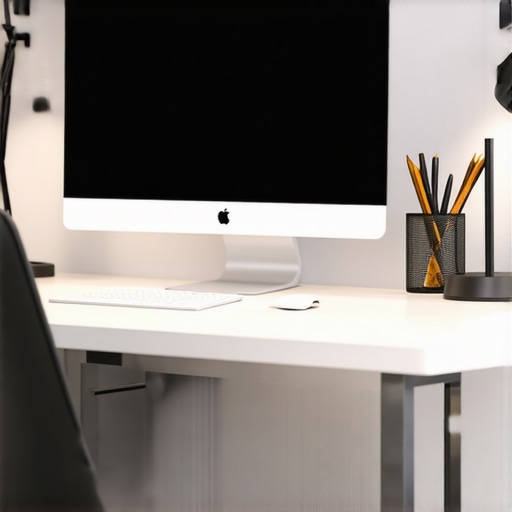
I remember sitting at my cluttered desk late one night, eyes strained, trying to finish a report. The harsh overhead light felt like it was stabbing my eyes, and no matter how many lamps I added, nothing quite worked. That was my lightbulb moment: proper lighting isn’t just about brightness; it’s about creating an environment that promotes focus, comfort, and even a bit of style. Fast forward to today, and I’ve learned that the right combination of top desk lamps and bias lighting can truly transform your workspace into a productivity haven.
Why Good Lighting Matters More Than Ever in 2025
In 2025, our workspaces are evolving. Remote work, hybrid setups, and even dedicated home offices have become the norm. But here’s a kicker—many of us overlook how crucial proper lighting is. Studies show that inadequate lighting can lead to eye strain, headaches, and decreased focus. According to a report by the American Optometric Association, poor lighting contributes significantly to digital eye strain, which affects millions worldwide. That’s why investing in quality lighting isn’t just about aesthetics; it’s a health and productivity booster.
In my early days, I made the mistake of relying solely on my computer screen for illumination. Big mistake. The glare made my eyes tired, and I felt drained faster. It wasn’t until I experimented with different LED desk lamps and bias lighting that I started feeling a real difference. Today, I want to share what I’ve learned so you won’t have to go through the same trial-and-error phase.
Is All Lighting Created Equal Or Is It Worth the Hype?
Let’s be honest—when I first looked into lighting solutions, I thought all lamps were pretty much the same. Spoiler alert: they’re not. Early on, I bought a cheap desk lamp that looked sleek but lacked adjustable brightness or color temperature. It was a classic mistake—spending less upfront but paying for it with eye fatigue and frustration. Once I switched to a modern, adjustable LED lamp with customizable color temperatures, my workspace transformed. If you’re skeptical about whether investing in better lighting makes a difference, I get it. But trust me, the right setup can boost your focus and mood tremendously. Curious? Check out the ultimate guide to LED lamps and bias lighting for more insight.
Now, let’s dive into how you can create the perfect bright workspace that’s both stylish and functional in 2025. Ready to shed some light on your workspace? Let’s go!
,
Selecting the Right Desk Lamp
Start by choosing a desk lamp that offers adjustable brightness and color temperature. Think of it as the steering wheel of your workspace — it gives you control. I remember my first attempt — I bought a sleek lamp that looked good but lacked these features. The result? I struggled with glare and eye fatigue. To avoid this, check out the comprehensive guide on selecting the perfect desk lamp. Look for models with adjustable arms, dimming options, and multiple color settings, so you can tailor your lighting to your needs throughout the day.
Position Your Lamp for Maximum Impact
Place your lamp so that it illuminates your workspace evenly without creating glare on your screen. Use an adjustable arm to direct light precisely where needed. I once positioned my lamp too close, which caused harsh shadows; after repositioning it, my comfort improved significantly. Experiment with angles until you find the sweet spot. Remember, the goal is to reduce eye strain and improve focus, not just to brighten the room.
Incorporate Bias Lighting Effectively
Bias lighting is like a backstage light that highlights your monitor, reducing eye strain by balancing the brightness between your screen and surroundings. Think of it as the gentle glow that makes your display pop without overwhelming your eyes. I added a strip of bias lighting behind my monitor, and it made a noticeable difference during long work sessions. To get started, review the top tips for bias lighting and pick an LED strip that matches your monitor size.
Choose the Right Color Temperature
Color temperature influences your mood and focus. Cooler temperatures (5000K-6500K) mimic daylight, boosting alertness. Warmer tones (2700K-3000K) create a cozy environment, ideal for winding down. During my late-night editing, I switched to a cooler bias light, which kept me alert and reduced fatigue. Use adjustable LED strips or smart bulbs to toggle between temperatures easily. This flexibility allows you to adapt your lighting as your tasks change.
Fine-Tune for Comfort and Productivity
Combine your desk lamp and bias lighting thoughtfully. For example, keep your desk lamp on a lower setting for detailed work, while bias lighting gently enhances overall screen visibility. I found that adjusting both sources to complement each other prevents eye strain and creates an inviting workspace. Remember, every setup is unique — don’t hesitate to experiment with placement, brightness, and color temperature until your environment feels perfect.
Leverage Modern Lighting Technologies
Innovations like smart LED lamps and voice-controlled lighting make managing your setup seamless. Check out the latest LED lamp innovations that can sync with your smart home system. These tools enable you to schedule lighting changes or adjust settings with a simple voice command, ensuring your workspace is always optimized.
Experiment and Personalize
Finally, don’t settle for a one-size-fits-all approach. Your ideal lighting setup depends on your specific needs, tasks, and preferences. During my own setup process, I kept experimenting — swapping bulbs, repositioning lamps, and adjusting bias lighting — until I found a combination that felt just right. Use this guide as a starting point, but remember that personalization is key to creating a workspace that truly boosts your productivity and comfort.
Many people believe that simply turning on a bright light is enough to create an optimal workspace, but this is a misconception that can hinder your productivity and well-being. As an expert in lighting design for work environments, I’ve seen the pitfalls that even seasoned remote workers fall into, often without realizing it. Let’s dig deeper into what most people get wrong about workspace lighting and how you can avoid these costly mistakes.
Why Overlooking the Nuance of Light Quality Can Backfire
Most folks focus solely on brightness levels, but the quality of light matters just as much—if not more. For example, a high lumen output doesn’t guarantee reduced eye strain if the light emits harsh, flickering, or overly blue-tinted illumination. Many assume that brighter is better, but in reality, poor-quality lighting can cause headaches, fatigue, and decreased focus. The key is selecting LED lamps with flicker-free technology and adjustable color temperatures. Don’t fall into the trap of thinking all bright lights are equal—quality and customization are what truly matter.
Beware of the Color Temperature Trap
A common misconception is that cool, daylight-like lighting is always best for productivity. While cooler temperatures (around 5000K-6500K) can boost alertness, they are not suitable for every task or setting. Overusing cool lighting can lead to discomfort and sleep disruption if used in the evening. Conversely, warm lighting (2700K-3000K) creates a cozy environment but may reduce focus during intense work sessions. Striking the right balance involves using adjustable lighting solutions. This flexibility allows you to adapt your environment based on your activity, which is often overlooked.
Don’t Overlook the Impact of Glare and Shadows
Another hidden mistake is ignoring how glare and shadows affect your workspace. Improperly positioned lamps or overly bright overhead lights can create glare on screens, causing eye strain and headaches. Shadows cast by poorly placed lighting can also hinder your ability to see clearly and work efficiently. Investing in adjustable desk lamps and bias lighting helps mitigate these issues. Position your lighting to illuminate your workspace evenly, with minimal glare on screens, and avoid harsh shadows that can cause visual fatigue.
What Do Advanced Users Know About Smart Lighting That Most Don’t?
For the advanced or tech-savvy, the benefit of smart lighting systems often goes unnoticed. These systems allow you to automate lighting adjustments based on time of day, task, or circadian rhythms. They can adapt in real-time, reducing eye strain and enhancing mood—something static lighting simply cannot do. Many overlook this nuance, but integrating smart lighting with your workspace can make a significant difference in overall comfort and productivity. Remember, the goal isn’t just to light your workspace but to do so intelligently and adaptively.
Have you ever fallen into this trap? Let me know in the comments. Avoiding these common mistakes can save you time, money, and frustration, transforming your workspace into a truly optimized environment. For more expert tips, explore the comprehensive guide on choosing the right desk lamp and learn how to harness modern lighting innovations for your setup.
Keeping your workspace lighting in top shape requires more than just choosing the right fixtures; it involves regular maintenance, leveraging the right tools, and understanding how to adapt as technology evolves. Over time, dust, flickering, and outdated bulbs can diminish the quality of your lighting setup, impacting your productivity and eye health. That’s why I prioritize using specific tools and techniques to ensure my lighting system remains effective and up-to-date.
How do I maintain my lighting setup over time?
The first step is establishing a routine inspection schedule. I check my LED desk lamps and bias lighting every three months. This involves cleaning the fixtures with a microfiber cloth to remove dust and fingerprints that can reduce brightness and cause flickering. For fixtures with adjustable arms or dimming features, I verify that all controls function smoothly and recalibrate if necessary. Regularly replacing worn-out components or upgrading to newer models ensures my workspace benefits from the latest advancements, like flicker-free technology and smarter controls.
Another essential maintenance practice is updating the software or firmware in smart lighting systems. Many modern LEDs come with companion apps that allow you to fine-tune settings or schedule lighting changes. I ensure my app is always up-to-date by visiting the manufacturer’s website or app store. This guarantees compatibility with new features and security patches, preventing potential vulnerabilities that could compromise your setup.
Investing in quality tools makes a difference. For instance, I use a lux meter to measure the actual brightness levels across my workspace. This device helps me identify uneven lighting or areas that need more focused illumination. Additionally, a color temperature meter allows me to verify that my bias lighting and desk lamps emit consistent and accurate color temperatures, aligning with my preferred settings for different tasks.
When adjusting or installing new fixtures, a magnetic screwdriver set simplifies the process, especially in tight spaces. I also rely on a small level to ensure fixtures are perfectly aligned, avoiding shadows or glare that can cause eye strain. These tools save time and improve the precision of my setup, ultimately creating a healthier and more efficient environment.
Future trends in workspace lighting maintenance and tools
The future points toward even smarter, self-maintaining lighting systems. Predictive diagnostics—powered by AI—could alert you to component failures before they happen, much like how car maintenance alerts work. Additionally, integrated cleaning robots or UV sterilization devices might become common, keeping fixtures free of dust and microbes automatically. Staying ahead means investing in adaptable, upgradeable systems now, like those discussed in the latest LED innovations.
To maximize your workspace’s longevity and performance, I recommend trying out a lux meter for your next maintenance routine. It’s an affordable, highly effective way to ensure that your lighting remains consistent and comfortable. Regularly updating your fixtures and tools not only prolongs their lifespan but also ensures you’re always working with the best possible environment. Remember, a well-maintained lighting setup is an investment in your health and productivity.
Lessons From the Lighting Front Lines That Changed My Approach
- One of the biggest surprises was realizing that flicker-free LED lamps not only reduce eye strain but also improve overall focus, something I took for granted at first. Switching to quality lighting was like flipping a switch for my productivity.
- I used to think adjustable brightness was enough, but discovering the importance of color temperature adjustments transformed my workspace ambiance. It’s not just about being bright; it’s about being right for the task and time of day.
- Experimenting with bias lighting behind my monitor revealed how subtle ambient glows can dramatically lessen eye fatigue during long hours. This simple addition made my work sessions more comfortable and less stressful.
- The real game-changer was integrating smart lighting systems. Automating light adjustments based on my schedule helped me stay alert without manual fiddling, proving that tech can genuinely enhance our environment.
- Lastly, I learned that regular maintenance, like cleaning fixtures and updating firmware, keeps my lighting setup at peak performance—saving me headaches and ensuring consistent quality over time.
Tools and Resources That Elevated My Lighting Game
- Lux Meter: An affordable device that measures actual brightness levels in your workspace, helping you fine-tune your setup for maximum comfort.
- Smart LED Bulbs: I trust brands offering app controls and adjustable color temperatures because they allow seamless customization and adaptability throughout the day.
- Flicker-Free LED Desk Lamps: These are essential for reducing eye strain. I recommend exploring the comprehensive guide on LED lamps to find the best fit.
- Firmware Update Tools: Ensuring your smart lighting system is always up-to-date guarantees access to the latest features and security enhancements, which I find invaluable.
- Lighting Planning Apps: These help visualize and optimize your setup before making costly purchases, saving time and money while ensuring your space is perfectly lit.
Step Into Your Bright Future Now
Embracing smarter, more adaptable workspace lighting is a powerful step toward boosting your productivity and well-being in 2025. Don’t wait for perfect conditions—start experimenting today and see how your environment can evolve. Your ideal workspace lighting setup is just a few adjustments away, and the benefits are worth it.
What’s the biggest lighting challenge you’ve faced in your workspace? Share your experience below—I’d love to hear how you’re making your space brighter and better!

About the Author
Ricardo Vargas
Director of Operations and Product Development
Ricardo Vargas is a seasoned professional in the lighting industry, currently serving as a Director of Operations and Product Development
LinkedIn Profile
Reading through this post really resonated with me, especially since I’ve struggled with eye strain and fatigue from poor lighting setups at my home office. I used to rely solely on my computer’s brightness, which always left me feeling exhausted after long hours. Since switching to adjustable LED desk lamps with flicker-free technology and incorporating bias lighting behind my monitor, I’ve noticed a significant improvement—not just in comfort but also in my focus and productivity. It’s fascinating how much subtle lighting changes can impact overall well-being. Has anyone experimented with smart lighting systems that adapt throughout the day, perhaps syncing with circadian rhythms? I’m curious if those setups make a noticeable difference for other remote workers here, too, especially for late-night work sessions or early mornings.
This article really hits the mark on how nuanced workspace lighting should be, especially as more of us work from home. I’ve personally found that the key isn’t just having good lighting but having the right kind of lighting for different tasks and times of day. I used to struggle with adjusting my desk lamp’s brightness and temperature manually, which was a hassle. Lately, I’ve started experimenting with smart lighting systems that adjust based on my schedule and natural daylight levels—it’s been a game changer for maintaining focus and reducing eye strain during long sessions. Have others here tried integrating circadian rhythm-based lighting or automation? I’d love to hear how it’s worked for your productivity or comfort. Overall, I think the future of workspace lighting will lean heavily toward adaptive, tech-enabled solutions that personalize our environment even further.