
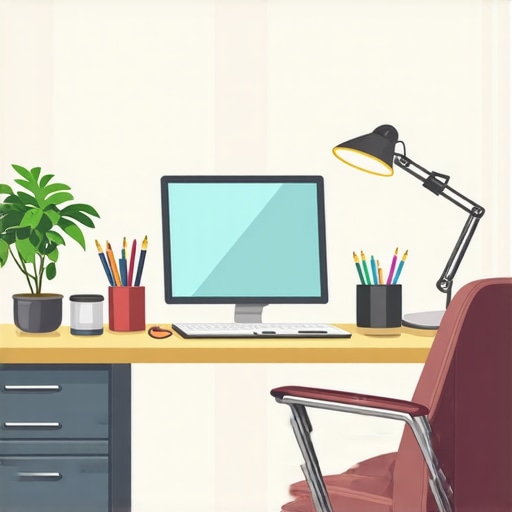
Ever sat down at my desk after a long day, only to realize that the lighting in my home office was doing more harm than good? Maybe it was the harsh glare, the dull ambiance, or the eye strain that made me feel like I was working in a cave. That lightbulb moment hit me hard—how could I be so careless with something as simple as my lighting setup? Since then, I’ve been on a mission to find the perfect illumination that boosts productivity and keeps my eyes happy. If you’ve ever faced the frustration of inadequate lighting, you’re in good company. Today, I want to share my journey and reveal how the right LED lamps and bias lighting can transform your workspace into a bright, comfortable haven.
Why Your Home Office Needs Better Lighting Now
Let’s be honest. Working from home has blurred the lines between comfort and chaos, especially when it comes to lighting. Poor lighting can lead to fatigue, headaches, and even decreased focus. I used to think that any lamp would do — a quick fix, right? Wrong. I learned the hard way that investing in quality LED lamps and proper bias lighting isn’t just about aesthetics; it’s about health and productivity. Studies show that good lighting can improve concentration and reduce eye strain—something we all need as we spend more hours staring at screens. But here’s the thing: not all lighting solutions are created equal. I’ve made my share of mistakes, like choosing cheap bulbs or ignoring the importance of color temperature. That’s why I want to guide you through the essentials, so you don’t waste time and money on setups that won’t serve your needs.
Is LED Lighting Really Worth the Hype?
When I first started exploring LED lamps, I was skeptical. I wondered if they were just a marketing trend. Turns out, I was wrong. LED technology has advanced rapidly, offering energy efficiency, durability, and customizable options that incandescent bulbs simply can’t match. An important tip I wish I knew earlier: not all LEDs are the same. Picking the right brightness and color temperature makes a huge difference. For example, a cooler white (around 5000K) mimics daylight and helps me stay alert, while warmer tones create a cozy vibe in the evening. I also learned that pairing LED lamps with bias lighting—LED strips behind monitors or soft light behind shelves—can significantly reduce eye strain and improve contrast. If you’re curious about the latest innovations, check out this guide to LED lamp innovations.
So, if you’ve ever felt your eyes tired after hours of work or struggled to find the right lighting for video calls, you’re not alone. Let’s dive into the practical steps that can solve these issues once and for all. Ready to shed some light on your workspace? Keep reading, because I’ve got the tips and tricks that made all the difference for me—and they will for you too.
Choose the Right LED Lamp for Your Workspace
Start by selecting an LED desk lamp with adjustable brightness and color temperature. When I replaced my old incandescent bulb with a modern LED lamp like the best desk lamp of 2025, I instantly noticed a reduction in eye strain. Look for a lamp that offers at least 400 lumens for task lighting and features a flexible arm for directing light exactly where you need it. Consider models with a dimmer switch to fine-tune the brightness during different times of the day or tasks. This approach avoids harsh glare and creates a balanced light environment, boosting your focus and comfort.
Set Up Effective Bias Lighting Behind Your Monitor
Bias lighting is crucial for reducing eye fatigue, especially during long work sessions. I recommend installing soft LED strips behind your monitor, ensuring the light is indirect and non-intrusive. When I first experimented with bias lighting, I found that placing the LED strip along the back of my monitor and adjusting its brightness to match ambient light levels made my screen appear sharper and contrasted better. For best results, choose a bias light with a warm white (around 3000K) to avoid disrupting your circadian rhythm. Check out this comprehensive guide to bias lighting tips for detailed setup ideas.
Optimize Your Lighting Layout for Balance and Productivity
Arrange your lighting to prevent shadows and glare. Use your adjustable desk lamp as the primary source, complemented by the bias lighting behind your monitor. If your workspace has windows, position your desk to minimize screen glare from natural light. During my own setup, I faced a tricky corner with harsh sunlight, so I used blackout curtains and layered my lighting with a warm-tone LED lamp, which created a cozy yet functional environment. Experiment with placement until you achieve uniform illumination that reduces eye strain and enhances focus. For inspiration, browse this workspace lighting transformation article.
Leverage Modern LED Innovations for Better Lighting
Stay updated with the latest in LED technology. Modern LED lamps now feature smart controls, adjustable color temperatures, and energy-efficient designs. I upgraded to a smart LED desk lamp that connects via Wi-Fi, allowing me to change settings with voice commands or through a mobile app. This flexibility helps me adapt lighting quickly for different tasks or times of day. To explore cutting-edge options, visit this innovations guide. Remember, the right lighting isn’t just about brightness; it’s about creating an environment that energizes you and minimizes fatigue.
Many people assume that choosing the brightest LED lamp is always the best way to improve their workspace lighting. However, this is a common misconception. Brightness alone doesn’t guarantee comfort or productivity. In fact, overly bright lights can cause glare and eye strain, especially if they are not properly diffused or if the color temperature is mismatched to your environment. Instead, focus on adjustable brightness and the right color temperature — typically around 4000K to 5000K for task lighting — to create a balanced, eye-friendly setup. This nuanced approach can help you avoid the trap of simply increasing lumens without considering the quality of light.
Another myth is that all LED bulbs are created equal. In reality, the quality varies significantly. Cheaper LEDs often have poor color rendering, flicker issues, and lower lifespan, which can undermine their benefits. Look for reputable brands and check specifications like CRI (Color Rendering Index) above 80 for accurate color perception, especially important during detailed work or video calls. For a deeper dive into selecting high-quality LED lamps, I recommend exploring this comprehensive guide.
Many assume that bias lighting is only necessary for professional video editing or gaming setups. In fact, bias lighting greatly reduces eye fatigue during long hours in front of screens and enhances contrast, making your monitor easier to view. The common mistake is placing bias lights too close or too bright, which can cause additional glare. The key is indirect, soft white LED strips positioned behind your monitor, with adjustable brightness to match ambient light levels. This subtle nuance greatly improves visual comfort and focus — a detail many overlook.
Why Do Some LED Lights Cause More Eye Strain Than Others?
This is a question I’ve encountered often. The answer lies in flicker and color temperature. Cheap LEDs often flicker at a frequency that’s imperceptible but still causes eye fatigue over time. Quality LEDs use flicker-free drivers that eliminate this issue. Additionally, mismatched color temperatures — such as mixing warm and cool lights without proper blending — can cause discomfort. Studies, like those published in the Journal of Environmental Psychology, show that flicker and improper color rendering are significant contributors to visual fatigue. When selecting LED lighting, prioritize flicker-free models and consistent color temperatures to avoid these pitfalls. For more advanced tips, check out this expert advice.
Have you ever fallen into this trap? Let me know in the comments. The nuances in LED lighting are subtle but impactful — mastering them will transform your workspace into a truly comfortable and efficient environment.
Once you’ve invested in quality LED lamps and bias lighting, the next step is ensuring these systems continue to perform at their best over time. Proper maintenance not only prolongs the lifespan of your equipment but also guarantees consistent, eye-friendly illumination that supports your productivity. In this section, I’ll share the specific tools, routines, and insights I use to keep my workspace lighting in top shape, along with predictions on how this field might evolve.
Tools That Keep My Lighting Setup Reliable
One of my go-to tools is a digital lux meter, which measures the actual light levels in my workspace. I use the lux meter to regularly check that my LED lamps and bias lighting are providing the desired luminance. This ensures I’m not unknowingly veering into over- or under-lighting, which can cause eye strain or fatigue. Additionally, I rely on a quality surge protector with noise filtering to safeguard my LED fixtures from power fluctuations that can damage drivers and reduce lifespan.
For cleaning and upkeep, I prefer microfiber cloths combined with a gentle, non-abrasive cleaner to keep my fixtures free of dust and fingerprints. Dust accumulation can diminish light output and cause overheating, especially in enclosed fixtures. I also keep a set of replacement bulbs and spare LED strips on hand, so I can replace components immediately if I notice performance decline.
Routine Maintenance to Extend Lifespan
My routine involves monthly visual inspections—checking for flicker, discoloration, or dimming. I also verify the functionality of dimmers and controls, adjusting settings to ensure they still match my ambient environment. Regularly recalibrating the brightness and color temperature helps maintain the optimal lighting conditions I’ve set up.
Another important aspect is firmware updates for smart LED fixtures. Many modern lamps come with Bluetooth or Wi-Fi connectivity, allowing firmware updates that fix bugs, improve efficiency, or add features. I make it a habit to update these devices via the manufacturer’s app whenever prompted.
Looking Ahead: The Future of Workspace Lighting Maintenance
As LED technology advances, I predict that smart, self-monitoring lighting systems will become mainstream. These fixtures will automatically detect performance drops, dust buildup, or component aging, and notify users or even initiate self-cleaning modes. Incorporating IoT (Internet of Things) capabilities will make maintenance more intuitive and less time-consuming, ensuring your workspace always stays perfectly lit without manual intervention.
How do I Keep My Lighting System Working Long-Term?
Consistency is key. Regularly measure light levels, keep fixtures clean, and stay updated with firmware improvements. Don’t forget to use quality surge protectors to shield your investment from power fluctuations. By maintaining a routine and leveraging the right tools, you’ll ensure your lighting setup remains reliable and eye-friendly for years to come.
If you haven’t already, I highly recommend trying out a lux meter to monitor your workspace lighting. It’s a simple yet powerful tool that can reveal issues before they impact your eyes or productivity. Plus, staying aware of the latest in smart lighting innovations, which are rapidly evolving, can help you plan upgrades that further simplify maintenance and enhance your environment.
Ready to take your workspace to the next level? Explore the latest smart LED solutions and start implementing a maintenance routine today. Your eyes—and your productivity—will thank you!
The Hardest Lesson I Learned About Workspace Lighting
One of the most eye-opening realizations I had was how much poor lighting can silently sabotage my focus and comfort. I used to think that a simple desk lamp was enough, but I soon discovered that improper placement, mismatched color temperatures, and flickering LEDs caused persistent fatigue and headaches. The biggest lesson? Investing in quality, adjustable LED lighting and bias lighting isn’t just about aesthetics—it’s about safeguarding your eyesight and enhancing your work quality. This experience taught me to carefully select flicker-free LEDs with the right color temperature, and to always calibrate my setup, avoiding the trap of bright but uncomfortable light.
My Essential Toolkit for Better Workspace Lighting
Over the years, I’ve found that certain tools and resources make maintaining optimal lighting much easier. A digital lux meter is my secret weapon— it helps me measure actual light levels and fine-tune my setup. I trust this guide to innovative LED solutions because it offers practical advice backed by the latest technology. For smart control, I rely on a Wi-Fi-enabled LED desk lamp, which allows me to adjust brightness and color temperature instantly. Additionally, regular cleaning with microfiber cloths keeps dust and fingerprints at bay, ensuring my LEDs perform at their best. These tools and habits have transformed my workspace into a comfortable, eye-friendly zone.
Don’t Wait to Light Up Your Future
Your workspace lighting has the power to redefine your daily experience. With the right LED lamps and bias lighting, you can create an environment that energizes you and minimizes fatigue. Remember, the journey to perfect lighting doesn’t end with a purchase—it’s about ongoing maintenance, smart upgrades, and becoming aware of how subtle changes impact your focus. I encourage you to explore the latest innovations in smart LED technology and to start applying these tips today. Your eyes—and your productivity—deserve it. What’s your biggest challenge when it comes to workspace lighting? Share below and let’s discuss how to overcome it together.

About the Author
Ricardo Vargas
Director of Operations and Product Development
Ricardo Vargas is a seasoned professional in the lighting industry, currently serving as a Director of Operations and Product Development
LinkedIn Profile
I really resonated with the point about how poor lighting can silently sabotage focus and cause fatigue. It’s easy to overlook something as simple as desk lighting until you experience persistent headaches or eye strain. I’ve personally upgraded my setup with adjustable LED lamps and added bias lighting behind my monitor, and the difference in comfort level during long work sessions has been significant. The idea of using a lux meter to monitor light levels is new to me, but it seems like a practical tool to ensure your workspace remains optimized over time. I’ve also noticed that flickering LEDs tend to cause more fatigue—making flicker-free options a must. Have others found particular brands or models that strike the right balance between affordability and quality? Sharing personal recommendations would be really helpful for those just starting to improve their home office lighting.
I completely agree with the importance of proper lighting in creating a productive and comfortable workspace. I recently upgraded my home office with a high-quality LED desk lamp that offers adjustable brightness and color temperature, and it has made a notable difference, especially during long hours. Pairing this with bias lighting behind my monitor has greatly reduced my eye strain and improved the contrast on my screen, which is especially helpful during late-night work sessions. I’ve found that investing in flicker-free LEDs with a high CRI value makes a big difference in reducing fatigue and ensuring accurate color rendering for my tasks.
Reading this post has prompted me to revisit my setup and consider adding smart controls or even a lux meter to better monitor light levels. Have others experienced significant improvements after switching to flicker-free LEDs or integrating smart lighting solutions? Also, any recommendations on specific models or brands that balance affordability and quality? Would love to hear more tips from the community on maintaining an optimal lighting environment for those of us working from home.
I really appreciate this detailed guide on optimizing home office lighting. I’ve personally spent a lot of time experimenting with different LED setups to reduce eye fatigue—I’ve found that the quality of the LED driver really makes a difference in flicker issues. High CRI ratings are essential for tasks that require color accuracy, especially during long work sessions. I’ve also incorporated smart dimmable lights which I control via mobile apps, allowing me to adjust lighting based on the time of day or task. One thing I struggled with initially was ambient glare from windows, which I managed to mitigate with blackout curtains and indirect bias lighting.
Regarding brands, I’ve had good experiences with BenQ and Philips for flicker-free LEDs. Has anyone else tried integrating circadian rhythm lighting in their workspace? I think syncing light temperatures with natural light patterns could further enhance focus and sleep quality. Curious to hear what others have found effective in creating a truly eye-friendly environment while maintaining energy efficiency.
I found this post incredibly insightful, especially the emphasis on bias lighting. I recently added a bias strip behind my monitor with a warm white glow, and I’ve noticed a significant reduction in eye fatigue during long work sessions. It’s interesting how such a subtle addition can make a huge difference in contrast and overall comfort. I’ve also been questioning whether my LED bulbs are flicker-free—certainly something I need to double-check, as flickering can be a sneaky culprit behind fatigue. Do you think that integrating more smart lighting controls could give even better results? I’ve seen some setups that allow scene adjustments based on the time of day, which seems promising for maintaining circadian health. Would love to hear if anyone has tried combining smart LEDs with bias lighting for a truly adaptive workspace setup. Thanks for sharing these detailed tips—it’s motivating me to further optimize my home office environment.