
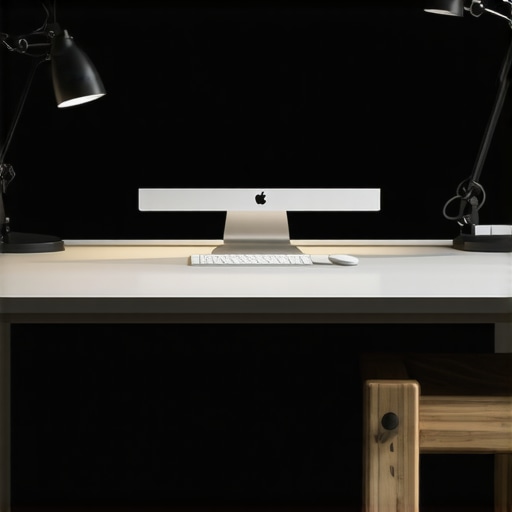
Ever found yourself squinting at your screen, desperately trying to make out details, only to realize your lighting is doing you no favors? I’ve been there. One evening, after a long day of work, I sat at my desk in near darkness—thinking I could power through. But the headache and eye strain that followed made me realize that the real culprit wasn’t just my workload. It was my lighting.
Why Proper Desk Lighting Matters More Than Ever
In 2025, our home offices are more important than ever. With remote work becoming the norm, the quality of your workspace lighting can make or break your productivity and comfort. Poor lighting causes eye strain, fatigue, and even headaches — all of which kill focus faster than you’d think. According to a study by the American Optometric Association, inadequate lighting can lead to digital eye strain, affecting up to 50% of remote workers. That’s a huge chunk of us trying to get work done in less-than-ideal conditions.
Over the years, I’ve experimented with different setups, and I’ve learned that investing in the right desk lamp and ring light can truly transform your workspace. It’s not about spending a fortune but about choosing solutions that deliver bright, even illumination without harsh shadows or glare. Trust me, once I set up my modern LED desk lamp and a ring light for my video calls, everything changed. My eyes felt less tired, and my workspace looked more professional and inviting.
If you’re tired of struggling with poor lighting, or if you’ve ever wondered whether a ring light is just a fancy gimmick, stay with me. We’re going to explore exactly how to light your home office for maximum comfort and efficiency in 2025. Ready to shed some light on the subject? Let’s dive in.
What’s Holding You Back from Better Lighting?
Have you faced the frustration of trying to work in a dimly lit space, only to realize the solution is right in front of you? Maybe you’ve bought cheap desk lamps that flicker or harsh LED lights that make your eyes water. I made that mistake early on—picking a lamp based solely on looks, not brightness or color temperature. It was a waste of money, and I learned that the right lighting is about more than just aesthetics. It’s about functionality and health.
If you’re ready to ditch the guesswork and find lighting solutions that truly brighten your workspace, I’ll guide you through the best options for 2025. From innovative LED lamps to versatile ring lights, I’ll show you how to create an environment that keeps you focused, comfortable, and looking sharp on those video calls. Want to know more? Check out our top workspace lighting ideas for 2025 and discover the perfect setup for your needs.
Select the Right Desk Lamp for Your Needs
Start by choosing a desk lamp that offers adjustable brightness and color temperature. I once bought a trendy lamp that looked great but lacked brightness control. After replacing it with a modern LED desk lamp from this guide, my workspace instantly became more functional and eye-friendly. Look for lamps with dimming features and warm-to-cool color temperature options to customize your lighting.
Optimize Your Lighting with LED Innovations
Invest in LED lamps that incorporate the latest technologies for brightness, energy efficiency, and longevity. I upgraded to an LED desk lamp with adjustable angles and flicker-free operation, which significantly reduced eye fatigue during long work sessions. Explore models that support flicker-free and eye-care features for maximum comfort.
Use Bias Lighting to Reduce Eye Strain
Implement bias lighting behind your monitor to create a contrast that minimizes eye strain. I added a strip of bias lighting from this resource, which transformed my monitor into a more comfortable viewing experience. Place the light strip behind your monitor, ensuring it’s diffused and not directly visible, to reduce glare and improve visual comfort.
Strategically Position Your Lighting
Position your desk lamp to illuminate your work area evenly. Avoid placing lights directly overhead or behind you, which can cause glare or shadows. I learned this the hard way when my previous lamp cast shadows on my keyboard, making typing difficult. Now, I position my lamp at an angle that provides even light coverage without creating glare on my screen. Use adjustable arms and swivel heads to fine-tune your lighting placement.
Incorporate Ring Lights for Video Calls
Use a ring light to enhance your appearance during video conferences. I set up a ring light from this guide and noticed an immediate improvement in my video quality. Position the ring light in front of your face, at eye level, to provide soft, even illumination that eliminates shadows and makes you look professional on camera.
Fine-Tune with Color Temperature and Brightness
Adjust your lighting settings based on the time of day and task. Cooler, bluish light is ideal for focus and productivity, while warmer tones promote relaxation. During late-night work, I switch to warmer settings from my LED lamp to reduce blue light exposure, which helps me sleep better. Experiment with different brightness levels until your workspace feels natural and comfortable.
Maintain and Upgrade Your Setup Regularly
Keep your lighting equipment clean and replace bulbs or fixtures as needed. Technology advances rapidly, so periodically review your setup with resources like this overview to ensure you’re using the best solutions for 2025. Updating your lighting can dramatically boost your productivity and comfort over time.
Many people assume that simply having a bright desk lamp is enough to optimize workspace lighting. However, this is a common misconception that can actually lead to more eye strain and discomfort. The truth is, the quality, placement, and type of lighting matter much more than just brightness. For example, a popular myth is that brighter is always better. In reality, overly intense lighting can cause glare and make focusing difficult. Instead, aim for adjustable LED lamps that support dimming and color temperature control, as discussed in this detailed guide.
Another misconception is that all LED lights are harsh or unnatural. This couldn’t be further from the truth, especially with modern innovations in LED technology that mimic natural daylight and reduce blue light exposure. Investing in LED lamps with advanced flicker-free and eye-care features can significantly improve your visual comfort, as highlighted in this resource.
People often overlook the importance of proper placement—think about the old advice to just point the light directly at your work. This approach can cause unwanted shadows and glare, ultimately making your eyes work harder. Instead, positioning your lamp at an angle and using diffusers or adjustable arms creates even, comfortable illumination. For advanced tips, see this article.
What about the myth that ring lights are only for selfies?
This is a widespread misconception. In fact, ring lights are a powerful tool for creating soft, even lighting during video calls and online meetings, reducing shadows and highlighting your face naturally. Proper use of a ring light can elevate your professional appearance, as shown in this guide. Advanced users know that positioning and brightness adjustments are key to avoiding reflective glare or overexposure, making ring lights a versatile component of a modern workspace.
Be wary of the trap of buying cheap, non-adjustable lighting fixtures that flicker or produce inconsistent color temperatures. These can cause more harm than good, leading to headaches, fatigue, and decreased productivity. Always choose high-quality, adjustable LED solutions tailored to your specific needs. Regularly reviewing your setup and upgrading as technology evolves can keep your workspace both healthy and efficient. For more insights, visit this comprehensive overview.
Maintaining your workspace lighting ensures consistent quality and comfort over time. I personally rely on a few key tools and methods to keep my setup optimal, and I recommend you do the same to avoid unexpected issues that can disrupt your productivity.
Use a Smart Light Meter for Precise Adjustments
One of my favorite tools is a light meter, which measures the lux levels in your workspace. I use a digital lux meter from this resource to ensure my lighting remains consistent throughout the day. It helps me identify areas that need more illumination or glare reduction, especially when I change bulbs or reposition lamps. By regularly checking with a light meter, I can fine-tune my setup to maintain ideal lighting conditions that support my focus and reduce eye strain.
Schedule Periodic Equipment Checks and Cleaning
Over time, dust and dirt can accumulate on lamps and fixtures, reducing brightness and causing flickering. I make it a habit to clean my LED desk lamp and ring light every three months. Additionally, I inspect each fixture for signs of wear or loose connections. This simple maintenance prevents unexpected failures and keeps my lights performing at their best. If a bulb or component is nearing end-of-life, I replace it promptly. Regular upkeep extends the lifespan of your equipment and ensures your workspace stays well-lit and comfortable.
Update Firmware and Settings for Long-Term Performance
Many modern LED lamps and ring lights come with firmware that can be updated via apps or software. I check for updates every six months, ensuring I benefit from the latest features and performance improvements. For example, firmware updates might improve flicker-free operation or introduce new color profiles that better suit changing work tasks. Staying current with firmware and adjusting your settings helps your lighting adapt to your evolving needs, maintaining maximum comfort and efficiency.
Invest in Quality Power Supplies and Surge Protectors
Power fluctuations can damage sensitive LED components over time. I use high-quality surge protectors from reputable brands to safeguard my lighting setup. This small investment prevents data loss during power surges and prolongs the life of my fixtures. Reliable power supplies also ensure your lights operate smoothly without flickering or dimming, which can be distracting or harmful to your eyes.
Plan for Future Upgrades and Scalability
As technology advances, new lighting solutions emerge that can further enhance your workspace. I stay informed through sites like this resource and plan to incorporate smart lighting systems or adjustable fixtures that can be controlled via voice or app. Future-proofing your setup allows for seamless upgrades without major disruptions, keeping your workspace modern and efficient.
How do I maintain my lighting over time?
Consistent maintenance involves regular cleaning, checking connections, updating firmware, and measuring light levels with a digital lux meter. These practices ensure your workspace remains bright, glare-free, and comfortable, supporting your productivity and health. Try integrating a light meter into your routine—it’s a small step that makes a big difference in long-term lighting quality.
Remember, good lighting isn’t a set-it-and-forget-it deal. It requires ongoing attention and fine-tuning, especially as your needs evolve. By investing in the right tools and establishing a routine, you’ll keep your home office well-lit and ready for whatever productivity boost comes next.
The Hardest Lesson I Learned About Lighting
- One of my biggest realizations was that even the sleekest, most expensive desk lamp won’t improve your workspace if it’s not properly positioned or adjustable. I used to think brightness was enough, but I learned that controlling the color temperature and angle makes all the difference in reducing eye strain.
- Another eye-opener was discovering how much bias lighting behind your monitor can cut down on digital eye fatigue. It’s a simple addition that transforms your visual comfort, especially during long work hours.
- Finally, I learned that regular maintenance—cleaning lamps, updating firmware, and measuring light levels—keeps my setup performing at its best. Overlooking these details can slowly erode the quality of your workspace lighting over time.
My Essential Toolkit for Better Workspace Lighting
- High-Quality LED Desk Lamps: I trust models with dimming and adjustable color temperature, like those detailed in this guide. They’re energy-efficient and gentle on the eyes.
- Ring Lights for Video Calls: Position these at face level for even, flattering lighting during virtual meetings. I recommend checking out this detailed article for top picks.
- Digital Lux Meter: I use this device to measure lux levels and ensure consistent, optimal lighting. It’s a game-changer for fine-tuning your setup and avoiding eye strain.
- Surge Protectors and Regular Maintenance: Protect your equipment from power fluctuations and keep fixtures clean to sustain performance, as recommended in this overview.
Seize Your Bright Future Today
Good lighting isn’t just about aesthetics; it’s about nourishing your eyes, boosting your focus, and creating a workspace that inspires productivity. With the right tools, routine maintenance, and a willingness to experiment, you can turn your home office into a sanctuary of comfort and efficiency in 2025. Remember, lighting is an investment in your health and success—don’t settle for less.
What’s the biggest lighting challenge you’ve faced in your workspace? Let me know below—I’d love to hear your story!

About the Author
Ricardo Vargas
Director of Operations and Product Development
Ricardo Vargas is a seasoned professional in the lighting industry, currently serving as a Director of Operations and Product Development
LinkedIn Profile