
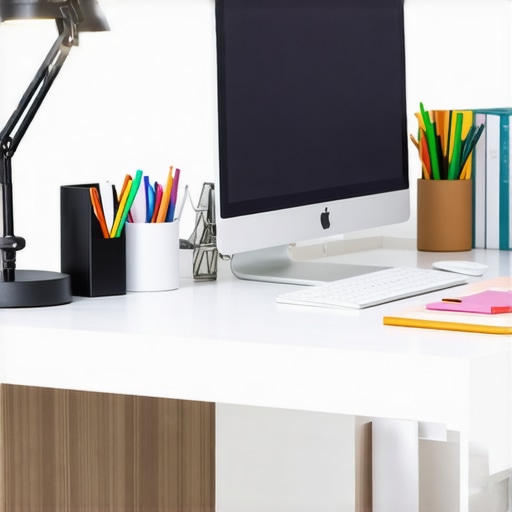
Ever sat at your desk late into the evening, squinting at your screen, fighting off eye strain, and realizing how dim or harsh your lighting setup really is? That moment of frustration hit me hard one night, when I finally admitted that my workspace lighting was doing more harm than good. It was a lightbulb moment—literally. I had been ignoring the power of good lighting for too long, and it was affecting my productivity, mood, and even my eye health.
Why Your Workspace Deserves Better Lighting in 2025
Let’s face it. We spend a significant chunk of our day at our desks, whether working, studying, or creating. Poor lighting can cause fatigue, headaches, and reduce focus, making even simple tasks seem daunting. Plus, with the rise of remote work and online meetings, your video quality depends heavily on proper illumination. A well-lit workspace isn’t just a luxury anymore; it’s a necessity for efficiency and well-being.
Have You Faced This Problem?
If you’ve ever struggled with dim or overly bright lights, or worse, glare and shadows that distract you—trust me, you’re not alone. I used to think a basic desk lamp was enough. Turns out, I was making some common mistakes early on. For example, I didn’t consider the importance of color temperature or the placement of my lights, which only worsened my eye strain. When I finally learned about modern solutions like LED lamps and bias lighting, everything changed. And I want to help you avoid the same mistakes I made.
Research shows that proper workspace lighting can boost productivity by up to 20% and reduce fatigue significantly (source: Lighting Tech Desk Essentials). Whether you’re working on complex projects or just catching up on emails, the right lighting setup can make a world of difference.
In this post, I’ll walk you through how to choose the best LED lamps and bias lights for your needs, share tips for optimal placement, and introduce innovative lighting ideas that can transform your workspace into a bright, comfortable haven. Ready to say goodbye to eye strain and hello to enhanced focus? Let’s dive into the practical steps you can take today.
Choose the Right LED Lamps for Your Desk
Start by assessing your workspace and identifying areas that need brightening or softening. I remember my initial attempt where I simply bought a generic lamp and placed it on my desk — the light was harsh and created glare. After researching, I discovered that selecting LED lamps with adjustable brightness and color temperature makes a significant difference. Use the guidelines here to pick a lamp that suits your needs. Opt for models with a color temperature around 4000K for a neutral, daylight-like glow that reduces eye strain. Install the lamp at an angle where it illuminates your workspace evenly without casting shadows or creating glare on your screen.
Optimize Placement for Maximum Effectiveness
Position your LED lamp so that its light hits your work surface from the side or above, mimicking natural sunlight. I once placed my lamp directly behind my monitor, which caused shadows on my papers and made my eyes work harder. Instead, I moved it to the side, which lit up my workspace without glare. Think of your light source as a spotlight: it should highlight your work area rather than shine directly into your eyes or screen. Use a flexible arm or a clamp mount to fine-tune the angle easily. For enhanced focus, consider using multiple smaller lamps instead of one large fixture, reducing shadows and uneven lighting. This simple step transformed my workspace into a balanced, inviting environment.
Implement Bias Lighting to Reduce Eye Fatigue
Bias lighting is like giving your eyes a gentle hug—placing a soft, indirect light behind your monitor minimizes contrast and reduces eye strain during long sessions. I added a strip of LED bias lighting behind my monitor, following tips from the bias lighting guide. The effect was immediate: my eyes felt less tired, and my focus improved. To set this up, attach a flexible LED strip with adjustable brightness at the back of your monitor, ensuring it emits a warm, dim glow. Position the strip so that it’s hidden from direct view but provides enough ambient light to balance the screen’s brightness. This simple addition reduces eye fatigue and makes your screen easier to view over extended periods.
Explore Advanced Lighting Ideas for 2025
Once you master basic placement and bias lighting, consider integrating smart lighting systems that can change color temperature and intensity automatically based on the time of day or your activity. For example, cooler light in the morning to energize you, and warmer tones in the evening for relaxation. I experimented with a smart LED system, which I programmed to adjust throughout the day, and noticed a marked improvement in my overall comfort and productivity. Check out the latest innovations in LED lamp innovations for 2025 to stay ahead of the curve.
Review and Fine-tune Your Setup
After implementing these steps, spend a few days testing different configurations. Use your workspace during different times of the day to see how natural light interacts with your artificial lighting. Adjust brightness and angles as needed. I found that small tweaks, like changing the angle of my bias light or dimming my LED lamp slightly in the evening, made a noticeable difference in my comfort level. Remember, good lighting isn’t static; it’s a dynamic part of your workspace that deserves regular attention. For more tips, visit top LED lamps and workspace ideas to keep your setup fresh and effective.
Many people believe that simply having a bright light on their desk is enough to improve their workspace. However, this common misconception can lead to eye strain and discomfort rather than productivity gains. The real nuance lies in understanding the quality and placement of lighting, not just brightness levels. For instance, overly harsh lights or improper placement can cause glare and shadows, making tasks more difficult and increasing fatigue. Instead, focus on layered lighting solutions that combine ambient, task, and accent lighting for a balanced environment.
Another prevalent myth is that cool white or daylight color temperatures are always better for workspaces. While these can be beneficial in the morning to boost alertness, they may be too harsh or unnatural in the evening, disrupting your circadian rhythm. Adjustable LED lamps allow you to change color temperatures dynamically, aligning your lighting with your natural energy cycle. This advanced approach can significantly enhance comfort and focus, especially during long working hours.
Why Does the Placement of Your Light Matter More Than You Think?
Many overlook the importance of how and where they position their lights. Placing a lamp directly behind your monitor might seem convenient but can cause unwanted shadows and glare, reducing visibility and increasing eye strain. Instead, positioning your light source at an angle that mimics natural sunlight creates a more comfortable and effective illumination. Using adjustable arms or multiple light sources can help achieve this nuanced setup. For example, a study from Lighting Tech Desk Essentials emphasizes the importance of directionality in workspace lighting.
Moreover, many underestimate the impact of bias lighting behind your monitor. This soft indirect light reduces contrast and prevents eye fatigue during extended sessions. Proper bias lighting isn’t just about aesthetics; it’s a scientifically backed strategy to protect your vision and improve overall comfort. When setting up bias lighting, aim for a warm, dim glow that complements your main lighting without causing additional glare or reflections.
Finally, integrating smart lighting systems that adapt to the time of day and your activity level can elevate your workspace’s effectiveness. These solutions allow you to switch seamlessly between different lighting modes, aligning with your natural circadian rhythms and work demands. This advanced setup, although often overlooked, is becoming increasingly accessible and essential for modern workspaces in 2025.
Remember, the key to optimal workspace lighting is not just about adding more light but understanding the nuances of quality, placement, and adaptability. Avoid the trap of thinking that brightness alone makes a difference. Instead, focus on layered, dynamic, and well-placed lighting solutions to truly enhance your productivity and well-being. Have you ever fallen into this trap? Let me know in the comments.
Once you’ve optimized your workspace lighting with the perfect LED lamps and bias lighting, the next step is ensuring that your setup continues to perform effectively over time. Regular maintenance and the right tools are essential to keep your lighting system bright, flicker-free, and aligned with your evolving needs. In this guide, I’ll share specific tools, techniques, and habits I personally use to sustain optimal lighting conditions, along with a glimpse into where this trend is headed in the future.
How do I maintain my workspace lighting over time
First, invest in a quality adjustable LED desk lamp that allows for easy bulb or driver replacement. I prefer models with modular designs because they simplify maintenance, saving me both time and money. Regularly dust the fixtures using a microfiber cloth; dust accumulation can diminish brightness and cause overheating. To ensure consistent color temperature and brightness, I use a handheld lux meter—a device I recommend highly for precise measurements. This helps me identify when LED drivers or bulbs are degrading, so I can replace them before performance drops noticeably.
Another crucial aspect is managing power quality. I use a surge protector with noise filtering to prevent voltage spikes that could shorten the lifespan of my lights. If you notice flickering or inconsistent brightness, the culprit might be unstable power or aging components. Swapping out old drivers or bulbs promptly keeps everything running smoothly. For ongoing performance, I schedule quarterly checks—testing brightness levels with my lux meter and inspecting for dust or physical damage. These small steps extend the life of your lighting and maintain a consistent workspace environment.
What tools I recommend for long-term lighting success
My top tool is the lux meter. It provides quantitative data, helping me fine-tune the brightness and prevent eye strain. I also keep a set of replacement LED drivers and bulbs on hand—especially for high-quality models that I’ve tested and trusted. For cleaning, a soft microfiber cloth and compressed air are essential to remove dust without damaging delicate components.
Furthermore, I use smart lighting controls when possible. These allow me to schedule automatic adjustments—dimming or brightening—based on the time of day. As smart home integration advances, I predict that future workspace lighting will become even more adaptive, responding to ambient light sensors and user activity seamlessly.
Why future lighting systems will make maintenance easier
In the coming years, expect LED technology to evolve with built-in self-diagnosing capabilities. According to recent LED innovations, future fixtures might alert you when they need servicing or replacements. This proactive approach minimizes downtime and maintains your workspace’s brightness without manual checks.
Meanwhile, adopting smart controls and modular fixtures now will prepare you for this next-gen environment. I encourage you to try integrating a smart dimmer or a sensor-based control system into your setup—these tools make ongoing maintenance effortless and ensure your workspace remains well-lit and comfortable for years to come.
Remember, consistent maintenance is key to preserving your investment in workspace lighting. Regularly testing with tools like lux meters and keeping components clean and updated will ensure your workspace remains a bright, productive haven. Interested in exploring advanced lighting solutions? Check out latest LED innovations and consider upgrading your system today to stay ahead in 2025 and beyond.
The Hardest Lesson I Learned About Workspace Lighting
One of my biggest realizations was that brightness alone doesn’t guarantee productivity. I initially thought cranking up the lights would help me focus, but I was wrong. It turned out that the quality and placement of my lights mattered far more than just making everything bright. I learned that layered lighting, with adjustable color temperatures, reduced eye strain and boosted my efficiency more than I ever expected.
My Essential Toolkit for Better Workspace Illumination
For me, the game-changer was investing in a high-quality adjustable LED desk lamp. Its flexibility allows me to change brightness and color temperature on the fly, aligning my lighting with my natural energy levels. I also rely on a lux meter to measure light levels precisely, ensuring my setup is always optimized. Additionally, smart controls help me automate adjustments, making maintenance effortless and keeping my workspace consistently comfortable.
Let Your Workspace Shine and Make a Difference Today
Now is the perfect moment to rethink your workspace lighting. Incorporate adjustable LED lamps, bias lighting, and smart controls to create a dynamic environment that adapts to your needs. Your eyes and your productivity will thank you for it. Remember, a well-lit workspace isn’t just about brightness; it’s about quality, placement, and adaptability. Ready to elevate your workspace lighting in 2025? Share your experiences or questions below—let’s brighten our journeys together!

About the Author
Ricardo Vargas
Director of Operations and Product Development
Ricardo Vargas is a seasoned professional in the lighting industry, currently serving as a Director of Operations and Product Development
LinkedIn Profile
Reading this post truly highlights the importance of investing in good workspace lighting. I used to underestimate how much proper placement and adjustable settings could improve my focus and reduce fatigue, but after switching to LED lamps with adjustable color temperatures, my productivity noticeably increased. I especially appreciate the mention of bias lighting behind the monitor; I integrated a similar setup and found it made long hours much more comfortable for my eyes. One challenge I’ve faced is managing glare from natural sunlight during the day, which sometimes disrupts my lighting consistency. Has anyone found effective ways to balance natural light with artificial lighting or specific tips on adjusting color temperatures to match the daylight hours? I’m curious about creative solutions others may have used to optimize their lighting throughout the different times of day.