
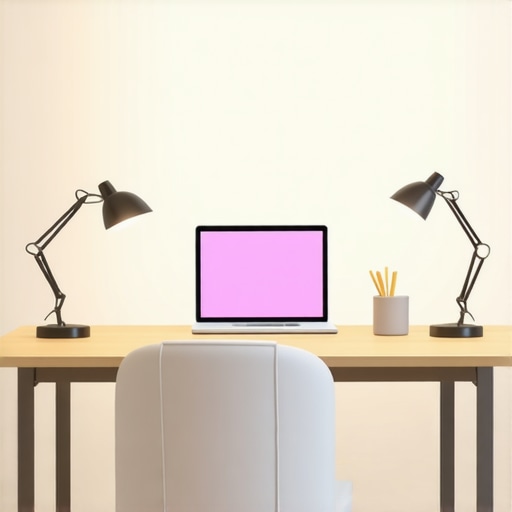
Have you ever sat down at your desk after a long day, only to realize that the lighting is doing more harm than good? I know I have. There was a time when I struggled with eye strain, constant fatigue, and a complete lack of focus all because of poor lighting conditions. It was a frustrating cycle—squinting at my screen, adjusting my position, and still feeling like my workspace was a dim, uninspiring cave. Then, one lightbulb moment hit me: the right lighting isn’t just about brightness; it’s about creating an environment that energizes, reduces strain, and boosts productivity.
Why Proper Desk Lighting Matters More Than Ever
In today’s world, where many of us spend countless hours working from home or in shared offices, the importance of good lighting can’t be overstated. Poor lighting causes eye fatigue, headaches, and even impacts your mood. According to a study published by the American Optometric Association, inadequate lighting is one of the leading causes of digital eye strain, which affects many remote workers and students alike. Investing in effective desk lighting, especially with innovative tools like ring lights and LED lamps, can dramatically change your work experience for the better.
But here’s the kicker—I made a mistake early on. I thought that simply increasing brightness was enough. Nope. That led to glare and discomfort. It took me a while to realize that the key is diffused, adjustable lighting that mimics natural daylight. That’s when I started exploring options like modern LED lamps and ring lights. These tools are game-changers, providing even, flicker-free light that helps me focus without straining my eyes.
Is All Lighting Created Equal or Worth the Hype?
Many skeptics ask whether investing in high-quality lighting is really necessary or if it’s just a fancy trend. I get it. It’s tempting to stick with old desk lamps or rely on ambient room lighting. But I learned the hard way that not all light sources are equal. Cheap, non-adjustable lamps often create more shadows than they eliminate, and harsh, glaring lights only make things worse. Properly chosen ring lights and LED desk lamps can brighten your workspace evenly, reduce eye strain, and even improve your mood. Want to see how to choose the right setup? Check out this guide to selecting the perfect desk lamp.
So, if you’ve ever faced headaches after hours of work or felt sluggish in the middle of your day, ask yourself—have I optimized my workspace lighting? If not, don’t worry. The next steps are all about the practical solutions that I’ve personally tested and recommend. Ready to transform your workspace and reclaim your focus? Let’s dive into the how-to’s of effective desk lighting.
Choose Your Ideal Lighting Setup
Start by assessing your workspace and identifying areas that need more light. I remember the first time I chose a desk lamp based on my specific needs. I measured the light distribution and checked for flicker-free operation to avoid eye fatigue. Use a light meter app or simply observe how shadows fall on your desk to determine if the lighting is even.
Select Adjustable LED Lamps
Invest in a high-quality LED desk lamp that offers adjustable brightness, color temperature, and angle. During my setup, I noticed that a lamp with multiple brightness levels allowed me to switch from bright work mode to softer evening lighting seamlessly. The key is to avoid static lighting; flexibility makes a substantial difference.
Incorporate Ring Lights for Focus and Video Calls
Ring lights are not just for content creators—they’re game-changers for video conferencing and task lighting. I placed a ring light around my monitor, which eliminated harsh shadows and evenly illuminated my face. Position your ring light at eye level, about 16 inches from your face, to create a natural glow that reduces eye strain and enhances your appearance during calls.
Optimize Light Placement and Diffusion
Proper placement of your lighting sources prevents glare and shadows. I learned this the hard way when a poorly positioned lamp caused distracting reflections on my monitor. To avoid this, I placed my LED lamp slightly to the side and elevated it to avoid direct line-of-sight glare. Use diffusers or lampshades to soften the light, mimicking natural daylight, which you can learn more about in bias lighting tips.
Layer Your Lighting for Depth
Combine ambient, task, and accent lighting for a balanced environment. I added a modern LED strip behind my monitor for a gentle backlight, reducing contrast and eye fatigue. This layered approach creates depth and comfort, especially during long work sessions.
Adjust for Natural Light Cycles
Monitor your workspace lighting throughout the day. I found that my setup was most effective when I adjusted my LED lamps and ring lights to complement natural daylight. During mornings, I increased warm tones, and in the afternoon, I shifted to cooler, brighter settings. Dynamic adjustment keeps your eyes comfortable and focused.
Implement Bias Lighting for Comfort
Bias lighting adds a subtle glow behind your monitor, reducing eye strain and enhancing contrast. I use a bias light strip, which I can control via an app, to create a calming environment that minimizes fatigue and boosts productivity. This small change made a noticeable difference in my endurance during marathon workdays.
Regular Maintenance and Evaluation
Finally, maintain your lighting setup by cleaning fixtures and checking for flicker or dimming. I schedule monthly reviews of my lights to ensure optimal performance. This proactive approach prevents discomfort and ensures your workspace remains bright, inviting, and efficient. Need personalized advice? Reach out via contact us for tailored recommendations.
While many focus on choosing the right type of light or adjusting brightness levels, there’s a nuanced aspect of desk lighting that often gets ignored: the quality of light flicker and its long-term impact on eye health and productivity. Contrarily to popular belief, not all LED or fluorescent lights are equal in this regard. Some inexpensive lighting options may appear bright and functional but hide a hidden danger—flicker that can cause subtle yet chronic eye strain, headaches, and fatigue over time.
Many assume that modern LED lamps are inherently superior because they use advanced technology. However, a significant number of low-cost LEDs lack proper flicker mitigation, which means they pulse at high frequencies imperceptible to the naked eye but still detrimental. According to a 2020 study by the Lighting Research Center, flickering lights can contribute to visual discomfort and reduce cognitive performance, especially during prolonged exposure. This is a crucial point that advanced users should consider when selecting their workspace lighting.
What many people get wrong is the misconception that increasing brightness alone will improve focus. In reality, overly bright or flickering lights can be just as harmful as dim lighting. The key is to opt for flicker-free, high-quality LED lamps that use constant current drivers, ensuring flicker is minimized or eliminated. This detail can make a substantial difference in your daily comfort and long-term eye health. For a detailed guide on choosing flicker-free lighting options, check out this comprehensive guide.
Are Dimmable Lights Always Better?
Another advanced nuance is the myth that dimmable lights are always advantageous. While dimming features offer flexibility, many dimmable LED fixtures are not flicker-free at lower settings, which can inadvertently introduce flicker when you need softer lighting. Make sure to verify that your dimmable LED lamp is designed for flicker-free operation at all brightness levels; otherwise, you may be trading one problem for another. This detail is often overlooked even by experienced tech enthusiasts, but it can significantly impact your eye comfort during long work sessions.
In short, investing in high-quality, flicker-free lighting is an often underestimated step towards a healthier, more productive workspace. Don’t fall into the trap of assuming that brightness or style alone will optimize your environment. Instead, prioritize flicker mitigation, color rendering, and appropriate diffusion for truly effective desk lighting. Want personalized advice? Reach out via our contact page for tailored recommendations. Have you ever fallen into this trap? Let me know in the comments.
Keeping your workspace lighting in top shape requires more than just initial setup; it involves ongoing maintenance, the right tools, and strategic scaling to adapt to your evolving needs. Over the years, I’ve developed a set of practices and chosen specific equipment that ensure my lighting remains effective, flicker-free, and aligned with the latest technology trends.
How do I maintain my lighting setup over time?
Regular cleaning is the first step. Dust and grime can diminish light output and cause flickering, especially in LED fixtures. I schedule a monthly wipe-down of my lamps and diffusers, using a soft microfiber cloth and gentle cleaner. For electronic components, I ensure that connections are secure and check for any signs of wear or damage. Periodically, I test my lights with a flicker meter—an inexpensive but invaluable tool—to verify flicker levels stay within safe, flicker-free standards. This proactive approach prevents discomfort and prolongs equipment lifespan.
Another key aspect is software and firmware updates. Many modern LED lamps and bias lighting systems offer firmware upgrades that optimize performance and fix bugs. I subscribe to manufacturer updates and apply these updates promptly, which often enhances flicker mitigation and color stability. Keeping your devices current is crucial for maintaining consistent, high-quality lighting.
Tools I recommend for effective maintenance and scaling
For cleaning, I use a **compressor brush** to blow away dust from vents and fixtures without risking damage. When it comes to measuring flicker and light quality, a **flicker meter** like the flicker test device helps me ensure my lights meet industry standards. For adjusting color temperature and brightness, I rely on **smart LED controllers** that integrate with my smartphone, allowing precise, remote adjustments—this is especially useful for dynamic natural light cycles.
Additionally, I utilize **modular lighting systems** such as those described in modern LED solutions. These systems can be scaled easily, adding or removing fixtures based on workspace changes. Investing in quality, future-proof components means I can upgrade without replacing everything, saving money and time.
What’s the future of workspace lighting maintenance?
As technology advances, I predict a shift toward AI-powered lighting systems that automatically adjust flicker levels, color temperature, and intensity based on ambient conditions and user preferences. Smart sensors will monitor the health of fixtures, alerting me when maintenance is needed before issues arise. This proactive, automated approach will make long-term maintenance seamless and efficient.
To start implementing these advanced maintenance strategies today, consider investing in a flicker meter and smart lighting controls. Regularly updating your fixtures and cleaning routines will ensure your workspace remains comfortable, productive, and safe for years to come. If you’re ready to take your setup to the next level, reach out via our contact page for personalized recommendations tailored to your workspace needs.
When I finally realized that my workspace lighting was more of a hindrance than a help, everything changed. I learned that effective desk lighting isn’t just about brightness—it’s about creating a harmonious environment that energizes you and protects your eyes. If you’re tired of headaches, fatigue, or struggling to concentrate, it might be time to rethink your lighting setup.
The Hardest Lesson I Learned About Desk Lighting
- Not all LEDs are flicker-free: I once bought cheap LED lamps, only to find they caused subtle eye strain over time. The lesson? Always verify flicker mitigation features before purchasing.
- Adjustability is key: Rigid lighting setups limited my ability to adapt to natural light changes. Investing in adjustable lamps made a huge difference in comfort and productivity.
- Layering matters: Combining ambient, task, and accent lighting created a balanced environment that reduced shadows and eye fatigue, especially during long work hours.
- Natural light should guide your setup: Mimicking daylight with the right color temperature and diffusion helped my eyes stay comfortable and my mood uplifted.
- Maintenance keeps lighting effective: Regular cleaning and periodic flicker testing ensure my lights stay flicker-free and bright, preventing discomfort over time.
My Essential Toolkit for Better Workspace Lighting
- High-quality LED lamps: Trusted for their flicker-free operation and adjustability, these are my go-to for focus.
- Ring lights: They create even, flattering light for video calls, reducing shadows and eye strain.
- Bias lighting strips: Gentle backlighting behind my monitor reduces contrast and fatigue, especially during prolonged sessions.
- Flicker meters: Essential for ongoing testing to ensure flicker-free illumination, protecting my eyes in the long run.
Seize the Moment and Brighten Your Workspace
Creating a workspace that energizes rather than drains you is within reach. The right lighting setup can transform your focus, comfort, and overall well-being. Don’t wait for discomfort to become a habit—start experimenting with adjustable, flicker-free lights today. Your eyes and productivity will thank you. Are you ready to upgrade your workspace lighting and experience the difference? Share your current setup or questions below—I’d love to hear from you!

About the Author
Ricardo Vargas
Director of Operations and Product Development
Ricardo Vargas is a seasoned professional in the lighting industry, currently serving as a Director of Operations and Product Development
LinkedIn Profile