
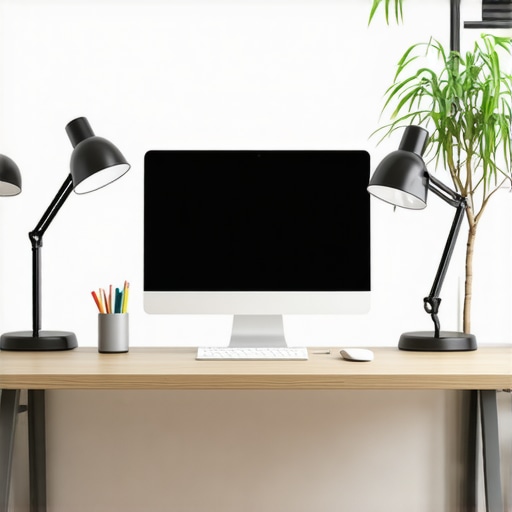
Ever spent hours trying to find the perfect lighting for your workspace, only to end up with headaches, eye strain, or just a dull setup that kills your productivity? I’ve been there. One evening, after a long day of work, I looked around my dimly lit desk and realized something had to change. That was my lightbulb moment—literally. I discovered that the right lighting isn’t just about aesthetics; it’s crucial for your focus, health, and overall work quality. If you’ve ever felt frustrated by poor lighting or unsure if your current setup is enough, don’t worry. Today, I’ll guide you through the best lighting solutions for a bright, efficient home office in 2025, based on my own experiments and research.
Why Proper Home Office Lighting Matters More Than Ever
In recent years, especially with the rise of remote work, our home offices have become more than just a space to sit; they’re where we meet deadlines, participate in video calls, and even relax after a busy day. But poor lighting can sabotage all of that. Studies show that inadequate lighting can cause eye strain, headaches, and even impact your mood and productivity. According to the American Medical Association, prolonged exposure to subpar light conditions can contribute to digital eye strain, which affects up to 60% of office workers. That’s a staggering number, and it’s a clear sign that investing in good lighting isn’t just a luxury—it’s a necessity.
Early in my journey, I made a rookie mistake: I relied solely on harsh overhead fluorescent lights. It looked okay in the store, but in real life, it made my workspace look dull and my eyes tired. It took me a while to realize that layering different types of light—like a quality desk lamp, a ring light for video calls, and some bias lighting—transformed my setup completely. Now, I want to save you that trial and error. Whether you’re a content creator, a remote worker, or a student, the right lighting can elevate your workspace from drab to fab. Curious how? Keep reading, because I’m about to share the best lighting hacks and products for 2025.
Is All Lighting Created Equal for Home Offices?
Many skeptics wonder if investing in fancy ring lights or LED desk lamps is worth it. I get it! I used to think that any lamp would do. But I learned that not all lighting is the same. Cheap bulbs with poor color rendering or inadequate brightness can actually make your work worse. The key is choosing lights that mimic natural daylight, reduce glare, and are adjustable to suit different tasks. My biggest mistake early on was ignoring the importance of color temperature—something I now know is critical for reducing eye strain and improving focus. For a comprehensive rundown, check out our guide on how to choose the perfect desk lamp. If you’ve faced the frustration of dull, flickering, or overly yellow lighting, you’re not alone. Let’s fix that today.
}**;**}# {
Select the Right Desk Lamp to Boost Focus
Start by choosing a desk lamp with adjustable brightness and color temperature. I once bought a cheap lamp that flickered constantly, causing eye strain. After replacing it with a model recommended in our guide on how to choose the perfect desk lamp, my eyes felt less tired, and I could work longer without discomfort.
Layer Your Lighting for a Balanced Setup
Don’t rely solely on overhead lights. I experimented by adding a ring light for video calls and bias lighting behind my monitor. This layered approach reduced glare and created a more natural, inviting environment. For tips on setting up bias lighting, check out bias lighting tips. Remember, combining different light sources prevents harsh shadows and improves overall visibility.
Optimize Your Ring Light for Video Calls
If you participate in frequent video meetings, a ring light can dramatically enhance your appearance. I used to look dull on camera until I followed some ring light hacks. Position it at eye level, about 45 centimeters from your face, and set it to a warm or neutral tone. The result? Clear, professional-looking videos that boost your confidence and engagement.
Adjust Light Color Temperature for Comfort
Natural daylight has a color temperature around 5000K-6500K, which is ideal for work. I learned this the hard way when I used overly yellow bulbs that made my workspace feel gloomy. Switch to LED bulbs with adjustable color temperatures, and set them around 5000K for daytime work. This change significantly reduced eye fatigue and helped me stay alert. To find the best options, explore our LED lamp guide.
Place Lights Strategically for Maximum Effect
Position your desk lamp to the side of your monitor to avoid glare, and keep bias lighting behind your screen to reduce eye strain. I initially placed my lights randomly, which created uneven lighting and shadows. After reading about better placement strategies, I arranged my setup so that light sources complemented each other, making my workspace brighter and more comfortable. For detailed placement tips, visit desk lighting strategies.
Regularly Evaluate and Tweak Your Setup
Lighting needs can change with seasons or tasks. I schedule monthly check-ins, adjusting brightness and color temperature as needed. If your workspace feels dull or your eyes hurt after long sessions, it’s time to revisit your lighting. Use your smartphone’s light meter app or a dedicated light meter to measure brightness levels and ensure they meet recommended standards, typically around 300-500 lux for task areas.
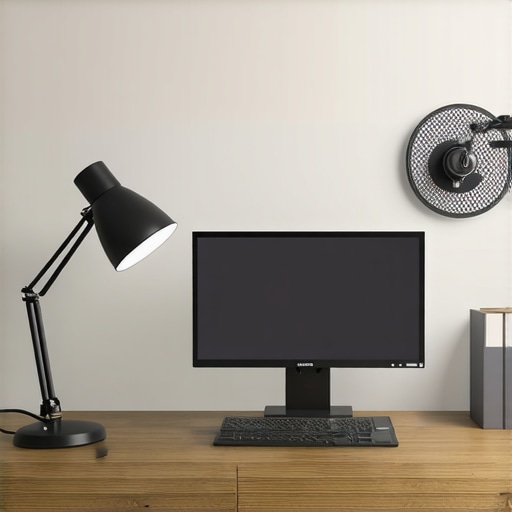
Prompt: Modern home office with layered lighting including desk lamp, ring light, and bias lighting, bright and ergonomic setup, 2025
Image Alt: Bright modern home office with layered lighting setup for productivity
When it comes to workspace lighting, many assume that more brightness or the latest gadgets automatically mean better productivity and comfort. But let’s dig deeper into what most people get wrong about desk lamps, LED lighting, bias lighting, and ring lights. Understanding these nuances can save you from costly mistakes and help you craft the perfect environment for work or content creation.
Are All Lights Created Equal for Your Home Office?
One of the biggest misconceptions is that any light source will do as long as it’s bright enough. This is far from true. The quality of light, its color temperature, and how it’s distributed are critical. For example, cheap LED bulbs often have poor color rendering, making colors look dull and causing eye strain. Instead, opt for high-CRI (Color Rendering Index) LEDs with adjustable color temperatures. This allows you to match natural daylight and reduce fatigue. Many overlook that the spectral power distribution of a bulb influences how your eyes perceive colors and contrast, which directly impacts your focus and comfort. For detailed guidance, check out our desk lamp selection guide.
Why You Should Be Wary of Overlighting
Many believe that brighter is always better, but overlighting can be a trap. Excessive brightness can cause glare, leading to headaches and eye fatigue. It can also wash out your screen, reducing contrast and making it harder to see details. The key is layered lighting—using a combination of task, ambient, and accent lights to create a balanced environment. For instance, a well-placed bias light behind your monitor can significantly reduce eye strain and improve perceived contrast. Remember, the goal is to mimic natural lighting conditions, which often means diffuse, indirect light rather than harsh, direct sources. To explore effective layering, visit our workspace lighting strategies.
How to Avoid the Ring Light Trap
Ring lights have gained popularity, especially among content creators, but many users fall into the trap of using them improperly. Positioning is critical; placing the ring light too close or at an awkward angle can cause harsh reflections and unnatural shadows. Also, don’t rely solely on a ring light to illuminate your workspace—combine it with other light sources for a more natural look. A common mistake is setting the color temperature too cool or too warm, which can make your skin look odd or your environment feel uninviting. Use adjustable ring lights and set them to warm or neutral tones to achieve a professional appearance. For advanced tips, see our ring light hacks.
Can Bias Lighting Actually Improve Focus?
Many underestimate the power of bias lighting. This subtle backlighting behind your monitor can reduce eye strain and improve contrast perception, making reading and editing easier. However, some assume that more intense bias lighting enhances focus, which isn’t true. The key is soft, diffuse light at around 300-500 lux, positioned behind the screen to create a comfortable viewing environment. Overdoing it can introduce unwanted reflections or color cast, defeating the purpose. The nuanced understanding of how bias lighting interacts with your screen and ambient light can drastically improve your comfort during long work sessions. For in-depth insights, explore our bias lighting tips.
Have you ever fallen into this trap? Let me know in the comments. Remember, effective workspace lighting isn’t just about brightening your room—it’s about creating a balanced, health-conscious environment tailored to your needs.
Keeping your workspace lighting effective over time requires more than just choosing the right fixtures. It involves regular maintenance, using the right tools, and understanding how to scale your setup as your needs evolve. In this section, I’ll share the exact tools and methods I personally rely on to ensure my lighting remains optimal, along with insights into future trends that will make maintenance even easier.
How do I maintain my lighting setup for longevity?
First, I make it a habit to clean my LED lamps, ring lights, and bias lighting sources at least once a month. Dust and fingerprints can diminish brightness and color accuracy, so I use a microfiber cloth and a gentle, non-abrasive cleaner. For more delicate components, I recommend using compressed air to remove dust from vents or heat sinks, which helps prevent overheating and extends the lifespan of your LEDs. Regularly inspecting power cords and connectors for wear or damage is crucial; faulty wiring can cause flickering or reduced performance. I also keep a spare set of bulbs or LED modules compatible with my fixtures, so I can swap out parts immediately if needed, avoiding downtime.
Tools I recommend for consistent workspace lighting
One tool I swear by is a digital lux meter. It helps me measure the luminance of my setup, ensuring my workspace maintains the recommended 300-500 lux for task lighting. I use the Lighting Tech Desk Essentials recommended models, which are affordable yet precise. Additionally, I keep a color temperature meter to verify that my LED bulbs or ring lights stay within the desired 5000K-6500K range, reducing eye strain and improving visual comfort. For software, I use a simple app to schedule regular checks and adjustments, making sure my lighting remains consistent day-to-day.
Scaling your lighting setup as your workspace grows
As your needs expand—perhaps from remote work to content creation or team collaboration—you’ll want to scale your lighting accordingly. Modular systems like adjustable LED panels or smart bulbs with app control allow you to expand or modify your setup effortlessly. I’ve recently upgraded to a smart LED system that integrates with my home automation, enabling me to create dynamic lighting scenes for different tasks or times of day. This future-forward approach not only saves energy but also ensures your workspace stays adaptable and efficient. Experts predict that in 2025, AI-powered lighting systems will automatically adjust brightness and color temperature based on your circadian rhythms, reducing fatigue and boosting productivity. Staying ahead with these smart tools will keep your workspace lighting top-notch without constant manual intervention.
How do I keep my lighting system functioning smoothly over the years?
The key is regular calibration, cleaning, and upgrading components when necessary. Establish a routine check every three months to verify light levels and color accuracy, and don’t hesitate to replace aging parts with the latest, more efficient models. For detailed guidance, I recommend exploring our comprehensive desk lamp selection guide. Remember, investing in quality tools and timely upgrades ensures your workspace remains a bright, productive haven for years to come. Take the step today—try out a lux meter or upgrade to a smart lighting system to see immediate improvements in your environment.
The Hidden Lessons Lighting Taught Me About Productivity
- Investing in quality lighting was a game-changer—cheap bulbs and fixtures seemed convenient but caused more strain than benefit. Realized that high-CRI LEDs with adjustable color temperatures make a huge difference.
- Layering different types of light isn’t just aesthetic; it’s essential. Combining task, ambient, and accent lighting creates a balanced environment that reduces eye fatigue and boosts focus.
- Positioning matters more than brightness. A strategically placed desk lamp and bias lighting behind the monitor can significantly reduce glare and improve contrast perception.
- Routine maintenance of your lighting setup is underrated. Regular cleaning and calibration keep your workspace consistently bright and eye-friendly over years.
- Smart lighting systems that adapt to your circadian rhythms are on the horizon. Staying informed about these innovations can future-proof your workspace.
Tools and Resources That Changed My Approach
- Lighting Tech Desk Essentials lux meter—measuring light accurately helps maintain ideal brightness levels.
- The desk lamp selection guide—a comprehensive resource for choosing adjustable, high-quality lamps.
- Color temperature meters—ensuring your bulbs stay within the optimal 5000K-6500K range for reducing eye strain.
- Smart LED systems—integrate with your home automation for dynamic, adaptable lighting scenes that grow with your needs.
Your Bright Future Starts Today
Taking control of your home office lighting is more than a setup—it’s an investment in your health, focus, and productivity. With the right tools, knowledge, and a bit of experimentation, you can craft a workspace that inspires greatness every day. Don’t wait—your perfect lighting environment is within reach, and it’s brighter than ever in 2025.
What’s the biggest challenge you face when optimizing your workspace lighting? Share your story below—I’d love to hear it!
,

About the Author
Ricardo Vargas
Director of Operations and Product Development
Ricardo Vargas is a seasoned professional in the lighting industry, currently serving as a Director of Operations and Product Development
LinkedIn Profile
I really appreciate these detailed insights into creating a well-lit home office. I’ve personally struggled with eye fatigue and shadows, especially when working long hours. Lately, I’ve been experimenting with layered lighting—combining a quality desk lamp with bias lighting behind my monitor has made a noticeable difference. I especially agree with the importance of adjustable color temperature; I’ve started using smart bulbs that automatically change my lighting based on the time of day, which seems to help my focus and reduce fatigue.