
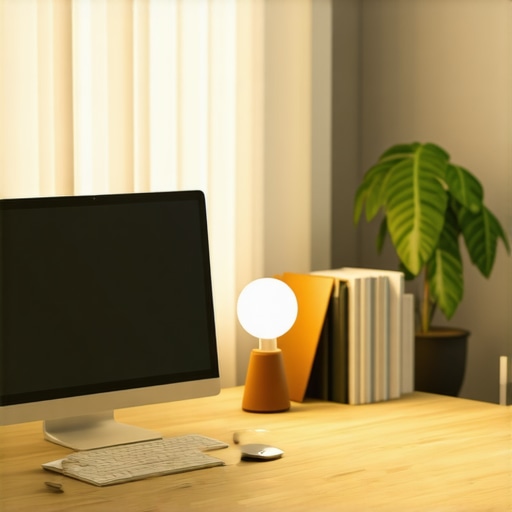
Ever sat at your desk, squinting into the dim glow of a tired old desk lamp, feeling like you’re working in a cave? I’ve been there. I used to think a simple lamp was enough—until I noticed my skin looked dull on video calls, and my focus was wavering. That was my lightbulb moment: I needed a serious upgrade to my workspace lighting. And trust me, the right lighting isn’t just about aesthetics; it’s about transforming your entire work experience.
Why Good Lighting Changes Everything in Your Home Office
When I first set up my home office, I underestimated how crucial lighting really is. Poor lighting can cause eye strain, headaches, and even make you feel sluggish. I learned that investing in quality lighting solutions, like ring lights and LED lamps, can boost your focus, mood, and productivity. More importantly, it makes your video calls look professional and your workspace inviting. According to a study published by the American Medical Association, proper lighting can significantly improve mental clarity and reduce fatigue. That’s a game-changer for anyone working long hours from home.
Have you ever felt frustrated because your workspace lighting isn’t enough or is too harsh?
Early in my journey, I made a common mistake—using generic, cheap LED bulbs that flickered and didn’t provide even illumination. It made me realize that not all lights are created equal. Learning what to look for, like adjustable brightness, color temperature, and the right placement, transformed my setup. Want to avoid my rookie errors? I’ll walk you through how to choose the perfect lighting tools to make your home office shine—literally.
Choose the Right Desk Lamp to Focus Your Light
My first step was replacing my generic desk lamp with a model that offers adjustable brightness and color temperature. I found that a [desk lamp](https://lighting.techdeskessentials.com/how-to-choose-the-perfect-desk-lamp-for-your-workspace-in-2025) with a flexible arm and dimming feature allowed me to tailor the light to different tasks, reducing eye strain during long work sessions. I recommend testing different settings to see what feels most natural and comfortable for your eyes.
Test Different Light Temperatures
During my setup, I experimented with warm (around 2700K) and cool (around 5000K) light options. Cool light boosts alertness, ideal for focused work, while warm light creates a cozy ambiance for breaks. Adjusting this based on the time of day or task can make a significant difference in your productivity and mood. For more insights, check out [lighting innovations](https://lighting.techdeskessentials.com/led-lamp-innovations-brighten-your-desk-and-boost-productivity).
Optimize Your Workspace with LED and Bias Lighting
Next, I added [bias lighting](https://lighting.techdeskessentials.com/bias-lighting-tips-to-enhance-your-home-office-setup) behind my monitor. This reduces eye fatigue by providing a consistent background light that minimizes contrast strain. I mounted a soft, dimmable LED strip behind my screen, which created a gentle glow that made my monitor easier to view without causing glare. Remember, positioning is key: place bias lights so they don’t reflect directly into your eyes or onto the screen.
Prevent Glare and Reflections
Once I installed my bias lighting, I noticed a reduction in screen glare and reflections, making long video calls more comfortable. If you’re struggling with reflections, consider adjusting the angle of your lights or using matte screen protectors. For tailored advice, explore [workspace lighting](https://lighting.techdeskessentials.com/workspace-lighting-transform-your-office-with-modern-led-solutions).
Implement Ring Lights for Video Calls and Content Creation
To improve my video call quality, I invested in a [ring light](https://lighting.techdeskessentials.com/ring-light-hacks-for-creating-the-perfect-video-conference-environment). I placed it directly in front of my camera, which evenly illuminated my face and eliminated shadows. I set the brightness to match my environment, preventing harsh contrasts. If you’re new to ring lights, start with adjustable models that let you control both brightness and color temperature for best results.
Position and Angle Matter
I learned that angling the ring light slightly downward helped avoid unwanted reflections and created a more natural look. Using a tripod or adjustable mount ensures optimal height and angle. Want to maximize your setup? Check out [ring light hacks](https://lighting.techdeskessentials.com/ring-light-hacks-for-creating-the-perfect-video-conference-environment) for expert tips.
Balance Brightness and Contrast for Better Focus
Finally, I balanced all these elements by adjusting the overall brightness of my workspace. I used a combination of my desk lamp, bias lighting, and ring light to create a well-lit environment that minimizes eye fatigue and enhances focus. Avoid overly bright or dim setups; instead, aim for a layered lighting approach that provides consistent illumination without glare or shadows. For comprehensive guidance, visit [workspace lighting](https://lighting.techdeskessentials.com/ultimate-guide-to-workspace-lighting-transform-your-office-with-modern-led-solutions).
When it comes to optimizing your workspace lighting, many people fall into common traps or hold misconceptions that undermine their efforts. Let’s dig deeper into some of these pitfalls and clarify what truly makes a difference in creating an effective and healthy lighting environment.
Misunderstanding the Role of Brightness Levels
One widespread myth is that brighter is always better. While adequate illumination is essential, excessive brightness can cause glare, eye strain, and headaches. The key is to find a balance and layer your lighting sources. For instance, a well-placed bias lighting behind your monitor can reduce eye fatigue without adding unnecessary glare. Remember, the goal isn’t just to light up your space but to do so in a way that supports your eyes and focus.
Overemphasizing Color Temperature without Context
Many believe that cool white light always boosts productivity, but in reality, the optimal color temperature depends on your tasks and time of day. Warm light (around 2700K) creates a cozy atmosphere, perfect for breaks or winding down, while cooler light (around 5000K) can enhance alertness for detailed work. The mistake is to select a single temperature and stick with it, ignoring the importance of adjustable desk lamps that can adapt to different needs.
Ignoring the Impact of Placement and Glare
Placing your light sources haphazardly can cause unwanted shadows and reflections, reducing visibility and increasing eye strain. For example, positioning a ring light directly in front of your face might seem intuitive, but if not angled properly, it can produce glare or reflections on your screen. The best approach is to experiment with angles and heights, ensuring your lights enhance visibility without creating glare or reflections that hinder your work.
How do advanced lighting setups improve focus and reduce fatigue?
For those seeking a more sophisticated workspace, integrating layered lighting—combining task, ambient, and accent sources—can dramatically improve focus and comfort. Studies show that dynamic lighting that adjusts throughout the day supports circadian rhythms and mental alertness. Moreover, smart controls that allow you to change brightness and color temperature on the fly enable a tailored environment. Want to learn more about creating such setups? Check out workspace lighting innovations.
Keeping your workspace lighting effective over time requires more than just initial setup; it involves regular maintenance and the right tools to ensure your lighting solutions continue to serve you well. Personally, I rely on a few key equipment and software that help me maintain optimal lighting conditions, extend the lifespan of my devices, and seamlessly scale my setup as my needs evolve.
How do I maintain my lighting equipment over time?
One of my go-to practices is periodic cleaning of my desk lamp and LED lamp. Dust and grime can dim their brightness and reduce efficiency, so I use a soft microfiber cloth and avoid harsh chemicals to keep the lenses and reflectors clear. Additionally, I regularly check the wiring and connectors for signs of wear or damage, replacing any frayed cords immediately to prevent failures or safety hazards.
For bias lighting, I prefer using dimmable LED strips with built-in timers. This allows me to automate adjustments based on the time of day, maintaining consistent ambient illumination that reduces eye strain. These strips are easy to clean and reposition, making maintenance straightforward. For ring lights, I inspect the bulbs and diffusers every few months, replacing LEDs as they dim or flicker to maintain even, flattering lighting during video calls.
What tools do I recommend for workspace lighting upkeep?
I swear by a few specific tools that make maintenance easier and more precise. A digital lux meter, for example, helps me measure the exact brightness levels in different parts of my workspace, ensuring I stay within the ideal range for my tasks. I also use a small screwdriver set for tightening or replacing fixtures, and a multimeter for troubleshooting electrical issues—these are invaluable for troubleshooting and extending the life of my lighting devices.
For software, I rely on smart lighting apps compatible with my LED strips and ring lights. These apps let me create custom schedules, adjust brightness, and change color temperatures remotely—saving me time and ensuring consistent lighting quality. As smart home and workspace tech continue to evolve, I predict that integrated systems will become more intuitive, allowing even more seamless control and automation.
Where is workspace lighting technology heading?
Looking ahead, I believe the trend will focus on AI-powered adaptive lighting systems that learn your routines and preferences, adjusting automatically for maximum comfort and productivity. Advances in LED innovations are making these systems more affordable and accessible. The integration of IoT devices will further streamline maintenance, with sensors that alert you when a bulb is dimming or a fixture needs service—helping you keep your setup in top shape effortlessly.
To stay ahead, I recommend trying out a smart dimmable LED strip for bias lighting or a lux meter app to measure your workspace’s illumination. These small investments can significantly improve the longevity and effectiveness of your lighting setup, ensuring your workspace remains bright, comfortable, and productive for years to come.
The Hardest Lesson I Learned About Desk Lighting
I used to believe that a single overhead light or basic desk lamp was enough, but I quickly discovered that poor lighting not only caused eye strain but also sapped my motivation. The biggest breakthrough came when I realized layering different types of lighting—task, ambient, and accent—creates a balanced environment that supports my eyes and focus. This lesson taught me to think beyond just brightness and focus on harmony in light placement and functionality.
A Mistake That Held Me Back
I once overemphasized the importance of cool white light for productivity. It turns out that the best workspace lighting adapts to your needs and circadian rhythms. Warm light (around 2700K) during evenings helps me wind down, while cooler tones (around 5000K) boost alertness during deep work sessions. Using adjustable desk lamps allows me to switch seamlessly, which has made a huge difference in my comfort and efficiency. For more flexible options, I recommend exploring [desk lamp](https://lighting.techdeskessentials.com/how-to-choose-the-perfect-desk-lamp-for-your-workspace-in-2025) choices that support this dynamic approach.
What I Wish I Knew About Bias Lighting
Installing bias lighting behind my monitor was an eye-opener. It reduces screen glare and eye fatigue, especially during long video calls. I learned that positioning LED strips correctly—behind the monitor and out of reflections’ path—makes all the difference. This simple addition turned my workspace into a more comfortable and professional environment. Want to try it? Check out [bias lighting tips](https://lighting.techdeskessentials.com/bias-lighting-tips-to-enhance-your-home-office-setup) for expert advice.
Why Glare and Reflection Can Ruin Your Focus
Initially, I placed my ring light directly in front of my face, thinking it would provide perfect illumination. Instead, it caused reflections on my screen and harsh shadows. After experimenting with angles and heights, I found that tilting the ring light slightly downward and using adjustable mounts created a natural, shadow-free look. This tweak improved my video quality and comfort during long calls. Curious about the best setup? Explore [ring light hacks](https://lighting.techdeskessentials.com/ring-light-hacks-for-creating-the-perfect-video-conference-environment).
Layer Your Lighting for Continuous Success
My most valuable insight has been the importance of layered lighting—combining multiple sources to achieve a balanced, adaptable workspace. This setup supports my circadian rhythm, enhances focus, and reduces fatigue. As technology advances, I’m excited about smart controls and AI-driven adjustments that will make maintaining this balance even easier. To future-proof your workspace, try incorporating [workspace lighting innovations](https://lighting.techdeskessentials.com/workspace-lighting-transform-your-office-with-modern-led-solutions) that adapt to your routines and needs.
Curated Recommendations for a Brighter Future
My Essential Toolkit for Workspace Lighting includes a high-quality dimmable desk lamp that supports multiple color temperatures, LED bias lighting strips with timers for automation, and a compact lux meter to measure ambient brightness. I trust these tools because they’re reliable, easy to use, and have helped me maintain consistent, health-supporting lighting. Additionally, I recommend reading about latest LED innovations to stay ahead of the curve. For comprehensive guidance, visit workspace lighting guides.
Ignite Your Workspace, Ignite Your Potential
Now it’s your turn to take control of your workspace lighting. Whether you’re working from a cozy corner or a dedicated home office, the right illumination can unlock new levels of focus, comfort, and professionalism. Don’t wait—start experimenting with layered lighting and smart controls today. Your brighter, more productive workspace is within reach. What’s the first lighting upgrade you plan to try? Share your thoughts below and let’s light the way together!
,

About the Author
Ricardo Vargas
Director of Operations and Product Development
Ricardo Vargas is a seasoned professional in the lighting industry, currently serving as a Director of Operations and Product Development
LinkedIn Profile