
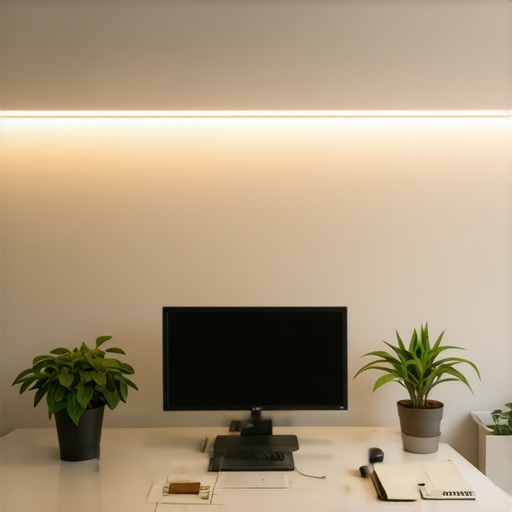
I remember the moment vividly. I was sitting at my desk late into a dreary winter evening, trying to catch up on work, when suddenly everything looked… wrong. Shadows cast by my poor lighting made my face look tired and unprofessional on those crucial video calls. It hit me — my workspace’s lighting was sabotaging my productivity and confidence. That was my lightbulb moment. I realized that good lighting isn’t just about aesthetics; it’s a core element of an efficient, joyful home office.
Illumination Matters More Than You Think
Since then, I’ve experimented with various solutions, from basic desk lamps to sophisticated LED setups. The right lighting can energize your work, improve focus, and elevate your video presence. Today, I want to share my journey towards creating a well-lit workspace — and how you can avoid some common lighting pitfalls that might be holding you back. Whether you’re battling gloomy winter nights or trying to look your best during video conferences, the right lighting solutions make a world of difference. If you’ve ever struggled with uneven light, glare, or dull environments, stick around. We’re about to transform your home office into a bright, professional haven.
Is All Lighting Created Equal or Is There a Secret Sauce?
Early on, I made the mistake of assuming that any bright lamp would do the trick. Spoiler: It doesn’t. Cheap bulbs and poorly placed fixtures only made my space look worse and fatigued my eyes. I didn’t realize that specific types of LEDs and placement strategies are key to effective workspace illumination. A common misconception — and one I fell for — is that all LED lights provide similar benefits. That myth can be busted with a little knowledge about modern LED solutions, ring lights, and bias lighting principles. For example, investing in a good-quality ring light for video calls offers a quick upgrade, transforming your appearance and presence dramatically. Want to discover how to choose the perfect LED setup? Check out this comprehensive guide on workspace lighting solutions.
Start with a Bright, Even Foundation
Before diving into fancy gadgets, assess your current lighting. Turn off ambient lights and observe the natural light. Use a high-quality LED lamp, like those discussed in this guide, to eliminate shadows and ensure consistent brightness across your workspace. Place the lamp slightly behind your monitor, angled to reduce glare while illuminating your face evenly. Remember, a well-lit background minimizes eye strain and helps your camera catch clearer images.
Position Your Light for Maximum Impact
Opt for an Adjustable Desk Lamp
Choose a desk lamp with adjustable brightness and angle. Think of it as the steering wheel of your lighting setup: control is key. Sitting directly under a fixed overhead fixture often creates unflattering shadows. Instead, position your lamp so that light falls from the side at about 45 degrees, mimicking natural sunlight. In my experience, this reduces harsh shadows on my face during video calls, making me appear more professional and confident.
Use Bias Lighting to Enhance Visual Comfort
Bias lighting involves placing a gentle glow behind your monitor to reduce contrast and eye strain. It acts like a soft ‘frame’ that elevates your visual comfort during long hours. Applying bias lighting is straightforward: attach a strip of warm LED lights behind your screen, such as those recommended in this article. This subtle glow improves focus and reduces fatigue, especially during late-night work sessions.
Create a Video-Friendly Environment with a Ring Light
Nothing says professional like clear, flattering lighting during Zoom or Teams calls. A ring light is your secret weapon here. Think of it as a flashlight wrapped around your face, eliminating shadows and providing uniform illumination. I decided to invest in a compact ring light after a messy trial where overhead lighting left my face half-hidden in shadows. In less than 10 minutes, I set it up on my desk, plugged it into my USB port, and dialed up the brightness. The difference? Crisp, vibrant video images that command respect and attention. For step-by-step guidance, check out this guide.
Harmonize Light Sources for a Cohesive Look
The key to a professional workspace isn’t just having multiple lights but making them work together seamlessly. Mix warm bias lighting with cooler task lights and a balanced ring light setup for a layered, natural look. During my own setup, I used a combination of a warm strip behind my monitor and a cooler LED desk lamp. This blend created depth and avoided the flatness of a single light source. Experiment with different color temperatures and distances to see what looks best on camera and feels most comfortable for your eyes.
Fine-tune Your Setup Over Time
Lighting isn’t a set-it-and-forget-it deal. As seasons change and your work habits evolve, so should your illumination scheme. Regularly review your setup; shifting your light sources or adjusting brightness ensures you stay comfortable and look professional. I found that dimming my bias lighting during sunny midday hours helped reduce glare, while increasing brightness in the evenings boosted my focus. For more advanced tips on optimizing workspace lighting, explore this article.
Most people assume that picking a bright LED lamp or a stylish ring light is enough to create an effective workspace. However, beneath these surface choices lie nuanced pitfalls that can sabotage your efforts—something even seasoned enthusiasts often overlook. A common myth is that brighter always equals better; in reality, overly intense lighting can cause glare and eye strain, diminishing productivity rather than boosting it. According to a study published in the Journal of Environmental Psychology, improper lighting levels can reduce cognitive performance and increase fatigue, especially when the lighting spectrum isn’t tailored correctly.
Why does mismatched lighting lead to cluttered visuals and poor focus?
One advanced mistake many make is failing to consider the color temperature harmony among different light sources. Mixing warm bias lighting with cool LED lamps or harsh ring lights can create a discordant environment that confuses your visual cues and impacts mood. For instance, pairing a 6500K ring light with a 3000K desk lamp might seem innocuous but can produce color inconsistencies that weaken the professionalism of your on-camera appearance. An expert tip is to aim for a consistent color temperature—typically around 4000K—to foster a cohesive look. More detailed guidance can be found in our comprehensive desk lamp and bias lighting ideas.  effective workspace illumination offers deeper insights.
How can understanding the physics of light prevent common mistakes?
Understanding the behavior of light, including diffusion and reflectivity, allows you to avoid basic but costly errors. For example, choosing opaque desk lamps over ones with diffusers can lead to harsh, uneven lighting. Professional setups utilize diffusers or softboxes to produce uniform light that is gentle on the eyes and camera-friendly. This nuance is crucial for those aiming for a polished appearance or optimizing focus. Investing in adjustable fixtures and experimenting with different diffuser materials, as detailed in our guide on LED solutions, can transform your workspace into a true productivity hub. Have you ever fallen into this trap? Let me know in the comments.
To keep your workspace lighting effective over time, investing in quality tools and adopting consistent maintenance routines are essential. Personally, I rely on adjustable LED lamps with dimming capabilities, like the latest LED innovations, because they allow quick adjustments to match changing ambient conditions. Regularly cleaning your fixtures ensures optimal light output; dust and smudges can dim your lights and alter color accuracy. I dedicate five minutes weekly to wipe down my desk lamp and ring light with a soft microfiber cloth, which keeps my setup shining brightly and prevents overheating caused by dust buildup.
Using moisture-controlled environments or desiccants can prevent LED components from degrading prematurely, especially in humid climates. Additionally, investing in a good quality power strip with surge protection preserves your lighting equipment from power surges that can cause irreparable damage. For software, I recommend apps like Luminance, which allow you to calibrate and program your RGB lighting for different times of day—helping your eye health and productivity. As the trends in workspace lighting evolve, integrating smart lighting controls that sync with your schedule or output needs is becoming more accessible and efficient.
How do I maintain my lighting setup over time?
One effective approach is to schedule quarterly reviews of your lighting arrangement. Check for any signs of wear—flickering bulbs, inconsistent brightness, or color shifts—and replace or adjust fixtures as necessary. Labeling your wiring and controls simplifies troubleshooting, ensuring quick adjustments without guesswork. Data from industry expert lighting specialists emphasizes that consistency in maintenance routines extends fixture lifespan and sustains optimal light quality. Incorporating a simple maintenance checklist into your weekly workflow can save time and money in the long run. For advanced users, automating routine checks using smart home integrations ensures your workspace remains flawlessly lit without manual intervention. Try setting up a schedule to inspect and calibrate your lighting tools monthly—small steps that secure professional-quality results over years of use.
The Hardest Lesson I Learned About Workspace Lighting, Ring Lights, Bias Lighting, LED Lamps, and Desk Lamps
One of my most eye-opening realizations was that not all lighting solutions are created equal. Early in my journey, I believed buying the brightest LED lamp or the trendiest ring light would instantly transform my workspace. However, I soon discovered that improper placement, mismatched color temperatures, and neglecting layering could sabotage even the most expensive equipment. The lesson? Effective lighting is less about gadgets and more about meticulous positioning and harmony—an insight that saved me countless headaches and improved my work quality remarkably.
What Industry Veterans Won’t Tell You About Home Office Lighting Essentials
Despite the abundance of online tips, seasoned professionals often keep their most valuable insights under wraps. For example, the myth that brighter always means better is pervasive and costly. Experienced designers emphasize the importance of understanding the physics of diffusion and reflection, which can be the difference between a harsh, unflattering environment and a soft, professional glow. By learning these subtleties, I elevated my workspace from cluttered to commanding, enabling me to appear poised and confident on every video call.
The Unexpected Impact of Color Harmony in Your Light Sources
My biggest breakthrough came when I realized that mixing different color temperatures—like warm bias lighting with cool task lights—can create visual discord, undermining your setup’s professionalism. Achieving a cohesive palette, typically around 4000K, fosters harmony that lights your face naturally and looks great on camera. This simple adjustment significantly reduced eye strain and made my environment more inviting, proving that understanding color physics is crucial for anyone serious about their workspace lighting.
Why Fine-Tuning Your Light Angles Will Transform Your Video Presence
One thing I overlooked for years was the importance of light direction. Direct overhead lighting cast unflattering shadows, making me look tired and unprofessional. Switching to side lighting at a 45-degree angle brightened my face evenly and boosted my confidence during important meetings. This subtle change, readily learned from expert advice, underscored how strategic positioning can make your workspace look polished and inviting, even with minimal equipment.
How Regular Care and Smart Upgrades Keep Your Lighting Effortless
I’ve found that maintaining your lighting setup is just as vital as initial configuration. Dimming, cleaning, and replacing worn-out bulbs keep the environment crisp and comfortable. Investing in adjustable fixtures and incorporating smart controls that synchronize with your schedule can automate perfect lighting conditions, reducing daily hassle. My routine of weekly cleaning and quarterly reviews ensures my setup stays vibrant and reliable—turning a mundane task into a confidence booster and productivity enhancer.

About the Author
Ricardo Vargas
Director of Operations and Product Development
Ricardo Vargas is a seasoned professional in the lighting industry, currently serving as a Director of Operations and Product Development
LinkedIn Profile
Reading this post truly resonated with me, especially the emphasis on the importance of light placement and avoiding shadows during video calls. I used to think that a bright room was enough, but I realized that it’s all about how I position my lighting sources. Since switching to an adjustable desk lamp and adding a ring light, my video quality and confidence have significantly improved. The key seems to be layering different lighting types—warm bias lights behind the monitor combined with cooler task lighting. It’s interesting how subtle differences in color temperature and angle can make such a difference in how professional you look on camera. Do others find that switching up lighting throughout the day affects their focus or comfort? I’ve noticed that dimming the bias lighting during the brightest hours reduces glare and eye strain, which might help others optimize their setups too.
This post really hits on key points that many overlook when setting up a home office. I’ve gone through the same frustration with uneven lighting and shadows, especially during long work sessions. The insight about layering different types of lights—warm bias lighting combined with cooler task lights and a ring light—is such a game-changer. I found that balancing these sources not only improved on-camera appearance but also reduced eye strain significantly. One thing I’ve learned over time is the importance of dimming options; being able to adjust brightness as the natural light changes throughout the day makes a huge difference. Also, I’ve experimented with smart lighting, which automatically transitions from warm to cooler tones during different times of the day to mimic natural light patterns. Have others tried automated or programmable lighting systems? I’d love to hear if those have helped improve focus and comfort in extended work sessions, especially for those working in varying ambient conditions.
I completely agree with the importance of layering different types of lighting in a home office. I’ve personally found that a combination of soft bias lighting behind my monitor and a well-placed adjustable desk lamp has made my video calls appear much more professional, while also reducing eye strain during long work hours. One thing I’ve experimented with is integrating smart lighting, which can automatically adjust the color temperature and brightness throughout the day, mimicking natural daylight cycles. This has not only enhanced my focus but also made a noticeable difference in my overall comfort. Do others find that automating their lighting setup helps them stay more consistent and focused across different working hours? I’d love to hear about any devices or systems that have worked well for you in creating a dynamic, yet cohesive lighting environment.