
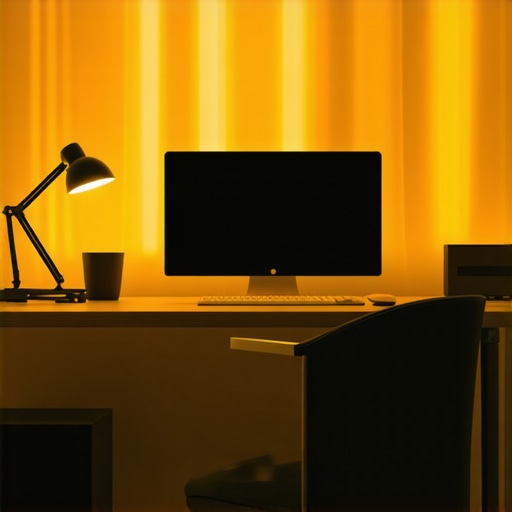
I remember the exact moment I realized my desk lamp wasn’t doing me any favors. It was late in the evening, and I kept squinting at my laptop screen, frustrated by the uneven glow and shadows that made my eyes strain every few minutes. That tiny, overlooked detail—with all my tech gear and ergonomic accessories—was silently sabotaging my productivity and well-being. It hit me then: lighting isn’t just a background detail; it’s the backbone of a comfortable, efficient workspace.
Transforming Your Workspace Lighting for Better Focus and Comfort
Have you ever felt your eyes watering after long hours at your desk, or noticed your mood dampening without realizing why? The problem might be your lighting setup. Poor or inadequate lighting can cause eye fatigue, headaches, and even impact your concentration. On the flip side, the right LED lamps and bias lighting can create an inviting environment that boosts focus and reduces fatigue.
Let me share a quick story. Early on, I made the mistake of sticking with my old, cheap desk lamp that only provided a narrow, yellowish hue. It looked fine, but over time, my eyes felt tired and I suffered from frequent headaches. Switching to a modern LED lamp designed specifically for workspace illumination made a world of difference. Not only did my eyes thank me, but my productivity also improved noticeably.
In this guide, I’ll walk you through how to select the perfect LED lighting setup—whether it’s a sleek desk lamp, bias lighting to enhance your monitor’s contrast, or ring lights that transform your video calls. Lighting choices are now more innovative and affordable than ever, making it easier than ever to craft a workspace that energizes rather than drains.
Before we dive into the nitty-gritty, I want to ask—have you struggled with eye strain or poor workspace lighting? If yes, you’re not alone. Many people overlook this crucial aspect, and it often becomes the silent productivity killer. Trust me, I’ve been there, and I learned the hard way that investing in quality lighting solutions isn’t just about aesthetics; it’s about your health and efficiency.
Supporting this, a study published by the American Journal of Ophthalmology found that poor lighting contributes significantly to digital eye strain, which affects up to 60% of office workers. Bright, well-placed lighting isn’t a luxury; it’s a necessity in today’s screen-heavy environment.
Now, let’s explore how to make lighting your workspace work for you, starting with the essentials of choosing the right LED lamps and bias lighting techniques.
Select the Right Desk Lamp to Illuminate Your Focus
Start by evaluating your current desk lamp. Are its light quality and positioning helping or hindering your work? I once used a generic lamp that cast uneven light, creating shadows that distracted me. Switching to a dedicated LED desk lamp recommended by experts ([see how to choose the perfect desk lamp](https://lighting.techdeskessentials.com/how-to-choose-the-perfect-desk-lamp-for-your-workspace-in-2025)) allowed me to direct light precisely where needed. Opt for adjustable models with neutral white light (4000K–5000K) for clarity without harshness. Consider lamps with diffusers to spread light evenly and reduce glare.
Position Your Lighting for Maximum Comfort
Proper placement is crucial. Place your lamp so that the light hits your workspace from the side or slightly behind your monitor to prevent screen glare. For example, I once set my lamp directly behind my monitor, causing uncomfortable reflections. Adjusting the angle and height reduced eye strain significantly. Use adjustable arms or flexible necks to fine-tune the direction. Remember, the goal is to avoid casting shadows or creating hotspots that cause eye fatigue.
Add Bias Lighting to Reduce Eye Strain
Bias lighting behind your monitor can improve contrast and reduce digital eye strain. It’s like giving your eyes a gentle, consistent glow that eases visual fatigue. I implemented bias lighting based on tips from [this guide](https://lighting.techdeskessentials.com/bias-lighting-tips-to-enhance-your-home-office-setup), attaching a soft LED strip behind my monitor, which instantly felt less harsh during long sessions. Choose a warm white or neutral tone (around 3500K–4000K) for a comfortable ambiance. Ensure the bias light is brighter than the ambient room but not overpowering.
Choose Ring Lights for Video Calls Effectively
For those endless virtual meetings, ring lights can enhance your appearance and professionalism. A well-positioned ring light eliminates shadows and creates an even glow around your face, making you look more engaged. I experimented with different sizes and positions ([see top ring light ideas](https://lighting.techdeskessentials.com/top-ring-light-led-lamp-ideas-for-better-home-office-lighting-in-2025)), placing the ring directly in front of my webcam. Start with a warm tone for a friendly vibe, and adjust the brightness to match your camera settings. Remember, a ring light shouldn’t overpower your workspace but complement it.
Integrate These Elements Seamlessly for a Harmonious Setup
The key is balancing task lighting, ambient bias lighting, and optional accent lighting like ring lights. I found that combining a flexible LED desk lamp with behind-screen bias lighting and a subtle ring light during video calls created an environment that was not only functional but inviting. Test different configurations, and adjust directions and intensities for your comfort. For a comprehensive setup that amplifies productivity and comfort, explore [these innovative LED solutions](https://lighting.techdeskessentials.com/workspace-lighting-transform-your-office-with-modern-led-solutions). Keeping lighting adaptable ensures you can customize your workspace as your tasks evolve and preferences change.
Many assume that choosing a desk lamp, bias lighting, or ring light is merely about brightness or style, but in reality, there’s a complex web of subtleties that can make or break your workspace quality. A common myth is that brighter equals better, yet oversaturating your environment can cause more harm than good, leading to glare and visual fatigue. Experts like Dr. Emily Roberts highlight that optimal lighting isn’t just about intensity but also about spectral quality and placement—details often ignored by the average user. Moreover, many believe all LED lamps are equal; however, variations in color rendering index (CRI) profoundly affect visual clarity and comfort, with higher CRI values (above 80) being crucial for tasks requiring color accuracy.
Be cautious of the trap where users select lighting based solely on aesthetic trends rather than functionality. For instance, installing powerful ring lights without considering ambient lighting can result in unbalanced illumination, causing eye strain and inconsistent visual exposure during video calls. Advanced users often ask, “How can I tailor my lighting setup to dynamically adapt to different tasks and times of day?” Addressing this, integrating dimmable LEDs and adjustable bias lighting is essential. According to a study published in the Journal of Visual Ergonomics, zone-based lighting with customizable brightness levels significantly reduces visual fatigue and enhances productivity.
Let’s also debunk a common misconception: that smaller, more discreet bias lights offer minimal benefits. In reality, strategically placed bias lighting improves monitor contrast perception and reduces eye stress, especially during long hours in low-lit environments. To optimize your setup, consider positioning bias lights behind your screens at a recommended 650 lumens for balanced ambient exposure, details of which you can explore in-depth through expert guides.
Finally, be wary of oversimplifying LED innovations. Not all LEDs are created equal; advancements like flicker-free technology and precise color temperature controls mean that investing in quality can drastically impact your comfort and efficiency. For practical tips and cutting-edge solutions, check out [this comprehensive guide](https://lighting.techdeskessentials.com/led-lamp-innovations-brighten-your-desk-and-boost-productivity) to ensure your lighting setup is truly effective.
Have you ever fallen into this trap of underestimating the nuances? Let me know in the comments, and remember, your workspace lighting is an investment in your wellbeing and productivity.Effective workspace lighting isn’t a set-it-and-forget-it task; it requires ongoing attention to ensure consistent performance and comfort. Personally, I prioritize regular cleaning of my LED lamps with a soft, lint-free cloth to prevent dust buildup that can diminish light quality and cause overheating. Additionally, I check the positioning of my bias lighting behind the monitor monthly, ensuring it aligns properly to reduce eye strain—a simple adjustment that keeps my visual comfort optimal. For software-based control, I rely on dimming apps compatible with my smart LED desk lamp, allowing me to adapt brightness levels throughout the day, especially as natural light varies. Practicing these routine checks prevents issues before they escalate, preserving the longevity of your equipment and maintaining a productive environment. Looking ahead, advancements in smart lighting technology will make maintenance even more effortless, with automated self-cleaning surfaces and adaptive brightness that reacts to ambient conditions predicted to become standard by 2028.
How do I maintain my workspace lighting tools over time?
Incorporate a monthly inspection routine where you clean, reset, and evaluate your lights’ placement and settings. For example, using a microfiber cloth on LED fixtures ensures clarity and prevents dust from reducing light output, maintaining high CRI values crucial for accurate color perception. Also, keeping firmware updated for smart lighting devices ensures compatibility and access to new features that enhance longevity. I recommend setting calendar reminders now to review and adjust your lighting setup, so it continues to serve your evolving workspace needs effectively. Remember, proper maintenance extends the lifespan of your LED lamps and bias lights, saving costs and preserving the quality of your working environment. To explore advanced tools for effortless upkeep, check out the detailed guide on smart LED innovations—and try integrating a scheduled lighting audit into your routine today.
Three Surprising Lessons I Learned From My Lighting Setup
First, I realized that more brightness isn’t always better; it can cause glare and discomfort, making me focus harder than necessary. Second, placing lights carefully can turn shadows into tools for better focus, rather than distractions.
Lastly, investing in high-CRI LED lamps and adjustable bias lighting drastically reduced my eye strain and improved my overall mood during work hours. These insights taught me that thoughtful lighting is an underrated game-changer for productivity and well-being.
My Go-To Resources That Elevated My Workspace Lighting Game
Recommended tools like the guide on choosing the perfect desk lamp have helped me understand the technical nuances, such as color temperature and flicker-free technology. I trust expert tips on bias lighting for creating a harmonious ambient glow, and the top-rated ring lights reviews to enhance my video calls. These resources are invaluable for anyone serious about optimizing workspace lighting.
Light the Way to Your Best Workspace Ever
It’s time to prioritize your workspace lighting just like you do your favorite cozy corner. With the right tools and mindset, you can transform an ordinary desk into an inspiring hub of productivity. Don’t wait to make your workspace brighter, more comfortable, and more you—start today, and see the difference it makes!
What’s your biggest lighting challenge in your workspace right now? Let me know below—I’m here to help you shine!
,

About the Author
Ricardo Vargas
Director of Operations and Product Development
Ricardo Vargas is a seasoned professional in the lighting industry, currently serving as a Director of Operations and Product Development
LinkedIn Profile