
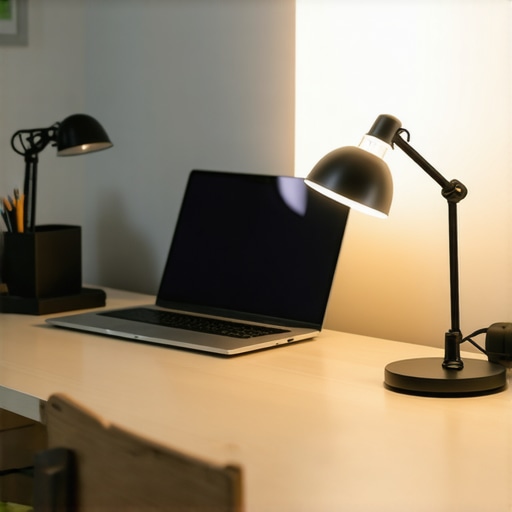
Ever had a late-night work session where your desk lamp flickered just as you were about to hit send? Or perhaps you’ve struggled with harsh, unflattering lighting during video calls, feeling your face wash out or shadows creep in? I remember the exact moment I realized that workspace lighting isn’t just about brightness—it’s about creating an environment that fuels productivity and comfort. It hit me during one of those marathon deadlines, when I finally understood that the right lighting setup can transform frustration into focus.
The Power of Good Lighting in Your Workspace
The truth is, lighting can make or break your workday. Properly chosen desk lamps and ring lights not only improve visibility but also reduce eye strain, boost mood, and elevate your overall efficiency. I used to rely on the default ceiling light, thinking it would suffice. But after a few hours of squinting and feeling fatigued, I decided to experiment with dedicated task lighting. The difference was astounding—my productivity soared, and those pesky headaches diminished.
Research supports this anecdotal evidence: a study published in the Lighting Research Center highlights how optimal lighting can enhance performance and well-being. Learning from early mistakes—like placing my lamp too far away or choosing a dim bulb—taught me that setup matters just as much as the equipment itself. The key is understanding what types of lighting work best for your specific space and tasks.
If you’ve ever faced inconsistent lighting that leaves your workspace a battleground of shadows and glare, you’re not alone. I had my share of frustrations until I discovered the perfect combination of a well-positioned desk lamp and a flattering ring light. Today, we’re going to explore how to achieve that ideal setup, tailored to your needs, to turn your workspace into a haven of focus and comfort.
Designing a Workspace That Inspires Productivity
But before diving into the how-to’s, let’s address a common concern—many skeptics wonder if investing in good lighting really makes a difference or if it’s just hype. Believe me, I was there, too. I once dismissed the fuss over ring lights and high-end desk lamps, thinking they were luxuries rather than necessities. That was until I realized the impact of lighting on my work quality and mental clarity. Proper lighting isn’t just about brightness; it’s about setting the right tone, reducing strain, and boosting confidence during virtual meetings.
If you’re questioning whether upgrading your workspace lighting can truly change your game, you’re in good company. I encourage you to explore options that suit your tasks and style, such as those found in our ring light hacks for video calls or tips on selecting the best desk lamp for your unique requirements. Remember, a well-lit workspace isn’t a luxury—it’s an investment in your productivity and well-being.
Next up, we’ll explore how to identify the perfect lighting solutions tailored for your space, ensuring you not only see better but feel more motivated each day. Are you ready to shed some light on your workspace setup?
Start with a Clear Layout
First, assess your workspace dimensions and natural light sources. Draw a simple layout to visualize potential lighting positions. During a recent overhaul, I measured my desk and identified a window nearby, which initially caused glare. Moving my desk away from direct sunlight and planning where to place auxiliary lights made a noticeable difference.
Choose the Right Desk Lamp for Focused Tasks
Select a desk lamp that provides adjustable brightness and color temperature. Think of it like a spotlight—direct, flexible, and tailored to your needs. I replaced my old lamp with a modern LED model (see this guide), which allowed me to fine-tune my lighting, reducing eye strain during long hours.
Position your Desk Lamp Correctly
Place the lamp slightly behind and to the side of your working hand to prevent shadows. I initially placed mine directly in front, creating glare on my monitor, but repositioning it improved clarity and comfort immediately. Use a flexible arm to adjust the light angle precisely.
Integrate a Ring Light for Virtual Interactions
A ring light adds even, flattering illumination, essential for video calls and content creation. I experimented with different heights and distances, balancing brightness with softness. For guidance, check this comprehensive resource. Remember to get the right size—too big can overpower the space, too small may not suffice.
Optimize Your Ring Light Settings
Set your ring light to a warm to neutral color temperature. Use dimming options to avoid an overly harsh look. During my test session, I started with maximum brightness but realized that lowering the intensity created a more natural skin tone, making my video presence more professional.
Implement Bias Lighting for Eye Comfort
Bias lighting behind your monitor reduces eye strain by decreasing contrast between the screen and surrounding areas. Consider LED strips that can be attached easily. I placed a warm white strip behind my monitor, which immediately alleviated fatigue after extended viewing periods. For more tips, explore this article.
Maintain Consistent Light Temperatures
Mixing different color temperatures can make your workspace look disjointed and cause discomfort. Stick to a unified palette—warm whites for ambient lighting, neutral for task lighting. I divided my space with a warm bias light and cooler desk lamp, creating a welcoming yet functional environment. Use color temperature information from this guide for reference.
Test and Adjust Regularly
Lighting isn’t static; it requires tuning. Set aside time weekly to evaluate shadows, glare, and comfort. I once spent a Saturday afternoon repositioning my lights, realizing that small shifts—like angling my desk lamp differently—significantly improved visibility and mood. Document your setup and tweak it over time to stay aligned with your tasks and preferences.
Don’t Forget to Use Smart Controls
Tap into smart lighting solutions for automation. Dimmable LED bulbs and app-controlled fixtures allow seamless adjustments during different work phases. During my busy periods, I program my lights to switch to brighter, cooler settings for focus and warmer tones for winding down, creating an intuitive environment. Check this resource for options.
Many assume that brighter lighting is always better, but the truth is, this common misconception can undermine your workspace efficiency. Overly harsh lighting can cause glare, eye strain, and discomfort, actually decreasing productivity. Instead, the real mastery lies in understanding nuanced lighting layers and their impact on focus and well-being. For example, relying solely on LED desk lamps without considering color temperature and placement often results in uneven illumination, which can create distracting shadows and flickering sensations that fatigue the eyes over time. According to lighting experts, the key is balanced layering—combining ambient, task, and accent lighting tailored to your specific needs—rather than simply increasing brightness. One frequent trap is equating high lumens with better lighting, but this ignores the role of light quality; a well-designed lighting scheme focuses on color rendering index (CRI) and preferred temperature to evoke the desired mood and alertness.
How can advanced lighting setups improve your productivity beyond basic illumination?
Implementing bias lighting behind your monitor and choosing adjustable ring lights with customizable warmth can significantly enhance visual comfort. However, many overlook the importance of matching the spectral qualities of all light sources in the workspace, which prevents disjointed color tones that can cause visual fatigue and reduce concentration. Studies from the Lighting Research Center suggest that consistent, properly calibrated lighting enhances circadian rhythms and emotional regulation, leading to better mental clarity and reduced fatigue. An often-missed nuance is the importance of avoiding flicker in LED lamps, which can cause headaches and eye discomfort — a detail that the average consumer seldom considers. To leverage these insights effectively, check [this comprehensive guide](https://lighting.techdeskessentials.com/how-to-choose-the-perfect-desk-lamp-for-your-workspace-in-2025) for selecting the right desk lamp and learn how to combine various lighting layers seamlessly.
Another crucial aspect is the placement and angle of your light sources; improper positioning can cause unwanted shadows on your workspace or screen glare. For instance, placing a desk lamp directly in front of the monitor may seem intuitive but often causes reflections and reduces contrast, hampering visual focus. Instead, positioning your task lighting to the side and slightly above your line of sight promotes better shadow control and clarity. Many overlook smart controls and dimming features, which allow adapting lighting intensity dynamically, aligning with the natural light cycle or task complexity. Integrating these advanced techniques transforms workspace lighting from a mere utility into a strategic tool for productivity and health, rather than falling prey to simplistic ‘brighter is better’ myths. Curious to learn more about optimizing your lighting setup? Visit [this resource](https://lighting.techdeskessentials.com/effective-workspace-illumination-using-ring-lights-desk-lamps-2025) for detailed strategies. Have you ever fallen into this trap? Let me know in the comments.Maintaining optimal workspace lighting requires the right tools and a consistent approach. Personally, I rely on a combination of smart dimmers, high-CRI LED bulbs, and regular adjustments to ensure my setup remains effective over time. For example, I use a smart LED dimmer compatible with my existing fixtures, allowing me to fine-tune brightness without manual intervention, which is essential during different work phases or times of day. This approach not only enhances convenience but also prolongs the lifespan of my equipment by avoiding unnecessary overuse at high brightness levels.
When choosing bulbs, I prioritize high CRI (Color Rendering Index) LED options—aiming for 90+—as they maintain color accuracy over prolonged periods, helping me distinguish fine details and reduce eye fatigue. Brands like Philips Hue and LIFX offer such high-CRI LEDs with customizable color temperatures and dimming features, which I amplify with a reliable app to automate lighting schedules that match my circadian rhythm.
Regular maintenance involves cleaning fixtures and checking connections to prevent flickering or dimming issues. I schedule monthly inspections to replace any worn-out bulbs and clean dust from LED strips and lamp lenses, ensuring maximum light output. Incorporating a light meter app also helps verify that my lighting levels stay within the optimal range essential for long hours of work.
Looking ahead, as smart home integrations grow more sophisticated, I predict a future where automation and AI-driven adjustments will become standard for workspace lighting. Imagine a setup that learns your daily patterns, adjusting color temperature and brightness dynamically to optimize focus and relaxation—truly transforming workspace ergonomics.
### How do I maintain my workspace lighting over time?
To keep everything functioning smoothly, I recommend adopting a proactive approach: regularly inspect your fixtures, update firmware or software when available, and fine-tune settings to correspond with your evolving needs. Investing in quality tools like programmable LED controllers or smart dimmers can make ongoing adjustments effortless. If you’re interested in exploring advanced solutions, check out the detailed guides on LED lamp optimization and consider trying a smart dimmer system to automate brightness adjustments—your eyes will thank you for it.
Reflecting on my journey with workspace lighting, I realize that the most profound lessons came from trial, error, and a willingness to question conventional wisdom. One of the toughest truths I uncovered was that investing in high-quality lighting isn’t just about aesthetics or trendiness—it’s about fostering a sustainable environment that nurtures focus, health, and creativity. For instance, I once believed that brighter meant better, only to discover that overly harsh lighting drained my energy and blurred my vision. It was a wake-up call that understanding the nuances of light layers and spectral quality can elevate your entire working experience.
What Hidden Insights Changed My Entire Approach to Workspace Lighting
- The Myth of One-Size-Fits-All Brightness: Uniformly increasing lumens often backfires, causing glare and fatigue. The real magic lies in layered lighting—balancing ambient, task, and accent lights tailored to your tasks and mood.
- Smart Controls Are Game Changers: Automating brightness and color temperature adjustments helps maintain consistency and reduces the mental clutter of manual tweaks. I saw immediate improvements in my energy levels by programming my lights to adapt throughout the day.
- Color Temperature Matters More Than You Might Think: Sunny whites aren’t always ideal; warm or neutral tones can foster calm, while cooler hues sharpen focus. Knowing when to switch settings can boost productivity and well-being.
- Placement Is Everything: Proper positioning of desk lamps and ring lights prevents shadows and glare, significantly enhancing visual comfort. I learned that a slight shift in angle made a world of difference.
- The Learning Never Stops: Regularly assessing and adjusting your lighting setup keeps it aligned with evolving needs. Staying curious and open to new solutions unlocks continuous improvement.
Tools and Resources That Elevated My Workspace Lighting Game
- The modern desk lamp guide: An indispensable resource for selecting adaptable, eye-friendly lighting fixtures that suit dynamic work styles.
- Ring light hacks: Practical tips for achieving soft, flattering illumination during virtual meetings and content creation.
- Bias lighting insights: How subtle backlighting behind monitors can reduce eye strain and enhance contrast perception.
- LED innovations: Exploring the latest in smart, high-CRI LED options that bring true-to-life colors and energy efficiency to your workspace.
Step Into the Light and Take Your Workspace to the Next Level
Creating a well-lit workspace isn’t just about visibility; it’s about crafting an environment where you feel energized, comfortable, and inspired to do your best work. Don’t wait for the perfect setup to arrive—start experimenting with different lighting layers, control options, and placements today. Remember, your environment has a profound impact on your mental clarity and physical health. As you embrace smarter lighting solutions, you unlock not just better productivity, but a more joyful and resilient approach to your daily tasks.
Are you ready to shed some light on your workspace and see the difference it can make? Share your experiences or ask questions below—I’d love to hear how lighting has transformed your work life!

About the Author
Ricardo Vargas
Director of Operations and Product Development
Ricardo Vargas is a seasoned professional in the lighting industry, currently serving as a Director of Operations and Product Development
LinkedIn Profile
I really resonate with the importance of proper lighting setups that you discuss here. I’ve personally struggled with eye strain during long work sessions, especially when relying solely on standard ceiling lights. Switching to an adjustable LED desk lamp with warmer tones significantly improved my comfort and focus. What’s been a game-changer for me is using smart lighting controls, which allow me to automate lighting adjustments based on the time of day or the task at hand. It’s fascinating how small changes, like positioning a lamp at the right angle or using bias lighting behind the monitor, can make such a difference in reducing fatigue and increasing productivity. I’d love to hear from others—what are your favorite lighting hacks for staying focused throughout a long workday? Have you found specific color temperatures or placement strategies that work best for you?
This post really emphasizes something I’ve come to realize over time: lighting isn’t just about seeing clearly, but about creating an atmosphere that promotes focus and well-being. I’ve struggled with eye fatigue myself, especially when I relied on harsh overhead lights during long hours. Since switching to a combination of warm-dimmed desk lamps and a circular ring light for video calls, my comfort has improved significantly, and I find it easier to stay concentrated without feeling drained. I also learned that the placement of these lights makes a huge difference—having my desk lamp slightly behind me and at an angle reduces shadows and glare. For those wondering about maintaining consistency, smart dimming controls have been a game-changer, allowing me to adapt the lighting as the day progresses. My question for others is: how do you balance ambient and task lighting to prevent either from overpowering your workspace? Are there specific brands or models you swear by for quality and reliability? The right lighting setup truly transforms your work environment, making those late nights more manageable and even enjoyable.
Reading through this detailed overview, I couldn’t agree more about the importance of lighting layers and strategic placement. I personally found that integrating a smart dimmer switch for my LED desk lamp and bias lighting behind the monitor was a game-changer, allowing me to tweak the ambiance effortlessly based on the task or time of day. It’s interesting how small adjustments, like angling the desk lamp or choosing high-CRI bulbs, make such a big difference in reducing eye fatigue and improving mood. I’ve also experimented with color temperature settings, finding that a warmer light helps me wind down after a long work session, while cooler tones boost alertness. It got me thinking—what’s everyone’s experience with the long-term effects of different lighting schedules? Do you find certain routines help you maintain focus, or is it more about seasonal adjustments? I’d love to hear how others customize their setups for sustained productivity and comfort.
I really appreciated this comprehensive guide—it’s a game-changer for anyone looking to optimize their workspace. I’ve personally found that blending different types of lighting, like warm ambient light with a cooler task lamp, creates a perfect balance that keeps my eyes comfortable and my mind alert. I also recently started experimenting with smart lighting controls, which makes switching between focus mode and relaxation mode so effortless. One thing I’ve noticed is that the placement of lights truly makes a difference; I used to have my desk lamp directly in front of me, which caused unwanted glare on my screen. Moving it to the side at an angle has improved my focus quite a bit. For those who struggle with eye fatigue, what’s your go-to strategy for positioning your lights? Do you prefer adjustable lamps or fixed fixtures? I’d love to hear how people are customizing their setups for longer work sessions.
This article really hits home about how crucial proper lighting is for productivity. I used to underestimate the power of a good desk lamp until I invested in a high-CRI LED model with adjustable color temperature. It’s made a noticeable difference in reducing eye strain and keeping me focused, especially during those late-night projects. One tip I found helpful was to position my lamp at an angle to avoid glare on my screen and to match the color temperature to the time of day—warmer tones in the evening help me wind down, while cooler lights for mornings boost alertness. I also integrated a smart dimmer, which allows me to seamlessly switch moods without fiddling with manual controls. That said, I’m curious—what’s everyone’s experience with balancing ambient and task lighting? And do you have favorite brands or features that help improve your workspace comfort?