
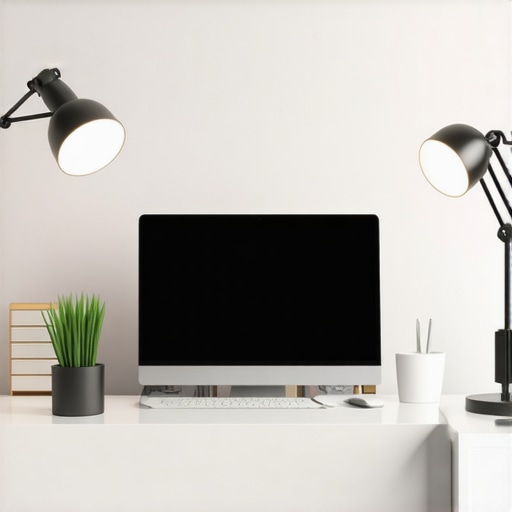
As I sat at my desk late into the evening, frustration boiled over. The shabby, flickering desk lamp I had relied on for years seemed more like a hindrance than a help. Shadows crept across my workspace, my eyes strained, and motivation waned as I struggled to focus. That was my eye-opening moment—that if I wanted to boost my productivity and enjoy my workspace, I needed to rethink my lighting. Ever felt that way? Like your workspace could be brighter, more inviting, or simply more effective? Well, you’re not alone. I discovered that the right combination of LED lamps and ring lights could completely transform my environment, making work feel less like a chore and more like a pleasure. Today, I promise to guide you through my journey and show you how to choose the best lighting solutions for 2025—solutions that can turn any dull workspace into a vibrant hub of efficiency.
Why Good Workspace Lighting Matters More Than Ever
In our increasingly digital world, the importance of proper workspace illumination has skyrocketed. Poor lighting doesn’t just cause eye strain; it can steal your focus, diminish your mood, and hamstring your productivity. Studies reveal that inadequate light levels can reduce work output by up to 20%, and that’s a hit no one can afford to take in today’s competitive environment. The good news is, modern lighting tech offers innovative solutions—like energy-efficient LED lamps and smart ring lights—that make a noticeable difference. I learned this the hard way early on, when I ignored the significance of quality lighting and paid the price in fatigue and dissatisfaction. By upgrading my setup, I realized I could work longer, focus sharper, and even enjoy my time at the desk more. Curious about how to get there? Let me walk you through the practical steps to select the ideal lights for your space.
Is Overloading on Lights Actually Worth the Hype?
I remember rushing to buy the most powerful LED lamp without much thought, only to find it glaring and discomforting. My mistake was thinking more brightness always equates to better results. According to expert advice, the key is balanced lighting—not just raw lumens. This is where layered lighting, including task, ambient, and accent lights, creates a harmonious environment. Avoid my early blunder of overdoing it; instead, start small and layer your lighting strategically. Want to learn how to dodge common pitfalls? Check out this comprehensive guide that shares insider tips to optimize your setup. I’ll share more about these strategies soon, so stay tuned to turn your workspace into a productivity powerhouse.
Start with Layered Lighting to Avoid Eye Strain
Adopt a multi-layered approach by combining task, ambient, and accent lights. First, place a focused LED desk lamp, like those featured in this guide, to illuminate your workspace directly. For example, I once rearranged my desk to position an adjustable lamp at a 45-degree angle, reducing glare and shadows. The result? Sharper focus and less fatigue. Use warm-colored LEDs for comfort and cooler tones for concentration during long hours.
Add Bias Lighting to Reduce Eye Fatigue
Implement bias lighting behind your monitor to create contrast and lessen eye strain. Think of it as backlighting for a TV, but calibrated for work. I used a color-adjustable bias light, following this tutorial, and immediately noticed my eyes felt less tired after extended screen time. Position the bias light strip on the back edge of your monitor, ensuring it’s not visible directly to prevent glare.
Choose the Right Type of LED Lamp for Your Needs
Select an LED desk lamp that matches your workspace size and task requirements. For detailed tasks like editing photos or designing, opt for lamps with high CRI (Color Rendering Index) and adjustable brightness, as outlined in this comprehensive guide. I experimented with a flexible gooseneck lamp that allowed me to direct light precisely, making jobs like reading documents or working on intricate projects more comfortable and efficient. Remember, the key is avoiding overly bright or dim lighting—balance is essential.
Upgrade to a Ring Light for Video Calls
Enhance your video conferencing experience by adding a ring light, which provides uniform illumination and reduces shadows on your face. I once scrambled to set up a ring light from a neighbor’s garage sale and, after a quick calibration, looked professional even with a messy background. For optimal results, position the ring light directly in front of your face at eye level, and consider one with adjustable brightness and color temperatures, like those recommended in this list. This simple addition made my appearance clearer and helped me maintain eye contact virtually.
Integrate Smart Controls and Positioning Techniques
Use smart outlets or compatible lamps to control lighting remotely or set schedules. For instance, I used a voice-activated system to turn on my desk lamp before I even sat down, saving me time and effort. Additionally, proper positioning—placing lights at 30-45 degrees from your eyes and slightly above desk height—reduces glare and ensures even illumination. I learned this through trial and error, slightly adjusting my desk lamp until I eliminated shadows, which boosted my productivity significantly. Combining these techniques with adjustable fixtures ensures you adapt lighting to your daily needs effortlessly.
Many enthusiasts focus on choosing the brightest LED lamps or the most glamorous ring lights, but there’s a subtle layer of complexity that often goes unnoticed. Contrary to popular belief, brighter isn’t always better; excessive lumens can create glare, distract your eyes, and ironically reduce your productivity. Experts emphasize the importance of layered lighting—combining task, ambient, and accent lighting—to create a balanced environment that minimizes eye strain. For instance, using a high-CRI LED desk lamp in tandem with bias lighting behind your monitor can dramatically improve focus and comfort, as explained in our detailed guide on LED lamp innovations. A common myth is that static lighting setups suffice long-term; in reality, adjustable fixtures and smart controls enable you to modify your environment to match the time of day and task complexity, which is crucial for sustained productivity. Be cautious of the trap many fall into—assuming that a single light source can meet all needs—leading to uneven illumination, increased glare, and discomfort. Instead, diversifying your lighting layers can optimize your workspace. For advanced practitioners, a key question is: How can color temperature variations influence your circadian rhythm and overall alertness? Research indicates that cooler temperatures (5000K-6500K) promote alertness during work hours, while warmer tones (2700K-3000K) aid relaxation, as studied by the Lighting Research Center. Integrating smart, tunable LED fixtures allows seamless adjustment, aligning your lighting with natural cycles. Remember, strategic placement of lights at 30-45 degrees from your eyes and slightly above desk height reduces glare and shadows, enhancing visual clarity. This nuance can be the difference between a workspace that sustains your focus and one that drains your energy. So, the next time you choose a lamp or set up your ring light, think beyond the basics. Are you falling prey to simple assumptions? Have you ever fallen into this trap? Let me know in the comments.Once you’ve curated the perfect lighting setup with quality LED lamps, ring lights, and bias lighting, sustaining that environment becomes essential for ongoing productivity and comfort. Regular maintenance ensures your lights operate at peak efficiency and longevity. I personally recommend using a microfiber cloth to gently clean your LED fixtures weekly, removing dust and smudges that diminish brightness. Additionally, swapping out older bulbs or updating software control apps, especially for smart lighting systems, keeps your setup responsive and feature-rich. For instance, I use the Philips Hue app, which regularly releases firmware updates to enhance compatibility and functionality—addressing potential glitches before they impact your workflow. Keep an eye on your lighting’s color temperature and brightness levels; over time, bulbs might drift from their original specifications, affecting mood and focus.
Predicting the future, I believe smart, tunable lighting solutions will become more integrated with AI to automatically adjust based on your circadian rhythms, optimizing alertness and relaxation seamlessly.
How do I maintain my lighting setup over time?
Establish a routine check—monthly cleaning of fixtures and inspecting cords for wear—much like maintaining other essential tools in your workspace. Consider scheduling software updates for your smart lights to unlock latest features, or replacing incandescent or aging LEDs to prevent flickering and color shifts. Investing in modular fixtures that allow easy replacement of parts can save money and effort long-term. Remember, a mostly hands-off approach with smart controls can help automate routine adjustments, reducing manual intervention.
Another tip is to calibrate your bias lighting periodically, since even slight shifts in ambient light levels can cause eye strain. Following expert advice from lighting innovators ([see here](https://lighting.techdeskessentials.com/ultimate-guide-to-bias-lighting-desk-lamps-for-better-workspace-illumination)), I use a lux meter to ensure your setup maintains optimal brightness levels.
Finally, keep a log of your lighting changes and performance observations. Over time, you’ll notice patterns—like certain fixtures needing replacement sooner—allowing you to plan ahead. As technology advances, expect smarter tools to assist with diagnostics and maintenance, minimizing downtime.
So, why not try implementing a monthly cleaning schedule coupled with software updates for your smart lights? This simple step can prolong the life of your setup and ensure consistent performance for years to come.
Poor Setup Trapped Me in Unproductive Shadows—Here’s What I Learned
One of the most eye-opening lessons I discovered was that even a small tweak, like adjusting my LED lamp’s angle or switching to a warmer bias light, dramatically boosted my focus and comfort. Often, I thought upgrading the brightness was enough, but I realized that layering different types of lighting—task, ambient, and accent—creates a synergy that enhances productivity without overwhelming the eyes. This understanding saved me from investing in overly bright or poorly positioned fixtures that only caused glare and fatigue.
Crafting My Ideal Workspace with Thoughtful Choices
Through trial and error, I found that selecting adjustable LED lamps with high CRI, integrating bias lighting behind my monitor, and using smart controls made my environment adaptable and inviting. I trust tools like the ultimate guide to bias lighting because it provided me with insights that transformed my approach. Merging aesthetic appeal with functionality truly turned my workspace into a place I look forward to being in each day.
Embracing the Power of Personal Comfort and Efficiency
I learned that maintaining optimal lighting isn’t a one-time setup but a continuous process. Regular cleaning, software updates, and calibration help sustain my environment’s magic. Using smart, tunable lights has a futuristic appeal, allowing me to adjust color temperatures to match the time of day—energizing in the morning, relaxing in the evening. Investing time in these small, ongoing steps has paid huge dividends in my focus and mood.
Lessons That Shaped My Understanding of Workspace Lighting
- Layering Matters: Relying on multiple light sources tailored to different needs creates harmony, not chaos. Overloading with a single bright bulb often backfires, causing glare and eye strain, so I learned to balance task lighting with softer ambient sources.
- Adjustability Is Key: Static fixtures are limiting. Adjustable LED lamps and smart controls empower me to tweak lighting based on my task or mood, preventing fatigue and discomfort, as highlighted in the comprehensive review of LED innovations.
- Color Temperature Shapes Focus: Cooler light boosts alertness, warmer tones soothe, and the ability to toggle between them keeps productivity high and stress low. Incorporating this knowledge helped me design a workspace that supports my circadian rhythm and mental clarity.
- Maintenance Matters: Consistent cleaning, calibration, and updates prolong equipment lifespan and maintain optimal performance. A well-tended setup feels more reliable and contributes to sustained focus.
If I could distill everything into one piece of advice, it would be this: Your workspace lighting is the unsung hero of your daily productivity. Small, intentional adjustments—layering lights, choosing adjustable fixtures, and maintaining them—can make a profound difference. Remember, your environment should work for you, not against you. Curious about how to elevate your workspace lighting even further? Check out these modern LED solutions to create a setup that inspires your best work every day.

About the Author
Ricardo Vargas
Director of Operations and Product Development
Ricardo Vargas is a seasoned professional in the lighting industry, currently serving as a Director of Operations and Product Development
LinkedIn Profile
I totally relate to the frustration of poor lighting—I’ve been there! Switching to layered lighting with adjustable LED lamps made such a difference for me. I started with a focused task light and added ambient and bias lighting behind my monitor, which really reduced eye strain during long work sessions. It’s interesting how the right positioning and choosing the correct color temperature can improve focus without causing glare. I’ve also found that regular cleaning and updating smart controls keep my setup running smoothly. For anyone hesitant about starting, I’d recommend experimenting with different LED brightness levels and layering different light types; it’s surprising how small tweaks can boost comfort and productivity. I’m curious—what are some of the biggest challenges others have faced when customizing their workspace lighting? Have you found certain combinations that work best for specific tasks like creative work versus deep focus tasks? Would love to hear your tips and experiences to optimize our home offices!
Reading about the evolution of workspace lighting really resonated with my own experience. I used to rely solely on a single desk lamp, which often left my eyes strained and my workspace dreary. Since adopting layered lighting—combining a focused LED task light, ambient lights, and bias lighting—my comfort and productivity have skyrocketed. One thing I found especially beneficial was adjusting the color temperature to match natural daylight patterns; cooler temps energize me during work hours, while warmer tones help me unwind after. Have others experimented with tunable lights that adapt throughout the day? I’d love to hear how different setups have helped balance alertness with relaxation. Also, managing glare and shadows is tricky, and I’ve learned that slight repositioning of lamps can make a world of difference. What are your go-to strategies for preventing eye fatigue during long sessions? I think ongoing tweaks and smart controls are the future of personalized workspace lighting!”,
Reading through this post really made me reflect on my own workspace lighting setup. I used to think that a single bright desk lamp was enough, but I never quite realized how much layering and proper positioning can impact my focus and eye comfort. I finally switched to a combination of adjustable LED task lights, bias lighting behind my monitor, and a warm-tone ring light for video calls, which has made a noticeable difference. The key for me was experimenting with the placement—particularly making sure the lights weren’t causing glare—and adjusting color temperature based on the time of day. I also started maintaining my lights more regularly, which keeps everything functioning smoothly. It’s interesting how small adjustments, like shifting a lamp or changing the light’s color, can reduce fatigue and boost productivity. Do others find that specific color temperatures work better for different tasks? I’m curious about what setups help others stay alert for creative projects versus deep focus work.
I really relate to the importance of layered lighting in creating a comfortable workspace. After experimenting with different setups, I found that combining an adjustable task lamp with bias lighting not only reduced eye strain but also helped define my workspace, making it feel more inviting. I’ve noticed that the subtle shift to warmer tones during late hours really helps my eyes relax and wind down. It’s interesting how seemingly small adjustments, like the angle and placement of these lights, can make such a difference in focus and fatigue. I’m curious, have others found that specific lighting strategies work better during particular types of work, like creative tasks versus deep concentration? Also, what’s your favorite smart lighting feature to incorporate into your workspace for maximum convenience? Would love to hear more about how others are customizing their setups for different needs.