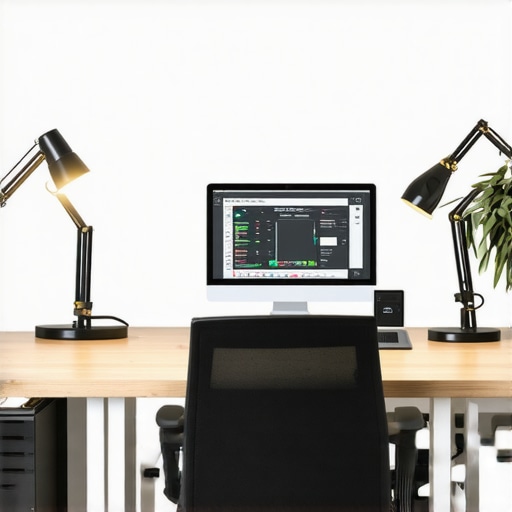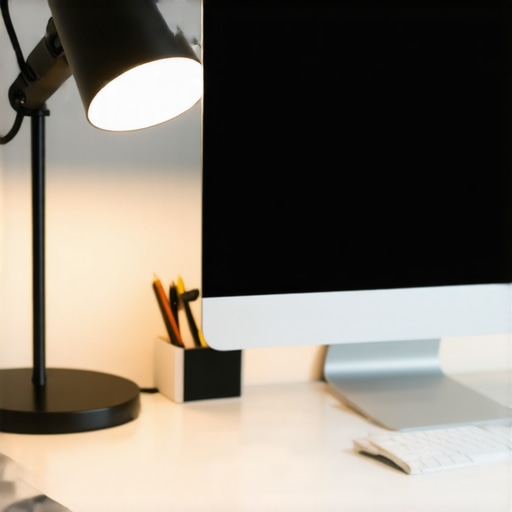
I vividly remember the moment I realized my workspace was sabotaging my focus—late one evening, I glanced at my desk lamp and thought, “Is this lighting actually helping or just making things worse?” The harsh glare, uneven shadows, and flickering suddenly felt like a barrier rather than a tool. It was a startling lightbulb moment that set me on a quest to find the ideal lighting setup for my home office.
Why Good Lighting Can Make or Break Your Workday
Since then, I’ve learned that the right combination of bias lighting and desk lamps isn’t just about aesthetics—it’s about enhancing productivity, reducing eye strain, and creating a workspace that truly supports your well-being. Poor lighting can lead to headaches, fatigue, and even decreased motivation. Did you know that inadequate workspace illumination is linked to a 25% drop in productivity, according to industry studies? That was a wake-up call for me, and it might be for you too.
Have You Faced This Common Home Office Lighting Struggle?
If you’re like most remote workers, you might be battling flickering LEDs, insufficient ambient light, or uncomfortable glare that makes your entire day harder than it needs to be. I used to make the mistake of relying solely on overhead lights, ignoring the nuanced interplay of different lighting solutions. Trust me, that was a rookie error I won’t repeat. Learning the ins and outs of effective workspace lighting has transformed my daily routine and can do the same for you.
In the following sections, we’ll explore practical, tried-and-true strategies—based on my personal experience and supported by expert insights—to help you craft a lighting environment that’s both functional and comforting. Want to dive into the specifics? Let’s get started and shed some light on your optimal workspace setup.
Add a Layer of Bias Lighting to Reduce Eye Strain
Start by positioning a bias light behind your monitor, ideally using an LED strip or soft backlight that casts a gentle glow around the screen. I once used a cheap LED tape—initially too bright and scattered—causing glare instead of comfort. After dimming and diffusing the light with a cloth, I noticed a marked decrease in eye fatigue during long work sessions. Learn more about bias lighting tips to optimize this setup.
Choose the Right Desk Lamp to Focus and Decorate
Select a Flexible Arm Lamp for Precise Illumination
Pick a desk lamp with adjustable brightness and directionality. I experimented with a few, docking a flexible-arm lamp onto my cluttered desk—initially with too harsh a bulb, causing glare. Switched to a dimmable LED with a warm tone, which improved my focus without straining my eyes. Optimal positioning, about 15 inches from your workspace, ensures light reaches your work without causing shadows or reflections. Find out how to choose the perfect desk lamp.
Prioritize Light Quality and Placement
Position your desk lamp so that it illuminates your workspace evenly, ideally without casting shadows on your paper or keyboard. I learned this through trial and error—initially, my lamp cast a shadow over my notes, which impeded my reading. Adjusting the angle and height made a big difference. Remember, indirect lighting is gentler and reduces fatigue.
Incorporate Additional Lighting for Balance
Introduce ambient lighting—like a ceiling fixture with diffused LEDs—to complement task lights. I added a subtle overhead light and found my eyes no longer struggled between bright and dark zones. Use diffusers to soften direct beams, and consider color temperature; cooler tones (around 4000K-5000K) boost alertness, while warmer tones (2700K-3000K) create a relaxed environment. Explore modern LED solutions for workspace.
Leverage Ring Lights for Video Calls
For those frequent video meetings, ring lights can dramatically improve your appearance and reduce discomfort from uneven lighting. I set up a ring light on my desk, slightly above eye level, which brightened my face evenly—eliminating shadows and making me look more professional. Position it about 2 feet from your face for optimal results and experiment with brightness to avoid overexposure. Discover hacks for perfect video lighting.
Nail Down Your Lighting Routine
Establish a consistent lighting setup that adapts to the time of day and task. I noticed better focus when I adjusted my bias lighting and desk lamp intensity in the late afternoon—reducing blue light exposure in the evening by dimming my LED strips and switching to warmer tones. This routine minimizes eye strain and helps establish a work-life balance. Consider smart lighting options that automatically adjust brightness and color temperature throughout your day, for seamless transitions and sustained comfort. See the best lighting solutions for ongoing comfort.
Balance Form and Function for Lasting Results
The key is not just installing bright lights, but creating a layered, adaptable lighting profile. My experience shows that investing in adjustable LED lamps, diffusers, and accent lights paid off, making my workspace more comfortable and productive. Take your time to fine-tune each element, and don’t be afraid to experiment—your ideal setup might be just a few tweaks away. For more insights on customizing your lighting, visit our contact page.
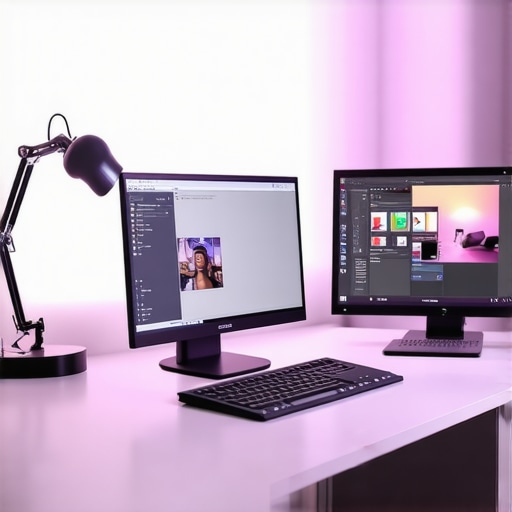 While many assume that simply adding a bias light or choosing a fashionable desk lamp instantly improves workspace lighting, the truth is far more nuanced. A common misconception is that brighter always equals better—yet, overly intense lighting can cause glare, disrupt focus, and even lead to headaches. For instance, some advocate for the brightest LEDs without considering their color temperature or diffusing methods, which can backfire, causing eye strain instead of relief. Discover how to select the right LED lamp to prevent these pitfalls.
Many enthusiasts also overlook the importance of proper placement and balancing multiple light sources. Relying solely on a ring light for videoconferencing, for example, might give excellent facial illumination but fails to address ambient shadow zones that cause discomfort or distraction. A layered approach—combining bias lighting, task lights, and ambient sources—is crucial for optimal comfort and efficiency. Study shows that mismatched lighting layers can exert cognitive load on your eyes, leading to fatigue and reduced productivity. For deeper insights, check this comprehensive guide to layered workspace lighting.
Another frequent mistake involves neglecting the psychological effects of color temperature. Many jump straight to cool whites or warm ambers without understanding their impact on alertness and relaxation. Cooler lights (around 5000K) boost focus but can feel sterile if overused, while warmer tones (around 2700K) promote comfort but may dampen productivity if not balanced correctly. Achieving the right hue requires understanding your work patterns and circadian rhythms. This is a nuanced dance that experts like lighting designers emphasize, and investing time in experiments can pay dividends. For more on mastering hue selection, explore our guide to choosing color temperature for your workspace.
In recent studies, such as one published in the Journal of Environmental Psychology, improper lighting setup—in particular, uncontrolled glare and unsuitable color temperature—negatively influences mood and cognitive performance. Therefore, it’s vital not just to add lights but to fine-tune their intensity, placement, and hue to align with both task requirements and psychological comfort.
Above all, beware of falling into the trap of aesthetic over functionality. Trending products or flashy features often overshadow the importance of personalized, layered lighting schemes that suit your specific workflow. Conduct experiments, adjust levels, and seek professional advice if needed. Just like I did with my setup, a thoughtful combination of different lighting sources can transform your productivity and well-being. Want to learn more about advanced workspace lighting techniques? Visit our contact page for expert tips and custom solutions. Have you ever fallen into this trap? Let me know in the comments.
Maintaining an effective lighting setup in your workspace demands more than just picking the right equipment; it involves a combination of reliable tools, consistent routines, and ongoing adjustments. Over the years, I’ve tested various devices and methods, and I can vouch for the importance of using quality tools that ensure longevity and performance.
Choosing the Right Hardware for Long-Term Success
I personally recommend investing in high-quality LED lamps, such as the latest LED innovations that offer adjustable brightness, color temperature, and energy efficiency. These features allow me to tailor my workspace lighting throughout the day, aligning with my natural circadian rhythms and reducing eye fatigue. Additionally, a good ring light like the top-rated ring lights have proven invaluable for video calls, providing even facial illumination without harsh shadows.
Leveraging Software to Automate Lighting Adjustments
Automation tools can significantly streamline your lighting routine. I use smart bulbs compatible with home automation platforms—these allow me to schedule brightness and color temperature changes that match my work schedule. For example, I set warmer tones for late afternoons to prepare for winding down, while brighter, cooler lighting in the morning helps boost alertness. Implementing such automation reduces the need for manual adjustments, ensuring my workspace remains optimal without constant intervention. For setup insights, check out our comprehensive guides.
How do I maintain workspace lighting over time?
Regular inspection and cleaning of your fixtures are vital. Dust, fingerprints, and wear can diminish light output and alter color accuracy. I schedule monthly checks—dusting lamps, tightening fittings, and replacing dimming components as needed. Swapping out older bulbs for newer, energy-efficient LEDs ensures sustained brightness and color consistency. Additionally, keeping a log of adjustments helps identify when it’s time for upgrades or recalibration. Maintaining your setup with these straightforward steps prolongs equipment lifespan and preserves the quality of your workspace illumination.
Anticipating future trends, I believe the integration of AI-driven lighting systems will become more prevalent, proactively optimizing your environment based on activity and ambient light conditions. Such advancements will make maintaining ideal workspace lighting even more effortless and precise.
To get started, I recommend trying a smart LED lamp with adjustable features and automation capabilities—it’s a game-changer for long-term workspace comfort. Want to explore the best options tailored to your needs? Contact us through our contact page.