
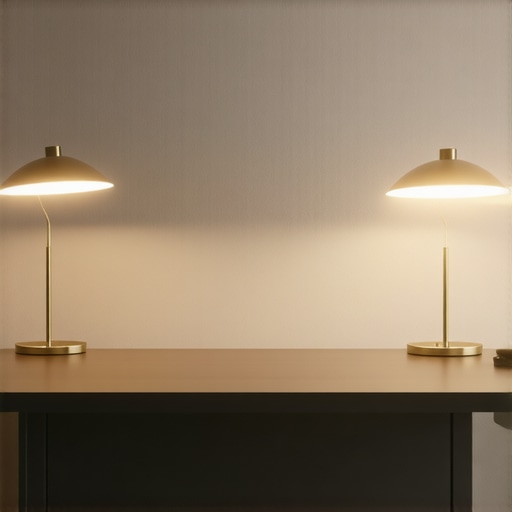
I remember the moment vividly—sitting at my cluttered desk late into the evening, squinting at my screen, shadows cast unevenly across my workspace. The reason? My old desk lamp just wasn’t cutting it anymore. It flickered, caused eye strain, and honestly, it made everything feel more chaotic than productive. That lightbulb moment sparked a realization: if I wanted to truly transform my workspace, investing in the right lighting was non-negotiable.
Why Good Lighting Is a Game-Changer for Your Workday
In 2025, our work environments are more important than ever. Proper lighting doesn’t just help us see; it influences our mood, productivity, and overall well-being. According to a recent study, poor lighting can decrease productivity by up to 20%, and eye strain is now a leading cause of digital fatigue. The good news? With the right combination of desk lamps and bias lights, you can create a workspace that fuels your focus rather than draining it.
Have you ever felt sluggish or irritable after a long work session in dim lighting? Or struggled to focus because of harsh glare or uneven light distribution? You’re not alone. Many of us overlook the importance of proper workspace lighting, yet it holds the key to transforming your daily routine. Ensuring your desk is illuminated just right can make the difference between a draining slog and a productive, enjoyable day.
Is Bias Lighting Actually Worth the Hype?
I used to dismiss bias lights as just another trendy gadget. My early mistake was thinking that a simple strip of light couldn’t seriously impact my workflow. But after experimenting with different setups, I learned that bias lighting reduces eye strain, enhances contrast, and even boosts mood—especially during long, screen-heavy days. For a deep dive into how bias lighting can elevate your setup, check out these tips. Trust me, it’s a small change with a big impact.
Prioritize Your Lighting Zones
Start by visually breaking down your workspace into zones—task area, ambient space, and video/call zone. During my messy first attempt, I placed a modern LED desk lamp on my task surface for direct light, a strip of bias lighting behind my monitor for contrast, and a ring light at eye level for video calls. Replicating this setup allows focused work without unnecessary eye strain.
Choose Your Base Lighting Wisely
Implement Efficient Desk Lighting
Pick a corresponding desk lamp that offers adjustable brightness and color temperature. I discovered that a flexible LED lamp with a swing arm was easiest to position—especially when clutter threatened my space during late nights. Avoid overly harsh or yellowish light; aim for a neutral white tone around 4000K to keep your eyes comfortable and your productivity high.
Add Dynamic Light Layers
Layer your lighting by combining ambient, task, and accent lights. I used a ring light to illuminate my face during calls, which drastically improved video clarity and professionalism. Meanwhile, I kept my desk lamp bright enough for writing and detailed work. This multi-layer approach reduces shadows, eye strain, and boosts focus, creating a balanced environment that adapts as your tasks evolve.
Experiment with Light Color and Brightness
Don’t settle for default settings; experiment by adjusting color temperature—from warm (2700K) for relaxed evenings to cool (6500K) for intense work periods. I learned this during my early chaos; shifting from a warm tone to a cooler one in midday helped me stay alert. Use the LED lamps with adjustable controls or smart bulbs that can change hue and intensity remotely. This flexibility prevents fatigue and keeps your mind engaged throughout the day.
Control Glare and Reflections
Glare from overly bright lamps or reflections from screens hinder focus. I faced this firsthand when my cluttered desk caused unintended reflections. To fix this, I angled my desk lamp downward or shifted it to eliminate glare. Additionally, matte or non-reflective surfaces on your workspace surfaces suppress unwanted reflections, making your lighting more effective. If glare persists, consider diffusing light with a lampshade or adding a diffuser attachment.
Automate and Tune Your System
Finally, incorporate automation for seamless control. I set up a smart lighting system connected to my computer to adjust brightness at scheduled times. During my initial setup, I struggled with manual tweaks, but once automated, I experienced less hassle and consistent lighting quality. Use apps or smart plugs to control your lights remotely and set scenes for different work modes, making your workspace adaptable without fuss. For guidance, review this comprehensive guide to selecting and tuning your lighting system effectively. Sustaining this setup transforms your workspace into a tailored environment optimized for productivity and comfort.When it comes to workspace lighting, many assume that simply installing a bias light or upgrading to an LED lamp will dramatically boost productivity. However, in my experience, there are subtle pitfalls that can sabotage your efforts if you’re not careful. One common myth is that brighter always means better, but over-illumination can cause glare and reflections that actually hinder focus. Additionally, many overlook the importance of proper *placement* and *light quality*. For example, a high-lumen LED lamp placed directly in your line of sight may seem beneficial but often leads to uncomfortable glare, causing eye strain rather than easing it. Instead, I recommend steering clear of the misconception that a powerful light source is always optimal and instead focus on diffused, adjustable lighting for a balanced environment. Another nuanced mistake is neglecting the color temperature; warm tones (around 2700K-3000K) promote relaxation but might reduce alertness, while cooler tones (around 5000K-6500K) enhance focus but can cause fatigue if used excessively. An advanced consideration is the potential for *light flicker*, especially with cheaper LED products, which can cause headaches or eyestrain over prolonged periods. According to a study by the Lighting Research Center, flickering light sources are often linked to visual discomfort and even migraines in sensitive individuals. To avoid this, opt for flicker-free LED lamps certified by reputable standards. A question that often arises among savvy users is: How does bias lighting impact *color accuracy* and *contrast* on screens? Many believe it simply reduces eye strain without affecting display performance, but improper bias lighting can distort colors or make screens appear contrasting differently, leading to visual fatigue over time. For precise color work, using bias lighting with neutral or calibrated tones is critical. For more sophisticated setups, smart lighting systems that adapt brightness and hue throughout the day can make a significant difference—so don’t underestimate the power of automation. As you refine your workspace lighting, remember that the *wrong* assumptions—like equating high-brightness with productivity or neglecting flicker—can cost you comfort and efficiency. Learning to distinguish between superficial improvements and truly effective solutions is where true progress begins. For deeper insights into selecting the perfect desk lighting, check out the guide on how to choose the ideal desk lamp. Have you ever fallen into this trap? Let me know in the comments.Maintaining your workspace lighting setup requires more than just plugging in your favorite LED lamp or ring light. To keep your system performing optimally, consider investing in quality adjustable fixtures that support flicker-free technology, such as those certified by reputable standards, which reduce eye strain during long sessions. Regularly cleaning your light sources ensures dust and grime don’t diminish brightness or color accuracy, especially important for precision tasks. Keep spare bulbs or smart bulbs compatible with your existing setup on hand; this quick swap can prevent workflow disruptions. Implementing a modular approach allows you to replace or upgrade individual components without overhauling your entire system, making scaling and updates straightforward as your needs evolve. Software tools also play a significant role—using apps that allow remote adjustment of brightness and hue ensures your environment adapts seamlessly throughout the day. Prediction suggests that with the rise of IoT-enabled lighting, future systems will automatically optimize based on ambient conditions and activity, further enhancing efficiency. For those seeking to fine-tune their setup, I recommend configuring your smart bulbs for scene presets—especially the ‘focused work’ and ‘relaxed evening’ modes—so switching between tasks becomes effortless. How do I maintain my lighting tools over time? Regularly inspect and clean fixtures, update firmware for smart lights, and replace aging components proactively to ensure consistent performance. Don’t hesitate to reach out through our contact page if you need personalized advice or assistance. Finally, I challenge you to try integrating flicker-free, dimmable LED fixtures coupled with smart control apps—they’re a game-changer for long-term workspace comfort and productivity.
Over time, I discovered that mastering workspace lighting isn’t just about purchasing the latest gadgets—it’s about understanding how subtle adjustments can dramatically impact your focus, comfort, and efficiency. One key lesson? The importance of *personalizing each lighting zone*. By tailoring task, ambient, and accent lights to specific needs, I transformed my workspace into a balanced environment that adapts seamlessly to my workflow. This insight has helped me bypass the common pitfalls of generic lighting setups, ensuring I stay alert without suffering from glare or fatigue.
What I Wish I Knew Before Investing in Lights
- Choosing flicker-free, adjustable LED fixtures made a world of difference—not just for eye comfort but also for long-term health. It’s tempting to go for high lumen counts, but quality and consistency matter more. I learned to prioritize flicker-free options, which not only reduced headaches but also kept my focus sharp during extended sessions. For a trusted starting point, explore these innovative LED lamps.
- Lighting placement can make or break your setup. A poorly positioned lamp causes unwanted glare and reflections that can quickly lead to fatigue. My breakthrough came when I learned to angle lights downward and utilize diffusers, creating a soft, even glow that comforts the eyes. The right placement turns a harsh environment into a calming workspace that enhances productivity rather than hampers it.
- Color temperature control is often underestimated. I found that warm tones foster relaxation for evening work, while cooler hues invigorate morning focus. The key is flexibility—investing in smart bulbs or adjustable fixtures allows me to switch moods effortlessly. This adaptability keeps motivation high throughout the day and aligns with natural circadian rhythms, a detail I wish I had prioritized earlier.
Tools That Changed My Approach to Workspace Illumination
- Smart LED systems like the latest smart desk lamps give me remote control over brightness and hue, making transitions between tasks smooth and stress-free. They’re reliable and versatile, fitting into any workspace.
- Bias lighting strips have helped reduce eye strain during long screen hours while boosting contrast and visual clarity. For optimal results, I recommend tuning bias lighting to neutral tones, which preserves true colors and reduces fatigue.
- Diffusers and reflectors are small but powerful. I use matte surfaces and diffusing accessories to eliminate glare, creating a soft, even light that nurtures my eyes and enhances the overall environment. These simple adjustments make a big difference without breaking the bank.
- Automation apps enable me to preset lighting scenes for different parts of my day—focused work, relaxed evenings, or virtual meetings. Setting these scenes in advance minimizes distraction and helps maintain a consistent, inviting atmosphere.
Ready to Light Up Your Productivity
“
Achieving an ideal workspace lighting environment might seem complex at first, but small, strategic changes can lead to remarkable improvements. As you experiment with different setups, remember that the goal isn’t just brightness—it’s creating an environment that boosts your well-being and keeps you motivated. Whether it’s adjusting color temperature with smart lamps, layering lights thoughtfully, or automating your scenes, these tweaks can make work feel less like a chore and more like a pleasure.

About the Author
Ricardo Vargas
Director of Operations and Product Development
Ricardo Vargas is a seasoned professional in the lighting industry, currently serving as a Director of Operations and Product Development
LinkedIn Profile
Reading this post really resonated with me because I’ve gone through a similar transformation in my workspace lighting. I used to rely solely on a basic desk lamp, which often caused glare and eye fatigue, especially during long work hours. Transitioning to adjustable, flicker-free LED fixtures with smart controls made a noticeable difference in my focus and comfort. I especially agree with the emphasis on layering different types of lights—task, ambient, and accent—to create a balanced environment. It’s fascinating how small adjustments, like changing color temperature or positioning lights correctly, can impact productivity so profoundly. Do others have tips for managing glare from multiple light sources, especially when working with reflective surfaces? I’ve found that matte mats and diffusers are helpful, but I’d love to hear other strategies to further optimize workspace lighting for focus and eye health.
This post really hits home for me, especially the part about layering different lights to create a balanced workspace. I’ve found that adding a soft, indirect light behind my monitor helps reduce contrast and glare, which has made long screen sessions much more comfortable. I also learned that using a smart, flicker-free desk lamp with adjustable color temperature prevents eye strain and boosts alertness during different times of the day. One challenge I still grapple with is glare from reflective surfaces like my glass desk. Incorporating matte mats and diffusers has helped, but I’m curious—what are some other effective ways to minimize glare from shiny surfaces without compromising brightness? Additionally, do you think future advancements, like adaptive lighting systems that respond to ambient conditions, will become essential for optimal workspace ergonomics? Would love to hear others’ experiences or tips on fine-tuning lighting setups for maximum comfort and productivity.