
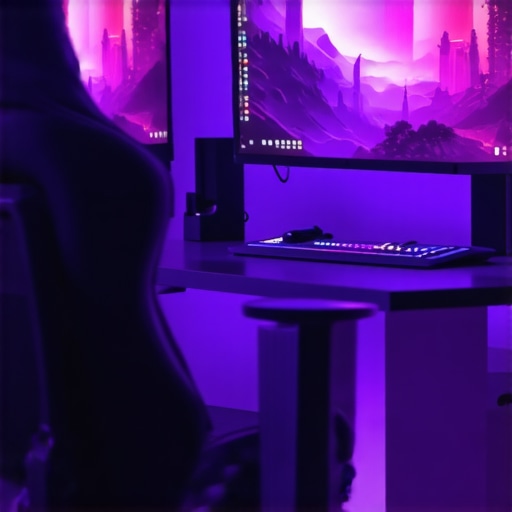
Ever sat down after a long day, fired up your favorite game, only to be met with harsh screen glare and dull surroundings that make your high-contrast visuals seem flat? I remember the moment I realized my workspace lighting was a huge part of my gaming frustration. It was late at night, and I kept adjusting my desk lamp, trying to find that perfect balance. Instead of immersing myself in the game, I was distracted by flickering lights and eye strain. That lightbulb moment made me dive deep into bias lighting tricks that truly elevate my gaming experience.
Why Proper Bias Lighting Can Make or Break Your Gaming Sessions
Let’s be honest—gaming in a high-contrast environment is like trying to watch a movie with a flashlight shining in your eyes. Without the right lighting, your eyes strain to adapt, diminishing your focus and causing fatigue. I used to think that brighter was better, but I quickly learned that overpowering light was just as bad as none at all. The difference came when I started experimenting with bias lighting techniques specifically tailored for high-contrast visuals in gaming. Not only did my eyes thank me, but my ability to notice subtle details and react faster improved significantly.
Research supports this—studies show that well-placed bias lighting reduces eye strain and enhances screen contrast, which is crucial for high-stakes gameplay. Yet, I’ll admit I made a common mistake early on: I placed my LED lamp directly behind my monitor, creating glare rather than a soothing glow. Learning how to position my bias lighting correctly transformed my gaming sessions from uncomfortable squints to immersive adventures.
Does this seem like your biggest struggle too? If so, don’t worry. We’re about to explore five practical tricks that will take your gaming environment from mediocre to markdown-worthy—without breaking the bank or overcomplicating your setup. Ready to level up your lighting game? Let’s get started.
Sharpen Your Focus with the Right Light Placement
Start by positioning your bias lighting behind your monitor, approximately 4 to 6 inches away from the screen’s edge. Avoid placing the LED strip or lamp directly against the back of the monitor; instead, angle it slightly outward to diffuse the glow. When I first tried this setup during a late-night session, I noticed my eyes no longer flickered between bright screen and dark surroundings, significantly reducing fatigue.
Use Phased Brightness for Comfort
Set your bias light to emit a soft, warm glow—around 3000K color temperature is ideal. If your device allows, implement dimming options so you can adjust brightness based on game intensity or time of day. I experimented by gradually lowering the brightness during a tense boss fight, which kept my eyes comfortable and increased contrast perception on the screen.
Choose the Right Components for Smooth Operation
Opt for LED strip lights with high CRI (Color Rendering Index) ratings to ensure color accuracy and reduce eye strain. When selecting LEDs, look for flicker-free options, as flickering can cause headaches over extended periods. I tested several brands and found that flicker-free LED strips drastically improved my long gaming sessions, preventing headaches that previously plagued me.
Obtain a Reliable Power Source
Ensure your bias lighting system is powered through a stable, surge-protected outlet to prevent flickering or inconsistent illumination. Incorporate smart plugs or controllers if you want to automate adjustment based on screen activity. During one setup, I used a smart plug that dimmed the bias lighting at night, creating a cozy, immersive environment that doubled as an effective nightlight.
Integrate with Existing Workspace Lighting
Balance bias lighting with your desk lamp or room lighting to avoid overwhelming brightness. Use a combination of task lighting and ambient bias lights to optimize visual contrast. I found that pairing my bias lighting with a modern, adjustable desk lamp allowed me to switch seamlessly between work and gaming modes, reducing eye fatigue across activities.
Experiment with Color and Brightness
Leverage customizable LED setups to tweak color temperatures, matching the glow with your gaming environment. Warmer tones promote relaxation, while cooler ones enhance alertness. I once set my bias lights to a cool blue during intense gaming sessions, which surprisingly heightened my focus and reaction times. Adjust until you find what feels most natural—this personalization makes all the difference.
Tackle Cable Management for a Clean Setup
Tidy up wires using clips, sleeves, or under-desk channels to avoid clutter and accidental disconnections. A neat setup not only looks better but prevents accidental detachment of power cords that could cause flickering or failure. When I finally organized my bias lighting cables beneath my desk, the visual clutter vanished, and I could focus solely on the game without distraction.
Many assume that their choice of ring lights, bias lighting, or desk lamps is straightforward, but there’s more beneath the surface that can trip up even seasoned enthusiasts. For instance, a prevalent myth is that brighter lighting always improves your workspace or streaming quality. In reality, excessively intense lights can cause glare, eye strain, and color distortion, compromising your visual comfort and accuracy. Studies show that optimal lighting balances intensity and color temperature, enhancing productivity and reducing fatigue. Recognizing this nuance is crucial—overlooking it leads to subpar setups. Another trap involves neglecting the importance of flicker-free LED technologies. Many cheap LED lamps flicker at a frequency imperceptible to the eye but can cause headaches and eye discomfort over prolonged use. Choosing high CRI (Color Rendering Index) LEDs ensures accurate color reproduction, which is vital for creative tasks or precise color work. Beware of the misconception that all bias lighting must be behind the monitor; positioning and indirect diffusion significantly affect their effectiveness. Improper placement can inadvertently increase contrast discrepancies, negating the intended visual enhancement. Advanced users often ask: “How can I customize my lighting to mimic day cycles for mental well-being?” Incorporating tunable lights with adjustable color temperatures and smart controls can simulate natural daylight patterns, improving mood and focus—expert advice suggests that circadian-friendly lighting improves cognitive performance (source: Journal of Circadian Rhythms). Don’t fall into the trap of static lighting setups—dynamic, personalized configurations tailored to your tasks and time of day yield better outcomes. Have you ever fallen into this trap? Let me know in the comments. For insights into selecting the perfect desk lighting, check out our comprehensive guide.When investing in quality lighting solutions—be it a premium ring light or an adjustable desk lamp—proper maintenance is essential to keep them functioning optimally over the years. Regularly inspecting your LED components for dust accumulation and flicker issues can prevent performance dips that affect your workspace ambiance and productivity. I personally use compressed air to gently blow out dust from my LED strips and fixtures every few months, which helps prevent overheating and maintains brightness clarity.
Additionally, using a dedicated power surge protector not only safeguards against electrical spikes but also preserves the longevity of your lighting devices. I prefer models with integrated EMI filters because they reduce voltage fluctuations that could cause flickering or premature component failure.
How do I maintain my lighting setup over time?
Consistency in cleaning and safeguarding your equipment with quality power sources are key. Another aspect I emphasize is firmware updates for smart lighting systems. Many modern LED lamps and bias lighting solutions come with firmware that can be upgraded via manufacturer apps. These updates often enhance flicker-free performance, add new features, or improve energy efficiency. I routinely check for firmware updates for my smart LED strips through the official app, ensuring they operate at peak performance.
In the future, I predict that integrated maintenance diagnostics and AI-driven performance optimization will become standard in workspace lighting devices, making upkeep even easier.
Tools I recommend include a soft microfiber cloth for cleaning lenses and diffusers, a compressed air canister for dust removal, and a reliable surge protector. For smart devices, use manufacturer apps or firmware update utilities to keep firmware current. To further enhance system reliability, consider incorporating a power meter to monitor energy consumption and catch irregularities early.
For example, the latest advancements in LED lamp technology involve built-in diagnostic systems that alert you to flickering or inconsistent output—saving you time and preventing discomfort. If you’re serious about long-term performance, try enabling any available diagnostic features on your existing smart lighting. For more details on optimizing your workspace lighting maintenance, visit our comprehensive guide. Keeping your setup in top shape ensures your environment remains conducive to focus and creativity—so take the time to implement these maintenance habits today.
The Hard Lessons that Shaped My Lighting Journey
- Early in my setup journey, I underestimated the impact of placement, often placing bias lights too close, which caused glare and distraction that hampered my focus during intense gaming sessions. Experimenting taught me that distance and angle are critical for effective bias lighting.
- I believed that brighter lights meant better visuals, but I soon realized that overly intense lighting led to eye strain and fatigue. Finding the right softness and warmth proved to be the game-changer.
- Flickering LEDs seemed minor at first, but I learned that flicker-free technology significantly reduces headaches and discomfort over long hours—an essential feature I now prioritize in every LED component I choose.
- Adjustability was another lesson; rigid lighting setups limited my ability to adapt to different games or moods. Incorporating dimming and color temperature controls added flexibility and comfort to my gaming environment.
Tools and Resources That Transformed My Setup
- The Ultimate Guide to Desk Lamps in 2025 became my go-to resource for understanding how to pick the perfect desk lighting that complements bias lighting and minimizes eye strain.
- Innovative LED Lamps helped me discover flicker-free and high CRI options that make colors pop and eyes comfortable during long gaming marathons.
- My smart lighting controller, recommended on Bias Lighting Tips for Your Home Office, allows me to automate brightness and color temperature adjustments based on game intensity or time of day, creating an immersive experience effortlessly.
- For maintenance and diagnostics, I rely on tools like power meters and firmware update utilities from trusted brands, ensuring my setup remains reliable and efficient over time.
Embrace Your Lighting Creativity and Make a Difference
Now that you’ve learned these insider lessons, it’s your turn to craft a workspace that not only looks professional but also nurtures your gaming and creative flow. Remember, the right lighting isn’t just about visuals—it’s about enhancing your well-being, sharpening focus, and transforming your environment into a true sanctuary for your passions. Dive into the options, experiment boldly, and don’t hesitate to explore more innovative solutions to elevate your setup further. Your perfect gaming environment is within reach—start today and see the difference it makes!

About the Author
Ricardo Vargas
Director of Operations and Product Development
Ricardo Vargas is a seasoned professional in the lighting industry, currently serving as a Director of Operations and Product Development
LinkedIn Profile