
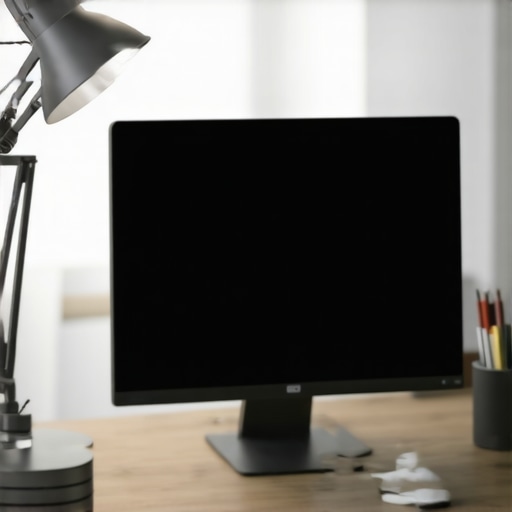
Ever sat down at your desk and immediately noticed that annoying glare bouncing off your screen, making you squint and strain your eyes? I remember the first time I ignored my desk lamp’s placement and ended up with a migraine after just an hour of work. It was a real lightbulb moment—literally. Since then, I’ve learned that positioning your desk lamp correctly isn’t just about aesthetics or cool tech—it’s essential for your comfort, productivity, and eye health.
Solve Screen Glare Once and For All
Positioning your desk lamp properly can drastically reduce screen glare. But how do you find that sweet spot? It’s a bit of trial and error, but I’ll guide you through proven strategies to make your workspace more comfortable and efficient.
Is Proper Lamp Placement Really That Important?
Absolutely. Early in my setup attempts, I made the mistake of placing my lamp directly behind me or right next to my monitor. This caused more shadows and glare, which only made my eyes tired faster. According to a recent study, poor lighting can increase eye strain and decrease focus, costing you valuable time and energy. So, how do you avoid these pitfalls?
By learning where and how to position your lamp, you’ll not only enhance your comfort but also improve your workspace’s overall look. Curious about how to optimize your desk lighting for natural focus? Check out our detailed guide on workspace lighting solutions—it’s packed with tips that transformed my setup.
Position Your Desk Lamp Strategically
Start by placing your lamp to the side of your monitor, ideally opposite your dominant hand, to minimize shadows and glare. During my setup, I initially placed it behind my screen, causing unwanted reflections. After repositioning it to the side and slightly above eye level, I noticed a significant reduction in eye strain and glare, boosting my comfort and productivity.
Adjust the Height and Angle
Set your lamp so that the light hits your workspace directly without illuminating your eyes or causing reflections on your screen. Think of it like spotlighting a stage — the light should enhance your work area, not blind you. I experimented by tilting my LED desk lamp downward, which immediately improved task lighting and prevented overhead glare issues. Use adjustable lamps or ones with flexible arms to finely tune this setup.
Implement Bias Lighting for Better Focus
Adding bias lighting behind your monitor reduces eye fatigue by creating a balanced contrast between your screen and ambient room light. It’s akin to the backlight on your TV enhancing image depth — but for your workspace. I installed a simple bias light strip behind my monitor, which made hours of work feel less taxing. Check out this bias lighting guide for detailed tips.
Utilize Modern LED Solutions for Bright, Focused Light
Switch to an LED desk lamp for energy efficiency and consistent illumination. LEDs cast a natural, flicker-free light that reduces eye fatigue. During my upgrade, I replaced an old incandescent bulb with a modern, adjustable LED lamp, which instantly improved task clarity. Explore options like LED lamps to find one that suits your space and work habits.
Optimize Your Ring Light Setup for Video Calls
Proper ring light placement ensures you look bright and professional on video conferences. Place it directly in front of you, slightly above eye level, so that it evenly illuminates your face without creating harsh shadows or reflections on glasses. I often used a ring light and adjusted its position until I achieved a flattering, eye-friendly glow. For more tips, this article offers excellent insights into ring light hacks.
Test and Fine-Tune Your Lighting
Finally, spend time adjusting brightness and color temperature to match your needs. Cooler temperatures (around 5000K) enhance focus, while warmer tones (~3000K) promote relaxation. Use your lamp’s dimming and color-changing features to find the perfect setting. I recommend trying different configurations during your work session to see which setup minimizes glare and maximizes comfort.
Remember, your ideal workspace lighting isn’t static; it evolves with your tasks and preferences. Regularly reassess and tweak your setup for sustained eye health and productivity.
Many assume that adding a ring light or bias lighting automatically elevates their workspace ambiance and reduces eye strain. However, in my experience, these lighting tools often come with hidden pitfalls when misused. One widespread myth is that brighter is always better. In reality, excessive illumination, especially without proper diffusion, can create harsh shadows and reflections, negating any perceived benefits. For instance, a poorly placed ring light can cause irritating glare on glasses or whiteout effects on monitors, which ironically increases eye fatigue. To truly harness these tools, understanding their nuanced application is crucial—like positioning a ring light at the right angle or adjusting bias lighting’s intensity to match ambient conditions.
One advanced mistake I often see is neglecting color temperature coordination. Many adopt cool white LEDs for task lighting, assuming they boost focus, but they overlook how mismatched temperatures between the desk lamp and bias lighting can cause visual discord, leading to discomfort over time. Interestingly, a study by the Lighting Research Center found that color temperature mismatches can impair contrast perception and cause eye strain, even if the lighting levels seem adequate. Therefore, selecting high-CRI (Color Rendering Index) fixtures with adjustable temperature settings is essential for a harmonious workspace.
Now, let’s tackle a sophisticated question that trips up even seasoned enthusiasts:
Why does my workspace still feel dull or uncomfortable despite my advanced lighting setup?
This often happens because of overlooking dynamic lighting adjustments based on time of day or task. Static setups can’t adapt to changing conditions, so what works in the morning might be uncomfortable in the evening. Incorporating dimming features or smart lighting solutions enables a more adaptable environment, reducing eye strain and improving focus over longer periods. Additionally, be mindful of the placement relative to reflective surfaces; even high-quality lighting can reflect unwanted glare if not situated correctly. Regularly fine-tuning your setup, including the angle and brightness levels, is key. For insights on optimizing these elements, check out our comprehensive guide on workspace lighting solutions.
Avoiding these common pitfalls requires a deeper understanding of how subtle nuances—like color harmony, placement, and adaptability—significantly impact visual comfort. Remember, effective lighting isn’t just about brightness; it’s about creating an environment that feels natural and supports your tasks. Have you ever fallen into this trap? Let me know in the comments.Maintaining your lighting setup is essential to ensure consistent comfort and effectiveness in your workspace over time. One of the most reliable ways to do this is by investing in quality components like adjustable LED lamps and ring lights, which not only last longer but also allow for fine-tuning to match changing conditions. Regular cleaning of your fixtures keeps dust and grime from reducing light output and causing flickering—an issue that recent tests by the Lighting Research Center highlight as a common source of flicker-induced eye strain. To extend the lifespan of your tools, consider implementing a maintenance routine every few months, including checking connections, replacing worn-out bulbs, and recalibrating angles to avoid beam misalignment. Additionally, using smart controllers or dimming features enables adaptive lighting that can be customized throughout the day, promoting better focus and reducing fatigue. The future of workspace lighting is moving toward intelligent, connected systems that learn your preferences and adjust automatically, as detailed in our article on innovative LED solutions—be sure to explore these advancements and consider integrating them into your setup to stay ahead. How do I maintain my workspace lighting tools over time? Regularly inspect and clean your fixtures, update firmware for smart devices, and experiment with subtle adjustments to brightness and color temperature to keep your environment optimal. For personalized support, don’t hesitate to reach out through our contact page, where expert advice can help you troubleshoot and enhance your lighting system. Installing durable, high-quality fixtures and committing to consistent upkeep will ensure your workspace remains well-lit, comfortable, and productive for years to come.
What Wisdom I Wish I Had Hung Onto About Workspace Lighting
- Never underestimate the power of subtle adjustments. I spent months obsessing over the brightness levels but overlooked the importance of color temperature harmony, which I now know is crucial for reducing eye fatigue and creating a balanced ambiance.
- Investing in quality fixtures makes a real difference. My cheap ring light caused glare and flickering, but switching to a high-CRI, flicker-free LED lamp transformed my setup instantly—a lesson in choosing tools that match your needs, not just your budget.
- Flexibility beats static setups every time. Rigid lighting configurations quickly become uncomfortable as the day progresses. Using adjustable lamps or smart controls allows me to adapt lighting conditions smoothly, maintaining comfort and focus.
- Context matters more than you think. I learned that ambient room lighting should complement task lighting rather than compete with it, preventing harsh contrasts that strain the eyes. Combining bias lighting with a well-positioned desk lamp creates a cozy yet focused environment.
- Consistency is key. Regularly fine-tuning your workspace lighting ports over time ensures that your eyes don’t have to adapt constantly, reducing fatigue and increasing productivity. Routine checks, including cleaning fixtures and recalibrating angles, are simple habits that pay off.
Tools That Changed My Approach to Workspace Illumination
- Your Guide to Ring Lights and More— Packed with practical advice to optimize your ring light placement for video calls and beyond.
- Top LED Solutions for Brightening Your Space— Reliable and flicker-free, these fixtures help create a natural, focused light environment.
- Bias Lighting Tips to Reduce Eye Strain— Discover how balanced contrast and color temperature make a difference.
- Choosing Your Ideal Desk Lamp— Get insights into adjustable, high-CRI lamps that elevate your workspace quality.
Step Into a Brighter, More Comfortable Future
Effective workspace lighting isn’t just about brightness—it’s about creating an environment that supports your eyes and energizes your day. Small tweaks, strategic investments, and a curious mindset open the door to a workspace that feels right for you. Remember, your lighting setup evolves as you discover what works best—so don’t shy away from experimenting and refining for lasting comfort and productivity. Ready to transform your desk lighting? Dive into new solutions, ask questions, and take charge of your workspace illumination today. How have you adjusted your lighting to reduce eye strain or boost focus? Share your experiences below!
For ongoing tips and support, feel free to reach out here. Your perfect workspace lighting is just a few thoughtful changes away.

About the Author
Ricardo Vargas
Director of Operations and Product Development
Ricardo Vargas is a seasoned professional in the lighting industry, currently serving as a Director of Operations and Product Development
LinkedIn Profile
I completely agree with the importance of proper lamp placement to reduce glare and eye strain. In my experience, positioning your desk lamp slightly above and to the side of your monitor makes a huge difference. I once neglected to adjust my lighting setup and ended up with frequent headaches. Since I started experimenting with the angle and brightness, my focus and comfort have improved noticeably. One tip I found helpful is using a lamp with adjustable color temperature and dimming features—this allows me to fine-tune the lighting based on the time of day or task. I’m curious, how do others manage their lighting during different work hours? Do you prefer warmer tones in the evening to promote relaxation or cooler lights to boost alertness during the day?
Reading through this detailed guide really resonated with my own experience in optimizing workspace lighting. I used to struggle with glare from my old desk setup, which not only caused discomfort but also decreased my focus over time. After relocating my lamp to the side and experimenting with adjustable brightness and color temperature, I noticed a significant improvement in my eye comfort and overall productivity. What I found particularly interesting was the emphasis on layered lighting — combining task, bias, and accent lighting to create a balanced environment. My question is, how do others handle lighting changes throughout the day? For instance, do you adjust your setups as natural daylight varies, or do you prefer a single static setting? I’d love to hear about different strategies, especially from those who work into the evening and need to switch to warmer tones.