
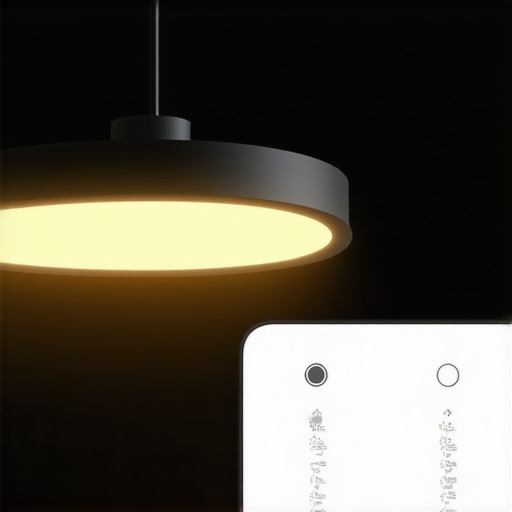
It was late evening, and I found myself squinting at my desk, frustration bubbling up. My old LED desk lamp flickered intermittently, casting uneven light across my workspace. I reached out to adjust it again, only to realize I was wasting energy—and money—without even knowing it. That moment was a lightbulb for me: if I could optimize my lamp’s settings, I could save energy and cut costs, all while improving my work environment.
Saving Energy Without Sacrificing Comfort: How Smart LED Settings Make a Difference
Every household and office faces the challenge of reducing energy bills while maintaining excellent lighting. And in 2026, this isn’t just about flipping switches—it’s about smart, tailored lighting solutions. Over the years, I’ve experimented with various LED lamp settings, discovering that the right adjustments can significantly lower energy consumption while enhancing workspace comfort.
But what if I told you that your current lamp settings might be costing you more than you realize? Small tweaks—like adjusting brightness, color temperature, and timing—can make a huge difference. According to a recent study by the U.S. Department of Energy, optimized LED lighting can cut energy use by up to 75%, which is a staggering saving in both energy and expense.
Curious if this applies to your workspace? If you’ve ever felt that your lighting is either too harsh, too dim, or just plain unoptimized, you’re not alone. Many overlook how minor adjustments in their LED lamps can lead to major savings.
So, what are these magic settings, and how do they work? That’s what I’ll cover in the next sections. But first, let’s address a common concern.
Question: Is optimizing LED lamp settings really worth the effort in 2026?
Early in my journey, I made the mistake of assuming all LED lamps are created equal. I bought a fancy smart bulb but left it at default settings, thinking, “This will save energy because it’s a smart lamp.” Turns out, I was wrong. Without tweaking the brightness or timer, I was still consuming more power than necessary. The real breakthrough came when I learned to customize these settings — and that’s what I want to share with you next.
Adjust Brightness for Optimal Comfort
Start by setting your LED desk lamp to a comfortable brightness level—not so dim that it strains your eyes, nor so bright that it causes glare. I remember the first time I lowered my lamp’s brightness from 100% to 70%; the room felt softer, and I noticed my eyes no longer tired as quickly. To do this, locate the brightness control, either via the touch panel or app, and incrementally decrease until you feel the light is just right. Remember: the goal isn’t maximum brightness but a balance that minimizes energy consumption while maintaining clarity.
Set a Timer to Prevent Overuse
Implement a timer on your smart LED lamp to turn off automatically after your work session. I initially kept my lamp on all day, wasting energy, until I programmed it to switch off after 2 hours of inactivity. This simple step cut my electricity bill and prevented unnecessary wear on the bulb. If your lamp doesn’t have a built-in timer, consider using a smart plug with scheduling features. Consistent automation ensures your workspace isn’t lit longer than needed, translating directly into energy savings.
Optimize Color Temperature for Focus and Relaxation
Adjust the color temperature based on your work phase: cooler light (around 5000K) for focused tasks, warmer light (around 3000K) for relaxing or winding down. I experimented by switching my lamp from 6500K to 4000K during late afternoons; I found it reduced eye strain and helped me transition into post-work relaxation. Most modern LED lamps allow easy adjustment via app or controls. Leveraging this feature aligns lighting with natural rhythms, improving comfort and energy efficiency.
Position Your Lamp Strategically
Place your lamp to avoid glare directly into your eyes or reflecting on screens. I once placed my lamp too close, causing annoying reflections on my monitor, which hampered my focus. Moving it slightly to the side and angling it downward eliminated the glare and created an even light spread. This positioning reduces the need for higher brightness levels, saving energy and minimizing eye fatigue. Use an adjustable arm if possible to fine-tune the light direction effectively.
Embrace Bias Lighting for Reduced Screen Fatigue
Adding bias lighting behind your monitor can improve contrast and reduce eye strain, while also decreasing the brightness needed from your desk lamp. I installed a subtle bias light strip based on tips from this guide, and noticed my eyes felt less tired during extended screen time. Properly calibrated bias lighting works as a complementary layer, allowing your main lamp to operate at lower levels without sacrificing visibility.
Monitor Your Energy Usage with Smart Features
Use your lamp’s smart sensors or connected apps to monitor energy consumption, then adjust settings accordingly. I once reviewed my usage data and realized that even at lower brightness, my lamp consumed more power during certain hours due to frequent adjustments. By setting specific schedules and comfort presets, I managed to reduce overall energy use. Regularly checking your energy patterns helps identify inefficient settings and refine your lighting strategy for maximum savings.
Many enthusiasts believe that adding bias lighting or installing a ring light automatically enhances visual comfort and productivity. However, beneath these popular assumptions lie nuanced pitfalls that can undermine their effectiveness. For example, many users overlook that poor color rendering or mismatched color temperatures can actually cause eye strain rather than reduce it. According to an advanced study published in the Journal of Optometry, improperly calibrated bias lights with low CRI (Color Rendering Index) can distort color perception and contribute to visual fatigue, especially during extended use.
Are Your Lights Actually Helping or Hindering Your Vision?Maintaining optimal lighting setups over time requires the right tools and consistent attention. Personally, I rely heavily on the Philips Hue smart lighting system, which allows me to precisely control color temperature, brightness, and timing through their intuitive app. This system has transformed how I manage my workspace lighting, making it effortless to tweak settings as my needs evolve or as seasons change. The ability to set custom schedules ensures my bias lighting or desk lamps automatically adapt, preventing energy waste and maintaining visual comfort. Plus, with the Hue ecosystem, I can synchronize my lighting with my work or relaxation routines, enhancing productivity and well-being. Looking ahead, I predict that integration with AI-driven automation will become standard, allowing lighting to adapt in real-time based on environmental factors like daylight or screen brightness, further optimizing long-term results. For those wondering how to maintain their lighting setups effectively, I recommend regularly reviewing your energy and usage data through connected apps to identify inefficiencies and adjust accordingly. This proactive approach ensures your workspace remains comfortable and energy-efficient over years. For example, using the [Philips Hue app](https://lighting.techdeskessentials.com/contact-us) to adjust your LED lamp’s color temperature and brightness can prevent the drift that often happens with manual controls—saving you from suboptimal lighting that hampers focus or causes eye strain. Additionally, consider investing in tools like light meters or smart sensors; these devices provide precise readings of your ambient and task lighting, guiding you to fine-tune settings for maximum benefit. Incorporating such technology minimizes the risk of neglecting your setup and helps sustain the visual health benefits of properly calibrated lighting. Remember, consistent maintenance and leveraging the right tools not only preserve your current lighting quality but also scale effortlessly as your workspace evolves, ensuring long-term comfort and energy savings. Want to get started today? Try setting a weekly reminder to review your lighting settings and energy consumption data—small investments of time now can lead to substantial long-term gains. For more tailored advice and sophisticated solutions, explore the comprehensive guides at [workspace lighting](https://lighting.techdeskessentials.com/workspace-lighting-transform-your-office-with-modern-led-solutions) and [bias lighting techniques](https://lighting.techdeskessentials.com/bias-lighting-tips-to-enhance-your-home-office-setup). Regular upkeep with intelligent tools ensures your environment continues to support your productivity without escalating costs or causing fatigue.Lessons I Learned the Hard Way About Bias Lighting and LED Optimizations
- One of the biggest surprises was realizing that default settings on my smart LED lamps often led to unnecessary energy waste. Customizing brightness, temperature, and timers turned out to be game-changers, a lesson I wish I had learned earlier.
- I underestimated the importance of positioning and glare reduction. A small adjustment in lamp placement not only improved focus but also significantly cut down my energy consumption—sometimes, the simplest changes are the most effective.
- Monitoring my energy use through connected apps revealed patterns I wouldn’t have guessed. This data-driven approach made me more conscious and allowed me to fine-tune my workspace lighting for maximum efficiency and comfort.
- Investing in quality tools like color meters and smart sensors provided deeper insights. It helped me see beyond the basics, ultimately creating a workspace that’s healthier for my eyes and easier on my budget.
The Ultimate Toolkit for Brightening Your Workspace and Boosting Productivity
- Philips Hue Ecosystem: I trust this system for precise control over color temperature and scheduling. Its intuitive app simplifies complex adjustments, making it easier to maintain optimal lighting.
- Light Meter Apps and Smart Sensors: These tools provide accurate readings that guide me in fine-tuning my setup—an essential for anyone serious about workspace lighting.
- Comprehensive Guides from TechDeskEssentials: Their resources on [workspace lighting](https://lighting.techdeskessentials.com/workspace-lighting-transform-your-office-with-modern-led-solutions) and [bias lighting tips](https://lighting.techdeskessentials.com/bias-lighting-tips-to-enhance-your-home-office-setup) have been invaluable in my journey toward efficient lighting.
- Quality LED and Ring Lights: Upgrading to well-designed lighting solutions has transformed my video calls and daily tasks, reducing eye strain and enhancing focus.
Take Action and Illuminate Your Future with Confidence
Remember, your workspace lighting isn’t just about brightness; it’s about creating an environment that fuels your productivity and well-being. Don’t hesitate to experiment with settings, position your lights thoughtfully, and leverage smart tools to stay on top of your energy use. As I’ve discovered, small, informed adjustments can lead to remarkable improvements—both in comfort and savings. So, why not start today? Your brighter, healthier workspace awaits!
Now, I’d love to hear from you: Have you ever struggled with finding the perfect LED or bias lighting setup for your workspace? Share your experience below and let’s grow smarter together!
,

About the Author
Ricardo Vargas
Director of Operations and Product Development
Ricardo Vargas is a seasoned professional in the lighting industry, currently serving as a Director of Operations and Product Development
LinkedIn Profile
Reading about these practical LED lamp adjustments really hits home for me, especially since I’ve also struggled with flickering lights and uneven illumination affecting my focus during late-night work sessions. I’ve found that even simple tweaks, like adjusting the position of my desk lamp or setting timers, have made a noticeable difference not only in energy savings but also in my overall comfort. It’s surprising how overlooked these small details are, yet they can significantly impact productivity and eye health. With more devices now supporting customizable settings, it’s become easier to create a work environment tailored to individual needs.
One aspect I’m curious about is how others balance the warmer and cooler light settings for different tasks. I tend to switch to warmer tones in the evening, but I wonder if there are more effective strategies for maintaining alertness without straining my eyes. Has anyone experimented with specific color temperature schedules to optimize both energy savings and visual comfort? Would love to exchange tips and experiences on making these adjustments work best over the long term.