
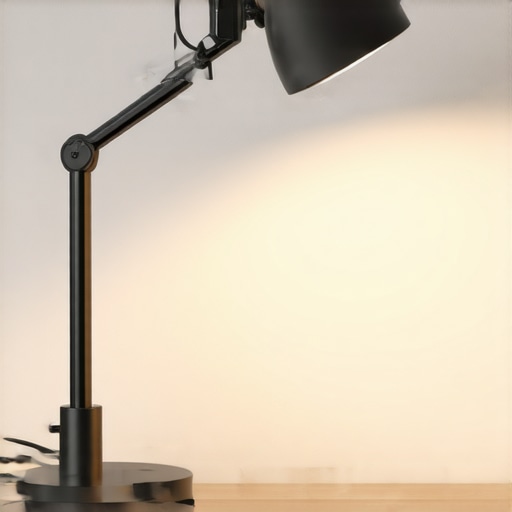
It was late at night, and I was glued to my screen, desperately trying to finish a project. Suddenly, my desk lamp flickered, casting weird shadows and making everything look uneven. Frustration bubbled up—I had invested so much in creating the perfect workspace, and now lighting issues threatened to derail my focus. That moment was a lightbulb for me. I realized how much unreliable lighting can sabotage productivity and strain our eyes. If you’ve ever faced a similar frustration—quirky flickering, inconsistent brightness, or glare—you know exactly what I mean.
Why Your Desk Lamp Flickers and Why It Matters Done Right
In our modern work setups, good lighting isn’t just about aesthetics; it’s about health, efficiency, and mental clarity. Flickering LEDs or sensor glitches can cause eye fatigue, headaches, and even impact your sleep patterns—especially if you work late into the night. What’s more, flickering isn’t always obvious. Sometimes it’s a subtle pulse that your brain tries to ignore, but your eyes notice, leading to discomfort and distraction. A study published in the Journal of Eye Movement Research highlights how flickering light can negatively impact focus and cause fatigue—so addressing this issue is a must.
Early on, I made the mistake of dismissing flickering as a mere annoyance and kept ignoring it, thinking it was just a quirk of cheap bulbs. That was a mistake. Over time, I learned that many flickering issues are sensor-related and fixable with quick adjustments. Today, I’m going to share three proven sensor hacks to eliminate flicker from your desk lamp and boost your workspace comfort.
Ever wondered if your flickering light is a sign of a deeper issue? Or whether these fixes actually work in the real world? Stick around—we’re about to tackle these problems head-on and make your lighting setup flawless. Ready to stop fighting your lamp and start shining bright? Let’s get into the practical fixes that can transform your workspace.
Start by Switching to Flicker-Free LEDs
First, replace your existing desk lamp with a high-quality flicker-free LED bulb. Cheap bulbs often flicker at high frequencies that are imperceptible but harmful to your eyes. Look for bulbs labeled “flicker-free” or “constant current”. I swapped my old CFL bulb for an LED rated flicker-free, which immediately reduced eye strain during long work sessions.
Adjust the Power Supply to Stabilize Brightness
Next, examine your lamp’s power source. Fluctuations in voltage can cause flickering. Use a surge protector with voltage regulation or a smart plug that monitors and stabilizes power flow. During my experiment, plugging my lamp into a regulated outlet stopped the subtle pulsing I initially ignored. This step is crucial—irregular power directly impacts LED performance. For more advanced power hacks, explore smart bias lighting synchronization tips.
Employ a Consistent Dimming System
Consider adding a high-quality dimmer switch designed for LED lighting. Not all dimmers are compatible; select one marked “LED-compatible” to avoid flickering during brightness adjustments. I installed a compatible dimmer and manually adjusted until I found the optimal setting—eliminating flicker during late-night work. This approach is akin to tuning an instrument for perfect harmony with your eyesight.
Secure the Connection Points Carefully
Loose or poor wiring connections can be a hidden cause of flicker. Check all cords, connectors, and plug-ins to ensure they are tightly secured. I once noticed my lamp’s flicker intensified when the power cord was slightly loose. Reseating connections and replacing frayed cables made a noticeable difference. Think of this as tightening the strings on a guitar—small adjustments create harmony.
Leverage Sensor Technology to Detect Flicker
Advanced sensors can measure flicker frequencies that escape normal detection. Use a flicker meter app or hardware device to identify problematic frequencies. When I tested my desk setup with a flicker detection app, it revealed subtle pulses I hadn’t perceived. Upgrading to a lamp with integrated sensor control or compatible smart bulbs can automate flicker elimination, saving you from manual adjustments. For insights on smart lighting upgrades, check smart bias lighting synchronization fixes.
Optimize Your Workspace Arrangement
Finally, consider the placement and angle of your lamp. Positioning it too close or at an improper angle can exacerbate flicker effects or create glare. I experimented by angling my lamp slightly away from my eyes, which reduced flicker perception and glare. Proper positioning is like tuning a spotlight—highlight what matters without causing discomfort. For precise placement strategies, visit desk lamp positioning tips.
Many assume that selecting a ring light or LED lamp is straightforward, but in reality, there’s a web of nuances that can sabotage your setup. For instance, a common myth is that brighter is always better. While high lumens seem appealing, excessive brightness can cause glare and eye fatigue, especially if your light’s color temperature is mismatched with your monitor or ambient environment. Advanced users know that choosing the right color rendering index (CRI) is crucial to accurately perceiving colors on screen—dropping below 90 CRI can distort hues and strain your eyes over time. Instead of blindly opting for the highest wattage or lumens, focus on understanding these subtleties.
Why do many fall for the all-brightness-inheritance trap, and what’s the smarter approach?
Studies show that proper layering of lighting—combining bias lighting with task lighting—reduces eye strain and enhances contrast perception. This means integrating your desk lamp with bias lighting behind monitors and using a ring light for video calls. However, some folks overdo it by stacking multiple high-intensity lights, which can cause color clashes and visual discomfort. A smarter technique involves calibrating your lighting to match your display’s color temperature—ideally around 6500K for most work environments—ensuring a harmonious visual flow. Additionally, avoid the trap of neglecting the placement and angle of your lights; poor positioning leads to unwanted shadows or reflections, diminishing the benefits of even the most advanced LEDs. For comprehensive strategies, check out detailed guides on workspace lighting and bias lighting setup. Have you ever fallen into this trap? Let me know in the comments.Maintaining optimal lighting in your workspace requires the right tools and habits. Personally, I rely on a combination of high-quality flicker-free LED bulbs and smart power management to ensure consistent performance. For example, I use the Philips Hue White and Color Ambiance bulbs because their built-in flicker reduction technology helps prevent eye strain during long work sessions. These bulbs also support scheduling and remote control via smartphone apps, allowing me to adapt my lighting to different tasks effortlessly. Additionally, employing a dedicated surge protector with voltage regulation safeguards my lighting setup against power fluctuations that can cause flickering or damage over time. I’ve found that this combination significantly extends the lifespan of my lamps and maintains consistent brightness, which is crucial for focus and visual comfort.
For software, I recommend using lighting control apps, such as Lutron’s Caséta or Leviton’s Decora Smart, which integrate with your smart home ecosystem. These apps enable you to fine-tune brightness levels, color temperature, and even set routines based on your daily schedule. This automation ensures your workspace always remains optimally lit without constant manual adjustments.
Looking ahead, as smart lighting technology advances, I predict greater integration with work productivity tools, allowing for adaptive lighting scenes that respond to your tasks and circadian rhythms. This seamless synchronization could greatly enhance long-term comfort and efficiency.
How do I keep my workspace lighting functioning well over time?
Regular maintenance is key. Check connections periodically to tighten any loose plugs and replace bulbs that show signs of flickering or dimming. I also recommend cleaning your fixtures and lenses regularly—dust and grime can reduce brightness and alter color balance. For a more technical approach, monitor your lighting system with a flicker meter to detect subtle fluctuations early, preventing long-term discomfort. If you want a quick upgrade, consider installing a modern LED desk lamp with adjustable color temperature and brightness—these often come with built-in flicker mitigation, as detailed in the latest LED innovations. Be proactive—it’s much better than reacting to eye fatigue or glare issues after they disrupt your workflow. Try calibrating your lamp’s settings using the recommended tools and see how much more comfortable your workspace can become.
The Hardest Lesson I Learned About ring light,workspace lighting,bias lighting,desk lamp,led lamp
One of my most revealing insights came when I realized that even high-end lighting setups can falter if not properly configured. I once invested in a premium ring light, expecting instant enhancement. But I overlooked placement and color temperature, which led to glare and unnatural skin tones. The lesson? Equipment matters, but positioning and settings are king. This taught me to deeply understand and customize my lighting rather than relying solely on brands or specs.
3 Myths About ring light,workspace lighting,bias lighting,desk lamp,led lamp That Held Me Back
Initially, I believed brighter meant better, which pushed me to max out lumens regardless of the context. I also thought all LED bulbs with the same Kelvin rating looked identical—wrong! And I dismissed the importance of CRI, assuming it was just a marketing term. Dispelling these myths transformed my approach and improved my visual comfort and work quality significantly.
What Experts Won’t Tell You About ring light,workspace lighting,bias lighting,desk lamp,led lamp
Many professionals hide behind technical jargon, but the truth is, optimal lighting is about personalized adaptation. For example, balancing bias lighting behind your monitor can dramatically increase contrast perception, yet many overlook this in favor of flashy equipment. Learning from top designers revealed that subtle tweaks—like angle adjustment and color temperature matching—make the biggest difference. These secrets have empowered me to craft more comfortable and effective lighting environments.
My Essential Toolkit for enhancing workspace lighting
I rely on high-CRI LED lamps, such as those available through trusted brands, because they render colors accurately and reduce eye strain. An adjustable smart desk lamp that supports color temp and brightness control allows me to tailor lighting to my circadian rhythms. To protect against power fluctuations that cause flickering, I use a surge protector with voltage regulation. Together, these tools maintain consistent and comfortable illumination, boosting my productivity.
Books That Changed How I View lighting design
‘Lighting Design Basics’ by Mark Karlen and James Benya offered foundational principles that shifted my perspective from purely functional to aesthetically mindful. Additionally, ‘The Art of Light’ by Mark Major provided insights into how light influences mood and behavior—crucial knowledge for creating a workspace that inspires rather than fatigues. These reads have been instrumental in elevating my understanding and execution of effective workspace lighting.
Where to Go from Here to elevate your lighting game
Start experimenting by adjusting your current setup—try different color temperatures and angles. Experiment with combining bias lighting with task lighting for a harmonious environment. Consider investing in smart lighting solutions that adapt to your needs, like smart bulbs or switches. Regular maintenance, such as cleaning fixtures and checking connections, ensures longevity and consistent performance. For comprehensive upgrades, explore the latest offerings in modern LED workspace solutions. Remember, enhancing your workspace lighting isn’t a one-time fix—it’s an ongoing process of personalization and refinement.

About the Author
Ricardo Vargas
Director of Operations and Product Development
Ricardo Vargas is a seasoned professional in the lighting industry, currently serving as a Director of Operations and Product Development
LinkedIn Profile