
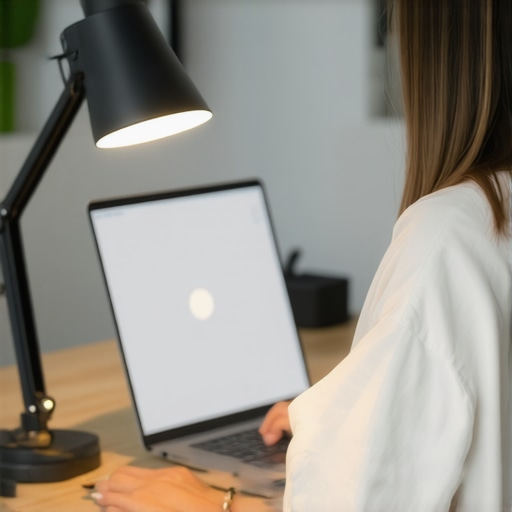
One afternoon, as I sat at my cluttered desk staring at my monitor, I suddenly felt that dull, burning ache creeping into my eyes. I blinked rapidly, trying to reason away the discomfort, but it only worsened. My workspace lighting was a mess — shadows cast by my outdated desk lamp, glare reflecting off my glossy screen, and a poorly positioned ring light that seemed to intensify the issue. That moment was my lightbulb moment: I realized that my lighting setup was silently sabotaging my productivity and health every single day.
Why Choosing the Right Desk Lighting Matters More Than Ever
After years of trial and error, I finally discovered that adjusting my desk lamp and workspace lighting wasn’t just about aesthetics; it was essential to prevent eye strain, headaches, and fatigue—especially as I spend more hours in front of screens. Did you know that improper lighting can decrease visual comfort and even lead to long-term eye problems? According to a recent study, excessive glare and poor lighting can reduce visual sharpness and cause eye fatigue, making focus a chore rather than a pleasure. That’s a sobering statistic I didn’t want to ignore anymore.
Is Your Workspace Lighting Actually Hurting Your Eyes?
Early on, I made the mistake of thinking that any bright light would do — but I overlooked the importance of placement, color temperature, and light quality. For example, I used a cheap LED desk lamp that flickered constantly, causing more strain. It wasn’t until I read about high-CRi, flicker-free LED lamps and proper placement that I started to see real improvements. Honestly, I wish I had started with a better understanding of how workspace lighting impacts eye health, instead of just trying to keep my desk brightly lit. You can learn from my mistake by checking out some of the latest innovations in workspace lighting solutions, like those discussed [here](https://lighting.techdeskessentials.com/lead-lamp-innovations-brighten-your-desk-and-boost-productivity). Now, I’m excited to share what I’ve learned so you don’t have to go through the same eye strain saga.
Adjust Your Desk Lamp Position for Better Comfort
Start by placing your desk lamp so that it illuminates your workspace evenly, avoiding direct glare into your eyes and reflections on your monitor. I once struggled with a top-heavy lamp that cast harsh shadows; moving it closer and angling it downward drastically improved my visual comfort and focus.
Avoid Common Placement Pitfalls
Keep the light source behind you or to the side to prevent screen glare and reflections. For example, in my recent setup, I experimented with different angles until I found a position that brightened my workspace without causing discomfort. Use this guide for detailed placement tips.
Choose the Right Bulb for Your LED Lamp
Opt for LED bulbs with a color temperature around 6500K — similar to natural daylight. I initially used a warm-toned bulb, which made my monitor seem muted and strained my eyes; switching to a high-CRI 6500K bulb brightened everything without harshness. Check this article to find ideal color temperatures for focus.
Test Flicker-Free Technology
Ensure your LED lamp is flicker-free, as flickering LED lights can cause eye strain over prolonged exposure. I tested a cheap lamp and experienced headaches; replacing it with a flicker-free model transformed my daily routine. Use this test to verify your lamp’s flicker level.
Incorporate Bias Lighting to Enhance Contrast
Adding bias lighting behind your monitor reduces eye fatigue and enhances contrast, making screens easier to read. I installed a warm-white bias light using these tips. It significantly reduced my eye strain during long work sessions.
Set Up Properly for Maximum Impact
Place bias lights at eye level or slightly above, ensuring they don’t create screen reflections. During my setup, I used a simple LED strip anchored behind my monitor; the difference in comfort was immediate, especially during late-night work. Practice with different distances and angles to find what works best for your eyes.
Implement Proper Desk and Light Layering
Combine ambient room lighting with task lighting for balanced luminance. I transitioned from relying solely on my desk lamp to adding indirect overhead lighting. This layering minimizes contrast between the screen and surroundings, reducing eye fatigue. For more ideas on layered lighting, explore this article.
Fine-Tune for Your Space
Adjust brightness and color temperature based on ambient conditions and time of day. During cloudy days, I increased my ambient lighting to prevent my eyes from straining to adapt. Use a smart lighting app or dimmer switches to control the environment dynamically, ensuring optimal comfort at all times.
While many focus on selecting the brightest or most stylish desk lamp, they often miss critical details that can dramatically impact their workspace’s effectiveness and their eye health. For instance, a common misconception is that higher lumens always equate to better lighting—however, this overlooks the importance of light quality and distribution. Cheap LED lamps with high lumen ratings may produce harsh, unfriendly light, leading to glare and eye strain, particularly if they lack high CRI (Color Rendering Index), which affects how colors appear and can influence visual comfort. According to professional lighting designer experts, investing in flicker-free, high-CRI LED lamps is essential to prevent long-term discomfort and optimize focus.
Many believe that bias lighting is a simple aesthetic addition that enhances videos and photos. In reality, its true power lies in reducing eye fatigue and improving contrast during prolonged screen use. But here’s the trap: not all bias lights are created equal. Low-quality bias lighting can cause uneven illumination or flickering, negating its benefits. Opt for high-quality, high-CRI bias lighting installed at the correct angle — typically behind and slightly above the monitor — to prevent glare and reflections. For thorough guidance, see this detailed article.
Advanced Mistake: Overlooking the Impact of Color Temperature on Focus
Many assume that any cool white light (around 6500K) is optimal for work environments. While this is generally true, recent studies highlight that mixing different color temperatures without proper layering can cause visual fatigue. For example, using a bright 6500K desk lamp combined with warm ambient lighting might seem cozy but can create inconsistent luminance, forcing your eyes to constantly adapt. The solution is a balanced layering of lighting with adjustable color temperatures—this minimizes contrast and supports natural eye movement. For a comprehensive upgrade, check out this guide on layered lighting setups.
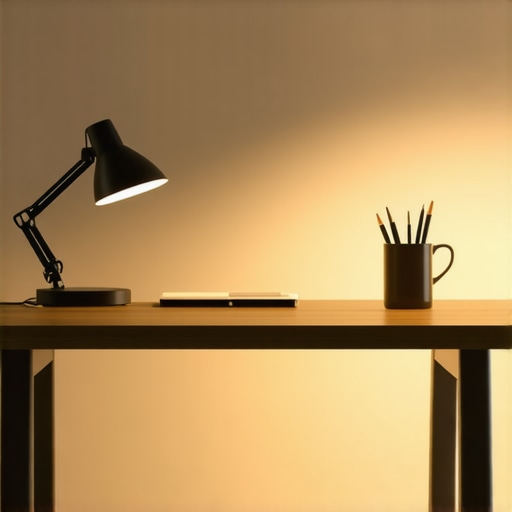
To refine your workspace further, remember that lamp placement plays a crucial role. Positioning your desk lamp improperly can introduce glare and shadows, negatively affecting your visual clarity. A strategic placement—such as behind or to the side of your monitor—ensures even lighting and reduces eye strain. For precise position tips, visit this resource.
Finally, stay cautious of the trap many fall into: thinking that more light always equals better productivity. Optimal workspace lighting requires careful balancing of intensity, color temperature, and placement. Over-illumination or overly cool-temperature lighting can ironically reduce focus and increase fatigue. Achieving this balance is achievable with smart, layered setup strategies, boosting both comfort and performance. Have you ever fallen into this trap? Let me know in the comments, and remember—little nuances can make a big difference in your workspace experience.Maintaining optimal workspace lighting requires more than just selecting the right lamp; it involves a combination of high-quality tools, routine maintenance, and strategic scaling as your needs evolve. First, investing in flicker-free LED lamps with high CRI values (above 90) ensures your lighting remains consistent without causing eye fatigue, especially during long work sessions. Personally, I prefer models that come with adjustable brightness and color temperature, such as those discussed in this detailed guide. To keep your LED lamps functioning optimally over time, regular cleaning of the diffuser and ensuring the cooling vents are unobstructed can prolong their lifespan and maintain light quality. Using a soft, lint-free cloth periodically prevents dust buildup, which can diminish lumen output and affect color accuracy. In addition, employing smart power strips with surge protection can shield your lighting setup from voltage fluctuations, preventing flickering and hardware damage. When scaling your workspace, consider modular lighting solutions that can adapt to larger desks or additional monitors. Installing additional bias lights or supplementary lamps connected via smart controllers allows you to customize luminance levels for different tasks or times of day seamlessly. Prediction suggests that the future will see more AI-integrated lighting systems capable of adjusting automatically based on ambient conditions, reducing user intervention and maximizing efficiency.
How do I maintain my workspace lighting over time?
Routine upkeep involves not only cleaning and inspecting your fixtures but also staying updated with the latest innovations in LED technology. For example, subscribing to newsletters from trusted lighting brands or tech sites can alert you to firmware updates that optimize performance. Upgrading your bulbs to ones with enhanced flicker-free technology and developing a regular check routine ensures your setup remains reliable. Finally, don’t overlook the importance of adjusting your lighting as your workspace changes; a desk setup that worked well a year ago might require tweaks today to maintain eye comfort and productivity. I recommend experimenting with adjustable smart lamps, which can be fine-tuned to match your evolving needs and environmental conditions, making them a smart investment for long-term workspace health.My journey into optimizing workspace lighting revealed some surprising truths that can help you avoid common pitfalls and elevate your daily routine. First, I learned the hard way that even the most stylish desk lamp is useless if placed improperly—it can cause glare, shadows, or uneven illumination that strains your eyes and hampers productivity. A simple shift in positioning, guided by expert tips, made a profound difference. Secondly, investing in flicker-free, high-CRI LED bulbs was a game-changer. I didn’t realize how much flickering could contribute to headaches and fatigue until I experienced the relief firsthand. It reminded me that quality lighting isn’t just about brightness but about visual comfort and color accuracy. Lastly, I underestimated the power of bias lighting. Incorporating subtle backlights behind my monitor reduced screen glare and enhanced contrast, making my workspace both more comfortable and visually appealing. Beyond equipment, I discovered that layering different light sources creates a balanced environment that adapts beautifully throughout the day. These lessons underscore that refining workspace lighting is less about chasing the latest gadgets and more about understanding how light interacts with our environment and health. The most valuable insight? Thoughtful adjustments — from placement to bulb quality — can significantly enhance your focus, reduce fatigue, and contribute to long-term eye health. Embracing these principles has transformed my workspace into a sanctuary of clarity and comfort. Remember, small tweaks often yield the biggest benefits. Your eyes will thank you for the care, and your productivity will soar because of it.

About the Author
Ricardo Vargas
Director of Operations and Product Development
Ricardo Vargas is a seasoned professional in the lighting industry, currently serving as a Director of Operations and Product Development
LinkedIn Profile