
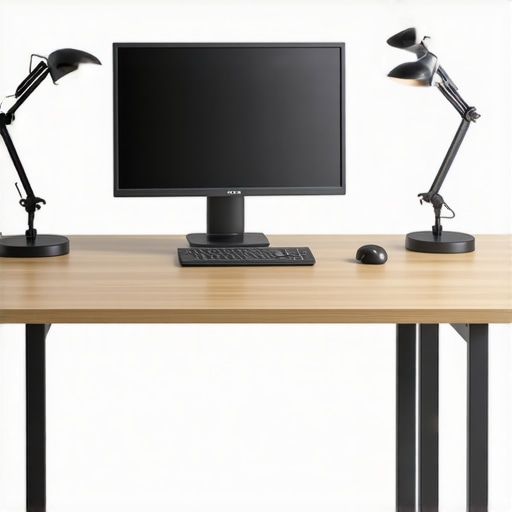
I vividly remember the moment I realized my workspace was slowly ruining my eyes. It was late afternoon, the sun was dipping low, and I was squinting at my OLED screen, trying to make out the tiniest text. My eyes felt gritty and tired, like I’d been staring for hours without a break. That lightbulb moment hit me hard—my lighting setup was all wrong, and it was only getting worse.
Why Proper Desk Lighting Matters in 2026
When working long hours on a screen—especially OLED displays that are brighter and more vibrant than ever—poor lighting can lead to eye strain, fatigue, and even headaches. With screens becoming sharper and more detailed, our eyes are under more stress than before. I found that adjusting my desk lamp, adding bias lighting, and optimizing my environment transformed not just my comfort but my productivity too.
Have you ever felt those sudden headaches or eye fatigue after a long shift at your desk? If so, you’re not alone. Many of us overlook the subtle influence of lighting on our health and performance.
Is all Desk Lighting Created Equal? Think Again
Early on, I made a common mistake: relying solely on a bright ring light to illuminate my face for video calls. Sure, it looked good on camera, but my eyes were straining because the light was harsh and improperly positioned. It took some experimentation and research—like reading through tips on [how to position your desk lamp](https://lighting.techdeskessentials.com/how-to-position-your-2026-desk-lamp-to-stop-screen-glare)—to find what truly works.
This journey taught me that the right lighting setup isn’t a one-size-fits-all. It’s about creating a balanced environment that reduces glare, minimizes reflections on screens, and supports natural eye movement. Ready to overhaul your workspace? Let’s dive into the three tactical changes I swear by for 2026, so you can enjoy better vision, less fatigue, and more focus.
Position Your Desk Lamp for Maximum Comfort
Start by placing your desk lamp in a position that directs light away from your eyes and screen, reducing glare. Avoid mounting it directly behind your monitor or over your shoulders. Instead, position it slightly to the side at an angle, so the light bathes your workspace evenly. I remember experimenting with different angles until I found a sweet spot that eliminated reflections on my glossy screen. Check out [how to position your desk lamp](https://lighting.techdeskessentials.com/how-to-position-your-2026-desk-lamp-to-stop-screen-glare) for detailed guidelines.
Use Bias Lighting to Reduce Eye Strain
Bias lighting involves placing a soft light behind your monitor, creating a comfortable contrast that minimizes eye fatigue. This is especially beneficial for OLED screens that thrive on contrast without overexposing your eyes to bright surroundings. I added a warm LED strip behind my monitor and noticed immediate relief during long work sessions. For setup tips, see [bias lighting essentials](https://lighting.techdeskessentials.com/bias-lighting-tips-to-enhance-your-home-office-setup). Keep the light at a low brightness level and choose a color temperature around 6500K for optimal comfort.
Select an LED Desk Lamp with Advanced Features
Choosing the right LED desk lamp can significantly impact your workspace. Look for models with adjustable color temperatures, brightness, and smart sensors that respond to ambient light changes. I upgraded to a desk lamp that automatically adjusted its brightness based on room lighting, which helped maintain consistent eye comfort. Explore [the latest LED lamp innovations for 2026](https://lighting.techdeskessentials.com/led-lamp-innovations-brighten-your-desk-and-boost-productivity) for guidance on selecting a model that fits your needs. Remember, a high CRI (Color Rendering Index) above 90 ensures colors appear natural and reduces visual fatigue.
Optimize Your Lighting Placement and Settings
Properly aligning your lights is key to minimizing reflections and shadows. Use a combination of task lighting (your desk lamp) and ambient lighting (bias or overhead lights). Avoid placing lights on the right side of your monitor, as this can cause uneven illumination and eye strain, especially with OLED screens. Instead, position lights to create a balanced lighting environment, akin to natural daylight. To fine-tune your setup, consider [adjusting your LED lamp height](https://lighting.techdeskessentials.com/4-desk-lamp-height-fixes-for-2026-evening-eye-strain) and angle for the best results.
Mitigate Screen Glare and Glare Reflections
Glare is a common culprit behind eye strain. Angle your desk lamp and monitor to prevent reflections from reaching your eyes. Use matte screen protectors if necessary. Place your monitor slightly below eye level to reduce glare from overhead lights. For strategic positioning, see [how to stop desk glare](https://lighting.techdeskessentials.com/fix-desktop-glare-how-to-angle-your-2026-led-lamp-for-glass). Small adjustments can lead to significant comfort improvements, especially during extended work hours.
Implement Routine Checks and Adjustments
Lighting isn’t a set-and-forget solution. Regularly assess your environment by stepping back and evaluating light levels, glare, and reflections. Use tools like light meters or mobile apps to measure brightness and color temperature, ensuring consistency. Adjust your lights seasonally or as your workspace evolves. I found that tweaking my lamp’s position and brightness monthly kept my eyes comfortable and my focus sharp. For comprehensive tips, visit [workspace lighting optimization](https://lighting.techdeskessentials.com/workspace-lighting-transform-your-office-with-modern-led-solutions). Keep experimenting until your setup feels natural—your eyes will thank you.Many professionals believe that simply installing a bright desk lamp or using a trendy ring light will optimize their workspace lighting. However, let’s dig deeper into the nuanced realities often overlooked. For instance, a common myth is that more light automatically equals better vision; in reality, excessive brightness can cause glare and increase eye strain, especially on glossy OLED screens. One trap to avoid is assuming that all adjustable LED lamps are equal—many lack high CRI ratings or flicker-free operation, which can subtly impair visual comfort.
Why does color temperature matter beyond standard recommendations? It turns out that the subtle shift in Kelvin can impact circadian rhythms and alertness, as confirmed by research published in the Journal of Environmental Psychology. Using a light that is too cool or warm at inappropriate times can disrupt sleep patterns or cause fatigue, despite seeming harmless. Therefore, it’s crucial to select lighting with thoughtfully calibrated color temperatures, ideally around 6500K for daytime work, and warmer tones in the evening. For advanced tip: consider smart lighting solutions that adapt dynamically to your work schedule and ambient environment, ensuring optimal light quality throughout the day. Remember, the key is balancing brightness, color accuracy, and placement—many overlook how improper positioning or choosing the wrong fixture can negate the entire setup. Learn more about selecting the right desk lamp to avoid these pitfalls. Have you ever fallen into this trap? Let me know in the comments.
Once you’ve set up your ideal lighting environment, the next step is ensuring it remains effective over time. Regular maintenance involves both physical checks and software adjustments to sustain optimal lighting conditions. I personally schedule bi-monthly reviews of my desk lamp’s positioning, brightness, and color temperature, using a portable light meter to verify that settings stay within the recommended ranges. This practice helps prevent gradual deterioration of light quality caused by dust accumulation or fixture aging. For example, LED lamps, while generally durable, can experience lumen depreciation after several years, diminishing their effectiveness. To counteract this, I replace my LED bulbs proactively and keep spare parts handy.
What I Wish I Knew About Proper Lighting Before It Was Too Late
One of my biggest breakthroughs was realizing that not all lighting setups are created equal—sometimes, less is more, and the wrong placement can do more harm than good. I used to think a super-bright ring light was the answer, but I learned that carefully positioning my LED desk lamp and incorporating bias lighting made all the difference. My eyes felt less tired, and I was able to focus longer without discomfort.
Another lesson came from understanding color temperature’s subtle influence on my circadian rhythm. Switching to a warmer light in the evening improved my sleep quality surprisingly fast. It’s these nuanced insights that transformed my workspace—small tweaks that I wish I had known earlier, saving me from needless eye strain and fatigue.
Finally, I discovered that routine checks are key; regular adjustments prevent gradual deterioration of lighting quality. Using a light meter to verify brightness and color temperature kept my environment consistently comfortable. These lessons emphasized that achieving ideal workspace lighting isn’t a one-and-done task—it’s an ongoing process, and embracing it is the wisest investment in your health and productivity.
My Essential Toolkit for Optimal Workspace Lighting
- High-CRI LED Desk Lamps: I trust models with CRI above 90 for natural color rendering, reducing eye fatigue. The latest LED lamp innovations offer excellent options that adapt to ambient light.
- Bias Lighting Strips: Warm, dimmable bias lighting behind your monitor creates contrast and eases strain—my go-to solution. I recommend exploring these bias lighting tips for setup ideas.
- Light Meter: A portable device helps me regularly verify brightness and color temperature, ensuring consistency. It’s a small investment that pays off in eye comfort.
- Adjustable Desk Lamp with Smart Features: I prefer lamps that respond to ambient light, maintaining optimal settings throughout the day. This smart approach minimizes manual adjustments and keeps my eyes happy.
Your Turn to Light the Way in 2026
Taking control of your workspace lighting can seem daunting, but with a few personalized tweaks, you’ll enjoy less eye fatigue, improved focus, and even better sleep. Embrace the learning curve—each small change builds toward a healthier, more productive environment. Remember, your eyes are worth it, and the right lighting setup is your secret weapon in 2026 and beyond.
What has been your biggest challenge when optimizing workspace lighting? Share your experience below and join the conversation—together, we can master our environments and thrive.

About the Author
Ricardo Vargas
Director of Operations and Product Development
Ricardo Vargas is a seasoned professional in the lighting industry, currently serving as a Director of Operations and Product Development
LinkedIn Profile