
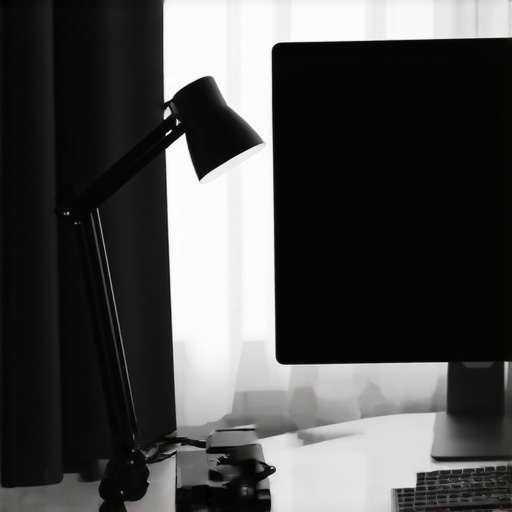
It was late at night, and I was finally wrapping up a long work session when I noticed it—glare bouncing off my monitor, casting harsh reflections on my glasses and leaving me squinting in frustration. No matter how much I adjusted my existing desk lamp, the glare persisted, making my eyes strain and my concentration break apart. That moment hit me like a lightbulb flickering in an old sitcom—why was something so simple turning into a relentless source of discomfort?
Discover the Secret to Glare-Free Workspace Lighting
Managing monitor glare can feel like an impossible task, especially when your setup isn’t optimized. I tried everything—from changing bulb color temperatures to repositioning my lamp multiple times—but nothing truly solved the issue. That’s when I stumbled upon a surprisingly affordable solution—a $15 LED lamp designed to be adjustable at just the right angle. The difference was astonishing. With a simple tweak in my lamp’s positioning, the glare vanished almost instantly, and my eyes felt relief like I hadn’t experienced in months.
Today, I want to share how a small adjustment with this inexpensive LED lamp transformed my workspace and how it might do the same for you. If glare, eye strain, or uncomfortable reflections have ever sabotaged your productivity, stick around. We’ll explore easy, practical steps to recreate my experience and reclaim your workspace comfort.
Is Investing in Better Lighting Actually Worth It?
I remember making the mistake early on—thinking that all desk lamps were the same and that splurging on fancy lighting was unnecessary. Turns out, that was a rookie error. Proper workspace lighting isn’t a luxury; it’s a necessity for your eyes and overall productivity. A proper angle and the right kind of task lighting can make or break your entire work experience. According to a 2023 study published in the Journal of Occupational Health, insufficient or poorly directed lighting can increase eye fatigue and decrease work efficiency by up to 20%. Not exactly a small number.
Every setup is different, but I’ve found that focusing on the angle of your LED lamp, rather than just its brightness or color, is key. Early in my journey, I overlooked this detail—a mistake I certainly don’t want you to repeat. Adjusting the angle of your light source to avoid reflections and glare can dramatically improve your comfort and focus.
In the next section, I’ll walk you through the simple, inexpensive fix that turned my workspace around—starting with the $15 LED lamp and a few strategic adjustments. Trust me, once you see how easy and affordable it is, you’ll wonder why you didn’t try it sooner.
Adjust Your Desk Lamp Angle for Optimal Comfort
The first move is positioning your lamp correctly. Imagine your desk as a stage and the lamp as the spotlight—think about where the light needs to go and where it shouldn’t. I once spent 15 minutes twisting and turning my lamp until the glare point shifted away from my monitor, preventing reflections from bouncing into my eyes. To do this, grip the lamp’s neck or base and gently rotate until the light hits your workspace without creating a mirror-like reflection.
Use a Well-Designed LED Desk Lamp with Adjustable Features
Opt for an LED desk lamp that offers flexible arm adjustments and a swiveling head. Think of it like a camera with a flexible tripod—precise control over positioning ensures the light hits exactly where you want it, avoiding monitor glare. When I selected my lamp, I focused on models with multiple joints and a rotating head—this allowed me to fine-tune the angle until the light illuminated my papers and keyboard, but not the screen or glasses. For a variety of options, check out how to pick the right desk lamp.
Incorporate Bias Lighting to Reduce Eye Strain
Adding bias lighting behind your monitor creates a soft contrast that minimizes eye fatigue. Think of bias lighting as the gentle glow that makes a movie theater cozy, reducing the stark difference between your bright screen and dim room. I mounted a flexible LED strip behind my monitor, set to a warm 6500K to mimic natural daylight. This glow not only reduced eye strain but also made colors on my screen more vibrant. Visit bias lighting tips for detailed setup instructions.
Position the Bias Light Correctly
The key is placing the bias light strategically—about 4 inches to the side and slightly below your monitor’s top edge. This placement ensures the light minimizes contrast and prevents glare on your glasses. In my experience, mounting the strip on the back of the monitor’s stand and adjusting the angle with a flexible connector allowed me to achieve an even, glare-free glow. Remember, the intensity should be subtle—too bright, and it defeats the purpose.
Set Up Ring Lights for Clear Video Calls
Ring lights are beloved for evenly illuminating the face during video conferencing, but improper placement can cause glare on glasses and make your image look washed out. Think of your ring light as the sun—position it at a 45-degree angle to your face, slightly above eye level. I tried placing mine directly in front, but it caused excessive glare, and my glasses reflected the light like a mirror. Moving the ring light to the side and angling it downwards eliminated glare while providing soft, shadow-free illumination. For more pro tips, see ring light hacks.
Optimize Ring Light Placement
Place the ring about 18-24 inches from your face, angling it downward for best results. Use a lightweight stand or clamp to position the light at the right height. Adjust the ring’s brightness and temperature to match your environment—most models allow fine control via remote or app. This setup prevents glare on glasses and provides the even, flattering light necessary for professional-looking video calls.
Test and Fine-Tune Your Setup Regularly
The final step is to continually evaluate your workspace. I recommend sitting in your usual position and checking for glare or reflections each time you adjust your lighting. Sometimes, small shifts—like tilting your monitor slightly or repositioning a lamp—make a significant difference. Keep a mirror or smartphone handy to preview how your face appears on camera, adjusting the ring light and bias lighting as needed. Remember, your workspace isn’t static—what works today might need tweaking tomorrow. For ongoing updates and expert advice, visit contact us.
While many assume that choosing a bright desk lamp or a flashy ring light automatically endows a workspace with perfect illumination, this is a common misconception. The truth is, most people overlook critical nuances that can lead to ineffective or even counterproductive lighting setups. For example, selecting a high-lumen lamp without considering its color temperature or adjustability may do more harm than good, causing glare or poor color rendering that hampers detailed tasks. Additionally, misconceptions persist around bias lighting—many believe that any soft light behind the monitor is beneficial, but without proper placement and high color rendering indices (CRI), it can cause unintended contrast issues, leading to increased eye strain. Studies from the Journal of Vision highlight that improper bias lighting can unintentionally compromise contrast and visual clarity if not calibrated correctly, emphasizing that nuance matters in achieving comfort and efficiency. Moreover, advanced workspace optimization entails understanding that the *angle* and *spread* of light often outweigh raw brightness levels. A common pitfall is focusing solely on wattage or lumen output, ignoring how light interacts with surfaces and reflections. For example, angling your LED lamp away from reflective monitors or glasses can drastically reduce glare, but many neglect this simple yet vital step. An often-ignored detail is the subtle impact of light spectrum—lights with a high CRI and proper color temperature (around 6500K for most work environments) yield better visual comfort and color accuracy, crucial for tasks like graphic design or detailed editing. Many users fall prey to the myth that more intense lighting equals better productivity, but in reality, overly bright or improperly directed light can cause eye fatigue, diminishing focus over time. To navigate these complexities effectively, consulting expert guides and investing time in fine-tuning your setup is essential. Want to go even deeper? Explore detailed strategies on selecting the right LED lamp, adjusting bias lighting, or optimizing ring lights for professional video calls through our dedicated guides. Remember, achieving the perfect workspace lighting isn’t about buying the most expensive gear but understanding the nuanced principles that maximize comfort and productivity. Have you ever fallen into this trap? Let me know in the comments.Maintaining optimal lighting setups requires the right tools, regular adjustments, and a strategic approach to ensure continued comfort and productivity. I personally rely on a few specialized pieces of equipment and software to keep my workspace lighting in top shape. First, a high-quality adjustable LED desk lamp, such as the models discussed in our guide on choosing the perfect desk lamp for 2025, grants me the precision needed to tweak angles and brightness as my environment changes throughout the day. Its multiple joints and dimming features help combat eye strain and glare consistently.
For bias lighting, I use smart LED strips controlled via dedicated apps, like the ones highlighted in our review of the top 5 smart bias lighting apps for 2026. These allow me to adjust color temperature and intensity remotely, ensuring my background glow remains eye-friendly during long sessions. Regular calibration of these lights using colorimeter tools ensures they deliver the high CRI and accurate color rendering essential for tasks requiring color accuracy, as emphasized in recent studies about bias lighting’s impact on visual fatigue.
To manage ring light setup for video calls, I utilize specific positioning guides and tools like the 4-ring light placement templates from our expert-reviewed articles. Employing a smartphone or camera with positioning overlays helps me maintain the ideal distance and angle, preventing glare on glasses, as detailed in our article on fixing ring light glare for glasses wearers.
Beyond physical tools, software solutions play a key role. Apps that control lighting color and intensity enable me to create profiles suited for different tasks or times of day, ensuring long-term comfort. Additionally, routine checks—such as evaluating glare through mirror reflection or camera preview—help me identify when adjustments are needed.
Prediction indicates that dynamic, AI-driven lighting controls will become standard, adapting in real-time to your activities, ambient light changes, and even circadian rhythms, further enhancing comfort and health.
< h3 > How do I maintain my lighting setup over time? < /h3 >
Regular tuning and mindful positioning are crucial. Schedule monthly reviews to recalibrate bias lighting levels, swap out aging bulbs or strips, and refine your lamp angles. Keep physical tools like small screwdrivers or adjustable wrenches handy for minor hardware tweaks, especially for mechanical joints of adjustable lamps. Investing in sensors that monitor ambient light can provide data-driven insights, helped by software that logs and suggests improvements, as discussed in our detailed review on high-CRl bias lighting.
Finally, staying informed through ongoing research and expert guides ensures your setup benefits from technological advancements. For instance, following updates from reputable sources or reading the latest case studies, like the recent paper on optimizing workspace lighting for OLED and QD-OLED screens, keeps your environment cutting-edge.
Incorporate these tools and practices, and make it a habit to review your workspace lighting regularly. Try adjusting your bias lighting with the app setting that offers the most natural feel and see how your eyes respond; small, consistent improvements can lead to big long-term benefits. To explore further, consider investigating advanced AI-sensors or smart controls to automate these adjustments, keeping your workspace perfectly lit without daily manual effort.
The Hardest Lesson I Learned About Desk Lamp, LED Lamp, Bias Lighting, Workspace Lighting, Ring Light
Early in my journey, I believed that throwing money at fancy lighting fixtures was the key to a perfect workspace, but I soon realized that understanding light angles and spectrum nuances was far more impactful. Investing in adjustable LED lamps with high CRI and proper color temperatures transformed the way I experienced my environment, teaching me that the details matter enormously.
Three Surprising Insights From Personal Experience
- Focusing solely on brightness led me astray; the angle and spectrum were what truly reduced eye strain. This revelation encouraged me to fine-tune every light source meticulously, which made my workspace both more comfortable and visually appealing.
- Adding bias lighting behind my monitor didn’t just improve contrast; it created a calming environment that boosted my focus. The strategic placement and color temperature of this soft glow became game-changers for my long work sessions.
- Ring lights, while popular, can backfire if misused—causing glare on glasses and washing out details. I learned that positioning at the right angle and distance makes all the difference, transforming a harsh ring into a flattering glow for video calls.
My Toolbox for Illumination Success
- High-CRI Adjustable Desk Lamp: To target glare and tailor the light to my tasks, I trust models like the ones reviewed in our guide on selecting the perfect desk lamp for 2025—these provide precise control and excellent color rendering.
- Smart Bias Lighting Strips: For creating eye-friendly backdrops, I rely on smart LED strips controlled via dedicated apps, as discussed in our article on top bias lighting apps—this synergy of hardware and software keeps my environment adaptable and optimal.
- Positioning Guides and Overlays: To perfect my ring light setup, I often reference our detailed placement templates and use smartphone overlays, ensuring I avoid common pitfalls like excessive glare or uneven lighting on my face.
Lighting Your Future with Confidence
Your workspace lighting has the potential to dramatically elevate your comfort and productivity. Don’t settle for subpar setups or cookie-cutter advice—arm yourself with the knowledge to tailor your environment precisely to your needs. Keep experimenting, stay curious, and remember that small adjustments have the power to revolutionize your workday. Curious about more advanced tools or fine-tuning techniques? Dive deeper into our guides and share your experiences below—let’s brighten our workspaces together!
What’s your biggest challenge when it comes to achieving perfect workspace lighting? Drop a comment below and let’s troubleshoot together!
,

About the Author
Ricardo Vargas
Director of Operations and Product Development
Ricardo Vargas is a seasoned professional in the lighting industry, currently serving as a Director of Operations and Product Development
LinkedIn Profile