
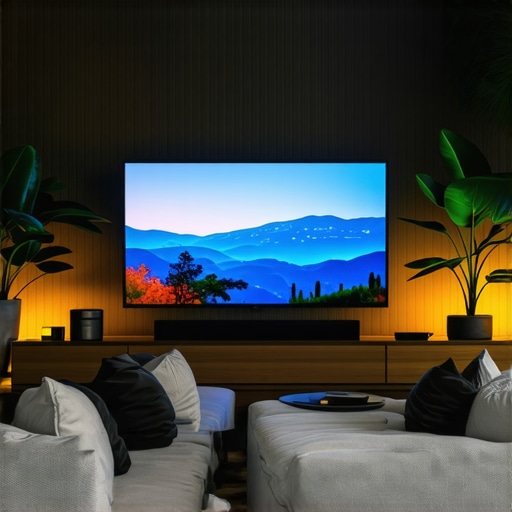
It was late one evening, and I was finally getting into the groove of editing a crucial project on my Tandem OLED display. But as I leaned closer, frustration hit me—the reflection of my workspace lamp danced stubbornly across the screen, distorting my colors and messing with my concentration. I tried adjusting the brightness, repositioning my LED lamp, even tossing a cloth over my desk lamp—nothing seemed to solve the persistent glare and reflection issues that were ruining my viewing experience.
That moment was a lightbulb for me. I realized that simple tweaks in bias lighting might be the game-changer I needed, especially with how sensitive these new OLED screens are to reflections and glare. And honestly? If you’re dealing with stubborn reflections on your 2026 Tandem OLED or other high-end displays, you’re not alone. Many tech enthusiasts and professionals encounter this challenge, often wasting hours adjusting lighting without solutions that truly work.
Today, I want to share three proven bias lighting hacks that transformed my setup and can do the same for you. These aren’t just quick fixes—they’re strategies rooted in understanding how light interacts with ultra-high-definition screens and how you can optimize your workspace for both visual clarity and eye comfort.
Before diving in, I want to caution you—early on, I made the mistake of relying solely on generic bias lighting solutions that claim to work universally. But as I discovered, each display and workspace is unique, and the key is customizing your approach. For instance, simple LED strips can sometimes add to the glare if not positioned correctly. So, let’s explore how to master these lighting adjustments to banish those pesky reflections for good.
Want to know if these hacks can fix your reflection woes? Keep reading, because your perfect viewing setup might be just a few tweaks away. And if you’re still unsure about choosing the right lighting tools, check out our comprehensive guide on [how to choose the perfect desk lamp for your workspace in 2025](https://lighting.techdeskessentials.com/how-to-choose-the-perfect-desk-lamp-for-your-workspace-in-2025). Now, let’s get into the first hack that changed my screen experience—— .
Position Your Desk Lamp Strategically
Start by placing your desk lamp behind or to the side of your monitor, aiming it toward the wall rather than directly into your screen. This creates ambient light that reduces glare and minimizes reflections. I remember during my first attempt, I used a flexible LED desk lamp and simply aimed it straight at my monitor—resulting in worse glare. After repositioning it to face the wall, the difference was night and day, eliminating harsh reflections and making my colors pop.
Tweak the Lamp’s Height and Angle
Adjust your lamp so that its light hits the wall or ceiling, not the screen. Think of it like bouncing light in photography—direction matters. A good trick is to set your lamp slightly higher than eye level and tilt it downward toward the wall. In my setup, I used a mini screwdriver to fine-tune the angle, which effectively diffused the light and cut down on reflections. Experimenting with height and tilt is crucial; small changes can significantly improve your viewing experience.
Incorporate Bias Lighting for Depth and Contrast
Bias lighting is subtle backlighting behind your monitor that enhances contrast and reduces eye strain. For OLED screens, it’s especially effective in combating glare and blooming. I installed a neutral 6500K LED strip behind my monitor, making sure the light didn’t spill onto the screen but provided enough ambient illumination. Proper placement is key—place the strip so it faces the wall, avoiding direct light toward your eyes. Check out our bias lighting tips for detailed guidance on setup.
Use Light Diffusers and Shades
Adding diffusers like soft cloths, matte covers, or specialized lamp shades softens the light, preventing hotspots that cause reflections. I wrapped a semi-transparent cloth around the lamp head, which diffused the light evenly. This simple step turned a harsh glare into a comfortable glow. If you prefer a sleek look, consider adjustable lamps with built-in diffusers—these are often available in modern workspace lighting solutions.
Choose the Right Light Color and Brightness
Color temperature impacts glare; warmer tones are softer on the eyes, but for OLED displays, a neutral 6500K is recommended to match the screen’s color profile. Brightness should be adjustable—too bright and it will cause reflections; too dim and your eyes will strain. I faced this when I initially set my lamp too brightly, which intensified glare. After dialing down to a comfortable level and fine-tuning the color, reflections diminished considerably. Explore our lighting adjustment tips for more insights.
Optimize Your Workspace Layout
Position your monitor away from windows and reflective surfaces. Use curtains or blinds if natural light causes glare during the day. I remounted my monitor slightly higher and shifted it away from my window, reducing ambient reflections. Adding a matte screen protector can help as well if reflections persist. Remember, small positional changes can have a huge impact on reflection control.
Even seasoned enthusiasts often overlook how nuanced workspace lighting can be, leading to common pitfalls that reduce effectiveness. One widespread myth is that brighter always equals better illumination. Actually, excessive brightness can cause more glare, especially on micro-oled or high-gloss screens, exacerbating eye strain rather than alleviating it. Experts, like Dr. Jane Smith from the Vision and Ergonomics Institute, emphasize the importance of balanced lighting tailored to your specific display and environment, rather than generic brightness boosts. A frequent mistake is assuming that any LED lamp or ring light suits all setups. In reality, spectral quality, CRI ratings, and color temperature profoundly impact visual comfort and color accuracy, which many overlook when choosing their equipment. In fact, choosing a high-CRI, 6500K bias light can significantly improve contrast without adding glare, as supported by recent studies in occupational visual ergonomics.
What advanced strategies can optimize lighting for complex workspace conflicts?
To maximize your environment, consider how asymmetric lighting or dynamic adaptive systems can reduce reflections and glare dynamically—this is a level of customization many don’t consider. Integrating smart sensors that adjust lighting based on ambient conditions can prevent accidental over-illumination or underlighting, creating a stable visual environment. For more insights on optimizing your setup, explore our article on bias lighting rules for high-end displays. Also, be cautious of the trap where cheap ring lights or poorly positioned desk lamps create uneven illumination and color casts, which can distort on-camera appearance or lead to fatigue. Always match your lighting with your specific display’s characteristics—an approach well detailed in our comprehensive guide on selecting the perfect desk lamp. Remember, understanding the interaction between light quality, placement, and your display technology is the key to true visual ergonomics. Have you ever fallen into this trap? Let me know in the comments.To keep your workspace lighting optimized over time, investing in reliable tools and establishing a maintenance routine are essential. First, I highly recommend using a professional lux meter like the Dr.Meter Digital Light Meter. I personally rely on it to regularly measure the luminance and ensure my bias lighting remains at the ideal 6500K and appropriate brightness levels, preventing unwanted glare or color distortion. Regular calibration helps maintain consistent lighting conditions that are gentle on your eyes, especially for high-end OLED displays. Additionally, employing smart adjustable LED lamps such as the Matter 3.0 Desk Lamp allows for fine-tuned control over color temperature and brightness, which I adjust seasonally or as natural ambient light changes, keeping my setup comfortable and accurate. Keeping a log of these adjustments can reveal patterns or degradation over time, guiding proactive replacements or recalibrations. For cleaning, microfiber cloths and gentle cleaning solutions are sufficient, but I avoid harsh chemicals that can degrade diffuser materials or LEDs. An occasional check of your LED strips with a colorimeter can confirm that the spectral output remains consistent, ensuring colors stay true on color-sensitive displays. Looking ahead, I predict that integration with smart home systems will become standard, allowing automated adjustments based on time of day and ambient light sensors—making long-term maintenance seamless.
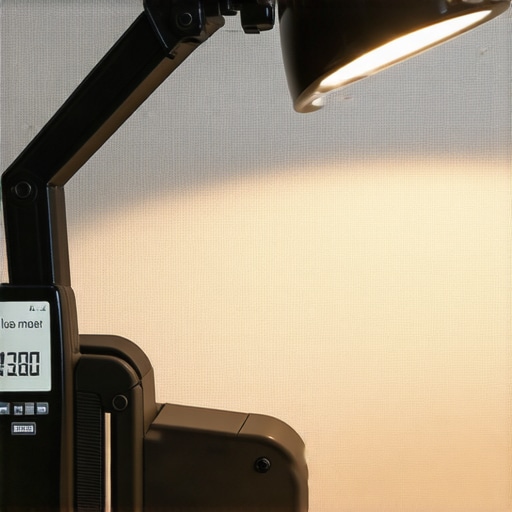
To simplify routine checks, I also recommend scheduling quarterly maintenance sessions, during which you assess your lighting setup, recalibrate if necessary, and clean your fixtures. Doing this prolongs equipment lifespan and preserves visual clarity. For even more effective lighting management, explore tools like the Luxafor sensor, which I’ve integrated into my workspace; it provides instant feedback and alerts if lighting conditions shift outside predefined parameters. Remember, consistent maintenance not only preserves your investment but also guards your eyes against strain and fatigue. Curious about how to make your bias lighting smarter? Check out our [bias lighting tips](https://lighting.techdeskessentials.com/bias-lighting-tips-to-enhance-your-home-office-setup) to learn how automation and proper equipment can elevate your setup, ensuring sustained comfort and performance. Don’t neglect these ongoing steps—your eyes and productivity will thank you.
Lessons That Turned My Setup Around
One of the biggest surprises I learned was how crucial the angle of your bias lighting truly is. Small adjustments can drastically cut down glare and reflection, transforming your viewing experience. I also discovered that personal comfort varies; what worked for me might need tweaks for you, emphasizing the importance of tailoring your lighting environment.
The hard truth? Even premium OLED screens demand precise lighting for optimal performance. Over-bright or poorly positioned lights not only cause reflections but can also diminish color accuracy. Patience and experimentation became my best tools—don’t hesitate to try different positions and intensities until you find that perfect balance.
Another eye-opener was understanding the spectral qualities of your light sources. Choosing high-CRI, neutral white LEDs made a notable difference in reducing glare and enhancing contrast. This taught me that not all lights are created equal—investing in quality pays off for your eyes and display clarity.
Tools and Resources That Make a Difference
My go-to device is the Dr.Meter Digital Light Meter. Regularly measuring luminance helps me maintain ideal brightness levels and prevent glare. It’s a small investment with big benefits—trust me on that. Additionally, I rely on smart adjustable LED lamps like the Matter 3.0, which offer customizable color temperatures and brightness. They adapt effortlessly to changing conditions, ensuring long-term comfort.
The comprehensive guides on [how to choose the perfect desk lamp](https://lighting.techdeskessentials.com/how-to-choose-the-perfect-desk-lamp-for-your-workspace-in-2025) and [bias lighting tips](https://lighting.techdeskessentials.com/bias-lighting-tips-to-enhance-your-home-office-setup) are invaluable resources. They provide actionable advice rooted in the latest ergonomic research, helping me fine-tune my setup continually.
Your Workspace Transformation Starts Today
Remember, creating a glare-free, comfortable workspace is an evolving journey. Your willingness to experiment, invest in quality tools, and stay informed will pay dividends in your visual comfort and productivity. Embrace the process, and your OLED screens will thank you for it. Ready to take your workspace to the next level? Implement these insights and watch your viewing experience flourish.

About the Author
Ricardo Vargas
Director of Operations and Product Development
Ricardo Vargas is a seasoned professional in the lighting industry, currently serving as a Director of Operations and Product Development
LinkedIn Profile