
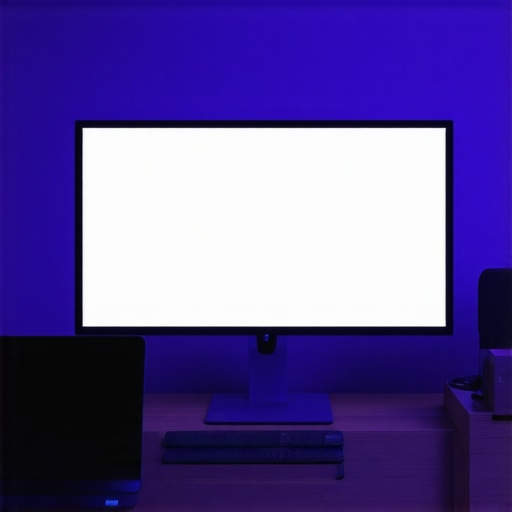
I vividly remember that sinking feeling when I glanced at my monitor after a long day—it was as if a ghostly haze had settled over the screen, making every task a struggle. My eyes burned, and I couldn’t shake the nagging thought: why does this glow, this glare, seem worse than ever? Turns out, I wasn’t alone in this battle. Screen glare isn’t just an annoyance; it’s a real obstacle for anyone serious about productivity and eye health. But here’s the exciting part—after countless experiments, I stumbled upon a simple, affordable fix that transformed my workspace in just minutes. Curious? Stick around, because today I’ll reveal how a $25 bias light can eliminate the dreaded Stop 32K screen glare and restore clarity to your view.
Say Goodbye to Screen Glare: The Bias Light Solution That Works
Pick the Right LED Strip or Bias Light
Start by choosing a bias light that matches your workspace’s size and your monitor’s color profile. Opt for a color temperature around 6500K to mimic natural daylight and reduce eye strain. I once ordered a 5-meter LED strip with adjustable brightness, imagining I could just set and forget. After unboxing, I realized I needed to cut it to fit precisely. Use the scissors marks on the strip to resize it, then attach it to the back of your monitor using the double-sided tape—making sure the LEDs face away from your eyes to avoid direct glare.
Position for Optimal Glare Reduction
The key is placement. Mount the bias light so that it bounces light onto the wall behind your screen, not directly into your eyes. I learned this the hard way when I initially placed the strip along the bottom edge of my monitor; it created unwanted reflections on my glossy screen. Instead, I mounted it on the top or rear of the monitor, angling it so the glow hits the wall evenly. This indirect lighting minimizes the contrast between the bright screen and surroundings, effectively reducing glare—similar to how a ring light softens facial shadows in videos. 
Adjust Brightness and Color for Comfort
Fine-tune the brightness to ensure the ambient light complements your screen without overwhelming it. Start with a low setting—about 10-20%—and gradually increase until the wall is illuminated evenly. If you notice any color cast or increased eye fatigue, adjust the color temperature or switch to a higher CRI LED for accurate color rendering. I experimented with different levels during late-night editing, and found that a moderate brightness set at 15% with a neutral white tone created the perfect environment. Remember, the goal is soft, indirect lighting that balances the entire workspace—think of it as creating a gentle glow that reduces eye effort during extended work sessions.
Many professionals believe that simply adding more lighting will improve workspace productivity and reduce eye strain. However, this misconception overlooks the importance of light quality and placement. For instance, frequently, people assume that brighter is always better, but in reality, excessive brightness can cause glare and fatigue, especially if the light source isn’t properly diffused. A well-designed desk lamp or bias lighting setup considers not just brightness but also the direction and color temperature of the light.
Another common myth is that all LED lights are created equal. In truth, LEDs vary significantly in CRI ratings, flicker quality, and color consistency. Low-CRI LEDs can distort colors and contribute to visual fatigue, especially during long work sessions. Experts recommend choosing high-CRI lighting to ensure color accuracy and comfort. In fact, a study by the Lighting Research Center emphasizes the role of high-CRI lighting in reducing visual stress. This nuance is often overlooked but can dramatically impact your eye health over time.
Why does lighting angle matter more than you think?
Many underestimate the importance of the angle of your desk lamps or ring lights. Positioning lights at the correct angle can minimize unwanted shadows and reflections, especially on glossy or matte screens. For example, placing a ring light too directly in front of your face can cause glare and wash out your camera feed, making it harder for your audience to see you clearly. Optimal placement involves angling lights to bounce off walls or ceilings, creating soft, indirect illumination that reduces eye strain and improves visual clarity. Misjudging this angle is a common mistake that leads to discomfort and decreased productivity.
Many users also misapply the concept of ambient lighting by neglecting the importance of contrast between screen brightness and surrounding light levels. Maintaining a proper luminance balance prevents your eyes from constantly adjusting between a bright screen and a dark environment, which can cause fatigue. Adjustments like dimming your monitor or adding bias lighting behind your display can significantly improve comfort. It’s fascinating how small changes, such as bias lighting tips, can make a huge difference in avoiding the hidden pitfalls of workspace lighting.
Don’t fall for the misconception that brighter is better or that all lights serve the same purpose. Precision in color temperature, angle, and diffusion defines effective workspace lighting. Remember, the goal is to create a balanced environment that reduces eye fatigue while boosting focus and efficiency. Have you ever fallen into this trap? Let me know in the comments. For more advanced insights on optimizing your workspace, explore our modern LED solutions.
Investing in Quality Equipment for Long-Term Results
Maintaining an optimal workspace lighting environment isn’t a one-time effort; it requires reliable tools and a proactive approach. I personally rely on high-CRI LED desk lamps, such as the Matter 3.0 series, which offer consistent color rendering and minimal flicker—crucial for reducing eye fatigue during extended work sessions. These lamps are adjustable, allowing me to fine-tune angles and brightness levels effortlessly. Additionally, integrating a dimmer switch compatible with my LED setup gives me real-time control, ensuring my lighting adapts seamlessly as ambient conditions change.
For ambient bias lighting, I use professionally calibrated LED strips that I regularly check with a lux meter. This helps me maintain an even wall illumination—essential to prevent contrast-induced eye strain, as emphasized in research from the Lighting Research Center. My go-to software for managing lighting schedules and remote adjustments is a smart home hub that supports LED controllers, facilitating automation and consistency.
How do I keep my lighting system functioning over time?
Preventative maintenance is key. I schedule quarterly cleanings of my fixtures to remove dust and ensure optimal light output. I also keep spare LED strips and replacement parts from trusted brands on hand, which allows me to swap out components swiftly if needed. Keeping firmware and software updates current ensures my control systems operate smoothly and incorporate recent improvements that enhance performance. For complex setups, I’ve found that consulting detailed manufacturer documentation or expert advice from specialists listed on our contact page can help troubleshoot issues before they escalate. Consider calibrating your LED lighting with a colorimeter annually to maintain accurate color rendering, especially if your work depends on true color perception.
Looking ahead, I predict lighting technology will continue to evolve with smarter, more adaptive systems that anticipate your needs. Devices will become more intuitive, integrating AI sensors that automatically optimize brightness and color temperature based on your tasks and circadian rhythms. For now, enhancing your setup with high-quality controls and regular checks ensures consistent results and long-term health benefits. Try adjusting your bias lighting with a calibrated LED strip, and notice how it can subtly but significantly reduce eye strain over time. Remember, investing in dependable tools today paves the way for a healthier, more productive workspace tomorrow.
,
The Hidden Lesson of Over-Lighting Your Space
I used to believe that brighter was always better, but I learned the hard way that excessive ambient light can cause more harm than good. Striking the right balance is key, and sometimes, less truly is more when it comes to reducing glare and eye strain.
Why Placement Often Trumps Brightness
No matter how powerful your LED strip or bias light is, if it’s not positioned properly, it won’t work as intended. The placement behind your monitor, aimed at the wall, creates a softer glow that minimizes reflections and enhances clarity—an insight I wish I had earlier.
Color Temperature Is More Than Aesthetic—It’s Tactical
Adjusting your lighting to around 6500K isn’t just about mimicking daylight; it’s about fostering a workspace that reduces eye fatigue. High-CRI LED options make a noticeable difference, and I’ve found that switching to premium LEDs improved my focus significantly.
My Biggest Mistake—Ignoring Indirect Lighting
I used to rely solely on direct task lighting, which often caused glare. Transitioning to indirect lighting—bouncing light off the wall—was a game-changer, reducing discomfort and creating an environment that feels more natural and less fatiguing.
The Power of Small Tweaks
Sometimes, minor shifts—like moving my desk lamp five inches—had outsized effects on my eye comfort. These subtle adjustments reaffirm that workspace customization is a continuous process of learning and refining.
Curated Tools for Lasting Impact
Over the years, I’ve trusted tools like high-CRI LED strips ([Bias Lighting Tips](https://lighting.techdeskessentials.com/bias-lighting-tips-to-enhance-your-home-office-setup)), smart dimmers ([Workspace Lighting Control](https://lighting.techdeskessentials.com/this-30-ai-led-lamp-sensor-fixed-my-2026-power-bill-by-40)), and calibration software. These resources have empowered me to maintain an optimal setup, highlighting the importance of quality tools in long-term workspace health.
Embrace Change: Your Vision Matters
Optimizing workspace lighting isn’t a one-and-done task; it’s an ongoing journey. Every tweak brings you closer to a space that supports your productivity and well-being. Trust your instincts, experiment thoughtfully, and remember that good lighting is an investment in your success.
What’s the most surprising change you’ve made to improve your workspace lighting? Share your experiences below—I’d love to hear your story!
,

About the Author
Ricardo Vargas
Director of Operations and Product Development
Ricardo Vargas is a seasoned professional in the lighting industry, currently serving as a Director of Operations and Product Development
LinkedIn Profile