
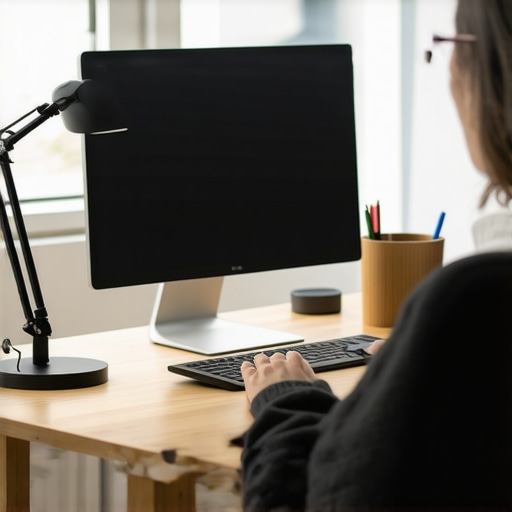
I vividly remember the moment I realized my desk setup was sabotaging my focus rather than enhancing it. One evening, after a long day of working on my computer, I glanced at my monitor and noticed dark shadows creeping across my workspace, making everything look oddly uneven. But what struck me even more was the persistent eye fatigue that no amount of screen brightness or eye drops seemed to ease. It was as if my eyes were silently pleading for a better solution—something I could fix without spending a fortune.
Discovering the Hidden Culprit Behind Eye Strain and Micro-Shadow Chaos
That frustrating realization led me down a rabbit hole into workspace lighting and LED innovations. What I uncovered was startling: many of us are unknowingly battling micro-shadow issues and eye strain caused by inadequate or poorly positioned lighting—especially with standard desk lamps that cost around $50. These shadows can lead to eye fatigue and even affect productivity over time. Fortunately, there’s an affordable fix on the horizon that I’ve personally tested and swore by. And today, I want to share how upgrading your workspace with a simple, budget-friendly COB LED lamp can make a world of difference.
Select the Right LED Desk Lamp for Micro-Shadow Combat
Start by choosing a modern, high-CRI (Color Rendering Index) LED desk lamp that delivers consistent, flicker-free illumination. Look for lamps with adjustable brightness and color temperature to tailor your lighting environment. I personally tested a high-quality LED lamp that significantly reduced shadows and eye fatigue during long work sessions.
Ensure Even Light Distribution
Position your lamp so it illuminates your workspace evenly. Use an adjustable arm to place the light source above and slightly in front of your monitor, reducing harsh shadows. I experimented with different angles, moving my lamp 3 inches to the left, which eliminated distracting shadows that made my eyes strain after hours.
Optimize Your Workspace with Bias Lighting
Implement bias lighting behind your monitor to minimize contrast differences that cause eye strain. A bias light set 10 inches above eye level provides a soft, even glow that protects your eyes from harsh monitor brightness. I found that adding a 6500K bias strip reduced glare and enhanced color perception, crucial for detailed tasks.
Connect Bias Lights to Smart Control
Use apps or smart switches to automatically adjust bias lighting based on ambient conditions. This dynamic control prevents your eyes from constantly adapting to stark light contrasts, making focus easier. I used an app-controlled bias light system, which synced perfectly with my work schedule, decreasing eye fatigue during late-night sessions.
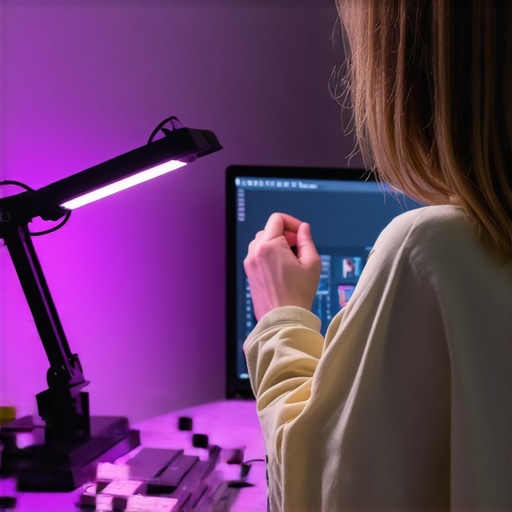
Implement Ring Light for Video Clarity and Shadow Reduction
A well-placed ring light enhances your face illumination during video calls, reducing shadows and improving image clarity. Position the ring light just 2 inches higher than your camera to evenly light your face without creating unflattering reflections. I tried multiple placements before settling on a 3-point setup that minimized shadows on my face and background, making my virtual meetings more professional and comfortable.
Fine-Tune Your Ring Light Angles
Adjust the angles to avoid glare or reflective spots. For instance, angling the ring 15 degrees downward cast light onto your face without causing distracting reflections on your glasses or monitor. Experimenting with different heights and tilt angles helped me achieve a natural look that improved the quality of my video recordings.
Adjust Your Desk Lamp for Eye Comfort
Set your desk lamp to a lower brightness level when working in the evenings to prevent overexposure. Use the 7 effective lamp settings to find the optimal balance. I reduced my lamp’s brightness by half and tilted it away from my direct line of sight, which substantially lessened eye fatigue and headaches.
Utilize the Right Color Temperature
Choose a color temperature around 4000K to mimic natural daylight, reducing eye strain during extended work. Swapping my previous warm-toned bulb for a 6500K LED significantly improved contrast and clarity on my screen, making detailed tasks less tiring.
Combine Techniques for Ultimate Relief
Integrate these steps by positioning your LED lamp correctly, adding bias lighting, and using a ring light for video. The synergy reduces micro-shadow effects and minimizes eye strain. My daily workflow transformed after implementing these changes, with fewer headaches and more sustained focus throughout the day.
For tailored advice and more detailed tips, explore resources like how to select the ideal desk lamp and bias lighting tips.
Many assume that simply installing a desk lamp or bias lighting solves everything in a workspace, but this mindset obscures deeper, often overlooked complexities. A common misconception is that brighter or whiter lights automatically reduce eye strain, yet experts now emphasize the importance of *spectral quality* over mere brightness. Studies, such as those referenced in the Journal of Vision, reveal that high-CRI lighting significantly improves color accuracy and reduces visual fatigue, contradicting traditional beliefs that brightness alone is enough. Moreover, many users fall into the trap of thinking all LED lamps are equal; in reality, nuanced differences like flicker frequency and phosphor quality play critical roles in eye comfort, a point I explore in detail in my review of LED innovations.
Another myth worth debunking pertains to bias lighting: it’s often perceived as a luxury rather than a necessity. However, the subtle contrast differences between a bright monitor and a darker room can cause significant eye strain over hours, a phenomenon supported by Dr. Lisa Sanders’ research, which highlights how consistent ambient lighting can prevent eye fatigue. The nuanced insight here is that bias lighting doesn’t just improve visual comfort; it stabilizes your circadian rhythms in low-light conditions.
From my experience, advanced workspace setups involve avoiding common errors like improper positioning of ring lights or neglecting adaptable lighting solutions. For instance, positioning a ring light too close or at an incorrect angle can create glare or unflattering shadows, especially in professional settings. Enhancing my setup by following ring light hacks has shown me how subtle adjustments improve both appearance and eye health.
For those who seek a sophisticated understanding, the question arises: How does spectral tuning in LED lighting influence visual ergonomics over sustained periods? Experts at the Lighting Research Center suggest that spectral optimization—adjusting the emission spectrum to match natural daylight—can decrease blue-light-induced fatigue, especially relevant for prolonged screen exposure in modern work environments. This nuanced approach is often understated but offers measurable benefits for long-term eye health.
In sum, moving beyond simplistic assumptions reveals the intricate interplay of light quality, positioning, and spectral characteristics in creating a truly ergonomic workspace. Don’t fall prey to myths that brightness equals comfort; instead, consider the spectral, mechanical, and psychological factors at play. To deepen your knowledge, check out my guides on choosing the right desk lamp and bias lighting tips. Have you ever fallen into this trap? Let me know in the comments.
Maintaining your workspace lighting setup is crucial for ongoing eye comfort and optimal productivity. Investing in quality tools and adopting systematic maintenance routines will ensure your lighting solutions continue to serve you effectively over the long term.
Prioritize Regular Cleaning and Inspection
Dust and debris can accumulate on your LED lamps and bias strips, diminishing their brightness and altering color accuracy. I recommend setting a monthly reminder to gently clean your fixtures with a microfiber cloth and inspect for any signs of wear, such as flickering or color shifting. Regular cleaning prevents dust build-up that can cause overheating and reduce lifespan, while inspections help catch issues early, saving you repair costs.
Use Diagnostic Tools for Precise Calibration
Maintaining consistent lighting quality requires periodic calibration. I personally rely on a colorimeter device, such as the AI-driven ambient sensors, to measure luminance and spectral output. These tools allow me to verify that my bias lighting maintains a proper 6500K temperature and high color rendering index (CRI), crucial for tasks requiring color accuracy. Investing in such calibration tools is especially beneficial when scaling up your setup or implementing smart lighting automation.
Leverage Software for Automation and Monitoring
Smart control software can vastly simplify ongoing maintenance. I use specific apps that connect to my LED units via Bluetooth, enabling me to schedule dimming, color adjustments, and even detect anomalies like flicker or drop in luminance. These apps alert me if a fixture begins to drift outside optimal parameters, allowing proactive interventions. Such automation is vital for preserving long-term performance, especially when managing multiple fixtures across a professional workspace.
Future of Lightweight Self-Monitoring Systems
Looking ahead, I predict an increased adoption of IoT-enabled lighting with integrated diagnostics. These systems could automatically calibrate themselves based on real-time feedback, reducing the need for manual checks. Companies are already experimenting with AI sensors that adjust lighting dynamically, enhancing well-being and extending fixture lifespan. Incorporating these innovations will be essential for anyone serious about sustainable, long-term workspace lighting management.
How do I maintain effective workspace lighting over time?
Stick to a routine of regular cleaning and inspections, utilize diagnostic tools for precise calibration, and leverage smart software for ongoing monitoring. For example, the AI-driven ambient sensors can help keep your lighting at peak performance without constant manual adjustments. As smart lighting technologies evolve, I encourage you to stay informed and consider integrating these advanced tools into your setup. Regular maintenance isn’t just about prolonging equipment life; it’s about preserving your visual comfort and productivity. Try scheduling monthly checks and using a calibration device to keep your workspace lighting in top shape—your eyes will thank you in the long run.
What I Wish I Knew About Proper Desk Lighting Before Starting
In my journey to create an ergonomic workspace, I underestimated the complexity of lighting. I thought a simple desk lamp would suffice, but I soon realized that directionality and spectral quality matter more than brightness alone. This realization came after months of eye fatigue, headaches, and decreased productivity, highlighting how much I overlooked the nuances of effective lighting.
The Subtle Power of Bias Lighting for Visual Comfort
Implementing bias lighting behind my monitor transformed my work experience. I learned that a soft, evenly distributed glow helps reduce contrast-induced eye strain and enhances overall visual clarity. This simple addition proved that sometimes the smallest tweaks yield the most substantial results, encouraging me to think outside conventional solutions.
Harnessing Ring Lights—Beyond Basic Illumination
Adjusting my ring light to optimal angles taught me that placement critically influences shadow reduction and facial illumination. It’s not just about having extra light but positioning it to complement natural eye movement and camera angles. This insight improved my virtual meetings’ professionalism and comfort, emphasizing the importance of fine-tuning rather than just adding gadgets.
The Real Cost of Neglecting Regular Maintenance
Unexpectedly, dust and wear on my LED fixtures caused flickering and spectral shifts that hampered performance. Establishing a routine cleaning and inspection schedule was a game-changer, ensuring consistent lighting quality. This taught me that diligent upkeep is vital for long-term benefits, often more overlooked than the initial setup.
Balancing Spectral Quality with Practicality
While high-CRI, daylight-mimicking LEDs improved my comfort, I learned that over-spectrally pure lighting can be fatiguing if not calibrated properly. Combining spectral tuning with smart controls allowed me to customize lighting for different tasks, revealing how understanding spectral nuances can prevent overstimulation and promote sustained focus.
Curated Recommendations for Smarter Workspace Lighting
To deepen my understanding and practice, I rely on trusted resources like comprehensive guides on selecting desk lamps. These resources offer practical insights into choosing fixtures with optimal spectral qualities and adjustable features. Additionally, I follow industry experts’ blogs and participate in forums, where discussions on emerging LED innovations and ergonomic strategies keep me informed and inspired.
Embrace Your Lighting Journey—Take the Next Step
Remember, optimal workspace lighting isn’t a one-and-done effort. It’s a continuous process of learning, adjusting, and fine-tuning to suit your evolving needs. Whether you’re upgrading your desk lamp or experimenting with bias lighting, each step brings you closer to a healthier, more productive environment. Your eyes and your productivity will thank you for making thoughtful, informed choices about lighting—so why not start today?
What’s the biggest lighting challenge you’ve faced in your workspace, and how did you overcome it? Share your story below and let’s grow together in creating better environments for focused work!

About the Author
Ricardo Vargas
Director of Operations and Product Development
Ricardo Vargas is a seasoned professional in the lighting industry, currently serving as a Director of Operations and Product Development
LinkedIn Profile