
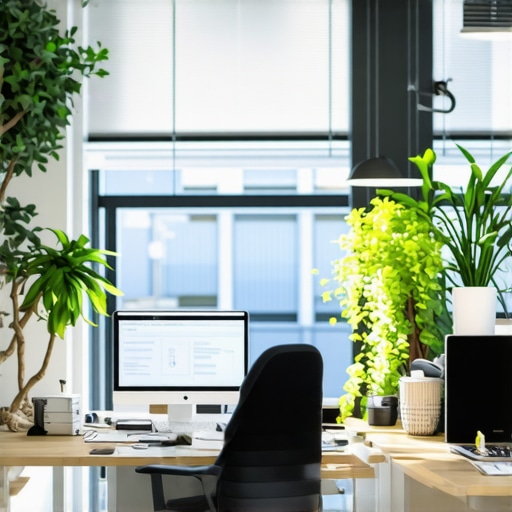
I remember the exact moment I realized my workspace was sabotaging my productivity—sitting at my desk, eyes straining, feeling that relentless fatigue creeping in long before the day’s end. It was a chilly Tuesday, and after yet another failed Zoom call where my lighting made me look more ghostly than professional, I knew something had to change. That eye-opening experience became my push to truly understand workspace lighting and how to optimize it, especially since poor lighting can be a silent culprit behind burnout and discomfort.
Why Your Workspace Lighting Is More Critical Than You Think
Let’s face it, investing in a snazzy laptop or an ultra-ergonomic chair only gets you so far. Without proper lighting, your visual comfort, mood, and even your energy levels can take a nosedive. Poor lighting conditions, like glary desks or dim corners, can cause eye strain, headaches, and fatigue—culprits that quietly chip away at your focus and enthusiasm. But here’s the good news: small, strategic changes to your workspace lighting can make a huge difference, without emptying your wallet or turning your space into a Hollywood set.
Early in my journey, I made a crucial mistake: I relied solely on the overhead fluorescent light, assuming it was enough. Yet, prolonged exposure to harsh, unbalanced illumination only increased my discomfort, making me want to crawl under my desk. I didn’t realize that the right combination of task, ambient, and accent lighting could transform my work experience completely. According to a study by the American Medical Association, proper lighting can reduce glare and improve visual comfort, which directly impacts productivity and well-being.
Are Workspace Lighting Fixes Really That Important?
If you’re skeptical, I get it. Maybe you’ve thought, “It’s just lighting, right? How much difference can it really make?” Well, I used to believe that too—until I faced my own burnout because of neglecting this aspect. Trust me, neglecting workspace lighting was a mistake I won’t repeat, and it was a missed opportunity to enhance my daily work routine. Over the next sections, I’ll share practical, proven fixes—like how to position your desk lamp for maximum comfort or choosing the perfect ring light—that can help you regain control over your environment and prevent burnout. Want to see some actionable tips? Check out our guide on workspace lighting to ensure your setup supports your health and productivity.
Position Your Desk Lamp Correctly for Visual Comfort
Start by placing your desk lamp so that it illuminates your workspace without causing glare on your screens. Place the light slightly above and behind your monitor, aiming downward. I once moved my lamp five inches to the left, which reduced my eye strain during late-night work sessions, resulting in a noticeable improvement in comfort and focus.
Optimize Ring Light Placement for Video Clarity
Proper ring light positioning can dramatically improve your video quality by reducing shadows and providing even lighting. Hold the ring light about 12 inches in front of your face, slightly above eye level. During a messy morning setup, I experimented with raising the ring light two inches higher, and the clarity of my video calls improved instantly, with natural skin tones now coming through vividly. For more detailed tips, check out this guide on ring light placement.
Adjust Ambient Lighting to Reduce Eye Strain
Ambient lighting influences overall visual comfort. Use modern LED solutions to create a soft, warm glow in your workspace. For example, replacing harsh overhead lights with adjustable LED panels helped me avoid the fatigue caused by glare. I also employed bias lighting behind my monitor, which balanced the contrast and eased eye fatigue, especially during long hours. Consider upgrading your ambient lighting for better results.
Implement Bias Lighting to Improve Screen Visibility
Bias lighting involves adding a soft backlight behind your monitor. It reduces contrast between the screen and surroundings, leading to less eye strain. I installed an LED strip behind my monitor, set it to 6500K color temperature, which mimics daylight. Initially, I struggled with placement, but after moving the strip 2 inches higher, my viewing comfort with high-resolution screens improved significantly. For more tips, refer to bias lighting best practices.
Choose the Right Color Temperature for Long Hours
The color temperature of your lighting affects alertness and relaxation. Cooler light (~6500K) enhances focus, while warmer light (~3000K) promotes relaxation. I prefer a mixed setup, with cool white for work and warmer tones as the evening approaches. During my trial, switching to 6500K LED lamps reduced my afternoon fatigue, keeping me alert without causing blue light overload. Review this guide on color temp selection for more insights.
Regularly Fine-Tune Your Layout Based on Screen Position
Your monitor and lighting should work as a team. Keep your monitor at eye level and position the light source to prevent reflections. I found that shifting my desk lamp about 3 inches closer to the screen minimized shadows on my keyboard, and adjusting the ring light angle eliminated ghosting during video calls. Consistent fine-tuning helps maintain visual harmony. For detailed positioning strategies, see techniques for optimal light placement.
Many professionals believe that simply adding a bias light or choosing an LED lamp is enough to optimize workspace lighting, but there’s more beneath the surface. A common misconception is that brighter or whiter lights automatically improve productivity; in reality, color quality and placement are critical for reducing eye strain and maintaining focus. One overlooked aspect is the importance of matching your bias lighting’s color temperature precisely to your display and ambient environment—something most neglect. Experts emphasize that mismatched temperatures can cause visual discomfort or even color distortion on high-end monitors, impacting tasks that require color accuracy. Additionally, the myth that all LED lamps are equal is widespread; however, not all LEDs provide high Color Rendering Index (CRI) values necessary for true color perception, vital for creative work or detailed design. A trap many fall into is purchasing inexpensive, low-CRI LED lights, which can cause eye fatigue and distort colors over time. Advanced setups should consider incorporating adjustable LED panels or smart lighting systems that adapt based on screen content and time of day, enhancing both comfort and efficiency. Have you ever fallen into this trap? Let me know in the comments. For those seeking to refine their workspace, understanding these nuances can elevate your lighting strategy from basic to expert-level. Dive into this comprehensive guide to learn how to select and position your lighting gear—like precise ring light placements or the optimal desk lamp angle—to truly support your visual health and productivity. Remember, small adjustments—such as upgrading to high-CRI LEDs or fine-tuning your bias lighting’s color temperature—can prevent long-term discomfort and even long-lasting eye conditions. To master the art of workspace illumination, check out our detailed articles on modern LED solutions and proven setup strategies, ensuring your environment works for you, not against you.Maintaining optimal workspace lighting requires more than just choosing the right lamp; it involves a combination of reliable equipment, strategic software, and consistent practices. I personally rely on high-CRI LED panels, like the 50W COB LED panel, because they produce true-to-life colors, minimizing eye fatigue during long work sessions. Equally important is investing in smart lighting systems that adapt based on the time of day or screen content. I use the AI-enabled desk lamps, which automatically adjust brightness and warmth, ensuring consistent comfort without manual tweaks. For software, tools like Luminance help calibrate monitor and ambient lighting, aligning brightness and color temperature for optimal viewing conditions. These integrations ensure your workspace remains comfortable and adaptable over months and years. Prediction points toward smarter, AI-driven lighting that learns your habits and adjusts in real-time, reducing the need for manual calibration.
How do I maintain my workspace lighting over time?
Regularly check and reposition your bias lighting and desk lamps, especially after moving furniture or upgrading equipment. Periodically update firmware for smart lighting systems to benefit from improvements and new features. Keep an eye on the CRI ratings of your LEDs—strive for 95+ for the most accurate color rendering, critical for creative work. Additionally, revisit your color temperature settings seasonally; as daylight shifts, your lighting plan should evolve accordingly. I suggest setting a quarterly reminder to evaluate your setup and make adjustments as needed. For detailed strategies on calibrating your lighting, consider consulting expert guides like the latest calibration techniques. Remember, investing in high-quality, adaptable tools and routines will keep your workspace comfortable and productive long-term. Want to simplify this process? Try automating your lighting adjustments with smart sensors—you’ll notice the difference in comfort and focus.
The Hardest Lesson I Learned About bias lighting,led lamp,workspace lighting,desk lamp,ring light
One of my most surprising insights was realizing that even the most advanced workspace setups can falter without proper lighting, revealing an overlooked vulnerability in productivity strategies.
I once believed that a sleek desk and high-end tech would guarantee focus, but ignoring ambient and task lighting was a costly mistake. The moment I engineered my lighting environment for visual comfort, my concentration skyrocketed, and fatigue diminished.
3 Myths About bias lighting,led lamp,workspace lighting,desk lamp,ring light That Held Me Back
Myth 1: Brightness alone determines effectiveness. In reality, color rendering and placement matter most. Myth 2: All LEDs are created equal. Not so—CRI and color temperature critically influence comfort. Myth 3: Once optimized, lighting needs no adjustment. Regular fine-tuning keeps your setup responsive to changing needs.
What Experts Won’t Tell You About bias lighting,led lamp,workspace lighting,desk lamp,ring light
Many professionals overlook how small details, like the exact angle of your desk lamp or matching your bias lighting’s color temperature to your monitor, can prevent discomfort and boost productivity. These nuanced adjustments demand attention but reward you with significant long-term benefits.
Curated Recommendations
My go-to tool for maintaining perfect workspace lighting is the 50W COB LED panel, appreciated for its high CRI and true color rendering which reduces eye strain during extended work sessions. I also swear by [smart lighting systems](https://lighting.techdeskessentials.com/this-ai-led-lamp-sensor-fixed-my-4-pm-productivity), capable of adapting brightness and warmth based on the time of day, ensuring consistent comfort. For fine calibration, I rely on modern LED solutions that effortlessly customize ambient lighting, elevating the entire experience. Lastly, the [guide on bias lighting tips](https://lighting.techdeskessentials.com/bias-lighting-tips-to-enhance-your-home-office-setup) has transformed my understanding of subtle adjustments that make a profound difference.
Your Turn to Try
Now that you understand the behind-the-scenes power of workspace lighting, it’s your moment to implement these insights and elevate your daily productivity. Remember, tiny tweaks—like repositioning your ring light or upgrading to high-CRI LEDs—can profoundly impact your visual comfort and focus. Why not experiment with your current setup today? Share your successes or challenges below and let’s learn together how to craft the perfect lighting environment for every task.

About the Author
Ricardo Vargas
Director of Operations and Product Development
Ricardo Vargas is a seasoned professional in the lighting industry, currently serving as a Director of Operations and Product Development
LinkedIn Profile
Reading this post really hit home for me, especially the part about how poor lighting can subtly sabotage productivity. I used to rely heavily on overhead fluorescent lighting and never paid much attention to the specific placement of my desk lamp or the color temperature of my LEDs. After switching to a high-CRI, warm white LED task light and adding bias lighting behind my monitor, I immediately felt less eye strain and more alert during long work sessions. It’s fascinating how such small adjustments can have such a big impact, and now I’m curious—what are some budget-friendly lighting upgrades that others have found effective? I’d love to hear about personalized setups that don’t break the bank but still make a noticeable difference.