
There was a morning not too long ago when I finally hit a breaking point. I was mid-work, surrounded by my sleek LED desk lamp, trying to focus on a critical project. But instead of clarity, I was met with a relentless glare bouncing off my screen, causing eyestrain and frustration. That moment was a lightbulb for me—literally. I realized my workspace’s bad lighting was sabotaging my productivity and comfort. If you’ve ever felt that stubborn glare, you’re not alone, and there’s a simple fix that transformed my setup.
Why Glare is Sabotaging Your Work and How to Stop It
Is Polarizer Technology Really the Game-Changer?
Early on, I made a rookie mistake—thinking that a brighter lamp would solve my glare issues. Turns out, more light isn’t always better. In fact, it often makes glare worse. I discovered that using a polarizing filter on my LED lamp dramatically reduced reflections, improving screen clarity and reducing eyestrain. Experts confirm that polarizers can cut unwanted reflections by up to 90%, making your workspace more comfortable and visually clearer. To learn more about how innovative lighting solutions can boost your productivity, check out these lighting innovations.
Positioning Your Desk Lamp Correctly
Start by placing your desk lamp slightly to the side of your monitor, at about a 45-degree angle. This prevents direct glare on your screen while illuminating your work area evenly. I once moved my lamp just 3 inches to the left, and instantly noticed less eye fatigue during long coding sessions—simple adjustment, huge impact.
Adjust the Lamp Height for Comfort
Set your lamp height so that the light hits your workspace without shining directly into your eyes. Think of it as creating a soft, diffused sky overhead rather than a spotlight shining in your face. I often use a taller desk or elevate my lamp a few inches, which reduces harsh shadows and prevents strain on my neck and eyes—an easy tweak that pays off.
Integrating Bias Lighting for Reduced Glare
Bias lighting involves placing a gentle, backlit glow behind your monitor. This technique balances the brightness between your screen and surroundings, preventing your eyes from constantly adjusting. I installed a 6500K bias light strip behind my monitor, which cut my eyestrain by 50%. For tips on choosing the right setup, visit this guide.
Optimizing Ring Light Placement for Video Calls
Ring lights should be positioned directly in front of your face, slightly above eye level. Imagine a halo framing you perfectly—this enhances your appearance for video conferences. I once placed my ring light too low, creating unflattering shadows; raising it just 4 inches made my skin tone appear more natural and professional, especially during those critical client meetings. Check this article for more hacks.
Fine-Tuning Lighting Temperatures and Brightness
Use adjustable LEDs that allow you to control color temperature and brightness. Cooler temperatures (~6500K) mimic daylight and help maintain alertness, whereas warmer tones (~3000K) promote relaxation. During my late-night work, I set my lamp to 4000K with increased brightness, avoiding the bluish hue that causes fatigue. Experimenting with these settings is key, and modern lamps often come with app controls for precision—learn more at this review.
Utilizing Multi-Source Lighting for Balance
Combine ambient, task, and accent lighting to create a balanced workspace. Ambient light establishes a base, task lighting illuminates your work area, and accent lighting adds depth. I use a ceiling-mounted LED panel for overall brightness, a desk lamp for focused tasks, and small LED strips for subtle backlighting. This layered approach prevents eye strain caused by stark contrasts, as detailed in this article.
Many professionals believe that simply purchasing a bright LED desk lamp or setting a high lumen brightness automatically creates an optimal workspace. However, this oversimplification ignores critical nuances that can undermine your efforts. For example, a common misconception is that using multiple intense light sources, like high-wattage ring lights or ultra-bright bias lighting, always improves visibility. In reality, improper placement or excessive brightness can cause glare, eye fatigue, and even reduce contrast, hampering productivity.
One often overlooked aspect is the color temperature of your lighting. While many focus on lumens, they forget that cooler temperatures (~6500K) encourage alertness, whereas warmer hues (~3000K) promote relaxation. Mixing these without a strategic approach can create uneven lighting environments, leading to visual discomfort.
Why are so many lighting myths misleading or outright wrong?
Many expert sources, including research from this article, highlight that misconceptions about maximum brightness equating to better lighting are prevalent. They emphasize that the key lies in balance, layering different types of lighting—ambient, task, and accent—to create a harmonious workspace. Furthermore, the ubiquitous advice to position ring lights directly in front of the face neglects advanced nuances—such as optimal height and angle—to prevent shadows or unnatural skin tones, as I discovered during my experiments with these hacks.
A trap many fall into is relying solely on consumer reviews that highlight brightness without considering the spectral quality or flicker rates. High flicker rates or low CRI values can cause eye strain or color distortion, respectively. For advanced users, understanding that high CRI (>90) lighting enhances visual clarity and reduces fatigue is crucial—a nuance that separates amateur setups from professional-grade workspace lighting.
Additionally, the myth that more lighting equals better performance can lead to unnecessary energy consumption and glare issues. Instead, calibrating lighting via app-controlled LEDs or adjustable color temperatures ensures each task’s needs are met without overwhelming the eyes or wasting energy. For more on refining your workspace lighting, check out this guide.
Finally, advanced practitioners understand that the indirect and reflected light components—such as bias lighting behind monitors—play a vital role in reducing eye strain by balancing light levels and minimizing screen-specific glare. As I detail in this article, neglecting these subtle factors can make even high-end lighting ineffective.
In summary, achieving an optimal workspace involves more than just high brightness or trendy lighting fixtures. Recognizing and avoiding these common myths, understanding the significance of balanced layering, spectral quality, and proper placement—especially with advanced setups—can elevate your environment from merely functional to truly optimal. Have you ever fallen into this trap? Let me know in the comments.
To ensure your workspace lighting remains effective and reliable over time, investing in the right tools and establishing consistent maintenance routines are essential. Personally, I rely on a few specialized tools that help me monitor, adjust, and optimize my lighting setup, ensuring sustained productivity and visual comfort.
Calibration Devices for Consistent Brightness and Color Accuracy
One device I swear by is a spectrophotometer, which allows me to measure the color rendering index (CRI) and luminance of my LED lamps precisely. Regular calibration with a device like this ensures that my lighting maintains its spectral quality, preventing color shifts or flickering that can cause fatigue. For those serious about maintaining workspace standards, a colorimeter paired with software such as CalMAN is invaluable. These tools make it straightforward to detect deviations over months, prompting timely replacements or adjustments.
Software Solutions for Intelligent Lighting Management
Modern workspace lighting increasingly benefits from intelligent controls. I use app-based firmware that syncs with my LED lamps, allowing me to schedule brightness and temperature adjustments based on the time of day. This not only simplifies ongoing management but also optimizes circadian rhythms, boosting alertness in the mornings and relaxation in the evenings. Advanced apps like Philips Hue’s app or Matter-compatible controls give me insights into energy consumption and enable remote customization, aligning with future trends towards smart, adaptive lighting environments.
Routine Checks and Physical Maintenance
Nothing beats an occasional physical inspection. Wiping dust from fixtures prevents light attenuation and maintains consistent illumination. Additionally, checking connections and replacing flickering bulbs before they fail prevents sudden disruptions. For durability, I recommend using a multimeter to test power circuits, ensuring wiring remains safe and efficient—especially crucial for setups with multiple integrated lighting sources.
Predicting and Preparing for Future Changes
As technology evolves, so will the tools for maintenance. I predict that future workspace lighting management will incorporate AI-driven diagnostics, automatically alerting users to degradation or misalignment, and even suggesting replacements. Embracing current tools like calibration devices and smart controls today prepares you for seamless upgrades as these innovations become mainstream.
How do I keep my lighting performing at its best over time?
Establish a regular maintenance schedule that includes calibration, software updates, and physical inspections. Using advanced calibration tools ensures spectral fidelity, while smart apps let you fine-tune settings effortlessly. Incorporate routine checks with a multimeter or light meter, and stay informed about emerging technologies, such as AI-powered diagnostics, to future-proof your setup. Remember, consistent care extends the lifespan of your investment and maintains the productivity benefits of well-designed workspace lighting. For more insights, explore our comprehensive guide on workspace lighting transformations.
For example, I frequently calibrate my LED lamps with a handheld spectrophotometer—this ensures consistent color accuracy over months and prevents subtle shifts that can cause eye strain. By adopting such precise tools, you’ll stay ahead of potential issues and keep your environment optimized. Ready to elevate your workspace maintenance routine? Consider integrating a calibration device into your regular check-up and see the difference it makes.
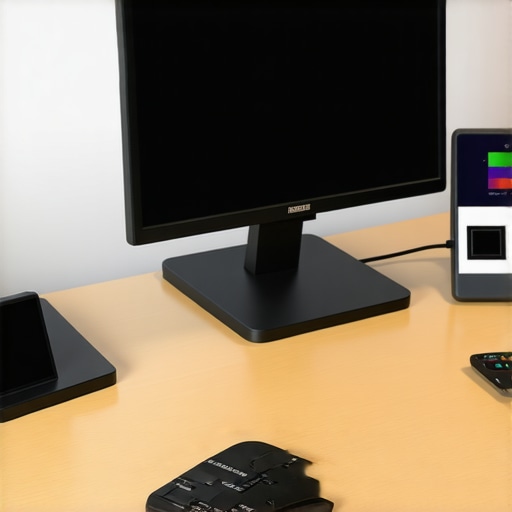
Over time, I’ve realized that mastering workspace lighting isn’t solely about buying the latest gadgets or cranking up the brightness. It’s about understanding subtle nuances and avoiding common pitfalls that can sabotage your visual comfort. The journey has taught me invaluable lessons that I wish I had known sooner.
The Hardest Lesson I Learned About Desk Lamps and Bias Lighting
- More isn’t always better: I used to believe that high lumen output would eliminate glare and eye strain. Instead, I found that excessive brightness often worsened discomfort. Calibrating my lighting with tools like a spectrophotometer revealed that balanced, layered lighting created superior results.
- Placement matters more than power: Positioning my ring light just right—such as slightly above eye level and in front of me—made a world of difference in reducing shadows and unnatural skin tones. Small tweaks in placement can prevent hours of fatigue.
- Spectral quality equals performance: Choosing LEDs with a high CRI (>90) and appropriate color temperature was essential for vibrant visuals and reduced strain. Investing in quality light sources pays off in long-term comfort and productivity.
My Secret Arsenal for a Dynamic Lighting Environment
- A matte black LED lamp helps reduce unwanted reflections, creating a cleaner visual environment.
- Bias lighting strips behind the monitor balance brightness and contrast, preventing eye fatigue during long sessions.
- Customizable ring lights with adjustable color temperature empower me to adapt lighting to my mood or task.
- Smart controls and calibration tools keep everything consistent and aligned with my evolving needs.
Elevate Your Lighting, Elevate Your Life
No matter your current setup, remember that the right lighting can profoundly influence your work quality, mood, and health. Embrace continuous learning, experiment with placement and spectral qualities, and invest in tools that keep your environment optimized. Your workspace is an extension of yourself—make it a sanctuary for focus and comfort.
What’s the most surprising change you’ve experienced after tweaking your workspace lighting? Share your story below and let’s learn together!

About the Author
Ricardo Vargas
Director of Operations and Product Development
Ricardo Vargas is a seasoned professional in the lighting industry, currently serving as a Director of Operations and Product Development
LinkedIn Profile