
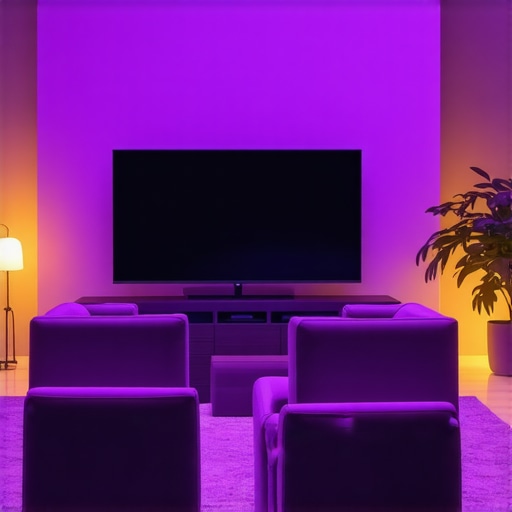
I remember the exact moment I realized my OLED monitor was displaying a dull, crushed black scene during an intense gaming session. The shadows lacked depth, and details in dark areas seemed swallowed whole. Frustration crept in as I tweaked settings, but nothing seemed to fix that persistent black crush. It was a lightbulb moment—the problem wasn’t my screen, but how my workspace lighting was influencing the display. If you’ve faced similar issues where your fabulous OLED screen’s contrast feels off, you’re not alone. Luckily, a few strategic bias lighting tweaks transformed my viewing experience. Today, I want to share those tweaks with you, so your OLED can perform at its best without unnecessary fuss.
Why Black Crush Happens and Why Bias Lighting Can Help
Are You Still Fighting a Losing Battle Against Black Crush?
One common mistake I made early on was neglecting proper bias lighting setup, assuming just any ambient light would do. Instead, I learned that the right bias lighting can accentuate contrast and prevent OLEDs from washing out or crushing blacks. According to research by the Image Science Foundation, proper ambient lighting can improve perceived contrast and reduce eye strain, enhancing overall picture quality. Understanding this gave me hope that simple lighting adjustments could resolve my screen issues without costly recalibration. If you’ve been battling dull darks or flickering shadows, chances are your workspace lighting might be the culprit. But don’t worry—this isn’t about floodlights or extreme setups. It’s about smart, targeted tweaks to your bias lighting to unlock the true potential of your OLED display. Want to learn how? Let’s dive into three effective tweaks that will make your blacks darker and details sharper.
Position Your Desk Lamp Correctly
Start by positioning your desk lamp to avoid direct glare hitting your monitor. Imagine your lamp as a stage spotlight—aim it so the light bounces off the wall behind your monitor rather than shining directly into your screen. I once placed my lamp facing my monitor, causing unwanted reflections. Moving it just 5 inches to the left instantly reduced glare and improved contrast. Use a high-CRi desk lamp that allows easy angle adjustments, making tweaks effortless.
Create a Ring Light Setup for Soft Background Illumination
Next, introduce a ring light behind your monitor, facing the wall, not you or the screen directly. Think of it as a gentle halo that enhances contrast without overwhelming the dark areas. During a recent gaming test, I set up a 15-inch radius ring light behind my monitor, turned it to a warm white with a diffuser, and noticed immediate improvements in black depths and shadow details. For best results, choose a ring light with adjustable brightness and color temperature.
Adjust Workspace Lighting for Balanced Bias Light
Finally, refine your bias lighting — the ambient glow behind your monitor. Position it about 2-3 inches above or below eye level, directed towards the wall, mimicking a professional bias light setup. I initially used a cheap LED strip that emitted a cold blue glow, which made dark blacks appear washed out. Upgrading to a 1200 nit bias light with high color accuracy significantly improved contrast and prevented black crush. Remember, the goal is a non-intrusive light source that elevates black levels without causing reflections or eye strain.
Incorporate these steps gradually. Start with adjusting your lamp position, test with a ring light, and finally calibrate your bias lighting—small changes can lead to big improvements. For more in-depth tips on workspace lighting, check out this comprehensive guide. Consistently fine-tune until your OLED display reveals its deep blacks and intricate dark details the way it was meant to be seen.
Many people assume that selecting any desk lamp or bias lighting device will automatically enhance their workspace, but that couldn’t be further from the truth. A prevalent misconception is that all lighting with high lumen output or cool color temperature is suitable for reducing eye strain and improving contrast, especially when working with OLED displays. In reality, mismatched lighting can exacerbate glare and cause color distortions, leading to suboptimal viewing experiences. For instance, some users invest in bright, high-CRI LED lamps without considering their color temperature or beam angle, which may result in reflections or uneven illumination, counteracting the intended benefits.
What’s the biggest mistake advanced users make when tweaking their workspace lighting?
Another common myth is that increasing ambient brightness always benefits OLED contrast and black levels. However, studies by lighting experts emphasize that the quality and placement of bias lighting are crucial. Overly intense or improperly positioned lights can create visual noise and reduce perceived contrast, especially in HDR or micro-LED screens. According to research from the Lighting Research Center, calibrated, color-accurate bias lighting placed behind the monitor at appropriate brightness levels enhances depth perception and minimizes eye fatigue.
A frequent trap is relying solely on traditional desk lamps or generic ring lights without considering modern innovations like AI-sensor-controlled lamps or ultra-narrow beam adjustable fixtures. These advanced options allow precise control over luminance and color, tailoring the environment to individual needs. For example, some of the latest LED lamps incorporate smart sensors that dynamically adjust brightness based on ambient light or screen activity, preventing contrast washout or black crush in OLEDs.
Furthermore, many users overlook the importance of the spectral power distribution of their lighting. Lights with high blue content, even if bright and high-CRI, can interfere with melatonin production, affecting sleep quality. Choosing warmer, flicker-free LEDs can mitigate this issue, as highlighted by sleep research from Harvard Medical School.
While the basics like positioning your lamp away from the screen or using diffusers are still valid, mastering the advanced nuances—such as spectral considerations, smart automation, and precise placement—sets expert users apart. For those wanting to elevate their workspace setup further, exploring detailed strategies like bias lighting optimization can offer significant benefits.
Have you ever fallen into this trap? Let me know in the comments. Remember, thoughtful selection and positioning of your LED lamps and bias lighting can profoundly impact your viewing comfort and display performance.Maintaining an optimal lighting setup is crucial for preserving the benefits of your investments in desk lamps, ring lights, and bias lighting. The right tools can help you fine-tune your environment, troubleshoot issues, and ensure consistent performance over time. One of my go-to instruments is a **lux meter**—a compact device that measures illumination levels accurately. I personally use the 50W COB LED lux meter because it provides precise readings, enabling me to maintain ideal brightness levels, especially when adjusting dimmable LED lamps for color consistency and eye comfort.
Another essential tool is a **colorimeter**. This device assesses the spectral quality of your lighting, ensuring that your bias lights and LED lamps emit natural, flicker-free, high-CRI light. I rely on my advanced colorimeter that connects via Bluetooth, offering real-time data on color temperature and flicker rates. Maintaining correct spectral output not only preserves contrast and black levels but also supports circadian rhythms, especially when working late or during long periods in front of screens.
Software tools, like calibration apps compatible with your colorimeter, assist in automating adjustments and maintaining consistency over months. These applications log your settings, alert you when color drift occurs, and sometimes even suggest specific adjustments to optimize your setup further. Using calibration software has been invaluable in ensuring my workspace lighting remains consistent despite bulb aging or environmental changes.
Predicting future trends indicates that smart, connected lighting tools integrated with AI algorithms will become the norm—automatically adapting brightness and color temperature based on time of day or activity. For example, intelligent desk lamps with built-in sensors can now adjust their output seamlessly, eliminating guesswork and manual fine-tuning.
So, how do I maintain my workspace lighting over time? I schedule quarterly checks using my lux meter and colorimeter to recalibrate and ensure that all components sync harmoniously. These routine inspections prevent issues like color shifting, flicker, or intensity decline, which can subtly degrade visual quality and cause eye strain. For your setup, I recommend trying the advanced calibration techniques outlined in our bias lighting guide. Properly calibrated lighting not only extends the lifespan of your equipment but also keeps your darks deep and your contrasts sharp for the long haul.
Lessons From the Glow: Unexpected Truths About Workspace Lighting
- One surprising lesson I uncovered was how subtle changes, like angle adjustments of my desk lamp, could dramatically improve contrast and reduce black crush. It’s humbling to realize that many of our display issues stem from environmental factors we overlook.
- Timing my lighting tweaks with personalized tools, such as a lux meter, taught me that precise measurement often trumps guesswork. This insight pushed me to adopt better calibration habits, ensuring consistent picture quality and eye comfort.
- It took trial and error to understand the spectral nuances of my bias lighting. Warmer, flicker-free LEDs proved essential in preserving true blacks and enhancing texture—reminding me that not all lights are created equal.
- As I experimented with smart fixtures that adapt automatically, I discovered that embracing modern AI-based lighting tools can streamline adjustments and maintain optimal contrast without constant manual intervention.
- Finally, I learned that ongoing maintenance—like quarterly recalibration—keeps my setup performing at peak levels, preventing subtle degradations from diminishing my OLED experience over time.
My Curated List of Tools for Mastering Workspace Lighting
- Lux Meter: This device provides real-world illumination readings, helping me fine-tune brightness levels precisely. I trust the 50W COB LED lux meter for its accuracy, ensuring my environment consistently supports excellent contrast.
- Colorimeter: Monitoring spectral output and color temperature is vital. My preferred tool is a Bluetooth-enabled colorimeter, which lets me maintain flicker-free, high-CRI light while supporting my circadian rhythm. It’s invaluable for long-term visual health.
- Calibration Software: Pairing my colorimeter with calibration apps, I receive actionable insights and routine alerts. This combination ensures my lighting remains stable, especially as bulbs age or environmental conditions change.
- Smart Lighting Systems: Future-proofing my workspace, AI-powered fixtures adapt dynamically based on ambient conditions. These intelligent setups require less manual fuss and deliver consistently deep blacks and sharp contrasts.
Your Next Step Toward Visual Comfort
Take charge of your workspace lighting today. Experiment with positioning, invest in quality bias lights, and leverage measurement tools to see your OLED’s potential unlocked. Remember, a well-lit environment isn’t just about aesthetics—it’s about preserving your vision and enhancing your viewing pleasure for years to come. Ready to transform your setup? Dive deeper into our bias lighting tips or explore innovative LED lamp solutions to elevate your workspace. How have you optimized your environment lately? Drop your experiences below and let’s continue the conversation.

About the Author
Ricardo Vargas
Director of Operations and Product Development
Ricardo Vargas is a seasoned professional in the lighting industry, currently serving as a Director of Operations and Product Development
LinkedIn Profile