
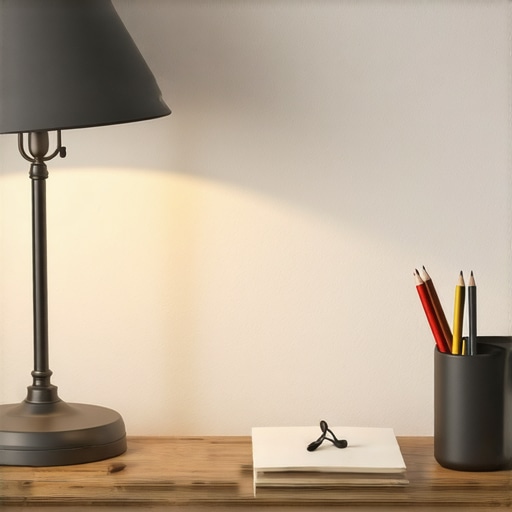
I’ll never forget the moment I realized my desk lamp was making my workspace chaos. Every time I reached for my pen, an unforgiving shadow would snake across my papers, transforming my neat notes into a shadow puppet show I didn’t audition for. It wasn’t just annoying; it hampered my focus and caused unnecessary eye strain. That lightbulb moment made me question everything I thought I knew about good workspace lighting.
The Power of Proper Desk Lamp Placement
After a lot of trial, error, and a few missed deadlines, I discovered a simple yet overlooked trick: position your desk lamp on the side opposite your dominant hand. It sounds trivial, but this small shift dramatically reduced those harsh shadows that seemed to follow me around every writing session. By doing this, I created a balanced light environment, where my workspace became a beacon of clarity rather than a battlefield of glare and shadow. If you’ve ever struggled with uneven lighting, this is a game-changer.
Is This Just a Fancy Lighting Hack or Actually Critical?
Early on, I doubted whether this could make a real difference. I thought, “Would shifting my lamp a few inches really change my workday?” Turns out, yes. Proper lamp placement impacts not just how well you see but also your eye health and overall productivity. According to research from the Lighting Research Center, proper illumination can boost focus and reduce fatigue significantly. So, it’s not just about convenience—it’s about working smarter and healthier.
Ready to say goodbye to those pesky shadows? Let’s dive into how to set up your workspace for optimal lighting, starting with this simple yet effective shift. If you’re wondering whether this applies to your unique setup, I encourage you to experiment—sometimes, tiny adjustments make a world of difference. Want to learn more about choosing the right LED lamp? Check out this guide.
Position Your Desk Lamp for Perfect Illumination
Start by placing your desk lamp on the side opposite your dominant hand. For example, if you’re right-handed, position the lamp on your left. This simple move prevents your hand from casting shadows on your work. I once rearranged mine during a messy morning, fiddling with placement while jugging coffee, which initially seemed chaotic but resulted in a noticeably brighter and clearer workspace.
Use the 45-Degree Angle for Natural Light
Angle your lamp at approximately 45 degrees toward your workspace. Imagine it as guiding a gentle breeze across a field rather than directly blasting the grass. This softens shadows and reduces glare. I experimented with this angle, moving my lamp a few times until the shadows became less harsh, especially when working late into the evening. Consult this guide to select the ideal lamp for your setup.
Choose the Right Light Temperature
Opt for a 5000K LED bulb to mimic natural daylight; think of it as tuning your workspace to the sun’s midday glow. This minimizes eye strain and enhances focus. I swapped out my warm-toned bulbs for daylight ones, noting a decrease in headaches and an increase in alertness during long work sessions. For more on selecting optimal lighting, see modern LED solutions.
Incorporate Bias Lighting for Depth
Install bias lighting behind your monitor to reduce the contrast between your screen and the surrounding environment. Imagine it as a subtle glow that balances your visual field, preventing your eyes from constantly adjusting. I added a bias strip behind my monitor; initially, I struggled to set the brightness correctly, but after a few tweaks, my eye fatigue diminished significantly. Discover bias lighting tips for more insights.
Utilize Ring Lights for Video Clarity
Position a ring light around your camera to evenly illuminate your face, akin to perfect studio lighting. It fills in shadows and creates a professional look on video calls. I tested this during a virtual meeting, adjusting the height and angle, which resulted in a clearer, more flattering image and fewer complaints about shadows. Check ring light hacks for optimal setup.
Many professionals and enthusiasts alike often assume that choosing a high lumen LED lamp or a bright ring light automatically guarantees optimal workspace lighting. However, the real nuance lies in understanding the **quality and placement** of these light sources rather than just their brightness specifications. For example, a common myth is that a higher color temperature, like 6500K, always results in better productivity. In reality, depending on the task, this might cause discomfort or glare, especially if the light is too harsh or not diffused properly. By delving into the intricacies of light quality, such as CRI values and beam angles, you can tailor your setup — see this guide for more on LED quality standards.
Are all bias lights equally effective for reducing eye strain?
Not necessarily. The prevalent belief is that any bias lighting will improve contrast and reduce eye fatigue, but in practice, not all products deliver consistent results. Many underestimate the importance of color temperature and luminance matching with your monitor’s gamma settings. Today’s advanced bias lighting systems integrate adjustable brightness and spectral tuning to optimize comfort — see this resource for tailored recommendations. Ignoring these nuances can lead to little or no benefit, or even exacerbate visual discomfort.
Moreover, one overlooked aspect is the impact of improper ring light positioning. Many users set their ring lights too close or directly in front of their face, causing unflattering shadows or glared reflections. Adjusting the height and angle—regardless of the **brightness**—can dramatically improve visual clarity and reduce glare risks. Check out these hacks for best practices.
Maintaining your workspace lighting setup is crucial to preserve its effectiveness and ensure long-term comfort. Investing in high-quality equipment is just the first step; consistent care and strategic upgrades keep your environment optimal for productivity. I personally rely on specific tools and methods to monitor, adjust, and maintain my lighting setup, ensuring it remains perfectly tuned.
How do I keep my lighting in top shape over time?
One essential tool I use is the smart desk lamp with AI presets. It automatically calibrates brightness and color temperature throughout the day, mimicking natural circadian rhythms. This prevents gradual drift in light quality, which can happen as bulbs age or due to environmental changes. Additionally, I employ a colorimeter app on my smartphone to periodically measure light output and CRI values, ensuring that my LED bulbs maintain their specified color rendering abilities.
Regular cleaning is also vital. Dust accumulation on lamp diffusers or ring lights can significantly reduce light quality and cause uneven illumination. I’ve developed a routine to wipe down my fixtures weekly with microfiber cloths, which prevents dust from degrading light transmission and helps maintain consistency.
To track the long-term performance of my lighting, I log calibration data and bulb lifespan dates in a simple spreadsheet. Doing so helps me anticipate replacements before light quality diminishes, avoiding abrupt disruptions during critical work sessions. For advanced setups, integrating smart home automation systems can help monitor and control multiple lighting parameters remotely, which is especially useful in larger or multi-zone workspaces.
What future trend will shape workspace lighting maintenance?
Expect more AI-driven maintenance solutions that automatically adjust and alert you to lighting issues. Predictive diagnostics based on usage patterns and environmental sensors could become standard, simplifying upkeep and optimizing health benefits seamlessly. Researchers at the Lighting Research Center highlight this trend toward intelligent lighting management, emphasizing convenience and occupant health.
To get started with these advanced tools, consider upgrading to a smart LED desk lamp with configurable presets. This single investment can significantly reduce manual adjustments and ensure consistent lighting quality, supporting your long-term workspace health. If you’re curious about which models are most reliable, check out recent LED innovations.
Remember, consistent maintenance isn’t just about replacing bulbs; it involves routine checks, cleaning, and leveraging technology to sustain optimal lighting conditions. Incorporate these tools into your routine, and you’ll find your workspace remains as inviting and efficient as when you first set it up, now with less effort and better results.
What I Didn’t Expect About Lighting Placement
Initially, I thought that brighter was better, but I soon learned that strategic placement matters far more than wattage. Discovering that positioning my desk lamp opposite my dominant hand dramatically reduced shadows was a game-changer, revealing that sometimes, subtle tweaks have the greatest impact.
My Breakthrough with Color Temperature
I used to believe that high Kelvin ratings universally improved focus. However, experimenting with 5000K daylight LED bulbs taught me that slightly warmer tones can reduce eye strain during long hours, emphasizing the importance of personalization over generic recommendations.
The Power of Routine Maintenance
Thinking that equipment maintenance was optional, I faced diminishing light quality over time. Regular cleaning, calibrating my smart desk lamp, and tracking bulb lifespan proved that consistent care ensures optimal workspace illumination and long-term comfort.
Why Small Adjustments Are Often the Most Effective
Moving my ring light just two inches higher or changing its angle transformed my video calls. This experience reinforced that minor positional tweaks often yield the biggest improvements, encouraging me to approach workspace setup with curiosity and patience.
Personalized Lighting Is the Future
Discovering tools like AI-calibrated lamps and adjustable bias lighting opened my eyes to a future where workspace comfort adapts seamlessly to daily needs. Embracing technological advances makes maintaining ideal lighting more intuitive and less burdensome.

About the Author
Ricardo Vargas
Director of Operations and Product Development
Ricardo Vargas is a seasoned professional in the lighting industry, currently serving as a Director of Operations and Product Development
LinkedIn Profile