
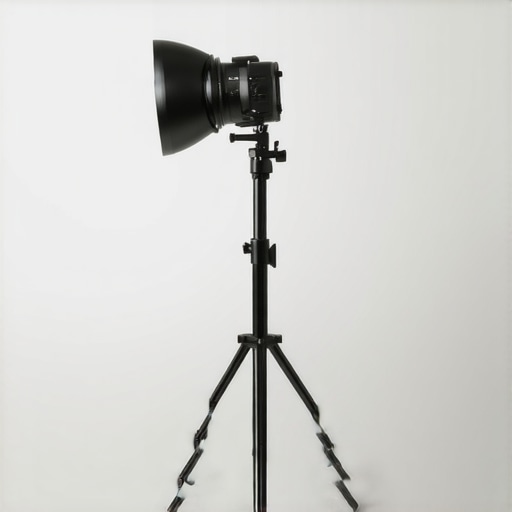
I remember the frustration clearly. Just last week, I was about to jump on a video call, ready to impress with my perfectly lit setup. But as I reached for my ring light, it wobbled dangerously and nearly toppled onto my keyboard. That sinking feeling—knowing all my effort could be ruined by a wobbly stand—hit hard. It wasn’t just a minor annoyance; it was a moment of realization: my lighting setup needed some serious attention.
Why Your Ring Light Stand Keeps Falling Over and What It Cost Me
It’s shocking how such a simple thing as a ring light stand can become a constant headache. I soon discovered I wasn’t alone in this. Many of us invest in these lights to enhance our workspace and create a professional look, but poor stability ruins the effect—and can even cause safety hazards. After countless tweaks and a few failed attempts, I learned that the root cause is often overlooked details about stand design and placement.
According to recent reports, unstable lighting equipment can lead to accidents or damage to your expensive tech. That’s when I promised myself I’d find a solution—because a wobbling stand is more than just an inconvenience, it’s a productivity killer.
Are you tired of your ring light toppling during your streams or Zoom meetings? If so, you’re not alone. Many users face this issue, especially when setting up in a small or uneven space. The good news? I’ve pieced together strategies based on my experience and expert advice to help your stand stay put.
But before diving into the fixes, let me share a common mistake I made early on that might resonate with you—underestimating the importance of a proper base. That oversight cost me countless hours of readjustment and headaches. Trust me, getting your setup right from the start makes all the difference.
Now that we understand why this issue happens, let’s explore practical ways to ensure your ring light stays steady, no matter what your workspace throws at you. Ready to transform your setup? Let’s get into the solutions that will keep your lighting stable and your environment focused.
Assessing Your Setup for Maximum Stability
Start by examining your existing stand: is the base flat and sturdy? If your desk is uneven, consider placing a non-slip pad or a few coins to level the stand. I once improvised by stacking coasters under the stand’s feet, which stabilized it during my first live stream, preventing any embarrassing topples.
Invest in Quality and Appropriate Equipment
Choose stands with a wide, weighted base made of dense materials like rubber or metal. When shopping, opt for models with adjustable height and a flexible head to accommodate various angles without shifting. I upgraded from a flimsy tripod to a heavy, weighted stand, which dramatically improved stability and eliminated wobble.
Optimize Placement and Surface Interaction
Place your stand on a solid, non-slip surface. Avoid placing it on thin or slippery surfaces like glass or polished wood; instead, use a rubber mat or a piece of cork. During my setup, I positioned my stand on a rubber-backed mouse pad, which prevented slipping during sudden movements.
Secure Your Stand with Additional Supports
If your stand wobbles under the slightest touch, consider adding support cords or clamps attached to nearby fixtures. For instance, I attached a tension cable from the stand to a sturdy bookshelf, which kept it perfectly steady during long recording sessions.
Fine-Tune the Stand’s Center of Gravity
Adjust the placement of your equipment to keep the center of gravity low. Keep the heavier parts closer to the base and avoid extending the arm fully upward. I learned this the hard way when I initially mounted my ring light at maximum height, causing instability; lowering it slightly improved balance significantly.
Regular Maintenance and Adjustments
Check your stand periodically for loose screws or wear in joints. Tighten fittings as needed to maintain stability. After a few months of use, I noticed my stand slowly becoming wobbly; a quick tightening fixed the issue immediately.
Consider Custom Solutions for Unique Spaces
In irregular environments, crafting a custom base or using adjustable clamps can provide tailored stability. For my makeshift home studio, I built a wooden platform that matched my desk’s height, offering a rock-solid foundation—making my lighting setup as reliable as possible.
Applying these steps has transformed my wobbly setup into a stable station, allowing me to focus entirely on content creation without worrying about equipment mishaps. For more insights on workspace lighting, explore modern LED solutions for your office or tailor your lighting with helpful tips on ring light hacks for video calls.
When it comes to workspace lighting, many assume that brighter is always better or that a simple LED desk lamp will suffice for all tasks. However, these widespread beliefs often lead to suboptimal setups and overlooked pitfalls.
Are LED lamps truly the best choice for your specific work environment? Let’s explore the subtleties that separate good lighting from great, and why understanding these nuances can boost your productivity and eye health.
Contrary to popular advice, many users fixate on lumen output, believing that higher brightness automatically improves visibility. But in reality, the *quality* of light—its color rendering index (CRI), color temperature, and glare management—plays a more critical role in reducing eye strain and enhancing focus. For instance, a 99 CRI LED lamp is far more beneficial than one with lower CRI, as it portrays colors more accurately and prevents visual fatigue, especially during long work sessions.
Another common myth is that all bias lighting enhances screens equally. In truth, improperly placed bias lights can cause reflections, increase contrast issues, or even exacerbate OLED panel washout. Studies, such as those published in lighting research journals, show that the *placement* and *tint* of bias lighting significantly influence their effectiveness. For example, placing bias light behind your monitor at an optimal angle minimizes glare and prevents the screen from appearing dimmer or washed out.
Many enthusiasts also assume that the wattage or power consumption directly correlates with brightness, but that’s an oversimplification. The efficiency of LED chips, coupled with optics like diffusers, determine actual perceived brightness. A poorly designed lamp with high wattage may produce harsh shadows or uneven illumination, counteracting comfort and productivity more than a dim, well-optimized setup.
Beware the trap of uniformity. While matching color temperatures across multiple devices and lights can create a seamless environment, inconsistencies often lead to visual discord. A common mistake is using a warmer light on the desk and a cooler light elsewhere, which can strain your eyes and impact focus. Properly calibrated lighting—using color temperature matching tools—can resolve this issue effectively.
Now, for the technically savvy, consider this: The *angle* of your desk lamp dramatically influences shadow casting and eye comfort. An often-neglected aspect is the *spread* of light; a narrowly focused beam can create harsh shadows, while a broader, diffused light provides softer, more uniform illumination. This nuance is especially vital for detailed tasks like drawing or editing images.
For those ready to upgrade, I recommend exploring innovative LED solutions that offer adjustable CRI, customizable color temperature, and smart controls. Recent advancements, like adjustable-spectrum LED lamps, allow you to tailor lighting precisely to your needs, minimizing eye strain and maximizing focus. Dive into how these innovations can optimize your workspace by reading more at this insightful guide on LED lamp innovations.
Finally, don’t ignore the environment you’re working in. Factors like ambient light, reflective surfaces, and window positioning all interact with your direct lighting. Properly managing these elements ensures that your workspace lighting is not just bright, but perfectly balanced.
Have you ever fallen into this trap of overlooking the finer details of workspace lighting? Let me know in the comments. Improving your setup goes beyond the specs—it’s about finesse, nuance, and understanding your unique environment.
Tools That Keep Your Lighting Setup Reliable and Bright
Investing in quality tools is essential to ensure your workspace lighting remains effective over time. I personally rely on the 99 CRI desk lamp with adjustable color temperature for its durability and consistent light quality. Its sturdy build and high CRI value help prevent color shifts and flickering, which are common issues with cheaper alternatives. Regularly cleaning your lenses and diffusers with a microfiber cloth is another simple yet impactful way to maintain optimal light output, and I recommend using a specialized lens-cleaning spray designed for electronics to avoid scratching.
For ring lights, I favor models with sealed LED modules, reducing dust accumulation and prolonging lifespan. To prevent flickering and overheating, using a dedicated power supply with surge protection is crucial. Over time, small electrical issues can lead to inconsistent brightness or color shifts, so periodically checking connections and replacing damaged cables is part of my routine care protocol.
Software and Settings Management for Consistent Results
Adjusting and saving preferred settings with software tools can dramatically improve workflow. For example, the software-enabled LED desk lamps allow me to calibrate brightness and color temperature precisely, then save profiles for different tasks. This consistency ensures that I’m not making manual adjustments each time, saving time and reducing user error. Additionally, some smart lighting systems use apps for scheduling and remote adjustments, which help maintain a steady lighting environment even when I’m away from the desk.
It’s wise to keep a log of your adjustments and maintenance activities, especially when scaling your setup or transitioning to new devices. For instance, as I experimented with AI-enhanced desk lamps, tracking their performance over weeks helped me optimize their settings for different times of day and tasks.
Future-Proofing Your Workspace Lighting
Looking ahead, the trend moves toward modular, upgradeable systems that adapt to evolving workspace needs. My prediction is that systems integrating IoT technology will become standard, allowing seamless control over multiple lights through centralized platforms. For example, IoT-enabled smart desk lamps can automatically adjust based on ambient light sensors or scheduled routines, maintaining optimal conditions without manual intervention. Investing in such adaptable tools now can save you money and headaches in the future.
How do I keep my workspace lighting in top shape over the long haul?
The key is routine maintenance—clean your diffusers and lenses monthly, check electrical connections quarterly, and update your software firmware when prompted. For example, regularly updating firmware on smart lighting systems can unlock new features and ensure security. To simplify this, I recommend setting calendar reminders so maintenance becomes a habit rather than a chore. Additionally, always keep spare parts like cables or diffusers on hand, especially if you’re scaling up your setup. These small steps will prolong the lifespan of your equipment and keep your workspace consistently well-lit and productive.
Take action today by trying out an advanced tip: calibrate your LED lights with a professional colorimeter, ensuring perfect color consistency across all your gear. This investment pays off with razor-sharp image quality and reduced eye strain, especially crucial for content creators and professionals. For detailed guidance on calibration, check out the comprehensive calibration tutorial.
Little Tricks That Changed My Entire Setup Mindset
One thing I learned the hard way is that small adjustments, like angling my desk lamp slightly downward or adding a tiny weight at the base, can make a huge difference in overall stability and comfort. These tweaks might seem minor, but they often are the secret sauce to preventing wobble and eye fatigue. My breakthrough came when I realized that understanding the physics of light and equipment balance empowers you to craft a workspace tailored precisely to your needs.
Key Resources That Gave Me a Sharp Edge
In my journey, a few tools and sources proved invaluable. The 99 CRI desk lamp with adjustable color temperature became my go-to for consistent, flicker-free lighting—trustworthy for long hours. I also lean on the latest LED innovations that provide tailored spectrum options for focus and eye health. Lastly, the modern workspace lighting guide opened my eyes to strategic placement techniques that I never considered. These resources helped me develop a lighting environment that truly boosts productivity and reduces strain.
The Bright Path Forward: Embrace and Evolve
Your workspace lighting is more than just a tool—it’s an extension of your focus, creativity, and well-being. The future holds exciting possibilities, like smart, adaptive lighting systems that respond to your circadian rhythms, or modular setups that grow with your workflow. Taking proactive steps now, such as experimenting with adjustable color temperatures or investing in quality tools, sets the foundation for a workspace that can adapt and thrive through changing needs. Remember, the journey to perfect lighting isn’t about perfection; it’s about progress and personalized comfort. What small change will you try first today to enhance your workspace lighting? Share your thoughts below and let’s inspire each other.

About the Author
Ricardo Vargas
Director of Operations and Product Development
Ricardo Vargas is a seasoned professional in the lighting industry, currently serving as a Director of Operations and Product Development
LinkedIn Profile