
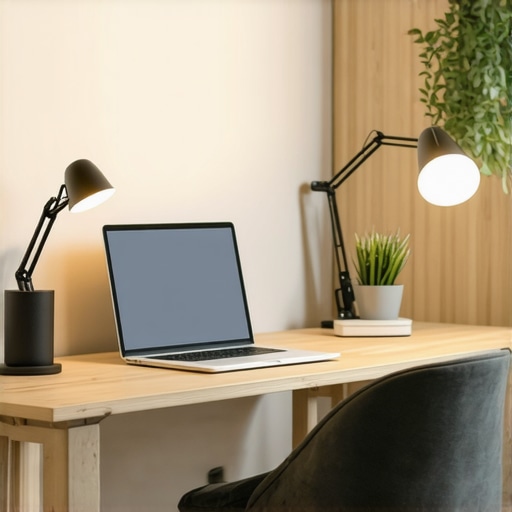
Ever been in the middle of a video call, only to realize your face looks dull, shadowed, or just plain unimpressive? I can’t tell you how many times I’ve fumbled with my desk lamp, trying to get the lighting right, only to end up with a glare or a washed-out look. That frustrating moment of realizing your workspace lighting isn’t doing you any favors hit me hard early on. It made me ask: why is it so hard to get good lighting at home, especially when we spend hours working, streaming, or creating content? The answer, I discovered, lies in understanding the powerful role of modern lighting solutions like ring lights and LED lamps. Today, I want to share how these tools transformed my setup and can do the same for you.
Why Good Lighting Changes the Game in Your Home Office
Let’s face it. Our homes weren’t originally designed to be professional studios or command centers. But with the right lighting, they can become just that. Proper illumination enhances focus, reduces eye strain, and significantly improves your appearance on camera. I used to think a basic desk lamp was enough—until I realized I was missing out on the magic of intelligent lighting. The breakthrough came when I invested in a quality ring light and some modern LED lamps. Suddenly, my video quality skyrocketed, and my workspace felt more inviting and productive. According to a recent study, better workspace lighting can boost productivity by up to 20%, which is a game-changer for anyone working from home. If you’ve ever struggled with inconsistent or unflattering lighting, you’re not alone. I made the mistake early on of ignoring the importance of adjustable, high-quality lighting, and the result was a constant battle with shadows and glare. Now, I know better—and so can you. In this guide, we’ll explore the best lighting options, how to set them up, and the mistakes to avoid so you can finally achieve a workspace that lights you up—literally and figuratively.
Is All Lighting Created Equal or Is There a Secret Sauce?
When I first started, I thought any lamp would do. Boy, was I wrong. Cheap, non-adjustable lights not only looked bad on camera but also made my eyes tired after just a few hours. The real secret? Investing in a quality ring light and LED lamps designed specifically for workspace illumination. They offer adjustable brightness, color temperature, and even diffusing options that soften shadows. Trust me, this small upgrade made a world of difference. If you’re curious about how to choose the right setup, check out my detailed tips on selecting the perfect desk lamp. Remember, the right lighting isn’t just about brightness; it’s about creating an environment that enhances your focus and improves your appearance on camera.
If you’ve ever faced the dilemma of uneven lighting or just couldn’t figure out how to get your workspace to look professional, then this guide is for you. We’ll cover everything from the best ring lights to innovative LED lamps that can brighten even the darkest corners of your home office. Ready to shed some light on your workspace? Let’s dive in and make your home office a place you actually want to spend time in.
},
Start by Picking the Right Light Sources
First, choose high-quality lighting devices like a modern LED lamp or a ring light. When I set up my first ring light, I realized that not all are created equal—some produce harsh shadows, while others soften the light evenly. I recommend browsing options like the ultimate guide to LED lamps and ring lights to find models that offer adjustable brightness and color temperature. Think of your lighting as the foundation of a good photograph; without a solid base, everything else falls apart. Place your chosen light source in a position where it evenly illuminates your face without creating glare or shadows.
Position Your Lights for Optimal Effect
Proper placement is key. For ring lights, position the light directly in front of your face, slightly above eye level, to mimic natural light and reduce unflattering shadows. I experimented with angles, and a simple trick was to place the ring light about 45 degrees to the side for a softer, more natural look. For LED lamps, use adjustable arms or stands to angle the light downward or sideways, depending on your workspace layout. Remember, the goal is to create a balanced light setup that highlights your features evenly. If shadows or glare persist, try diffusing the light with a softbox or a sheer cloth—an inexpensive hack that softens harsh light and improves your video quality.
Fine-Tune Brightness and Color Temperature
Once your lights are in position, adjust the brightness to avoid overexposure or under-lighting. I found that dimming my ring light slightly while increasing the ambient room light helped achieve a natural look. Don’t forget to match the color temperature of your lights with your environment—warm tones (around 3000K) create a cozy vibe, while cooler tones (around 5600K) mimic daylight and are better for clarity. Many LED lamps and ring lights offer adjustable settings—test different combinations until you find what suits your skin tone and workspace best. For detailed tips on making these adjustments, check out bias lighting tips.
Integrate Bias Lighting for a Comfortable Look
Adding bias lighting behind your monitor reduces eye strain and improves contrast, making your workspace more comfortable. I placed a soft LED strip behind my monitor, which created a gentle glow that reduced glare and made long work sessions less tiring. This technique is especially effective if you work in low-light environments. For more insights, see bias lighting tips.
Test and Adjust for Your Unique Setup
Finally, spend some time testing your lighting setup at different times of the day. Natural light changes, so your artificial lighting should be flexible. I recommend recording a short video of yourself with the current setup, then reviewing it to identify shadows, glare, or color issues. Make incremental adjustments—small tweaks can make a big difference. Remember, the goal is to create a balanced, flattering, and comfortable illumination that enhances your video calls and productivity.
Many people assume that investing in a good desk lamp or ring light automatically guarantees perfect lighting for their workspace. However, this is a misconception that can lead to suboptimal results and even frustration. Let’s dig deeper into what most overlook, so you can avoid these pitfalls and truly optimize your lighting setup.
Myth of One-Size-Fits-All Lighting
One of the biggest mistakes is believing that a single type of lighting suits all needs. A desk lamp might be perfect for task lighting but inadequate for video calls that require even, soft illumination. Similarly, ring lights are excellent for face lighting but can create unflattering shadows if not placed correctly. Instead, combining multiple light sources—like bias lighting behind your monitor, adjustable LED lamps, and optional fill lights—can create a balanced environment. For advanced users, understanding the nuances of color temperature and brightness adjustments is crucial. Many assume that brighter is better, but overly intense light can cause glare and eye strain. According to lighting expert lighting specialists, matching your light’s color temperature to your environment fosters comfort and clarity.
Why Not All Light Sources Are Equal
Another trap is relying solely on inexpensive, off-the-shelf lighting options. Cheap LED lamps or ring lights often lack adjustable features, leading to poor light quality and unflattering results. They may also emit flickering light that can cause headaches or eye fatigue during long sessions. Investing in quality, adjustable lighting like those reviewed in this comprehensive guide ensures you get flicker-free, customizable illumination tailored to your needs. Remember, the goal isn’t just brightness but creating a harmonious lighting environment that enhances your focus and appearance.
Neglecting the Power of Placement
Placement is often overlooked. Many think that placing a light directly in front of their face is enough, but positioning at the right angle and height is equally vital. For example, a ring light placed too high or too close can cast unflattering shadows, while one placed too low might not illuminate your face evenly. Advanced users should experiment with angles—placing the light at 45 degrees can soften shadows and add depth. Also, diffusing harsh light with softboxes or sheer fabrics prevents glare, creating a more natural and comfortable look. As I learned from expert tips, subtle adjustments can significantly elevate your visual quality.
Overlooking the Impact of Color Temperature
Many underestimate the importance of matching color temperature. Warm light (around 3000K) creates a cozy atmosphere but may not be ideal for clarity during video meetings. Cooler light (around 5600K), mimicking daylight, enhances visibility but can feel sterile if overused. Striking the right balance—often through adjustable LED lamps—is essential. For instance, during evening hours, warmer tones reduce eye strain, while during the day, cooler tones boost alertness. For tailored advice, check out bias lighting tips. Properly tuning your lighting to your environment and tasks can prevent fatigue and improve your overall productivity.
Have you ever fallen into this trap? Let me know in the comments. Remember, optimizing your workspace lighting isn’t just about buying the most popular device but understanding its proper use and placement. With these insights, you’ll avoid common mistakes and create a lighting setup that truly works for your needs.
Keeping your workspace lighting in top shape requires more than just selecting the right devices; it involves consistent maintenance, strategic upgrades, and understanding how to scale your setup as your needs evolve. Over time, dust accumulation on LED lamps and ring lights can diminish brightness and color accuracy, so regularly cleaning your fixtures with a soft, damp cloth is essential. For example, I personally schedule bi-monthly cleaning sessions and use gentle microfiber cloths to prevent scratches, which keeps my lights bright and color-true. Additionally, firmware updates for smart lighting solutions ensure you benefit from the latest features and fixes, so checking manufacturer websites or apps periodically can make a significant difference.
How do I maintain my lighting tools over time?
Proper maintenance starts with routine cleaning and firmware updates. When cleaning, avoid harsh chemicals that can damage lenses or diffusers—stick to soft microfiber cloths and mild cleaning solutions. For smart LED lamps, regularly update their firmware through dedicated apps to access new features or security patches, similar to how one would update software on a computer. If your lighting setup includes adjustable components like gooseneck arms or softboxes, inspect and tighten screws every few months to prevent sagging or misalignment. Investing in high-quality power supplies and surge protectors also prevents electrical issues that can damage your devices over time. To keep your bias lighting and ring lights functioning optimally, consider implementing a scheduled maintenance routine, which I find helps extend their lifespan and performance.
Why consider tools and accessories to enhance longevity
Using tools like lens cleaning wipes specifically designed for optics can help maintain clarity in your LED and ring lights. For example, I use anti-fog wipes to keep diffusers and lenses clear, ensuring even light distribution. Additionally, investing in adjustable mounts and cable management solutions not only improves your workspace aesthetics but also reduces wear and tear on your equipment. For example, flexible mounts allow you to reposition your lights easily without stressing the cords or fixtures, which I personally find invaluable during long work sessions. Moreover, attaching protective covers or shields can prevent accidental damage from spills or knocks, a tip I learned from expert workspace setup guides. These small investments and practices significantly extend the lifespan of your lighting tools.
Scaling your setup as your needs grow
As your workspace evolves, so should your lighting. To scale effectively, consider modular systems like expandable LED panels or ring lights with adjustable color temperatures and brightness levels. These systems allow you to add more units or upgrade existing ones without replacing your entire setup. For instance, I started with a single ring light but later added a second LED panel to illuminate darker corners, dramatically improving my video quality. When scaling, keep in mind power management—use surge protectors and ensure your electrical circuits can handle additional load. Also, explore smart lighting solutions that can be controlled via apps or voice commands, offering seamless adjustments during live streams or recording sessions. This kind of flexibility is the future of workspace lighting, making it easier to adapt to changing demands while maintaining consistent quality.
In the rapidly advancing world of workspace lighting, staying proactive with maintenance and upgrades is key to long-term success. I highly recommend trying out a smart dimmer switch compatible with your LED lamps or ring lights—these tools allow precise control and can be integrated into your automation routines. For detailed guidance on maintaining your workspace lighting, check out bias lighting maintenance tips. Remember, a well-maintained lighting setup not only enhances your productivity but also saves you money and effort in the long run. So, set a regular schedule today and enjoy a consistently bright, professional-looking workspace for years to come.
The Hardest Lessons I Learned About Workspace Lighting
- Investing in quality lighting saved me from endless shadows and glare. Cheap options often seem tempting, but they can cause fatigue and unflattering visuals, making video calls more stressful than necessary.
- Placement is everything. I used to think just having a light in front of me was enough—turns out, experimenting with angles and diffusers dramatically improved my lighting quality. Small tweaks in positioning can make a significant difference.
- Color temperature really impacts comfort and clarity. Warm lights create a cozy vibe but can reduce visibility, while cooler tones boost alertness—finding the right balance is key to long-term productivity.
- Consistent maintenance prolongs equipment life. Regular cleaning and firmware updates kept my LED lamps and ring lights performing at their best, avoiding flickering and dimming issues over time.
- Scaling your setup with modular, adjustable tools allows flexibility as your needs grow. Adding extra panels or smart controls makes your workspace future-proof and adaptable to any task.
My Essential Toolkit for Brightening Your Home Office
- Quality ring lights — I trust models that offer adjustable brightness and color temperature, like those recommended in the ultimate guide to LED lamps and ring lights. They soften shadows and make video calls look professional.
- Modern LED lamps — Look for options with flexible arms and diffusers, such as those reviewed in best desk lamp and bias lighting ideas. These allow precise control over light direction and intensity.
- Bias lighting strips — These behind your monitor reduce eye strain and enhance contrast, making long sessions more comfortable. Check out bias lighting tips for setup ideas.
- Maintenance tools — Soft microfiber cloths and firmware update apps are simple yet effective. Regular cleaning and updates keep your lighting consistent and flicker-free.
Your Bright Future Starts Today
Lighting your workspace effectively isn’t just about buying the latest gadget—it’s about understanding how to use and maintain your tools for the best results. With the right setup and mindset, you can transform your home office into a professional, inviting space that energizes your workday. Don’t wait for perfect conditions—start experimenting with these tips and tools now, and watch your productivity and confidence soar. Your brighter, more professional workspace is just a few adjustments away. Remember, every great setup begins with a single step—so why not make that step today? If you’ve ever struggled with finding the right angle or brightness, share your story below. Your experience might just help someone else light up their workspace.

About the Author
Ricardo Vargas
Director of Operations and Product Development
Ricardo Vargas is a seasoned professional in the lighting industry, currently serving as a Director of Operations and Product Development
LinkedIn Profile
I completely relate to the struggle of trying to get good lighting for video calls. When I first started, I just used a standard desk lamp, but it often created harsh shadows that made me look unprofessional on camera. After switching to a good quality ring light and positioning it correctly, the difference was night and day. I found that adjusting the color temperature to match my environment helped reduce eye strain and made my appearance more natural during long sessions. One thing I learned is that the placement of the light is just as important as the quality of the light itself. Have others found a particular position or angle that works best for them? I’d love to hear tips on optimizing light placement for different workspace layouts.
This post really hits home for me! When I first tried to improve my home office lighting, I also underestimated how crucial placement and adjustable features are. Like Emily, I started with a basic desk lamp, but shadows and glare still made my video calls look unprofessional. I eventually invested in a quality ring light with adjustable temperature and brightness, and the difference was remarkable. One thing I discovered is that combining different lighting sources, such as bias lighting behind the monitor and a soft fill light, creates a much more balanced and natural look. It also lessens eye fatigue during long work sessions.
For those struggling with positioning, I found that experimenting with the angle—placing the ring light about 45 degrees to the side and slightly above eye level—really helps. Does anyone use multiple light sources to achieve even lighting? What setups have you found to work best in smaller or oddly shaped spaces? Sharing experiences might help others optimize their own setups too!
I really appreciate this detailed breakdown of lighting strategies. I’ve found that investing in adjustable LED panels has made a noticeable difference in my workspace, especially since I share a small room with limited natural light. The ability to control the position and color temperature means I can fine-tune the setup for different tasks, whether it’s a quick conference call or a longer focus session. One nuance I’ve discovered is that soft light from diffusers or softboxes, positioned at about 45 degrees, really helps in minimizing harsh shadows that can be distracting on camera. Also, using bias lighting behind the monitor has significantly reduced eye fatigue over extended use. Has anyone else experimented with different diffuser materials or softbox configurations to enhance their lighting quality? I’d be curious to hear what setups others swear by for smaller spaces or unusual room layouts, as this can be quite the puzzle in tight quarters.
I really appreciate this comprehensive guide on improving workspace lighting. When I first switched to a ring light placed slightly above and directly in front of me, it really transformed my video calls. The adjustable brightness and color temperature options have made it easy to create a comfortable environment that reduces eye strain during long hours. I’ve also started experimenting with soft diffusers over my LED lamps to soften shadows further, which makes my appearance on camera much more natural. One challenge I’ve faced is finding the perfect angle in a small, oddly shaped room. Sometimes I wonder, how do others optimize lighting in limited spaces without creating glare or uneven illumination? Sharing practical tips on positioning or choosing multi-source setups could be really helpful for those with space constraints. Looking forward to hearing more ideas from the community!
Reading through this guide really made me think about how much the right lighting can impact not just our appearance on camera but also our overall workspace comfort. I recently upgraded my lighting setup to include a dimmable LED panel and a softer ring light, and the difference in quality is noticeable, especially during long video calls and editing sessions. It’s interesting how many people overlook the importance of lighting placement—experimenting with angles and diffusing the light has been a real game-changer for me. Has anyone tried using smart lighting systems that can be controlled via app or voice? I’m curious if integrating technology like that can make adjustments even more seamless during busy workdays or live streams. I’d love to hear how others are advancing their setups with smart tools and if they’ve noticed a significant difference.
This post truly resonates with me! I’ve learned that the secret to professional-looking lighting isn’t just investing in good equipment but also understanding how to position and fine-tune it. I used to struggle with shadows and uneven brightness until I started experimenting with different angles and diffusers. Now, I always place my ring light slightly above and at a 45-degree angle to my face, which gives a soft, natural glow. I’m curious, though—has anyone tried combining different lighting types, like using both a softbox and a ring light? I feel like layered lighting can really push the quality of your setup to the next level, especially in limited spaces. What’s been your most effective lighting hack for small or tricky rooms? Would love to hear your tips and tricks for making the most out of limited space while keeping the look professional.