
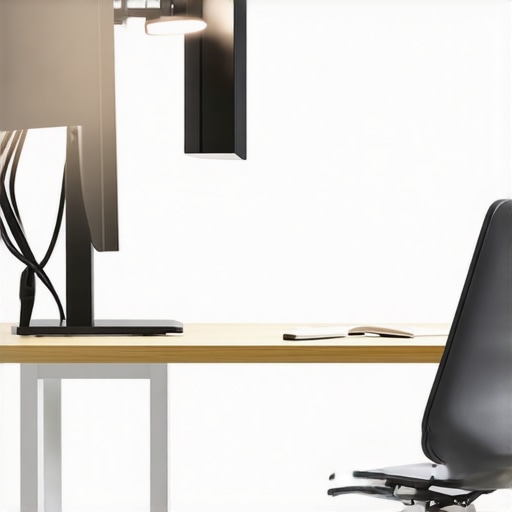
I vividly remember the day I realized my desk lamp was actually making my screen glare worse. I had invested in a sleek, adjustable LED lamp, confident it would brighten my workspace without causing eye strain. But no matter how I tilted it, the glare persisted—until I tried something counterintuitive: pointing it toward the ceiling. The sudden clarity was a light bulb moment—literally.
Shining Light on the Real Culprit of Screen Glare
Most of us think that angling our lamps directly toward our screens will increase visibility. But in reality, this common mistake can amplify glare and cause discomfort. When your desk lamp is directed at the ceiling, it bounces diffuse light across the room, reducing harsh reflections on your monitor and eyes. It’s a simple adjustment that can transform your work experience.
Is This Trick Actually Worth the Hype?
Early on, I assumed that the more light, the better—and I cranked my lamp closer and aimed it directly at my monitor. But I learned the hard way that this approach often backfires, creating unwanted reflections. My mistake? Neglecting the natural behavior of light and its interaction with glossy screens. If you’re skeptical, you’re not alone. Many believe that brighter is better, but as experts confirm, proper lighting positioning is key to reducing glare and eye strain.[^1]
Have you ever experienced stubborn glare despite your best efforts? Perhaps you’ve simply accepted it as unavoidable. Trust me, a small change in lamp direction can make a significant difference, and it’s worth exploring before investing in expensive screen filters or hoods.
As we dig into the practical steps, you’ll see how this simple adjustment can drastically improve your workspace comfort—and boost productivity. Ready to shed some light on this common mistake? Let’s get started.
Adjust Your Desk Lamp Properly to Minimize Glare
First, turn off your current lighting setup and remove any desk accessories that could obstruct light movement. Choose a adjustable LED desk lamp with a flexible neck, like the ones discussed in this guide, to ensure precise positioning. Sit at your workspace and aim the lamp’s head toward the ceiling at a 45-degree angle—this allows diffuse lighting to bounce evenly across your room, softening shadows and diminishing direct glare on your monitor.
I recall the first time I tried this: I awkwardly positioned my lamp, and initially, the light was too diffuse, leaving parts of my desk dim. Slowly, I adjusted the angle until I found the sweet spot where the light reflected softly, but my screen looked brighter and clearer. The key is to aim the light away from your eyes and monitor directly, but so it still illuminates your workspace adequately.
Use the Right Lamp Height and Angle
Set your lamp’s height so that the light source is slightly above your monitor’s top edge. Be cautious about positioning it too high or too low; both extremes can cause unwanted shadows or uneven lighting. When the lamp is too low, it creates harsh highlights or glare; too high, and it may not adequately light your workspace. Think of your desk lamp as a soft rain shower—aimed just right, it gently covers your entire area without pooling glare onto your screen.
Remember to secure your lamp in place once you’ve found the optimal angle. Minor movements can cause flickering or inconsistent lighting, defeating the purpose of your setup. Once positioned, test various tasks—reading, typing, video calls—to confirm the glare is minimized and visibility maximized.
Incorporate Bias Lighting for Better Comfort
Adding bias lighting behind your monitor further enhances visual comfort by increasing contrast and reducing eye strain. For example, a 99-CRI LED strip set to 6500K, as detailed in this article, can evenly backlight your screen, reducing the harshness of bright whites and glare. Position the bias light at the back of your monitor, about 2 to 3 inches from the edge, ensuring it doesn’t create reflections or additional glare.
I used to neglect bias lighting until I experienced eye fatigue during long work sessions. After installing a bias strip, I noticed a significant decrease in eye strain and better contrast seeing my screen. It’s a simple addition that complements your primary desk lamp positioning perfectly, further reducing glare and enhancing comfort.
Check and Fine-Tune Regularly
Once your lighting setup is configured, make it a habit to periodically reevaluate its effectiveness. Changes in monitor placement, ambient lighting, or even your seating position can influence glare. Move your lamp around, tilt it at different angles, and observe your screen. Small adjustments often repair lingering glare issues that initial setups might miss.
For a comprehensive workspace lighting overhaul, consider combining this approach with techniques from workspace lighting solutions. Proper positioning isn’t a one-and-done step but an ongoing process to optimize your comfort and efficiency.
Remember, the goal is to position your lighting so it enhances visibility without creating reflections or harsh highlights. With patience and small tweaks, you can turn your workspace into an environment that feels natural and comfortable—an essential step that can boost your productivity and keep your eyes healthy over time.
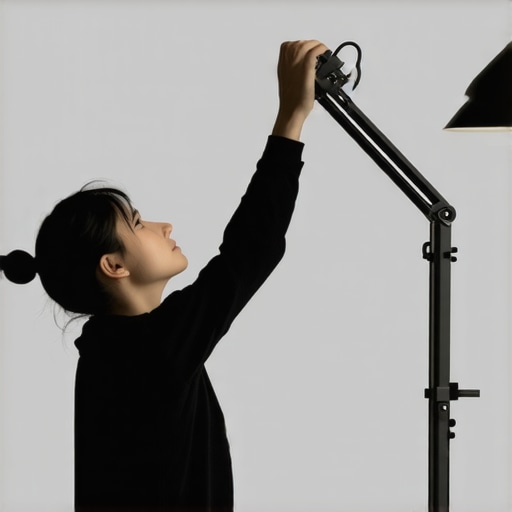 While many assume that simply choosing a bright LED desk lamp or installing a ring light guarantees optimal lighting, the reality is far more nuanced. A common misconception is that brighter or more intense lighting always results in better visibility and reduced eye strain. However, excessively bright lights can lead to glare, discomfort, and even long-term eye damage, especially if not correctly positioned. For example, positioning a ring light directly in front of your face without considering its angle can cause uneven illumination, worsening shadows and highlighting skin imperfections in video calls. It’s also a myth that bias lighting must be ultra-bright to be effective; studies show that subtle, well-placed backlighting can significantly improve contrast sensitivity and reduce eye fatigue (see how [bias lighting tips](https://lighting.techdeskessentials.com/bias-lighting-tips-to-enhance-your-home-office-setup) can enhance your setup). An often-overlooked advanced mistake involves neglecting the color temperature’s impact on focus and comfort—many settle for standard 6500K LEDs, not realizing that adjusting color temperature based on task can optimize productivity and reduce fatigue. Additionally, the ‘set it and forget it’ mentality prevents ongoing adjustments; ambient conditions change, and so should your lighting arrangement, with periodic reevaluation preventing glare issues or contrast loss.
Why does the angle of your LED lamp matter more than brightness alone?
Expertise shows that lamp placement at proper angles—aimed toward the ceiling or walls rather than directly at screens—diffuses light evenly, minimizing hotspots and reflections. This nuanced understanding of light dynamics helps avoid the trap of over-illuminating your workspace without addressing contrast and shadowing. Remember, a well-placed, adjustable lamp combined with appropriate bias lighting creates a balanced environment that supports health and productivity. It’s easy to fall into the trap of buying flashy gear, but mastering the subtleties of positioning, color, and diffusion ensures your lighting truly benefits your work. Would you like to see how specific lighting tweaks can transform your workspace? Check out our detailed guide on workspace lighting transformation to get started. Have you ever fallen into this trap? Let me know in the comments.
Tools I Recommend for Long-Term Lighting Excellence
To keep your workspace lighting setup in optimal condition, investing in quality tools and routine practices is essential. I personally rely on a adjustable digital lux meter, like the Sekonic Light Meter, which allows me to precisely measure ambient and task lighting levels, ensuring consistency over time. Regularly checking light intensity helps prevent gradual dimming or uneven illumination that can strain your eyes and reduce productivity.
In addition, I use a microfiber cleaning cloth paired with a gentle lens cleaning solution to keep my ring lights and desk lamps free of dust and smudges. Dust accumulation can diminish light output and create unwanted glare. Scheduling a monthly cleaning session keeps the diffuser surfaces clear, maintaining uniform light quality and longevity of the equipment.
Software tools also play a role; I utilize lighting control apps compatible with smart LED fixtures, which enable me to adjust color temperature and brightness remotely. This flexibility is invaluable when fine-tuning your environment after changes or over time, especially with evolving workspace needs.
Planning for Durability: Choosing the Right Equipment
Opt for fixtures with sturdy, heat-dissipating materials and replaceable parts. LEDs, for instance, typically last over 25,000 hours, but investing in models with accessible components and robust housings ensures consistent performance without frequent replacements. I prefer brands that offer firmware updates, so I stay ahead of technological improvements that can further optimize my setup.
Future trends hint at smarter, more adaptive lighting systems that learn user preferences and adjust automatically, reducing manual intervention. Companies are developing AI-powered fixtures that monitor ambient conditions and modify their output seamlessly, which could revolutionize workspace comfort and efficiency.
How do I maintain my workspace lighting over time?
Establish a regular inspection and cleaning schedule, much like servicing a car. Keep an eye on light quality, color consistency, and physical integrity of your fixtures. Use tools such as a lux meter to measure illumination levels at key work zones, making adjustments as needed to prevent eye strain or glare. Investing in control software and choosing durable, upgradeable fixtures will help future-proof your setup. Remember, consistency is key to long-term comfort and productivity.
For more advanced techniques, consider exploring the benefits of bias lighting and its maintenance, as discussed in this guide. Giving your lighting system regular attention ensures it continues to serve your needs effectively and enhances your overall workspace environment. Don’t hesitate to try out a lux meter or schedule a cleaning—it’s a small step that yields significant benefits in visual comfort and equipment longevity.
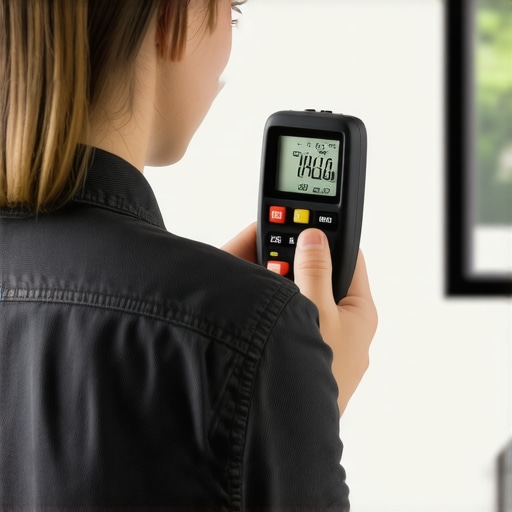
Prompt: Close-up of a person measuring workspace lighting with a digital lux meter, in a modern home office setting, during daytime, emphasizing precision and professional maintenance.
Alt: Person using lux meter for workspace lighting measurement.
Title: Ensuring Long-Term Performance of Your Workspace Lighting
,
Uncovering the Hidden Pitfalls of Good Intentions
One of the most surprising lessons I learned was that brightness isn’t the ultimate goal. I once believed that dialing up my LED lamp would eliminate glare, but overdoing it actually made things worse. It took trial, error, and a bit of frustration to realize that correct positioning and understanding light behavior matter more than sheer lumens. Recognizing this shifted my approach from just increasing light to optimizing its interaction with my workspace, a perspective that transformed my daily comfort.
Deliberate Placement Always Wins Over Power
Early on, I thought aiming my desk lamp directly at my monitor was the simplest solution, but this often caused reflected glare. It wasn’t until I experimented with angling the light toward the ceiling and adjusting the height that I really saw a difference. This experience taught me that intentional placement, focusing on diffusion and angle, yields better comfort than simply increasing brightness. It’s a lesson that applies universally: thoughtful positioning trumps brute force in lighting design.
How Small Tweaks Can Make Major Differences
Minor adjustments—like changing the height by an inch or tilting the lamp slightly—can drastically reduce eye strain. I found that a consistent practice of fine-tuning my lighting setup during different tasks or ambient conditions keeps glare at bay. This iterative process emphasizes that perfection isn’t a one-time achievement but an ongoing practice, reminding me that patience and attention to detail can elevate everyday work environments.
Sharpening Your Eye for Light Quality
Understanding color temperature and lumen spread was a revelation. Switching my bias lighting to a warmer tone during late hours improved my focus and reduced fatigue, a tip I found invaluable from trusted sources. Embracing these nuances gave me control over how I perceive my workspace, underscoring the importance of quality over quantity in lighting choices. This insight emphasizes that mastering light involves more than just placement—it involves appreciating its qualitative aspects too.
Embracing Continuous Improvement
Regularly revisiting my workspace lighting setup became a cornerstone of long-term comfort. Whether it’s cleaning diffusers, measuring light levels with tools like a lux meter, or experimenting with new configurations, these practices sustain an optimal environment. They also create a mindset of ongoing refinement, turning workspace maintenance into a rewarding ritual that yields enduring benefits—something I wholeheartedly recommend to anyone serious about their workspace health.
My Toolkit for Lighting Success
Having a reliable lux meter, such as the Sekonic Light Meter, helps me ensure consistent illumination tailored to my tasks. Pairing this with high-quality diffusers, adjustable fixtures, and ambient control software allows for a customizable environment. I trust these tools because they’ve stood the test of time, providing measurable improvements and peace of mind, and can help you craft a workspace that adapts to your evolving needs.
Creating a Future-Ready Workspace
Investing in durable, upgradeable lighting fixtures keeps my setup resilient against wear and technological changes. As smarter systems emerge, integrating AI-controlled fixtures that learn my preferences is a realistic goal. Planning for durability and adaptability ensures your workspace lighting remains a source of comfort and productivity for years to come—a vision worth striving for in your professional journey.
Your Turn to Transform
Now that I’ve shared my insights, I encourage you to experiment with your lighting placement, color temperature, and regular maintenance. Small modifications can lead to significant benefits for your eyes and overall work experience. Do you have a particular lighting tweak you’ve been hesitant to try? Share your thoughts below and start your journey toward a healthier, more productive workspace.
Hope this inspires you to view workspace lighting not just as a setup task, but as an ongoing pursuit of comfort and efficiency. Remember, the right light doesn’t just illuminate your desk—it brightens your entire work life.

About the Author
Ricardo Vargas
Director of Operations and Product Development
Ricardo Vargas is a seasoned professional in the lighting industry, currently serving as a Director of Operations and Product Development
LinkedIn Profile