
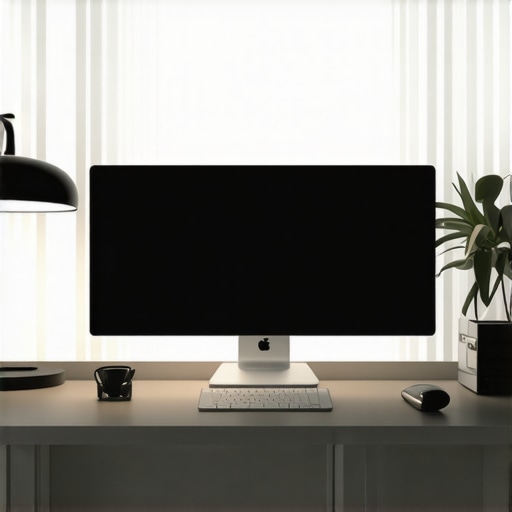
Ever sat at your desk after sunset, squinting at your screen, feeling the strain on your eyes and the fatigue creeping in? I’ve been there—fighting glare, trying to find the perfect lighting, only to end up with headaches and frustration. It’s a common story in today’s home offices and workspaces, where inadequate lighting can turn a productive day into a struggle. But I discovered something that changed everything: the right bias lighting and desk lamps can genuinely enhance your workspace and boost your focus.
Why Proper Workspace Lighting Matters More Than Ever
Good lighting isn’t just about seeing clearly; it impacts your mood, productivity, and even your eye health. Poor lighting can cause eye strain, headaches, and fatigue—especially when you’re glued to a screen for hours. Conversely, well-designed lighting—like modern LED desk lamps and bias lighting—creates a balanced environment that keeps your eyes comfortable and your mind sharp. According to a study by the American Optometric Association, improper lighting increases the risk of digital eye strain, which affects up to 65% of computer users.
In my early days working from home, I overlooked this aspect. I thought a bright desk lamp was enough, but I soon realized my eyes felt tired, and my concentration waned faster than I liked. That was my lightbulb moment—lighting isn’t one-size-fits-all. It’s about creating a layered, harmonious setup that matches your needs and workspace layout. The good news is, with a few smart choices, you can transform your space into a haven of comfort and productivity. I’ve learned a lot along the way, especially from dedicated resources like modern LED solutions that are designed specifically for this purpose.
Have you ever struggled to find the right lighting for your workspace? If so, you’re not alone. Many people make simple mistakes early on—like choosing overly harsh lights or neglecting bias lighting—and pay the price in discomfort and lost focus. But don’t worry. We’re about to explore how to avoid these pitfalls and craft a setup that works for you, backed by the latest innovations and expert tips.
Choose the Right Desk Lamp for Your Needs
Start by assessing your workspace and task requirements. Do you need bright, focused light for detailed work or softer illumination for general ambiance? I remember my first attempt; I bought a generic desk lamp that was too harsh, causing eye discomfort. Later, I discovered the importance of selecting a lamp with adjustable brightness and color temperature, which you can find in models detailed at this guide. Ensure the lamp provides even light distribution, avoiding glare and shadows that can strain your eyes.
Implement Effective Bias Lighting
Bias lighting involves placing a soft, indirect light behind your monitor to reduce eye strain. I set up a strip of LED bias lights behind my monitor, which instantly made my screen easier to view and reduced flickering fatigue. To achieve this, choose a bias light that is dimmable and emits a neutral or warm color, aligning with your ambient lighting. For detailed setup tips, check this resource. Position the light strip along the top or sides of your monitor, ensuring it doesn’t reflect directly into your eyes but provides enough contrast to ease your visual strain.
Utilize Modern LED Solutions for Better Ambiance
Modern LED desk lamps and bias lights offer energy efficiency and customizable settings. I upgraded to a sleek LED lamp that offers multiple color temperatures and brightness levels, which helped me find the perfect balance for different times of day. Moreover, LED bias lighting strips with remote controls allow quick adjustments, optimizing your workspace dynamically. For inspiration and product ideas, explore LED lamp options. This flexibility not only enhances your comfort but also creates a visually pleasing environment that adapts to your workflow.
Position Your Lighting Strategically
Proper placement is key. Position your desk lamp to illuminate your work area without causing glare on your screen. I learned this by trial and error—initially placing my lamp directly behind my monitor, which created reflections. Now, I position it at an angle, slightly above and to the side, mimicking natural light. Bias lights should be installed behind the monitor to provide ambient contrast without direct exposure. Use adjustable mounts or flexible arms to fine-tune light angles easily. Remember, lighting that causes reflections or shadows will negate the benefits of your setup.
Adjust Lighting Based on Time and Tasks
Adapt your lighting throughout the day. Bright, cool light boosts alertness during work hours, while warmer tones create a relaxing environment for unwinding. I set my LED desk lamp to cooler temperatures during intense work sessions and switch to warmer hues in the evening. Implementing dimmable lights and color temperature controls makes this effortless. You can find more tips on customizing your workspace lighting at this article. Regular adjustments keep your eyes comfortable and your focus sharp, no matter the task or time of day.
Many enthusiasts and even seasoned professionals fall into the trap of oversimplifying workspace lighting, which can lead to costly mistakes. While it’s tempting to think that a single bright desk lamp or a set of LED strips will suffice, the reality is far more nuanced. Let’s dig deeper into what most people get wrong about creating the perfect lighting environment for productivity and eye health.
Why Brightness Isn’t the Whole Story
It’s a common misconception that increasing brightness will automatically improve visibility and reduce eye strain. However, excessive brightness, especially from harsh, unadjustable lights, can cause glare and discomfort, negating any supposed benefits. What truly matters is **balanced lighting**—a combination of task, ambient, and accent lighting that work harmoniously. For instance, a well-placed LED desk lamp with adjustable brightness and color temperature, as discussed in this article, can help you fine-tune your environment to prevent eye fatigue.
The Hidden Danger of Overusing Bias Lighting
Bias lighting is praised for reducing eye strain, but many overlook how improperly installed bias lights can backfire. Placing light strips that emit too much light or in the wrong position can increase contrast and reflections, making your eyes work harder. The key is to use dimmable, neutral-colored bias lighting positioned behind your monitor to provide just enough ambient contrast. A common mistake is installing too bright or direct bias lighting, which can intensify glare instead of reducing it. For detailed guidance, check this resource.
Advanced Mistake: Ignoring the Impact of Light Quality
Many focus solely on the quantity of light, but the quality of light—its color rendering index, flicker-free operation, and spectral composition—is just as crucial. Poor-quality LEDs can flicker at frequencies that cause headaches or eye discomfort over time. Experts like lighting specialist Dr. Mark Rea emphasize that high-quality LED lighting, with a CRI above 90 and flicker-free operation, can significantly improve visual comfort. This is why investing in modern LED solutions, as shown at this page, is a wise decision for long-term health and productivity.
Have you ever fallen into this trap? Let me know in the comments!
Keeping your workspace lighting in top shape requires more than just initial setup; it’s an ongoing process that ensures your environment remains comfortable, efficient, and eye-friendly over time. In this section, I’ll share the tools and methods I personally rely on to maintain optimal lighting conditions and how you can extend these practices for long-term benefits.
Invest in Quality Dimmers and Smart Controls
One of the best investments I’ve made is installing a high-quality dimmer switch on my LED desk lamp. This simple addition allows me to adjust brightness instantly based on the time of day or task, preventing eye strain caused by overly bright or dim settings. For even more convenience, I recommend smart lighting systems like Philips Hue or LIFX, which integrate with home automation platforms. These systems enable you to automate lighting adjustments throughout the day, ensuring your workspace adapts seamlessly without manual intervention. I personally use a combination of these tools to create a dynamic lighting environment aligned with my schedule.
Regular Calibration and Cleaning
Maintaining your lighting equipment isn’t just about software settings; physical upkeep matters too. Dust buildup on LED fixtures or lamp lenses can diminish brightness and alter color temperature, so I schedule a monthly cleaning of all lighting components. Additionally, I calibrate my LED bias lights and desk lamps periodically using a light meter app on my smartphone to ensure consistent illumination levels. This practice helps avoid subtle shifts in lighting quality that can cause discomfort over time.
Use Reliable Software for Lighting Management
Managing multiple lighting sources can become complex—especially if you have a mix of manual and smart devices. I rely on apps like Lutron Caséta or the native control apps of my smart bulbs to fine-tune brightness and color temperature remotely. These tools also allow me to create preset lighting scenes for different work modes, such as focus, relaxation, or video conferencing. By automating these settings, I eliminate guesswork and ensure my workspace remains optimal without constant manual adjustments.
Plan for Upgrades and Future Trends
Lighting technology is evolving rapidly, with innovations like flicker-free LEDs, circadian rhythm lighting, and advanced sensor integration. I stay informed through industry blogs and expert reviews, such as those on lighting.techdeskessentials.com, to anticipate future upgrades. Investing in adaptable lighting solutions today means I can easily incorporate new features as they become available, ensuring my workspace stays on the cutting edge and continues to support my productivity and eye health.
How do I maintain my workspace lighting over time?
My approach involves a combination of routine physical upkeep, software management, and staying informed about new innovations. Regular cleaning and calibration keep my lights performing at their best, while smart controls and preset scenes simplify adjustments throughout the day. I also allocate a small budget annually for potential upgrades, ensuring my setup remains current and effective. This proactive mindset ensures my workspace lighting continues to serve me well in the long run, supporting my focus and health as my needs evolve.
Try implementing a smart control system or scheduling monthly cleanings to see how these small steps can make a big difference in maintaining your ideal lighting environment. For more detailed guidance on choosing and managing your lighting tools, visit this resource.
The Hardest Lesson I Learned About Lighting Your Workspace
One of the biggest mistakes I made early on was believing that brightness alone would solve my eye strain issues. It turns out that overly harsh or unadjustable lights can cause more harm than good, leading to glare and discomfort. The real secret was understanding the importance of balanced, adjustable lighting that adapts to my needs throughout the day.
3 Myths About Workspace Lighting That Held Me Back
I used to think that investing in expensive LED lamps was unnecessary, or that bias lighting was just a fancy gimmick. It wasn’t until I experimented with different setups that I realized how crucial high-quality, flicker-free LEDs and properly positioned bias lights are for comfort and productivity. These tools transformed my workspace into a haven of focus and well-being.
What Experts Won’t Tell You About Creating the Perfect Lighting Environment
Many overlook the importance of regular calibration and physical upkeep of their lighting equipment. Dust buildup, misaligned lights, or outdated bulbs can subtly reduce effectiveness and cause discomfort over time. Investing in smart controls and staying informed about emerging lighting innovations, like circadian rhythm lighting, has helped me maintain an optimal environment long-term. For trusted resources on these topics, I recommend exploring this comprehensive guide.
My Essential Toolkit for Better Workspace Lighting
I rely on high-quality, flicker-free LED desk lamps with adjustable color temperature, such as those featured in top LED lamp collections. Dimmable bias lighting strips behind my monitor, controlled via remote, allow me to fine-tune ambient contrast effortlessly. Smart lighting systems like Philips Hue help automate adjustments, making long work sessions more comfortable. These tools have become indispensable for maintaining my focus and eye health.
Stay Proactive and Keep Your Lighting Evolving
Creating an ideal workspace isn’t a one-time effort; it’s an ongoing process. Regular cleaning, calibration, and embracing new technologies ensure the environment adapts to your needs. I dedicate a small annual budget to upgrade my lighting setup, ensuring I stay ahead of the curve. With the right mindset and tools, you can transform your workspace into a place that supports your productivity and well-being for years to come. What’s one lighting adjustment you’re excited to try next? Let me know below.

About the Author
Ricardo Vargas
Director of Operations and Product Development
Ricardo Vargas is a seasoned professional in the lighting industry, currently serving as a Director of Operations and Product Development
LinkedIn Profile
I completely agree with the importance of balanced lighting in a workspace. I used to rely solely on a bright desk lamp, but I noticed my eyes would still strain after long hours. Switching to adjustable LED lamps and adding bias lighting behind my monitor made a huge difference. The subtle contrast reduces eye fatigue during extended screen time, especially in the evening. I’ve also found that positioning my desk lamp at an angle rather than directly behind or above the screen helps minimize glare and reflections. Do others here prefer warm or cool tones for different tasks? I’ve been experimenting with warmer hues for relaxing and cooler shades for focused work, which seems to improve my clarity and comfort throughout the day.
This post really hits on a key aspect many overlook—lighting isn’t just about brightness but about creating a layered environment tailored to your needs. I’ve experimented with different setups, and I found that incorporating dimmable LED desk lamps with adjustable color temperatures makes a surprisingly big difference, especially during long work sessions. I also started using bias lighting behind my monitor, which minimizes eye fatigue by reducing contrast and glare. Personally, I prefer warmer tones later in the day to help me relax, and cooler light during focused morning work. Has anyone tried circadian rhythm lighting systems? They seem promising for syncing your light exposure with your body’s natural cycles, potentially reducing eye strain and fatigue even further. If you’re struggling with overall eye discomfort, I’d recommend not just adjusting your lighting but also considering the spectral quality of your bulbs, as poor CRI ratings can affect visual comfort over time. What’s your go-to setup for balancing brightness and warmth?
I’ve personally found that incorporating layered lighting—combining task, ambient, and bias lighting—makes a huge difference in reducing eye strain during long work sessions. I used to rely solely on a desk lamp, but I noticed fatigue still crept in. Moving to a setup with adjustable LED lamps and a dimmable bias LED strip behind my monitor greatly improved my comfort. What’s interesting is how the placement and color temperature of these lights influence focus and relaxation. For example, I prefer cooler tones in the morning for alertness and warmer hues in the evening to wind down. Has anyone experimented with circadian rhythm lighting or smart controls to automate these adjustments? I’d love to hear what setups have worked best for others and if any particular brands or features stood out.
I really appreciate how this post emphasizes the importance of layered lighting, especially the role of bias lighting behind the monitor. I’ve recently started using a warm LED strip in my setup, and I’ve noticed a noticeable reduction in eye strain during long hours. The adjustment of light color temperature throughout the day, as mentioned, makes a huge difference—mornings are with cooler light to boost alertness, and evenings switch to warmer tones for relaxation. One thing I’ve found particularly useful is incorporating smart controls, like app-controlled dimmers, which allow me to fine-tune brightness effortlessly. Have any of you experimented with circadian rhythm lighting? I’ve been curious if syncing lighting to natural cycles can make an even bigger impact on comfort and energy levels. Also, do you find that certain brands or models tend to flicker less, contributing to better comfort over time? I’d love to hear about your experiences or recommendations on smart lighting solutions that really work for a long workday.