
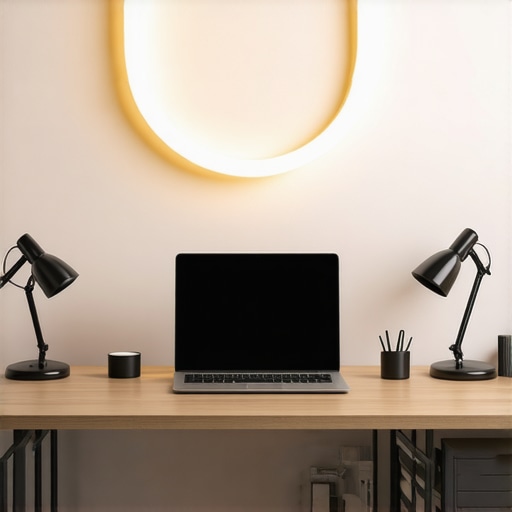
Have you ever sat at your desk after hours, squinting at your screen, wishing the lighting would just cooperate? I remember those moments clearly—frustrated, feeling like no matter how many adjustments I made, my workspace remained dull or harsh, leaving my eyes strained and my motivation dimming. That was my lightbulb moment: I needed a better lighting setup, one that truly worked for my space and needs.
Why Good Lighting Matters More Than Ever in 2025
In today’s busy world, our workspaces aren’t just places to work; they’ve become extensions of ourselves. Whether you’re into video calls, content creation, or long hours of focused work, proper lighting is essential. Poor lighting can lead to eye strain—affecting productivity and overall well-being. Studies show that inadequate lighting can cause headaches, fatigue, and even disrupt circadian rhythms, which are crucial for sleep quality (source).
Is Investing in Fancy Lighting Really Worth It?
At first, I was skeptical. I thought, “It’s just lights, right?” But early on, I made the mistake of using inexpensive desk lamps that cast uneven, glaring light—definitely not the vibe I wanted. That poor choice made me realize the importance of selecting the right lighting tools that not only illuminate but also enhance my workspace aesthetic and comfort. If you’ve struggled with similar issues, you’re not alone.
This guide will walk you through everything—types of lights, features to look for, and how to optimize your setup—so that your workspace becomes a place where you can truly thrive. Ready to transform your environment? Let’s dive into what makes a modern, well-lit workspace in 2025.
Select Your Main Light Source
Start by choosing the right primary lighting. Opt for LED lamps that provide bright, even light and are energy-efficient. Think of LED lamps as the backbone of your lighting setup, much like a reliable engine in a car—it’s essential for smooth operation.
Position Your Lights Effectively
Place your main light to minimize glare and shadows. Use an adjustable desk lamp with a flexible arm, positioning it slightly above and behind your monitor. This setup ensures light falls naturally onto your workspace without causing reflections or eye strain. I once spent an afternoon rearranging my lamp until I saw how uneven lighting caused headaches, but after repositioning—I noticed a significant decrease in discomfort.
Add Bias Lighting to Reduce Eye Strain
Implement bias lighting behind your monitor. This involves installing a gentle backlight that creates contrast and reduces eye fatigue during long sessions. For example, I used bias lighting strips behind my screen, which acted like a soft halo. It boosted my focus and lowered headaches caused by abrupt brightness shifts.
Choose the Right Bias Lighting
Look for lights with adjustable color temperature and brightness. Warmer tones (around 3000K) mimic natural light, calming your eyes, while cooler tones (around 6500K) can energize you. Think of bias lighting as the gentle sunset that relaxes your eyes after a bright day—crucial for visual comfort.
Improve your appearance and visibility during video conferences by adding a ring light. Position it around your webcam for even illumination that minimizes shadows. I experimented with different angles until I found a setup that made my face evenly lit, which made meetings feel more professional and less stressful. A ring light can be a game-changer, especially on cloudy days or late at night.
Master Ring Light Positioning
Place the ring approximately at eye level, about 12-18 inches from your face. Adjust the brightness to avoid overexposure. Remember, the goal is natural-looking illumination that enhances your features without washing out your appearance.
Finally, ensure your total lighting scheme works together. Use dimmable LED lights to fine-tune the ambiance. This creates a comfortable environment that adapts to different tasks—whether you’re working, relaxing, or on a call. I once used a small desk lamp with a warm glow during evenings, which made winding down more natural.
Implementing these steps systematically can drastically elevate your workspace comfort and productivity. Each element complements the other, turning a mere office into a well-orchestrated lighting environment designed for modern work in 2025.
Many assume that simply owning a good desk lamp or ring light guarantees optimal workspace lighting. However, beneath these surface choices lie nuanced pitfalls that can sabotage your efforts. For example, a common myth is that brighter lighting always equals better visibility. In reality, overexposure can cause glare and discomfort, negating any productivity gains. An expert warns that improperly balanced lighting creates eye strain and reduces focus. Moreover, many underestimate the importance of correct color temperature; using a cool white LED in a cozy home office can be jarring, while warm tones foster relaxation and productivity.
Is the Brightness Level Always the Key?
Contrary to popular belief, high lumen counts aren’t the sole indicator of effective lighting. It’s equally essential to consider the distribution and quality of light. Using multiple sources with varying intensities can create a more comfortable environment than a single, overly bright fixture. Additionally, beware of the trap of neglecting shadow management; improper placement of your desk lamp or bias lighting can lead to uneven illumination, causing muscles to strain as your eyes continuously adapt. A well-balanced setup promotes natural eye behavior, mitigating fatigue.
Another overlooked aspect is the adaptability of your lighting scheme. As tasks change, so should your lighting. Dimming features and adjustable color temperatures allow for dynamic environments that suit everything from concentration to relaxation. Strategically incorporating modern LED solutions can vastly improve your workspace versatility.
Let’s not forget the myth of universal solutions. What works for one person or one environment might fail for another. Tailoring your lighting requires understanding your specific workspace layout, ambient light, and personal preferences. For instance, placing your ring light too close can wash out your face, while positioning it at the right angle enhances your appearance naturally. Remember, a ring light is powerful, but only if used correctly.
In essence, optimizing workspace lighting is a nuanced dance of technical understanding and practical adjustments. Avoid falling into the trap of oversimplification, and instead, invest time in fine-tuning your setup for your unique needs. Your eyes, posture, and productivity will thank you. Have you ever fallen into this trap? Let me know in the comments.
How do I keep my workspace lighting performing at its best over time?
Maintaining your workspace lighting setup isn’t just about turning on the lights; it involves regular care, smart tools, and awareness of evolving technology. Personally, I rely on a combination of routine cleaning, device calibration, and software updates to ensure optimal performance. For example, dust and dirt can diminish the brightness of your LED or ring lights, so I use a microfiber cloth weekly—especially over the diffusers—to prevent dust buildup that can soften or distort light quality.
Further, many advanced LED lamps come with built-in dimming and color temperature adjustment features. I recommend periodically verifying these settings using smartphone apps or desktop control software provided by the manufacturer. This helps maintain the ideal lighting conditions, especially as seasons change and ambient light fluctuates. For instance, I use the latest LED lamp innovations that support customizable profiles, making it easy to switch lighting modes for work, relaxation, or video calls.
Software firmware updates are equally essential. Manufacturers often release updates that improve performance and add features—keeping your lighting tools up-to-date prolongs their lifespan and enhances energy efficiency. I subscribe to notifications from my lamp’s manufacturer and set calendar reminders to check for updates quarterly.
Don’t forget the importance of physical wear and tear. Over time, cables can fray, switches can become unreliable, and mounts may loosen. Regularly inspecting these components allows for early detection and repair, avoiding sudden failures. I personally keep a toolkit with basic screwdrivers, replacement cables, and cleaning supplies, enabling quick fixes without resorting to expensive replacements.
Looking ahead, I predict that smart lighting will become even more integrated with home automation systems, allowing for remote diagnostics and automated maintenance alerts. Technologies like Bluetooth mesh networks could facilitate real-time health monitoring of lighting fixtures, alerting you before issues impact your productivity.
What’s the best way to maintain bias lighting for long-term use?
Bias lighting strips that are used behind monitors or desks should be checked regularly to ensure they maintain consistent color and brightness. Since they often run for hours daily, LED strips can experience thermal stress, leading to color shifts or dimming. I suggest periodically testing your bias lighting with a color calibration app, tweaking settings as needed. Additionally, securing the strips properly and avoiding over-bending the wires prevents damage. Ensuring your bias lighting remains stable not only preserves visual comfort but also extends the life of the LEDs, saving you money in the long run. For a detailed technique, see the comprehensive tips in this guide on bias lighting maintenance.
Finally, invest in tools like a digital lux meter to measure illumination levels at your workspace, helping you maintain consistent lighting intensity over months. Consistent lighting improves visual comfort during long work sessions and keeps eye strain at bay, facilitating sustained productivity.
Try integrating a smart control app or routine inspection schedule into your maintenance plan, and you’ll find your workspace lighting remains effective and efficient for years. Remember, a well-maintained setup isn’t just about longevity but also about continuously optimizing your visual environment for comfort and performance.
A Lesson in Shadows and Bright Spots
One of the toughest realizations I encountered was how easily I underestimated the importance of light placement. I once thought that a single overhead fixture was enough, but I soon learned that shadows can cause eye strain and fatigue. Proper positioning of my desk lamp and bias lighting was a game-changer, teaching me that thoughtful light placement can turn discomfort into clarity.
How I Stumbled on the Power of Warmth
Initially, I believed that maximum brightness was the holy grail of workspace lighting. But after experimenting with warm tones and dimming controls, I discovered that softer, warmer lighting significantly reduced eye strain and fostered focus. This lesson reminded me that understanding color temperature isn’t just technical—it’s transformative for daily comfort and productivity.
Why Balancing Is Better Than Blinding
I learned that striving for overly bright setups often led to glare and headaches. Instead, creating a balanced lighting environment with multiple sources reduced fatigue. Incorporating dimmable LED lights and well-placed ring lights taught me the value of harmony over intensity. A balanced setup isn’t just about light levels—it’s about tuning your entire visual environment to serve your brain and eyes.
Tools That Changed My Lighting Routine
Investing in a lux meter opened my eyes to actual illumination levels, moving beyond guesswork. Regular firmware updates for my smart LED lamps and bias lighting controls improved both efficiency and longevity. These tools became essential allies in my quest for the perfect workspace glow, proof that investing in technology pays off in comfort and health.

About the Author
Ricardo Vargas
Director of Operations and Product Development
Ricardo Vargas is a seasoned professional in the lighting industry, currently serving as a Director of Operations and Product Development
LinkedIn Profile