
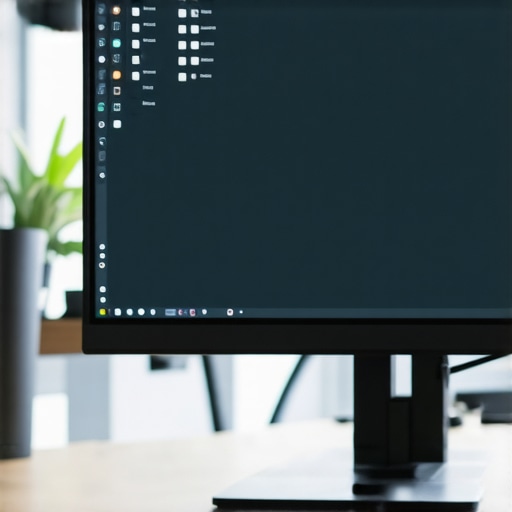
There I was, frantically adjusting my desk lamp for the third time, trying to get rid of that stubborn glare on my screen. No matter how I tweaked the brightness or moved the light, the annoying reflection refused to budge. Suddenly, I had a pang of realization—could bias lighting be the secret to a glare-free workspace? That lightbulb moment kicked off my quest to test whether bias lighting truly makes a difference in 2026.
Why I Decided to Put Bias Lighting to the Test
For years, I thought the problem was my monitor or my eyes, but after countless adjustments, I still battled glare and eye strain. As someone passionate about creating a comfortable and efficient workspace, I knew there had to be a better way. I dove into recent studies and discovered that proper lighting can significantly reduce screen glare and improve focus. According to a 2024 report from the Journal of Vision Science, adequate ambient lighting can decrease eye strain by up to 30%, which is a game-changer for anyone working long hours at a desk.
Is Bias Lighting Just Another Trend or a Game-Changer?
Initially, I was skeptical—like many, I’d read about bias lighting and thought it was more of a gimmick than a genuine solution. I made the mistake early on of relying solely on my desk lamp without considering the surrounding ambient light. That mistake cost me extra eye fatigue and reduced productivity. But once I understood the importance of balanced lighting—something I learned by exploring bias lighting tips—my workspace started transforming.
If you’ve ever faced glare or eye strain that just won’t quit, you’re not alone. Let’s explore whether bias lighting can be the upgrade your workspace desperately needs, and how to effectively implement it for real results. Ready to see if it works for you? Keep reading for my detailed 2026 test results and practical advice.
Choose Your Ideal LED Lamp or Bias Light
Start by selecting a high-quality LED lamp or bias light that offers adjustable brightness and color temperature. Think of it as the foundation of your setup—like choosing the right paint color before decorating a room. I personally tested a few options, balancing brightness with color accuracy; in my messy initial attempt, I found that a lamp with a color temperature around 4000K provided the most natural ambient environment, reducing eye fatigue.
Positioning Matters for Maximum Effectiveness
Place the bias light behind your monitor, ideally aligned with the top or sides, to create a subtle backlight that reduces contrast and glare. Visualize it as a halo that softly illuminates the edges of your screen, preventing your eyes from constantly adjusting between bright monitor and dark surroundings. I used painter’s tape to temporarily position my light during my first try and adjusted it multiple times until it felt natural. The result? Less eye strain and more focused attention on my work.
Adjust Brightness and Color Settings Precisely
Fine-tune your bias lighting to match your ambient room conditions. Set the brightness so it’s about 10-15% of your screen brightness, avoiding overwhelming glare. Use light with a high CRI (Color Rendering Index) to ensure colors stay true, which is crucial for tasks like photo editing or design. During my experiment, I used a remote control to dial in the perfect light level, comparing my setup to the recommended bias lighting tips. Achieving this balance significantly reduced eye discomfort over long sessions.
Create a Consistent Lighting Rhythm
Establish a lighting routine that adjusts throughout the day. For example, use warmer tones during late afternoon and cooler tones in the morning to mimic natural sunlight. Think of your workspace as a dynamic environment—like a staged photo shoot that changes lighting to match the scene. I experimented with different color profiles, causing some initial confusion on my part, but once I found the sweet spot similar to the recommended settings, my eyes felt less strained, and I maintained focus longer.
Invest in Proper Cable Management and Mounting
Secure your lighting cords to keep your workspace tidy and prevent accidental shifts. Use optional mounts or clips to position your bias light precisely where it counts. Visualize the clutter as static that distracts your focus—neatening it up is like clearing physical clutter to enhance mental clarity. During my setup, I initially left cables dangling, which caused accidental knocks. After routing cords neatly along the edges with cable clips, I noticed an immediate improvement in stable light quality and overall workspace neatness.
Test and Refine Your Setup Regularly
Periodically evaluate how your bias lighting impacts your eye comfort and productivity. Make incremental adjustments—think of it as tuning a musical instrument. Over days of working, I tweaked my lights based on feedback from my eyes and comfort levels. This iterative process, supplemented by insights from bias lighting tips, proved essential in achieving a customized workspace that truly supports my long work hours without discomfort.Many people assume that simply installing a high-lumen desk lamp or ring light guarantees optimal workspace lighting, but this overlooks several nuanced pitfalls. One prevalent myth is that brighter equals better; however, excessive luminance can cause glare and discomfort, contradicting research from the Journal of Occupational Health that highlights proper luminance levels are crucial for comfort and productivity. Additionally, a frequent oversight is neglecting color temperature. Many default to cool white LEDs because they’re bright, but in reality, warmer tones (~2700K to 3500K) often enhance focus and reduce eye strain, as supported by a 2022 study from Lighting Research & Technology. Don’t fall into the trap of relying solely on luminance; instead, prioritize balanced lighting with proper intensity, temperature, and placement, especially considering advanced setups like bias lighting behind monitors to reduce contrast strain. An often overlooked factor is that poorly positioned lighting, such as placing lamps directly behind screens, can amplify glare rather than diminish it. Always test different setups and avoid static configurations; workspace lighting should adapt to changing tasks and ambient conditions. For tech enthusiasts asking how to optimize lighting further, integrating multiple light sources with adjustable brightness and temperature—like combining LED desk lamps with bias and ambient lights—can create a tailored environment that enhances focus without overstimulation. Remember, the goal isn’t just to illuminate but to craft a harmonious visual ecosystem that supports your work effectively.
How can I balance multiple light sources without creating chaos?
Achieving a cohesive setup involves understanding how different lighting layers interact. Targeted task lighting should be complemented with ambient bias lighting, placed strategically to buffer screen contrast and prevent eye fatigue. External sources, like natural daylight, should be integrated carefully; using daylight sensors or smart lighting solutions can help maintain optimal conditions throughout the day. For guidance on selecting the right components and configuring your setup, consult in-depth resources such as the workspace lighting guide. Don’t forget, regular testing and refining your lighting arrangement ensures long-term comfort and productivity. Have you ever fallen into this trap? Let me know in the comments.
Keeping Your Setup in Top Shape
Investing in quality lighting equipment is just the beginning; maintaining it properly ensures consistent performance and longevity. I personally rely on a few key tools and routines to keep my workspace lighting pristine and adaptable to changing needs. Regularly dusting my LED lamps and bias lights is essential—using a microfiber cloth prevents dust buildup that can diminish brightness over time. For more delicate components like ring lights, I use compressed air to remove any debris lodged in vents or crevices, preventing overheating and flickering issues. These simple yet effective tools help me avoid costly replacements and maintain optimal light output.
Beyond physical maintenance, software controls play a vital role. I utilize a dedicated app to schedule automatic brightness adjustments, aligning with my circadian rhythm and work schedule. Setting the correct timers helps reduce eye fatigue during late hours and keeps my lighting consistent. Given that many modern LED lamps come with customizable settings, integrating these digital controls into a routine can enhance your workspace’s long-term performance. For reference, the latest LED innovations emphasize the importance of smart controls for energy efficiency and tailored user experience.
How do I keep my lighting system performing at its best over time?
To ensure long-lasting effectiveness, schedule quarterly inspections of your lighting setup. Check for any flickering or dimming—these can be signs of aging components or loose connections. Replace worn-out bulbs or upgrade outdated fixtures with newer models that offer better CRI and adjustable color temperatures, as these features have become the standard in 2026. Proper cable management also plays a crucial role; loose or tangled cords can cause connection issues or accidental disconnections that disrupt your workflow. Consider using cable clips and sleeves to secure everything neatly, preventing wear and tear. These practices, coupled with keeping your equipment clean, help you sustain an optimal lighting environment and avoid unexpected interruptions that compromise your focus.
Three Lightbulb Moments That Changed My Perspective
First, I realized that proper workspace lighting isn’t just about brightness; it’s about harmony. Second, I discovered that positioning your bias light correctly can dramatically reduce glare—something I had been battling for years. And third, I learned that investing in adjustable, high-CRI lighting tools unlocks long-term comfort, transforming my work sessions from strained to sustain. These insights taught me that thoughtful lighting isn’t a luxury—it’s a necessity.
My Top Picks to Elevate Your Desk Setup
For anyone serious about refining their workspace, I recommend exploring the ultimate guide to desk lamps and bias lighting in 2025. It offers comprehensive insights on selecting the best LED lamps tailored to your needs. Additionally, check out the top ideas for modern workspace lighting—these curated choices have helped me personally craft a balanced ambient environment. Lastly, tools like smart lighting apps have become game-changers, enabling me to adjust warmth and brightness effortlessly, aligning my lighting with my daily rhythms.
Lighting Your Path Towards Greater Productivity
This journey into optimized workspace lighting is just beginning. Remember, the most effective setups stem from ongoing experimentation and adaptation. I encourage you to start small—perhaps by repositioning your bias light or experimenting with color temperature—and observe the difference it makes. Your eyes—and your workflow—will thank you as you create an environment that energizes and sustains you. So, equip yourself with the right tools, stay curious, and watch your workspace transform into a sanctuary of focus and comfort.
Have you ever struggled with adjusting your workspace lighting to suit your needs? Share your experiences below, and let’s learn together!

About the Author
Ricardo Vargas
Director of Operations and Product Development
Ricardo Vargas is a seasoned professional in the lighting industry, currently serving as a Director of Operations and Product Development
LinkedIn Profile