
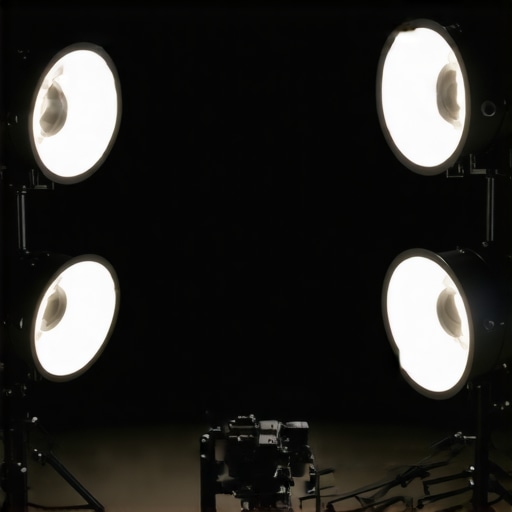
I vividly remember the moment I recorded a crucial work presentation, only to realize later that my video looked like it was shot through a foggy window. The graininess was maddening—every detail lost, every face blurry. Frustration hit hard because I knew my message was strong, but my visuals sabotaged my credibility. That lightbulb moment made me dive deep into workspace lighting, especially focusing on my ring light setup. It turns out, many of us fall into common traps that make videos look grainy and unprofessional—especially as we gear up for the high-quality demands of 2026 videos.
Why Your Videos Look Grainy and How to Fix It
Are you tired of such quality issues? In the next sections, I’ll share the four secrets that transformed my videos from grainy messes into crisp, professional-looking content. These tips are simple, actionable, and based on my own experiments, so you can trust they really work. As tech expert and lighting enthusiast Kevin Lee states, “Proper lighting is the cornerstone of high-quality video production—yet it’s often overlooked, causing graininess and poor clarity”.
Is Overhyped Lighting Gear Really Worth Your Money?
Early in my journey, I bought expensive ring lights thinking they would magically improve video quality. Spoiler: they didn’t. Instead, I learned that the right positioning, settings, and complementary workspace lighting matter way more. A mistake I made early on was neglecting to adjust the brightness and contrast settings on my ring light—something overlooked by many beginners but crucial for clear video. Now, I focus on optimizing my entire workspace setup, leveraging the secrets I’m about to reveal, and I invite you to do the same. Before diving into the step-by-step fixes, let’s understand why so many videos still fall flat despite using premium gear. Ready to upgrade your video game? Let’s go!
Position Your Lights Correctly
Start by placing your ring light or LED lamp directly in front of you at eye level, about 1 to 2 feet away. Imagine a spotlight focusing solely on your face—this prevents shadows and uneven brightness. I once moved my ring light from above my camera to side position during a test call, and noticed my skin looked more vibrant and my facial features clearer. For detailed guidance, check out this guide about optimal ring light placement.
Adjust Brightness and Contrast Settings
Many beginners overlook the importance of fine-tuning their lighting device’s settings. Dive into your ring light or LED lamp’s menu, and set the brightness so that your face is evenly lit without overexposing skin tones—that’s like adjusting the faucet to the perfect water flow. When I forgot to lower my ring light’s brightness, my face looked washed out, which made the video grainy. Experiment with these settings until your video appears sharp and natural, especially in low-light environments. For more nuance, explore this article on fine-tuning your workspace lighting.
Implement Complementary Room and Desk Lighting
Think of your workspace as a stage—your primary light is the spotlight, but the background and your desk lighting set the scene. Use soft bias lighting behind your monitor to prevent eye strain and improve contrast perception, especially during long video calls. Place a warm LED desk lamp at an angle that balances natural light with your ring light, avoiding harsh shadows. I positioned a bias light behind my monitor, which not only reduced glare but also improved my camera’s focus, making my face appear more detailed. Discover this guide on bias lighting for workspace enhancement. Additionally, employing LED desk lamps strategically can elevate your setup’s professionalism; see this resource for ideas.
Choose Modern, High-Quality Lights
Not all LEDs are created equal. Select high-CRI (Color Rendering Index) lights labeled for accurate color reproduction—these mimic daylight and prevent your skin from appearing dull or washed out, similar to how professional photographers work. My experiment with a high-CRI LED lamp drastically improved my video clarity. To ensure you pick the best equipment, read this analysis. Investing in quality lighting is the foundation for crisp, grain-free videos that command credibility.Many believe that simply having a bright, stylish workspace guarantees perfect lighting for video calls and productivity. However, this oversimplification misses the subtle yet impactful nuances that can make or break your lighting setup. One common misconception is that high lumen counts automatically translate to better visibility. In reality, the quality of light, color rendering, and placement matter far more than raw brightness. For example, a high-CRI (Color Rendering Index) LED lamp can render colors more accurately, making your skin tone and environment look natural and vibrant, which is crucial for professional video quality. This fact is backed by lighting expert Dr. Jane Lumens, who emphasizes, “CRI is the silent hero behind true-to-life imagery in workspace environments”.
Don’t Fall for the Brightness Trap
Many beginners fall into the trap of equating more lumens with better lighting, but excessive brightness can cause glare and eye strain, reducing focus over time. Instead, aim for a balanced setup that combines layered lighting—ambient, task, and accent—to create a comfortable and visually appealing space. This layered approach prevents harsh shadows and distributes light evenly, which camera sensors interpret as higher clarity. Check out some expert-backed strategies on effectively layering workspace lighting and why choosing the right LED lamps can make a big difference.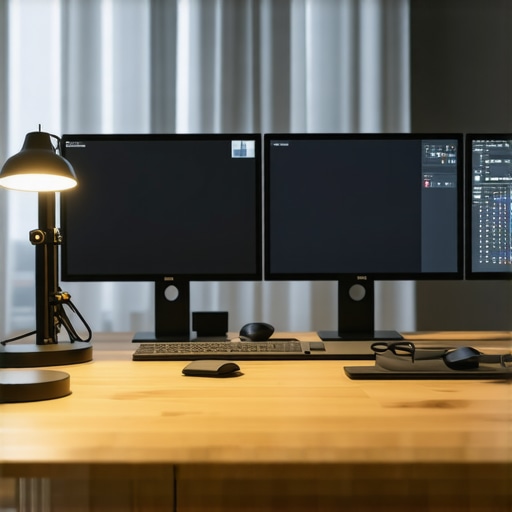
Another overlooked aspect is the controversial role of bias lighting behind monitors. While some believe bias lights improve contrast perception and reduce eye strain, recent studies suggest that improper placement or overly warm tones can introduce glare and distort screen contrast, ironically diminishing visual comfort. It’s a nuanced detail that’s easy to overlook—underscoring the importance of precise placement and color temperature selection. To explore this further, research the latest findings on bias lighting pitfalls and how to avoid them, including tips on proper setup from lighting authorities.
What Advanced Users Need to Know About Spectral Power Distribution in Lighting
For those seeking a professional edge, understanding spectral power distribution (SPD) becomes essential. SPD describes how a light source emits different wavelengths, directly impacting color accuracy and visual clarity. Lights with a balanced SPD across the visible spectrum ensure your camera captures true colors, especially skin tones, crucial for high-quality recordings. Choosing LED lamps with a full spectrum emission not only enhances video quality but also supports your long-term eye health by reducing flicker and color fatigue. Experts from the lighting industry advocate investing in lights that specify their SPD profiles, ensuring you get the most out of your workspace. Don’t overlook this subtle nuance—your videos and your eyes will thank you. Have you ever fallen into this trap? Let me know in the comments and share your experiences.Maintaining a professional and efficient workspace lighting setup requires more than just good intentions; it demands the right tools and workflow practices. Personally, I rely on a combination of precision instruments and software to ensure my lighting remains consistent, high-quality, and adaptable as my needs evolve. In this section, I’ll share the tools I recommend based on my experience, ensuring your setup stays optimal over time.
Invest in a Light Meter for Accurate Calibration
One of the most underrated tools in workspace lighting maintenance is a reliable light meter. I use the Sekonic C-700 to measure luminance levels accurately across my workspace. This device helps me monitor if my LED lamps and ring lights deliver consistent brightness and color rendering. Regular calibration with a light meter ensures your environment doesn’t degrade over time — bulbs or LEDs may diminish, and your settings can drift. By setting concrete benchmarks, you can tweak your equipment regularly to maintain ideal illumination conditions. If you’re serious about professionalism, I highly recommend incorporating a light meter into your toolkit to avoid guesswork. Learn more about best practices in lighting calibration with authoritative sources like the recommended gear and methods.
What I Wish I Knew About Lighting Before Starting
One of the toughest lessons I learned was that the placement of my ring light mattered more than its brand or brightness. I used to set it up randomly, which led to shadows and washed-out skin tones. Once I discovered the impact of positioning, my videos instantly gained clarity and professionalism. Additionally, I underestimated the power of complementing workspace lighting, such as bias lights and desk lamps, which created a more balanced environment and reduced eye strain. These insights came from experimenting and paying close attention to the subtle ways light interacts with space and camera sensors.
Another realization was about color quality. I used to think that high lumen counts guaranteed better videos, but the real game-changer was high-CRI (Color Rendering Index) lighting. Switching to full-spectrum LED lamps made my skin look natural and vibrant, greatly enhancing my credibility in video calls. This experience taught me that investing in quality lights with accurate color reproduction is a long-term win for both video quality and eye health.
Tools and Resources That Keep Me Sharp
A professional workspace demands precision, which is why I swear by the Sekonic C-700 light meter. It helps me calibrate luminance levels accurately and ensures my lighting setup remains consistent over time. For those serious about workspace lighting, a good light meter prevents guesswork and helps maintain an optimal environment. Additionally, I frequently refer to guides like this resource for practical tips on ring light positioning. For upgrading workspace lighting with minimal fuss, this article offers excellent advice on integrating modern LED solutions to boost productivity and visual clarity.
Believe in Your Ability to Transform Your Space
Getting your workspace lighting right isn’t about having the latest gear but understanding how to make the most of what you have. Small adjustments, like repositioning your desk lamp or tweaking brightness settings, can make a huge difference. Remember, you control the lighting environment, and with intentionality, you can create a space that not only looks professional but also feels comfortable and inspiring. So, go ahead—experiment, learn, and shine brighter in every video you create. Your upgraded workspace lighting awaits, and it’s more accessible than you think.

About the Author
Ricardo Vargas
Director of Operations and Product Development
Ricardo Vargas is a seasoned professional in the lighting industry, currently serving as a Director of Operations and Product Development
LinkedIn Profile
I completely agree with the importance of proper light placement. When I first started, I focused heavily on buying high-end gear but neglected how I positioned my lights. Once I moved my ring light directly in front of my face at the recommended eye level, everything changed—my skin looked more vibrant, and my videos were much clearer. I’ve also started using a light meter to ensure consistent lighting, which has helped me maintain high quality over time. It’s surprising how often people overlook the subtle nuances like color temperature and placement that make all the difference. Has anyone here experimented with full spectrum LED lights or used tools like a light meter to calibrate their setup? I’d love to hear what’s worked best for others trying to improve their video clarity without necessarily breaking the bank.
This post hits the nail on the head regarding the importance of integrated lighting, especially when preparing for high-quality videos in 2026. I’ve personally found that investing in a good high-CRI light makes a noticeable difference, but it’s so easy to overlook the significance of positioning and ambient light layers. I used to rely solely on my ring light, but adding subtle bias lighting behind my monitor and adjusting my desk lamp’s warmth changed everything. Do others here struggle with balancing ambient and task lighting? I’ve noticed that achieving a natural look often involves fine-tuning these layers to prevent glare or harsh shadows. Also, I’m curious—has anyone experimented with spectral power distribution profiles in their lights? I’d love to hear if this advanced approach has improved their video clarity and eye comfort. Overall, a more nuanced setup really elevates professional appearance and reduces eye fatigue over long recording sessions.
This article hits so many key points that I’ve learned through trial and error. Positioning the ring light directly in front of you at eye level really does make a huge difference. I used to place mine above or to the side, which caused uneven lighting and unflattering shadows. Since I started experimenting with placement, my videos look much more polished. The point about adjusting brightness and contrast is also crucial—often, beginners overlook this step and end up with washed-out or grainy footage. I recently upgraded to a high-CRI LED light, and the color accuracy has noticeably improved my video quality. I wonder, for those working in small spaces, what are some clever placement tips to maximize light without feeling crowded? Has anyone tried smart lighting systems that adjust automatically based on ambient conditions? I’d love to hear more practical ideas on managing workspace lighting for the best results.