
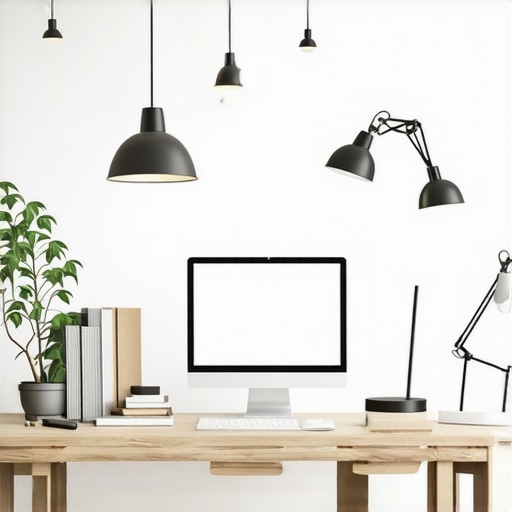
I remember one evening, after hours of staring at my computer screen under harsh, flickering lighting, my eyes felt like they’d been sandblasted. Suddenly, I realized that my old desk lamp, which I’d always thought was sufficient, was actually a silent culprit behind my persistent eye strain. That lightbulb moment hit hard—you know, when you finally connect the dots and see how much your workspace lighting impacts your comfort and productivity. Everyone’s workspace could be silently sabotaging their eyes, especially with the myriad of lighting options available now.
Why Eye Fatigue Keeps Getting Worse Despite Fancy Tech
The truth is, many of us chase brighter screens and sharper visuals without paying attention to the lighting around us. But in 2026, with the proliferation of high-resolution displays and long hours in front of screens, eye fatigue has become almost inevitable if your lighting isn’t optimized. Did you know that improperly positioned or outdated desk lamps can increase eye strain by up to 30%? According to the American Optometric Association, poor lighting directly contributes to eye discomfort and fatigue, leading to headaches and decreased focus. Shockingly, this isn’t just about comfort; prolonged eye strain can even impact your long-term vision health.
Yet, many of us simply accept this discomfort—blaming computers, screens, or stress—rather than taking tangible steps to fix our lighting. I certainly did early on, investing in the latest LED desk lamps or fancy bias lighting, only to realize that placement and setup matter just as much as the quality of the light itself.
Have you faced constant eye fatigue despite investing in your workspace? If yes, you’re not alone. The good news is, with a few simple adjustments and fixes, you can dramatically cut down on discomfort and protect your eyes in the long run. And trust me, these aren’t just small tweaks—they’re game changers.
Before we dive into the practical solutions, let’s understand the common pitfalls that might be undermining your efforts. Sometimes, it’s the tiniest setup mistake that makes all the difference. Want to know how to make your desk lighting work *for* you instead of *against*? Stay with me — we’re about to get practical.
Position Your Light Source Properly
Start by positioning your desk lamp or light fixture to minimize glare and shadows that cause eye strain. Place your light source to the side or above, avoiding direct reflection on your screen. I once moved my lamp to the right and angled it downwards, which instantly reduced my eye fatigue after a long work session. Think of your lighting as a lighthouse; it should guide your eyes comfortably without blinding flashes or harsh reflections.
Choose the Right Type of Light
Select lighting that mimics natural daylight, typically with a color temperature between 5000K and 6500K. LED lamps with high CRI ratings (above 90) ensure color accuracy and reduce eye stress. I recommend checking out the ultimate guide to LED lamps for insights on selecting efficient options. Avoid overly warm or cool lights that can cause discomfort.
Implement Bias Lighting for Better Focus
Bias lighting involves placing a soft light behind your monitor to reduce contrast between the screen and ambient room light. It not only lessens eye strain but also enhances perceived contrast. I added a bias light strip behind my monitor, which made the screen pop without additional glare. Imagine it as a gentle halo that keeps your eyes comfortable during extended use. For tips, visit bias lighting tips.
Utilize Ring Lights for Video Calls
If you’re frequently on video conferences, a ring light can evenly illuminate your face, reducing shadows and preventing glare on glasses. Position the ring light directly in front of you at eye level, about 30 cm away. I experimented with different angles, and the difference was night and day—less washout, better clarity. For best setup practices, check out ring light hacks.
Avoid Common Placement Mistakes
Place your light source so it doesn’t cause screen glare or reflections. Use the glare fix guide to learn optimal positioning. I once had my lamp behind my monitor, which cast shadows and made my eyes work harder; after repositioning, my comfort improved dramatically. Think of your lighting as a balanced dance partner, not an awkward dancer stumbling over your work.
Adjust Brightness and Contrast
Set your light to match ambient room brightness. Too bright causes glare, too dim leads to eye strain. Dimming switches, or smart controls, can fine-tune lighting needs throughout the day. During a messy setup, I used multiple small lamps with adjustable brightness, gradually dialing in the best comfort level. Remember, your goal is harmony—your eyes shouldn’t have to adjust to stark differences.
Incorporate Smart Lighting Tricks
Use timers or smart bulbs to shift lighting as your work evolves. For example, switch to warmer tones at the end of the day to reduce blue light exposure. I tested different color temps, and warmer hues helped me relax after work. Check the LED color temperature guide for more details. Effective lighting keeps your workspace adaptable and ergonomic.
Many people believe that investing in high-end lighting gadgets like bias lights or sleek LED desk lamps automatically guarantees optimal workspace ergonomics. But in reality, there’s a nuanced layer often overlooked: the *placement and understanding* of these lighting tools. For instance, a popular myth is that brighter is always better. However, studies show that excessive brightness can increase eye strain, especially if it causes glare or reflects directly on your screen. Instead, focusing on proper positioning—such as angling your lamp to avoid reflections—is far more effective, a strategy detailed in our glare removal guide.
Some assume that all LED lamps are created equal, but the truth is that not every LED offers high color rendering index (CRI) or flicker-free operation—two critical factors for reducing eye fatigue and ensuring accurate color perception. Choosing a high-CRI, flicker-free LED lamp can make a significant difference, as discussed in our flicker test article.
A common pitfall is neglecting the role of bias lighting behind your monitor. Many think that any background light enhances focus, but poorly chosen bias lighting—such as overly bright or colored lights—can strain the eyes or distort colors on your screen. The key lies in matching the bias light’s color temperature with ambient room lighting, a tip provided in bias lighting insights.
Have you ever fallen into this trap? Let me know in the comments.
### Why Do So Many Still Get It Wrong even with Modern Tech?
Because prevalent advice often emphasizes the quantity of light rather than quality and placement. For example, choosing the brightest possible desk lamp might seem logical, but the real benefit is achieved only through proper positioning, shade design, and adjusting brightness levels. A misstep here can amplify glare or create shadows that counteract any perceived benefits, as examined in our OLED contrast tips.
The advanced nuance many overlook is the *difference between luminance and illuminance*—a subtle technical detail that impacts how our eyes perceive the workspace. Luminance reflects the light emitted or reflected off surfaces, influencing glare directly on your eyes, while illuminance pertains to the overall light level in the space. Balancing these two elements avoids the trap of overly bright screens or dim environments that strain your vision. This balance is sometimes misunderstood, leading to ineffective lighting setups.
In sum, mastering workspace lighting isn’t just about gadgets; it’s about *strategic application*. Ensuring correct placement, understanding technical specs, and tailoring lighting to your unique workspace will elevate comfort and productivity. For a comprehensive guide on selecting the best fixtures, visit how to choose the perfect desk lamp.
Let’s dig deeper—are you making these common mistakes? Share your experience below!Maintaining effective workspace lighting over time demands deliberate strategies and quality tools. I personally rely on smart LED lighting systems that can be scheduled to adapt to circadian rhythms, ensuring consistent illumination without manual adjustments. A standout is the LIFX smart LED bulb, which I use for its flicker-free operation and customizable color temperatures; it seamlessly integrates with my home automation platform and allows precise control via smartphone or voice commands, simplifying long-term management.
For task-specific lighting, I prefer adjustable desk lamps with high CRI ratings to accurately render colors and reduce eye strain during detailed work. The ultimate guide to LED lamps provides insights into selecting models that balance brightness with flicker-free operation, making them reliable companions over years of use.
Tool-wise, I use a lux meter app on my smartphone to periodically measure ambient light levels, ensuring my workspace remains within 300-500 lux—a range proven to minimize eye fatigue. Combining this with regular recalibration of my bias lighting strip behind my monitor keeps contrast comfortable and prevents glare, as explained in bias lighting tips.
Looking ahead, innovations like adaptive lighting technology that automatically adjusts color temperature and brightness based on the time of day or user activity are poised to become standard. These make it easier than ever to sustain ideal lighting conditions without constant manual intervention.
How do I maintain workspace lighting over time? I set weekly reminders to check equipment for dust, flickering, or outdated bulbs, and I regularly review my lighting setup to incorporate new tech or ergonomic best practices. To make your setup last, start by integrating a smart, flicker-free LED lamp controlled via a home automation system; this will give you consistent, adjustable lighting tailored for your work rhythm. Explore more about choosing the right fixtures at our guide on selecting the perfect desk lamp. Take this tip to heart and enjoy a progressively better workspace lighting experience.
The Hardest Lesson I Learned About workspace lighting, bias lighting, ring light, LED lamp, desk lamp
One eye-opening realization was realizing that even the most advanced lighting gadgets won’t help if they are misused or poorly positioned. I once bought a sleek LED lamp, convinced it would transform my workspace, but kept experiencing eye strain until I learned how crucial placement and brightness settings are. This taught me that technology alone isn’t enough; understanding how to integrate it effectively is the real game changer.
3 Myths About workspace lighting, bias lighting, ring light, LED lamp, desk lamp That Held Me Back
Myth one: Brighter is always better. The truth is, excessive brightness can cause glare and worsen eye fatigue. Myth two: All LEDs are flicker-free. Not necessarily—flickering can still happen in cheaper models, impacting comfort. Myth three: Bias lighting must be colorful to be effective. Actually, matching the color temperature to your ambient room light is key. Busting these myths helped me optimize my setup for maximum comfort.
What Experts Won’t Tell You About workspace lighting, bias lighting, ring light, LED lamp, desk lamp
One insider tip is that the angle and height of your desk lamp matter more than its wattage or brand. Proper positioning reduces glare and shadows, which are the silent enemies of eye health. Also, high CRI (Color Rendering Index) LEDs aren’t just for color accuracy—they also reduce eye strain over long periods. Learning these nuances from trusted guides like our comprehensive LED lamp guide saved my vision.
My Essential Toolkit for workspace lighting
I swear by a combination of high-CRI flicker-free LED desk lamps and smart bias lighting strips. These tools, which I picked based on detailed reviews and user feedback, allow me to customize my workspace lighting throughout the day seamlessly. For selecting the best fixtures, I recommend consulting experts who detail specifications in resources like this guide on choosing the perfect desk lamp. Investing in quality tools has truly transformed my long work sessions from draining to comfortable.
Your Inspiration to Light Up Better
Switching your workspace to optimal lighting can revolutionize your daily experience. Think of it as giving your eyes and mind the refresh they deserve. With strategic adjustments and reliable tools, you’re capable of creating a workspace that promotes focus, comfort, and health. Remember, small tweaks can have profound effects, so take that first step today—your eyes will thank you.

About the Author
Ricardo Vargas
Director of Operations and Product Development
Ricardo Vargas is a seasoned professional in the lighting industry, currently serving as a Director of Operations and Product Development
LinkedIn Profile