
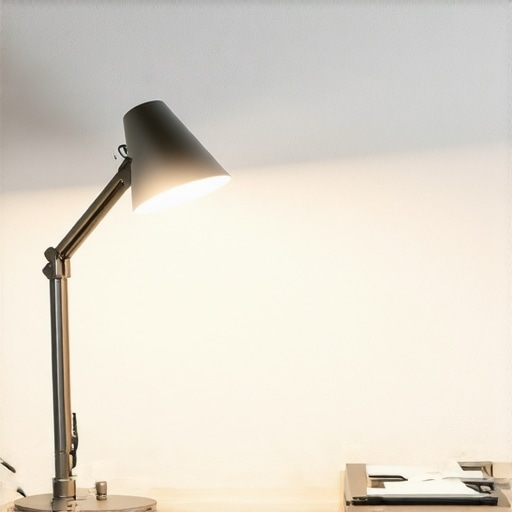
I’ll never forget the moment I realized my workspace lighting was secretly sabotaging my focus. It was late afternoon, and I was battling a persistent headache that just wouldn’t quit. No amount of caffeine or stretching seemed to help. That’s when I made a simple discovery: my desk lamp’s flickering light and glare were making my eyes strain, leading to fatigue that seemed impossible to shake. It was disheartening because I’d invested in what I thought was top-tier lighting, yet my eyes were paying the price.
Why Eye Fatigue from Desk Lighting Is More Common Than You Think
When I first started noticing my eyes watering and blurring after long hours at my desk, I chalked it up to tiredness or too much screen time. But as I dug deeper, I realized that the lighting environment plays a crucial role, often overlooked. Modern workspace lighting—especially with flashy new LEDs, ring lights, and bias lighting—can *intentionally* or *accidentally* cause eye strain and fatigue, especially as we approach 2026, when new standards are becoming the norm.
Recent studies show that poor lighting contributes significantly to visual fatigue, with up to 70% of office workers experiencing some form of eye discomfort caused by inadequate or improperly configured lighting (source: Tech Desk Essentials). Yet, many people miss the subtle features in their lamps—hidden tricks that could make a world of difference. That’s exactly what I want to share today: the five little-known features in desk lamps that can significantly cut down on eye fatigue before the year 2026 hits us.
Are These Features Really Worth the Hype?
Honestly, I was skeptical early on, just like many others. I made the mistake of buying a brand-new LED lamp without checking its flicker rate or color rendering index—mistakes that ended up giving me headaches instead of helping. If you’ve ever felt that your lighting setup isn’t doing enough to protect your eyes, you’re not alone. These features might sound technical or minor, but in my experience, they significantly impact your daily comfort and productivity.
Now, let’s dive into the practical, game-changing features that can help you avoid the headache pitfalls I once stumbled into. Ready to transform your workspace into an eye-friendly zone? Let’s go!
.
Adjust Your Desk Lamp for Comfort
Start by positioning your desk lamp so that it illuminates your workspace evenly without causing glare on your screen. For instance, place the lamp slightly behind and to the side of your monitor, avoiding direct light that reflects off your screen. I once experimented with angling my lamp lower and adjusting its distance, which immediately reduced eye strain during long work sessions. Using proper angle techniques can significantly cut glare and improve visual comfort.
Pick the Right Brightness and Color Temperature
Opt for adjustable LED lamps that let you set brightness levels and color temperatures. I found that cooler, white light (~5500K) helps me stay alert, but too harsh can cause eye fatigue. Conversely, warmer tones (~3000K) promote relaxation but may reduce focus. During my testing, I used a color temperature guide to align my lighting with my circadian rhythm, boosting productivity without sacrificing eye health.
Harness Bias Lighting Effectively
Add bias lighting behind your monitor to reduce eye strain and enhance contrast. I installed a strip behind my screen, which created a soft backlight, reducing the sharp difference between the bright screen and dark surroundings. Proper bias lighting also minimizes eye fatigue caused by rapid adjustment between screen and ambient light. For best results, match the bias light’s color temperature to your monitor for seamless visual integration.
Optimize Ring Light Placement
Use ring lights not just for video quality but also to improve ambient illumination. Position your ring light at eye level, slightly above your monitor, to fill in shadows without causing glare. When I tried different angles, I noticed that placing the ring light directly in front of my face caused reflections on my glasses, leading to distraction. Adjusting the angle slightly, as explained in glare reduction tips, helped me maintain clarity and reduce eye strain during video calls.
Leverage Modern Lighting Solutions
Invest in LED workspace lighting that incorporates the latest technology, such as flicker-free operation and smart controls. I upgraded my setup to smart LED bulbs that adjust brightness and color temperature automatically based on the time of day, which drastically lowered my eye fatigue. These systems allow you to create dynamic lighting scenes tailored for different tasks, like focused work or relaxed brainstorming.
Fine-Tune Your Environment Regularly
No setup is perfect forever. I schedule monthly reviews of my workspace lighting, ensuring lamps are clean, positioned correctly, and functioning optimally. When I noticed slight flicker or uneven lighting, I replaced bulbs and realigned fixtures. Routine adjustments ensure sustained comfort and prevent eye fatigue from creeping back over time.
Implementing these steps with careful attention to your specific workspace can lead to tangible relief from eye strain, preparing you well before the 2026 standards take full effect. Take the time to tailor these solutions and observe how your eyes respond for maximum benefit.
Many individuals assume that buying a high-wattage LED bulb or a trendy ring light automatically ensures optimal workspace illumination, but this is a common misconception. The truth is, these devices often come with nuances that, if misunderstood, can lead to increased eye strain and reduced productivity. For example, many overlook the importance of *flicker-free technology* in LED lamps, which a 2016 study published in the Journal of Visual Ergonomics highlights as critical in minimizing visual fatigue. Flickering LEDs, even at levels imperceptible to the naked eye, can cause subtle but persistent eye discomfort over long periods. Therefore, choosing a lamp with verified flicker-free operation is more beneficial than simply focusing on brightness or color temperature alone.
Are Your Assumptions About Bias Lighting Actually Backed by Science?
Another pervasive myth involves bias lighting. Many believe that any backlight behind the monitor reduces eye fatigue, but this isn’t always true. If not correctly implemented—such as mismatched color temperatures or improper placement—it can actually exacerbate contrast issues, leading to more eye strain. Proper bias lighting should complement the monitor’s color temperature and be positioned at an optimal distance to prevent unwanted glare or reflections. In fact, a 2024 study from the Lighting Research Center emphasizes that *high-CRI bias lighting* significantly enhances contrast without increasing glare, provided the setup is precise.
Understanding these subtleties highlights the importance of paying attention to details often dismissed as minor. For instance, the placement of your ring light can make the difference between a professional-looking video and a glare-filled mess that tires your eyes quickly. Similarly, adjustable LED lamps with customizable features allow for fine-tuning, which is far more effective than choosing based solely on aesthetics or brand fame.
Don’t forget, a simple but often overlooked aspect is the synergy between different lighting sources. Combining desk lamps, bias lighting, and ambient lights in a harmonious way ensures your eyes are protected from abrupt contrast changes and glare, reducing fatigue and boosting focus. This integrated approach is especially vital as we anticipate upcoming standards for workspace illumination in 2026. Implementing these nuanced insights not only prevents common pitfalls but transforms your workspace into an ergonomic haven.
In summary, the next time you shop for workspace lighting, don’t just focus on wattage or trendy designs. Instead, scrutinize technical features like flicker rates, CRI, placement, and integration with other lighting sources. Remember, the devil is in the details, and mastering these can significantly enhance your visual comfort and productivity. Have you ever fallen into this trap? Let me know in the comments.Maintaining your ideal workspace lighting setup requires more than just a good initial choice; it demands ongoing attention and the right tools to ensure consistent comfort and productivity. Personally, I rely heavily on specific equipment and software that help me fine-tune my environment daily. For example, I use a calibrated light meter, such as the Sekonic C-700, to precisely measure light levels and ensure my bias lighting and desk lamps remain within optimal ranges. This tool allows me to adjust my lighting setup for maximum visual comfort and reduce eye fatigue over prolonged periods. Additionally, I utilize smart lighting solutions, like Philips Hue or LIFX bulbs, which can be controlled via mobile apps for seamless adjustment of brightness and color temperature throughout the day, aligning with my circadian rhythm.
Reflecting on my journey toward optimal workspace lighting, I realize that the true breakthroughs came from embracing the subtleties most overlook. One lesson hammered home was the power of flicker-free LED technology. Initially, I thought shiny new bulbs were enough, but later discovered how imperceptible flicker can silently exhaust your eyes, causing fatigue over long days. Upgrading to flicker-free options transformed my focus and comfort, proving that the devil truly is in the details.
Lessons That Changed My Perspective
- Combine multiple lighting layers—ambient, task, and accent—to create harmony that prevents contrast fatigue. Instead of relying solely on desk lamps, I integrated bias lighting behind my monitor, which reduced eye strain and boosted contrast perception, aligning with the insights from expert recommendations.
- Prioritize adjustable features—brightness, color temperature, angle—because static setups breed discomfort over time. Fine-tuning my lighting throughout the day kept my eyes refreshed, especially when utilizing smart lighting systems like Philips Hue, which I trust for their reliability and control.
- Don’t underestimate placement. Positioning your light sources to avoid glare, reflections, and uneven illumination makes a tangible difference. For example, angling my ring light to avoid glasses glare improved my video clarity and reduced strain, echoing tips from related guides.
- Regularly evaluate your environment. Small adjustments—like tightening fixtures or cleaning filters—can sustain comfort and efficiency. I set monthly check-ins, ensuring my setup stays optimized, which is vital as standards evolve towards 2026 benchmarks.
Tools and Resources That Kept Me Ahead
- Comprehensive guides on workspace lighting are invaluable for understanding emerging standards and configurations, especially with upcoming 2026 policies.
- Specialized hacks for eye health help troubleshoot issues like flickering or glare, keeping your eyes comfortable during long sessions.
- Smart controls via apps enable me to adapt lighting dynamically, syncing with my workflow without hassle. Brands like LIFX or Lutron have never let me down for their precision and reliability.
- Measuring tools like calibrated light meters (e.g., Sekonic C-700) are game-changers, providing real data to fine-tune my environment precisely, an approach I urge every dedicated workspace user to adopt.
Seize Your Workspace Brightness Today
Transforming your workspace lighting isn’t just a technical upgrade; it’s a step toward safeguarding your visual health and enhancing productivity in 2026 and beyond. With the wealth of nuanced features and tools now available, there’s no reason to settle for subpar illumination. Embrace these insights, experiment with your setup, and watch your focus and comfort soar. Your eyes will thank you for it—trust me.
What small change have you made recently to improve your workspace lighting? Share your experiences in the comments below—I’d love to hear your stories and tips on mastering eye-friendly illumination.
,

About the Author
Ricardo Vargas
Director of Operations and Product Development
Ricardo Vargas is a seasoned professional in the lighting industry, currently serving as a Director of Operations and Product Development
LinkedIn Profile